Scan it: Quick scanner

Scan it: Quick scanner

Download on App Store
Logo of Scan it: Quick scanner

Scan it: The Ultimate Pocket Scanner for Professionals

Effortlessly digitize documents, extract text with OCR, and sync instantly to your iCloud. The fast, secure, and seamless way to master your paperless workflow on iPhone and iPad.

Download on App Store

Publisher

Filip Nemecek

Category

Business

Downloads

36K+

User Rating

4.8/5

Total Ratings

0

Locales

1

Efficiency in Action

Discover the interface used by 36K+ users.
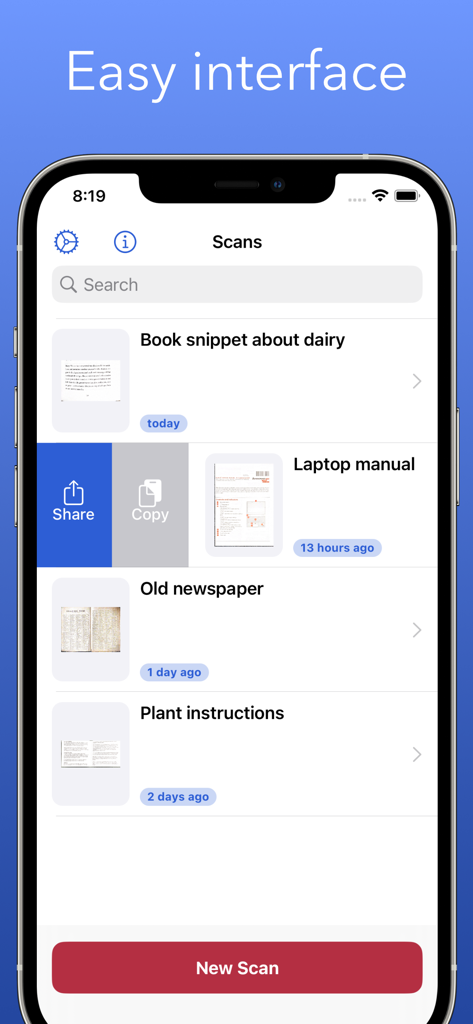
Scan it app document list view showing an easy interface on iPhone

Scan it app document list view showing an easy interface on iPhone

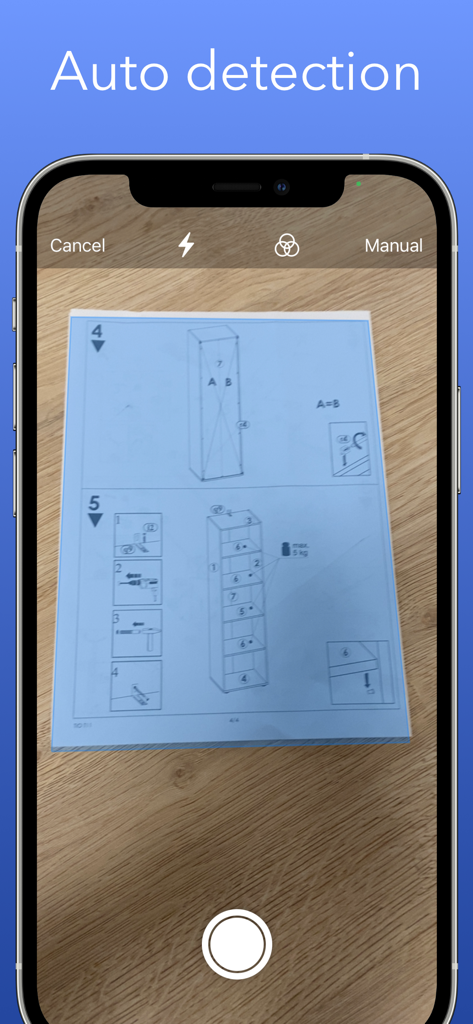
Scan it app automatically detecting edges of a document on an iPhone screen

Scan it app automatically detecting edges of a document on an iPhone screen

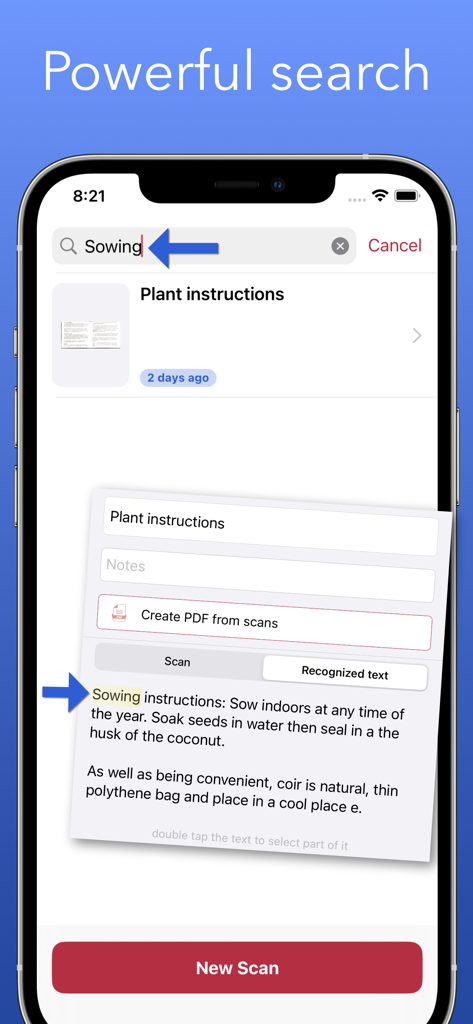
iPhone screen showing the powerful search feature of Scan it app finding specific text within a scanned document using OCR

iPhone screen showing the powerful search feature of Scan it app finding specific text within a scanned document using OCR

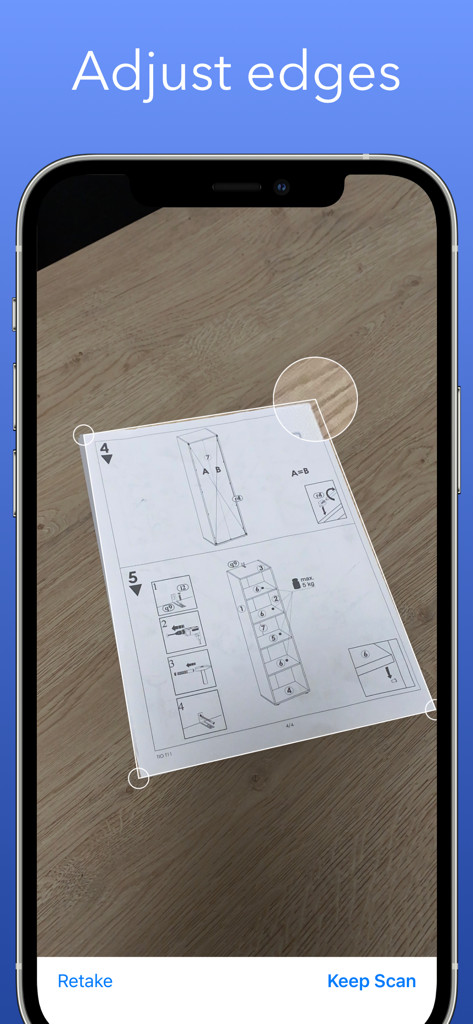
iPhone interface showing manual edge adjustment for a scanned document

iPhone interface showing manual edge adjustment for a scanned document

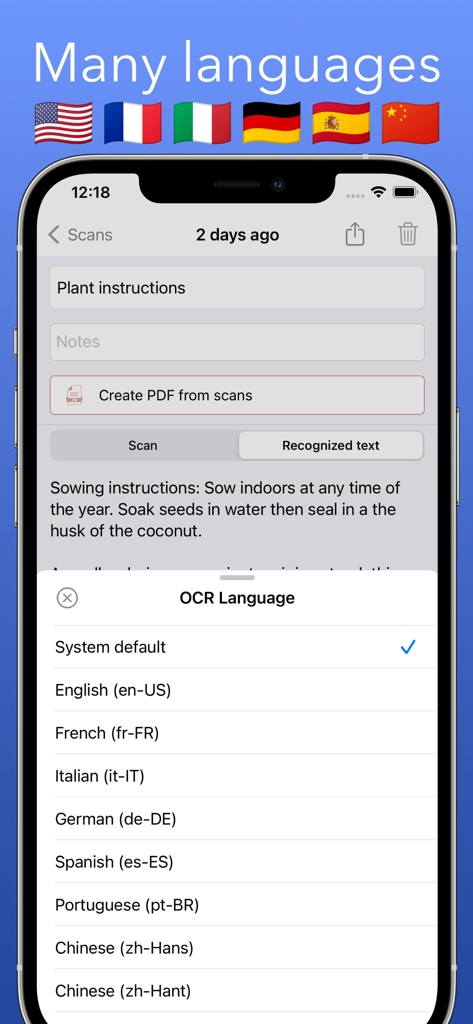
Scan it app showing OCR language options for text recognition

Scan it app showing OCR language options for text recognition

Professional Tools for a Paperless Life

The tools that make this app stand out, trusted by 36K+ users.

Instant Edge Detection

Save time with automatic cropping and professional-grade filters that make every document look clean and legible.

🔍

Searchable OCR Text

Turn scans into data. Instantly extract phone numbers, emails, and text from business cards or contracts.

☁️

Cloud-Native Workflow

Your files belong to you. Everything syncs automatically to your iCloud Drive for seamless access across iPhone, iPad, and Mac.

About the app

Everything you need to know about Scan it: Quick scanner.

Description

Easy to use scanner. Convert scans into PDF for easy sharing. *Free version offers 5 scans every month. Upgrade to Pro to remove the limit* The app can export scanned documents as PDF and also does text recognition (OCR). You can easily access all text content or perhaps just the website address or phone number. You scanned documents are automatically saved to iCloud Drive and available on all your Apple devices. iPad version supports drag and drop so you can quickly drag scanned documents to other apps. | Scan Scan one or multiple pages and adjust the edges if needed before saving the final scan. The app automatically detects the edges of the document for better experience. You can rotate the scanned document or apply Grayscale, Black & White or Photo filters. Just make sure to do these edits before confirming the scan. | Export Easily share scanned documents as individual images or create PDF from all the pages in one scan. | iCloud All scanned documents are automatically uploaded to your iCloud Drive for easy access and backup. Just look for the "Scan it" folder. You can also customize this to export single PDF from multiple scans. | Text Recognition Scan it features OCR which means that scanned text will get recognized and you can quickly make use of it. For example if you scan business card you will get tappable links in results allowing you to make a call, send an email, open Safari or maps depending on the contents. This recognized text can also be easily shared. Examples where app can help: * Scan business cards to quickly save contact information like an email or phone number * Scan receipts to keep track of expenses * Scan interesting book pages or other articles for later * Scan and archive invoices and other important documents * Paper notes, mindmaps and other important texts so you never lose it

Latest Version

4.0.1

Size

12.9 MB

First Released

Apr 29, 2020

Ready to Simplify Your Workflow?

Join 36,000+ digital-first professionals using Scan it to turn physical documents into searchable PDFs instantly. Start your paperless journey on iPhone and iPad today.

Download on App Store

App information, icons, screenshots, and descriptions displayed on this page are sourced from the Apple App Store and are the property of their respective developers. Download estimates and rankings are based on MWM's proprietary models and may not reflect actual figures. This page is provided for informational and analytical purposes only.

Believe this page infringes your intellectual property? File a dispute