Scanbot SDK: Document Scanning

Scanbot SDK: Document Scanning

Download on App Store
Logo of Scanbot SDK: Document Scanning

Scanbot SDK: Document Scanning — Enterprise-Grade Offline Scanning for Professionals

Capture crisp, high-quality documents in 2 seconds with AI-powered precision. Ensure absolute data security with a 100% offline workflow that automatically crops and corrects every scan for a perfect digital result.

Download on App Store

Publisher

Scanbot SDK, Inc

Category

Business

Downloads

10K+

User Rating

4.3/5

Total Ratings

0

Locales

1

Precision in Every Scan

Discover the interface used by 10K+ users.
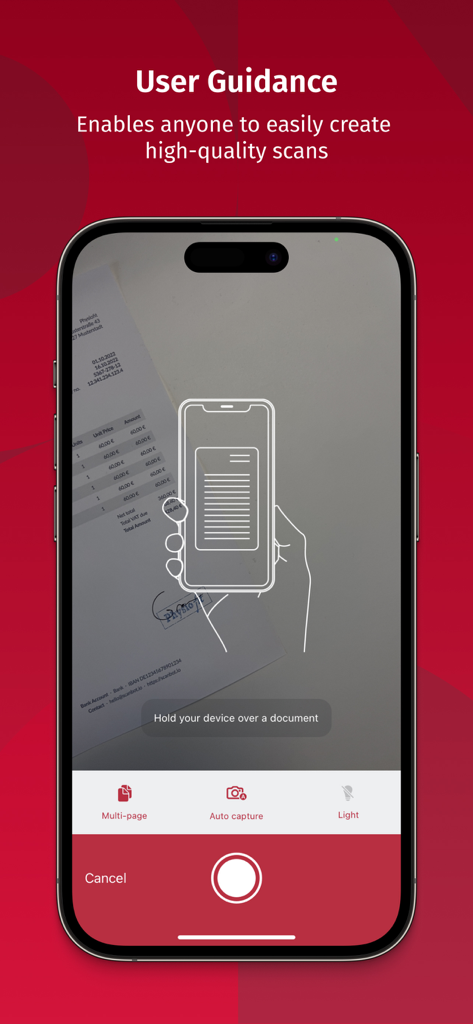
Scanbot SDK app interface showing user guidance for high quality document scanning

Scanbot SDK app interface showing user guidance for high quality document scanning

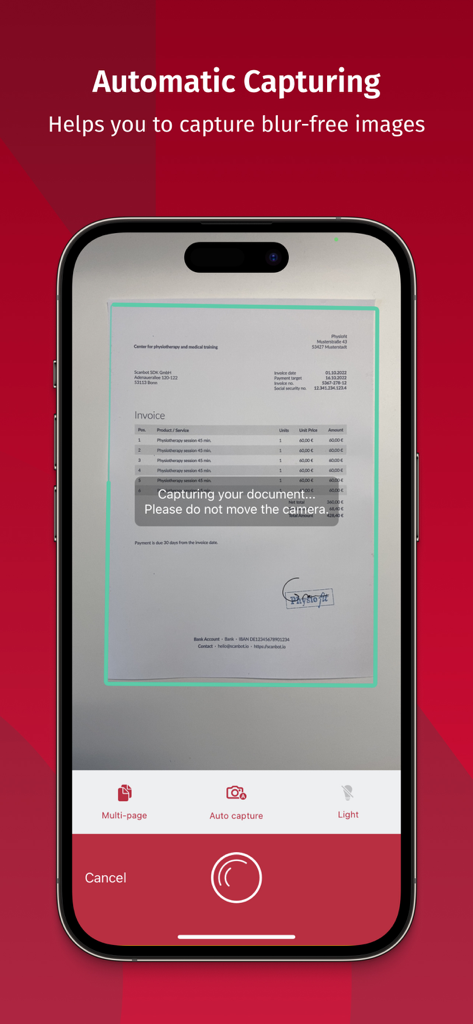
Scanbot SDK app interface showing automatic document capture of an invoice on a smartphone

Scanbot SDK app interface showing automatic document capture of an invoice on a smartphone

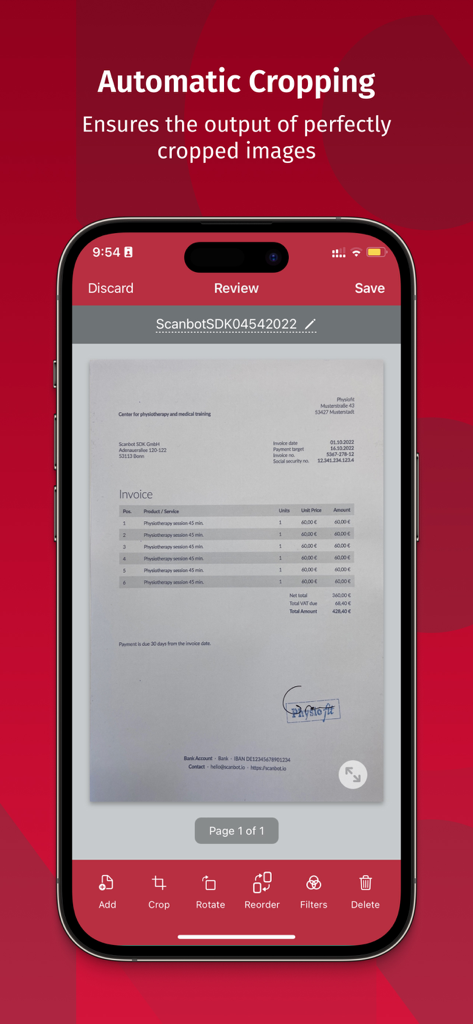
iPhone screen showing the Scanbot SDK app automatically cropping a scanned invoice document

iPhone screen showing the Scanbot SDK app automatically cropping a scanned invoice document

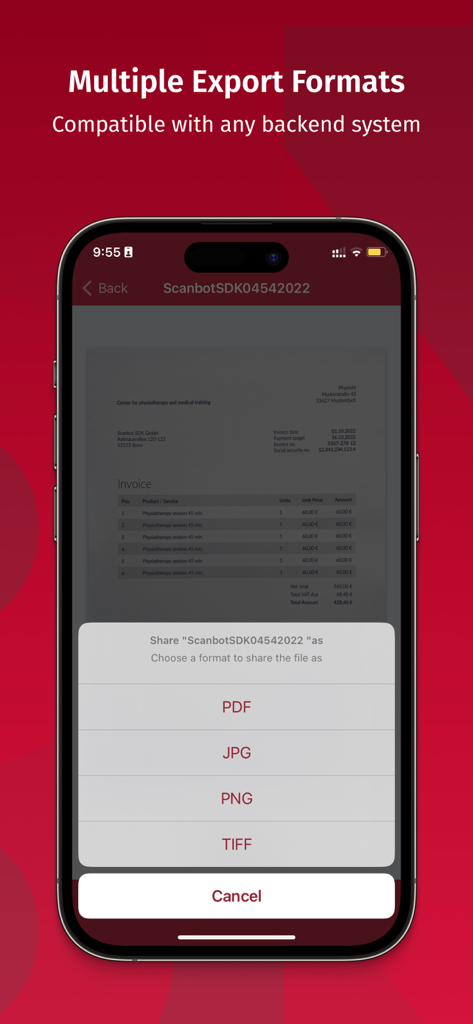
Scanbot SDK mobile app showing document export options for PDF JPG PNG and TIFF formats

Scanbot SDK mobile app showing document export options for PDF JPG PNG and TIFF formats

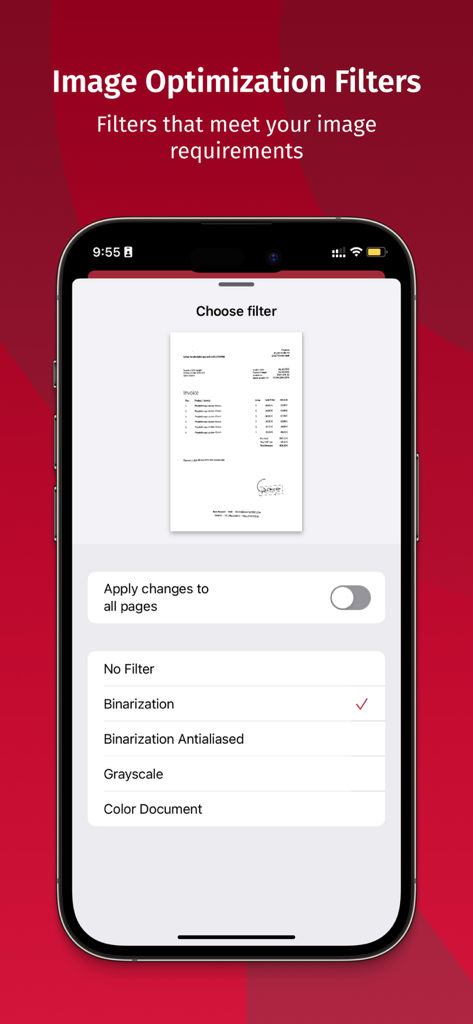
Scanbot SDK image optimization filters for professional document scanning

Scanbot SDK image optimization filters for professional document scanning

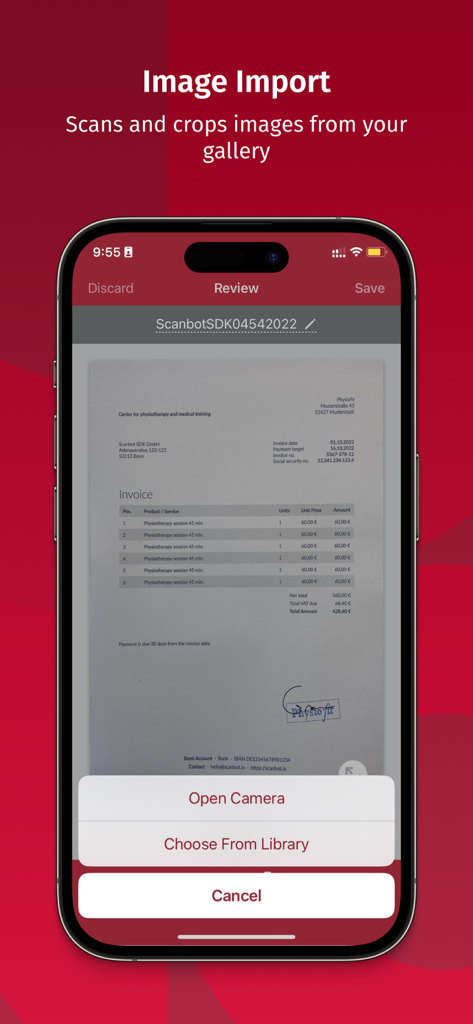
Scanbot SDK app showing the document import and cropping feature from the phone gallery

Scanbot SDK app showing the document import and cropping feature from the phone gallery

Enterprise-Grade Scanning for Professionals

The tools that make this app stand out, trusted by 10K+ users.

🔒

Absolute Data Privacy

Process sensitive contracts and PII with confidence. Our 100% offline technology ensures your data never touches a third-party server, meeting strict compliance standards.

Intelligent Auto-Capture

Get the perfect scan in just 2 seconds. Our AI automatically handles cropping, straightening, and perspective correction so you can focus on the job, not the camera.

📋

Professional Export Formats

Generate crisp, OCR-ready PDF, TIFF, or JPG files. Use advanced image optimization filters to ensure every document looks office-quality, regardless of lighting.

About the app

Everything you need to know about Scanbot SDK: Document Scanning.

Description

Turn any smartphone, tablet, or wearable device into an easy-to-use & reliable Document Scanner that creates high-quality images of documents in just 2 seconds with the Scanbot SDK: Document Scanning App. This App impresses with an easy-to-use and reliable scanning experience that enables users to create high-quality images of physical documents. Working completely offline on your device, the App is never connected to any third-party servers – providing you with absolute data security. Our cutting-edge machine learning- and computer vision-based Document Scanning technology offers all the features you need for a seamless scanning experience that allows anyone to easily capture sharp and crisp images of documents: SELF-EXPLAINING USER GUIDANCE We developed a self-explaining user guidance that enables even non-tech-savvy people to capture high-quality scans with their devices easily. AUTOMATIC CAPTURING & CROPPING With our automatic capturing and cropping functionalities, all you need to do is hold your device over a document to create the perfect scan. The Scanbot SDK: Document Scanning App does the rest - blurry and badly cropped images with disturbing backgrounds become a thing of the past. PERSPECTIVE CORRECTION We know that it can be difficult to position the camera perfectly above the document. This is why we developed an algorithm that automatically straightens every scan. It supports you with scans taken from a bad angle and facilitates further processing. MULTIPLE EXPORT FORMATS PDF, JPG, PNG, or TIFF – we offer all the export formats that you need. IMAGE OPTIMIZATION FILTERS We have learned that each user has unique image requirements. That's why we built Image Optimization Filters for various use cases (e.g., Binarization, Grayscale, Color Document, and more). SINGLE- AND MULTI-PAGE MODES With our App, you can scan single or multi-page documents without leaving the scan screen. If you have any questions, please contact us: https://scanbot.io/.

Latest Version

1.7.0

Size

82.9 MB

First Released

Nov 14, 2022

Get Enterprise-Grade Scanning in Your Pocket

Join 10,000+ professionals who trust our 100% offline, secure technology for high-quality document capture and zero data risk.

Download on App Store

App information, icons, screenshots, and descriptions displayed on this page are sourced from the Apple App Store and are the property of their respective developers. Download estimates and rankings are based on MWM's proprietary models and may not reflect actual figures. This page is provided for informational and analytical purposes only.

Believe this page infringes your intellectual property? File a dispute