Scheduler Calendar & Invoicing

Scheduler Calendar & Invoicing


Download on App Store
Logo of Scheduler Calendar & Invoicing

Scheduler Calendar & Invoicing: Professional Management with No Monthly Fees

The all-in-one tool for solo-preneurs to manage appointments, clients, and finances offline. Experience a 'calendar on steroids' integrated with your Apple contacts—buy once, own it forever.

Publisher

JZ Mobile LLC

Category

Business

Downloads

30K+

User Rating

3.8/5

Total Ratings

0

Locales

1

Your Business in Action

Discover the interface used by 30K+ users.
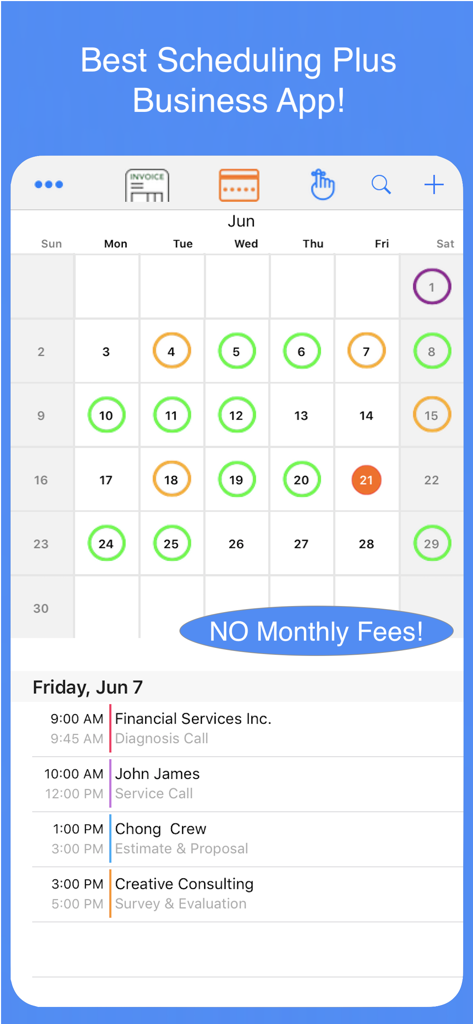
Interface of the Scheduler Calendar app showing monthly views and daily business appointments

Interface of the Scheduler Calendar app showing monthly views and daily business appointments

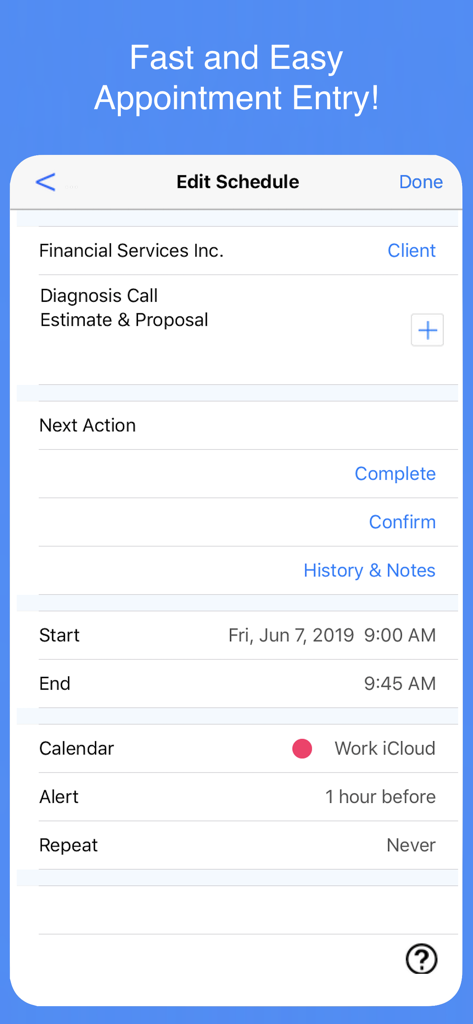
Interface of the Scheduler app showing how to edit and manage an appointment including client details and time settings.

Interface of the Scheduler app showing how to edit and manage an appointment including client details and time settings.

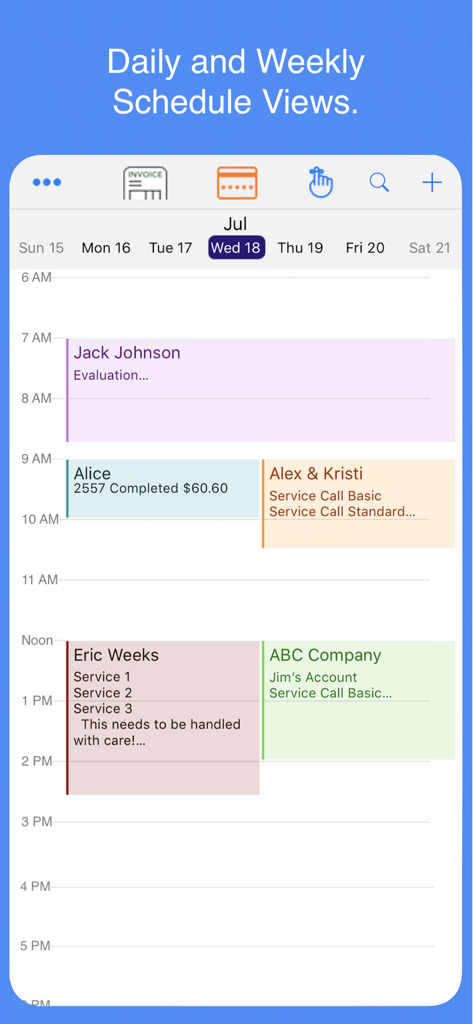
Daily and weekly schedule view showing multiple client appointments in the app

Daily and weekly schedule view showing multiple client appointments in the app

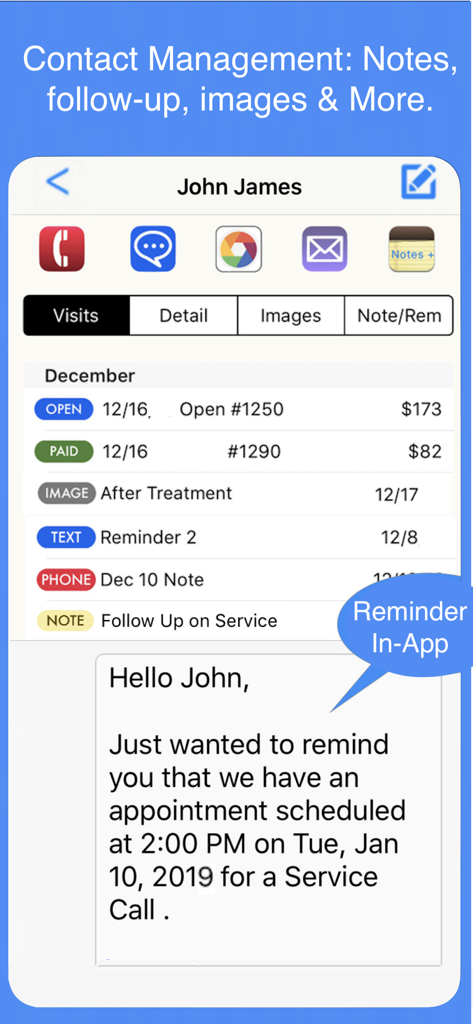
Interface showing client profile with visit history and automated appointment reminders

Interface showing client profile with visit history and automated appointment reminders

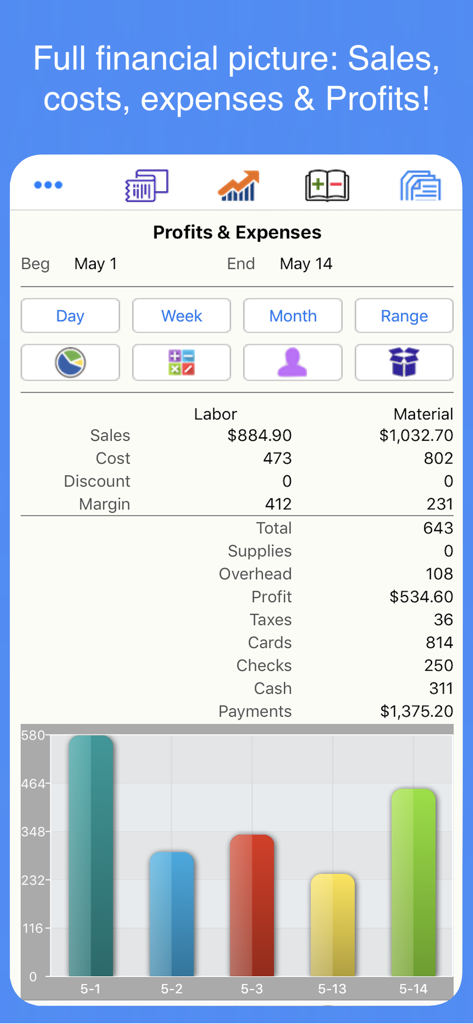
Dashboard showing business profits expenses and financial bar chart

Dashboard showing business profits expenses and financial bar chart

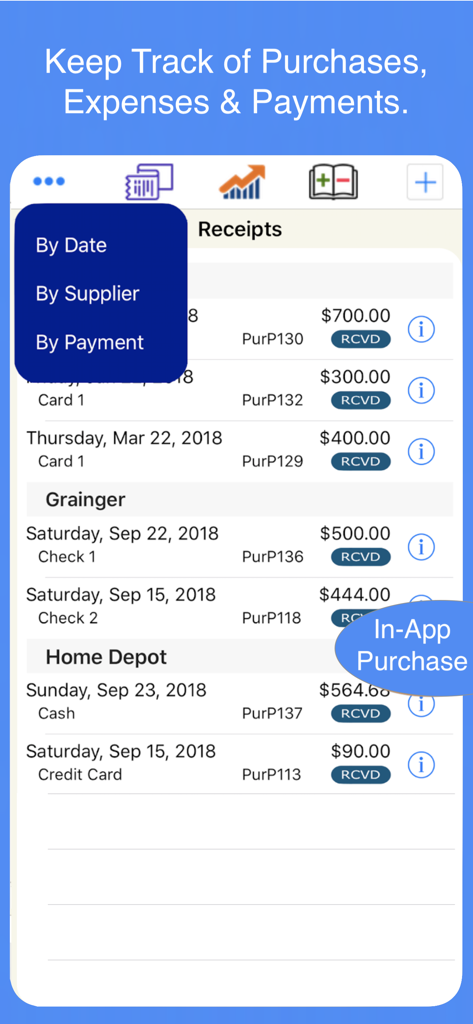
Mobile app screen for tracking business purchases and expenses by supplier and date

Mobile app screen for tracking business purchases and expenses by supplier and date

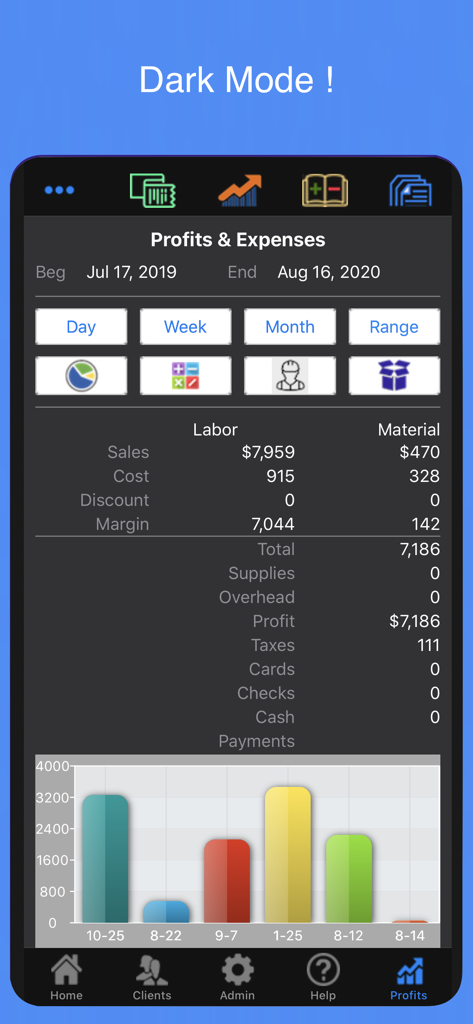
Profits and Expenses dashboard in dark mode showing financial summaries and a performance bar chart

Profits and Expenses dashboard in dark mode showing financial summaries and a performance bar chart

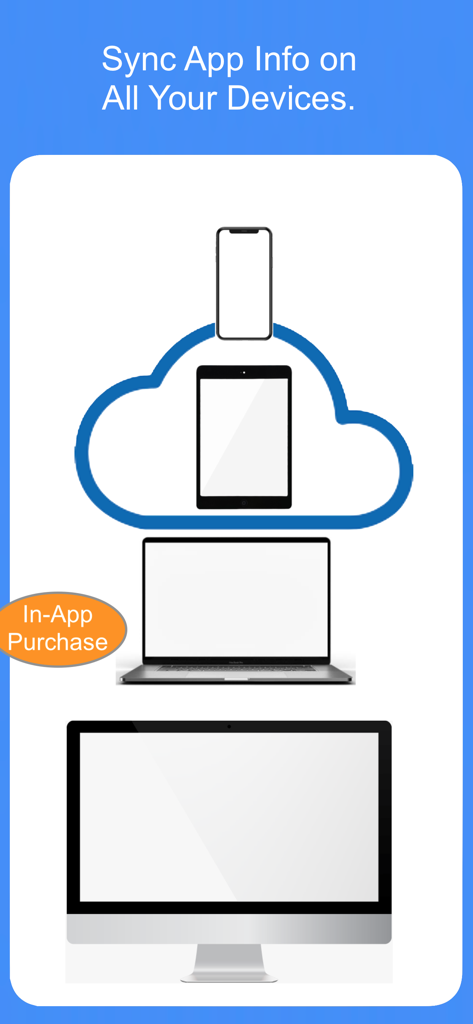
Illustration showing business data synchronization across iPhone iPad and Mac devices via cloud sync

Illustration showing business data synchronization across iPhone iPad and Mac devices via cloud sync

Professional Business Management Without the Monthly Bill

The tools that make this app stand out, trusted by 30K+ users.

💰

One-Time Purchase, No Subscriptions

Eliminate subscription fatigue. Own your professional toolkit forever with a single purchase and zero recurring monthly fees to weigh down your bottom line.

📅

Your Native Calendar on Steroids

Transform your existing iOS contacts and calendars into a powerhouse. Manage repeating appointments, track client history, and send reminders in one streamlined view.

📊

Instant Invoices & Total Offline Control

Generate professional PDF invoices and track profits instantly. All data stays secure on your device, allowing you to run your business anywhere without needing an internet connection.

About the app

Everything you need to know about Scheduler Calendar & Invoicing.

Description

Scheduler Calendar & Invoicing is used to manage your time and business by maintaining a client focused schedule of your appointments that is utilized to track clients and their visits. Our Scheduler is the centerpiece. Scheduler provides daily, weekly and monthly view of your appointments. Integrated with your client contact info you can quickly send reminders, check out clients and track your all financial results. Easy Setup and Leaning Since the app uses your existing Contacts and Calendar you are up a running in no time! How to movies and guides show you how to use your new app. This comprehensive business app provides complete financial information including inventory control and Profit & Loss Info. All information is maintained on your device and there is no need for connectivity or outside servers as is common with many of the more sophisticated business apps. Highlights: NO MONTHLY FEES! One time purchase price. Scheduler - Your calendar on steroids. Select client names from your contacts and add the service information to the appointment. Create reminders, complete and checkout the client, view contact management info and send appointment confirmations. All right from the scheduled appointment. View multiple calendars, set alerts, repeating appointments and search history. Repeating Appointments - Full support for Weekly, Monthly & Daily repeating appointments. can specify ending date or never. Completing appointments does not alter future appointment. Entry is simplified compared to the devices Calendar app. Contact Management - Store notes, images and track other communications with your clients and have the in app ability to call, text, email or map without leaving your app. Client History - Maintain all service and sales history for each client including notes, images and more. Services, Products & Supplies are maintained in the app with detailed multi-line descriptions, costs, price, units & on hand quantities. These can be added on-the-fly or maintained from your stored items. Images from both the Camera and Album apps may be used for logo's and saved with your client information. Financial Information - Is instantly available for sales, payments, taxes and inventory for any timeframe with just a few taps. Information may be viewed on screen or downloaded for further analysis with any spreadsheet. Document Manager - Document Design & Delivery- Change document field names of invoice and estimate documents, change formats easily with unique design for invoices and estimates. Use your local language and terms. Batch deliver Printed & Email docs. Spreadsheet Download - Download your financial info and backup your info in a Spreadsheet format. Backup all of your key data bases to a spreadsheet. Training, Help and Technical Support - Context sensitive help shows by topic as well as how to movies. Email, text and phone support provides to help with any questions or issues. International Currency Dates & Dynamic Type (the ability of the app to change font sizes) are all included in the app. Supports all iPad sizes gracefully. Adapts to larger screens and shows more info. In App Purchases: All Productivity In-Apps A money saving package that includes 4 In-Apps. Estimates - In App Purchase required. Create detailed and professional looking estimates at the client site that may be immediately emailed or printed. Track the status of each Estimate from Draft to Email to Approved. Cloud Sync Automatically synchronize your information utilizing iCloud technology. For up to five devices this In App will keep your business info inSync and available on all your devices! Profits and Reports Profits provides a complete financial system that tracks all sales, purchases and expenses. Includes ALL formatted PDF Reports that can be directly printed or attached to emails.

Latest Version

26

Size

132.1 MB

First Released

Feb 25, 2014

Ready to Ditch the Monthly Subscriptions?

Join 30,000+ professionals who manage their entire business with a one-time purchase. Get professional scheduling, invoicing, and profit tracking—all on your device, with no monthly fees.

Download on App Store
FAQ

Frequently Asked Questions

Everything you need to know about Scheduler Calendar & Invoicing

Does "Scheduler Calendar & Invoicing" require a monthly subscription?

No, "Scheduler Calendar & Invoicing" does not require monthly fees. It operates on a one-time purchase model for access to its features.

What is the main purpose of the "Scheduler Calendar & Invoicing" app?

The "Scheduler Calendar & Invoicing" app primarily manages appointments, clients, and financial transactions for businesses, providing scheduling, invoicing, and financial tracking features.

Does "Scheduler Calendar & Invoicing" require an internet connection or outside servers?

No, the "Scheduler Calendar & Invoicing" app stores all information directly on your device. It does not require continuous connectivity or external servers.

What scheduling views does the "Scheduler Calendar & Invoicing" app offer?

The "Scheduler Calendar & Invoicing" app offers daily, weekly, and monthly views of your appointments. This allows users to manage their schedule according to their preference.

How does "Scheduler Calendar & Invoicing" handle client contact information?

"Scheduler Calendar & Invoicing" integrates with your existing Contacts. It allows storing notes, images, tracking communications, and performing calls, texts, or emails directly within the app.

Is cloud synchronization available in "Scheduler Calendar & Invoicing"?

Yes, "Scheduler Calendar & Invoicing" offers cloud synchronization as an In-App Purchase. It utilizes iCloud technology to keep business information synced across up to five devices.

Can I track financial information like profit and loss in "Scheduler Calendar & Invoicing"?

Yes, "Scheduler Calendar & Invoicing" provides comprehensive financial information including inventory control and Profit & Loss. Sales, payments, taxes, and inventory data are instantly available.

Does "Scheduler Calendar & Invoicing" support repeating appointments?

Yes, "Scheduler Calendar & Invoicing" provides full support for weekly, monthly, and daily repeating appointments. Users can specify an ending date or set them to never end.

Does "Scheduler Calendar & Invoicing" allow creating estimates?

Yes, the "Scheduler Calendar & Invoicing" app allows creating detailed and professional estimates. This feature is available as an In-App Purchase.

Can "Scheduler Calendar & Invoicing" generate PDF reports?

Yes, the "Profits and Reports" In-App Purchase within "Scheduler Calendar & Invoicing" provides all formatted PDF reports. These can be printed directly or attached to emails.

Does "Scheduler Calendar & Invoicing" support Dark Mode?

Yes, "Scheduler Calendar & Invoicing" supports Dark Mode, offering an alternative visual theme for user preference.

App information, icons, screenshots, and descriptions displayed on this page are sourced from the Apple App Store and are the property of their respective developers. Download estimates and rankings are based on MWM's proprietary models and may not reflect actual figures. This page is provided for informational and analytical purposes only.

Believe this page infringes your intellectual property? File a dispute