
Scratch案例教程

Transform screen time into creative mastery with a premium case-based curriculum designed by senior software experts to build logic, creativity, and future-ready skills.
Publisher
Category
EducationDownloads
156K+User Rating
Total Ratings
100Locales
1Discover the interface used by 156K+ users.
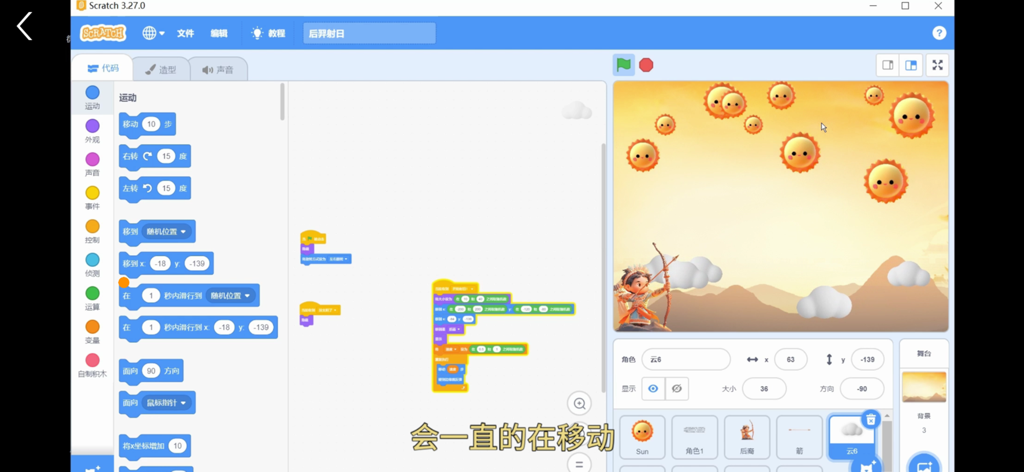
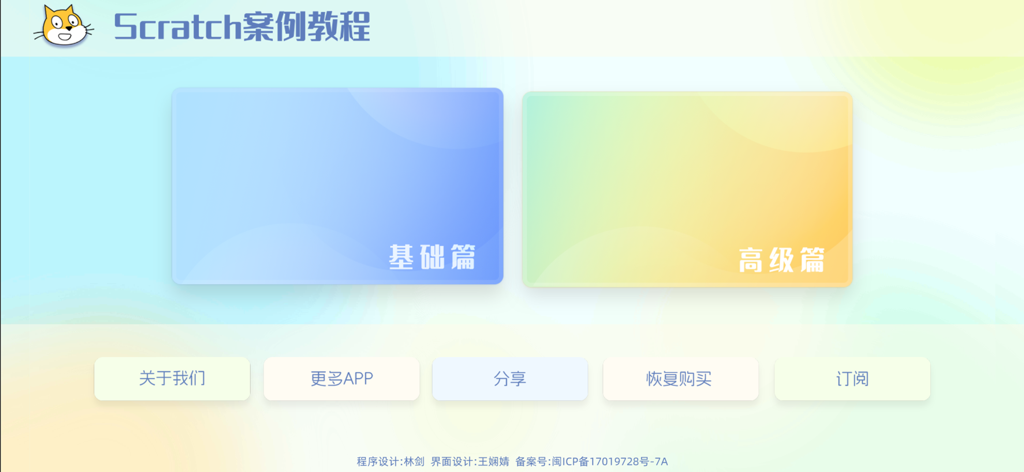
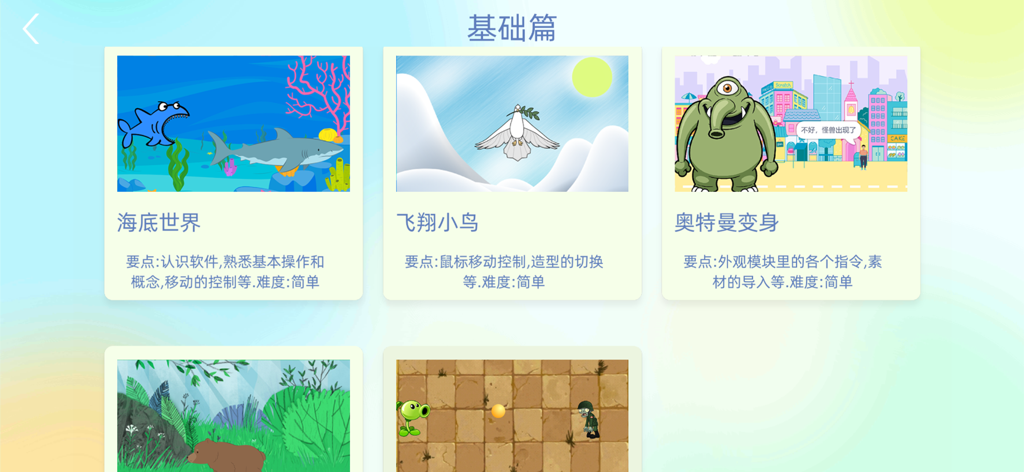
The tools that make this app stand out, trusted by 156K+ users.
Access a rigorous curriculum developed by senior designer Lin Jian, bridging the gap between simple play and real-world engineering logic.
Skip the dry theory. Build interactive games and animations through step-by-step cases that produce immediate, tangible results your child can show off.
Foster the critical thinking and problem-solving skills necessary for the 21st century, preparing your child for future leadership in tech.
Insights from user reviews.
Sentiment Score
Summary
This app garners overwhelmingly negative feedback, largely due to a prominent language barrier, with many users encountering the app exclusively in Chinese, Japanese, or Korean without translation options. A common complaint is that the app is misrepresented, with users expecting the official Scratch programming platform but instead finding a tutorial or a non-functional programming tool, often leading to frustration and accusations of being a "rip-off." Further issues include problems with in-app purchases, such as re-buying content, and general usability challenges like difficulty starting or creating projects. While a few positive comments exist, one user noted an update had addressed the language issue for English, though this appears to be an isolated improvement.
Common Themes
Everything you need to know about Scratch案例教程.
Description
Latest Version
1.05
Size
117.9 MB
First Released
Dec 15, 2023
Join thousands of families using our expert-led Scratch curriculum. Download now to transform your child's logic and creativity into real-world games and stories.
Everything you need to know about Scratch案例教程
Scratch is a graphical programming software designed for teenagers and beginners. It allows children to create animations, games, and interactive stories by dragging and stacking code blocks.
Teacher Lin Jian, a senior software designer and Quanzhou's "Yongquan Action" talent, personally developed and recorded the Scratch案例教程 app and its tutorials.
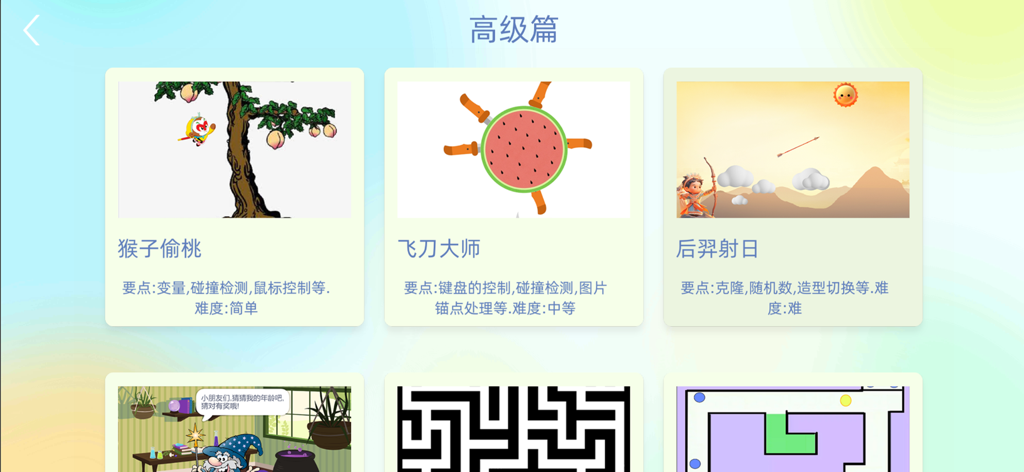
The Scratch案例教程 app offers both a "Basic Section" (基础篇) and an "Advanced Section" (高级篇), providing a range of projects to teach graphical programming concepts.
Yes, Scratch案例教程 includes an "Advanced Section" (高级篇) with projects like "Hou Yi Shoots the Sun." These lessons cover complex concepts such as cloning and costume switching.
Yes, the Scratch案例教程 app features a "Basic Section" (基础篇) with beginner-friendly projects. These projects introduce fundamental software operations and movement control.
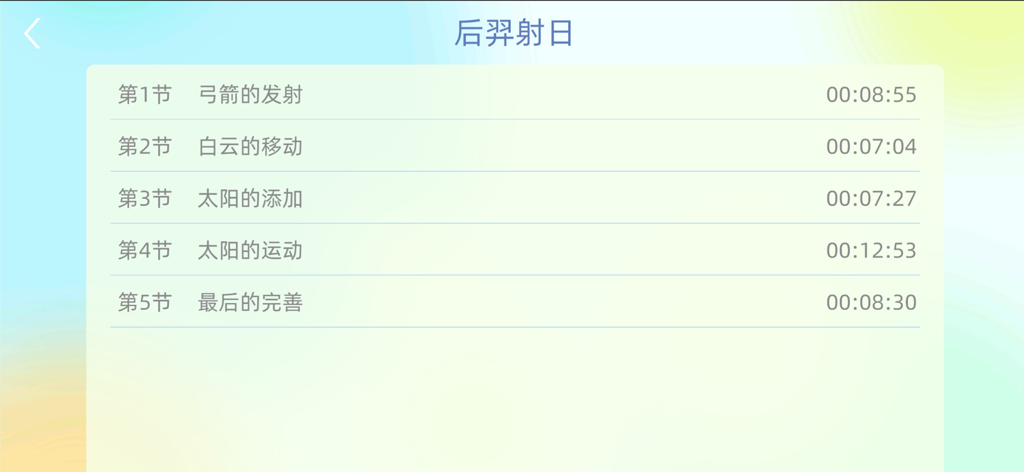
Lessons in the Scratch案例教程 app are structured into multiple parts. For example, the "Hou Yi Shoots the Sun" project contains five sections including "Arrow Launch" and "Sun Addition."
Apps with similar features and user experience
HomerLearning, Inc.

Hopscotch Technologies

Massachusetts Institute of Technology

Learny Land S.L.

Tinybop Inc.

Guangdong Walnut Online Non Discipline Training School Co., Ltd

HORTOR INTERACTIVE TECHNOLOGY PTE. LTD.
Neuron Fuel, Inc.
Tinybop Inc.
App information, icons, screenshots, and descriptions displayed on this page are sourced from the Apple App Store and are the property of their respective developers. Download estimates and rankings are based on MWM's proprietary models and may not reflect actual figures. This page is provided for informational and analytical purposes only.
Believe this page infringes your intellectual property? File a dispute