
Secure Access for Corporate

Empowering finance leaders to authorize transactions and manage global cash flow securely from their iPhone or iPad, anywhere in the world.
Publisher
Category
FinanceDownloads
12K+User Rating
Total Ratings
0Locales
6Discover the interface used by 12K+ users.
The tools that make this app stand out, trusted by 12K+ users.
Eliminate the mobile bottleneck by authorizing payroll, vendor payments, and high-value wire transfers directly from your iPhone or iPad with a single tap.
Protect your company from fraud with dedicated, out-of-band authentication and biometric integration designed to meet the highest corporate compliance standards.
Maintain oversight of your international liquidity and manage Global Cash accounts across multiple regions through a unified, professional mobile interface.
Everything you need to know about Secure Access for Corporate.
Description
Latest Version
3.8
Size
24.3 MB
First Released
Apr 7, 2021
Download the Secure Access Mobile app to manage Global Cash and authorize high-value transactions with biometric precision, wherever your business takes you.
Everything you need to know about Secure Access for Corporate
The Secure Access for Corporate mobile app enables corporate clients to access Global Cash and confirm transactions. It is designed for use on iPhone or iPad.
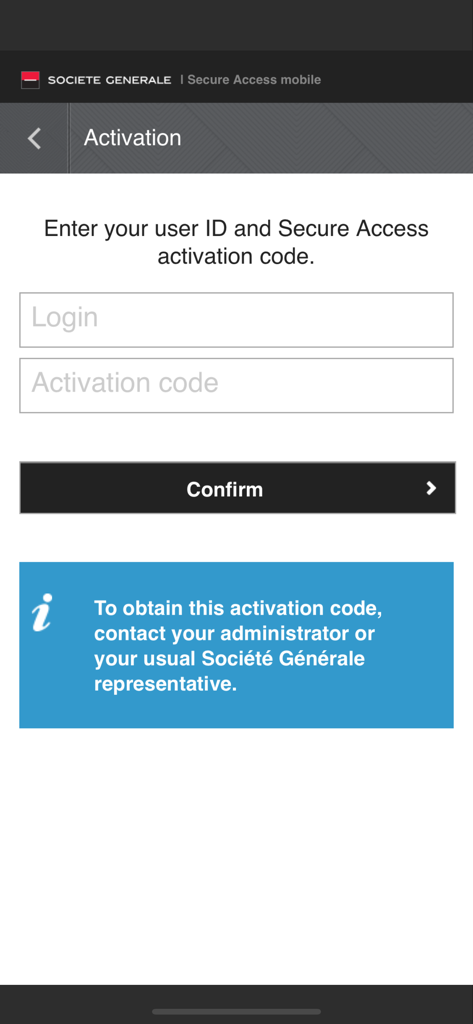
Users activate the Secure Access for Corporate app by entering their Login and an Activation code. The app requires activation before use.
To obtain an activation code for Secure Access for Corporate, contact your administrator or your usual Société Générale representative. This instruction is on the activation screen.
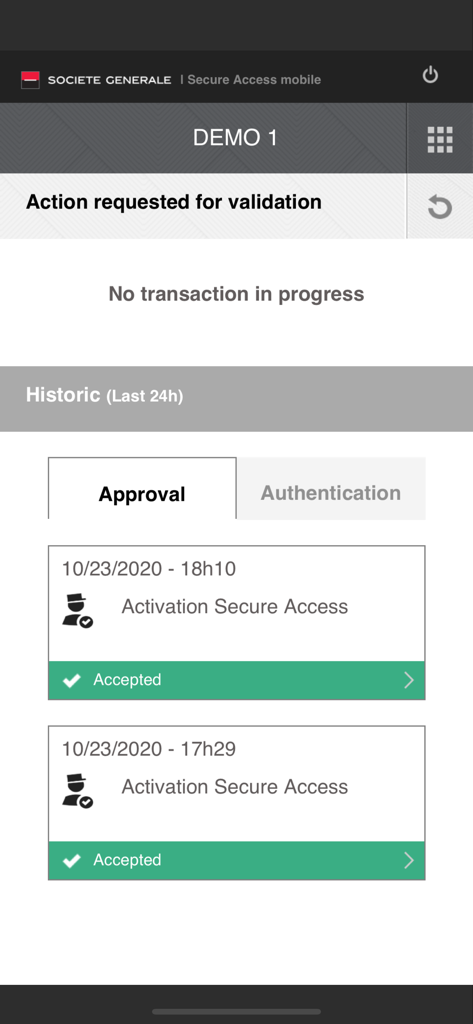
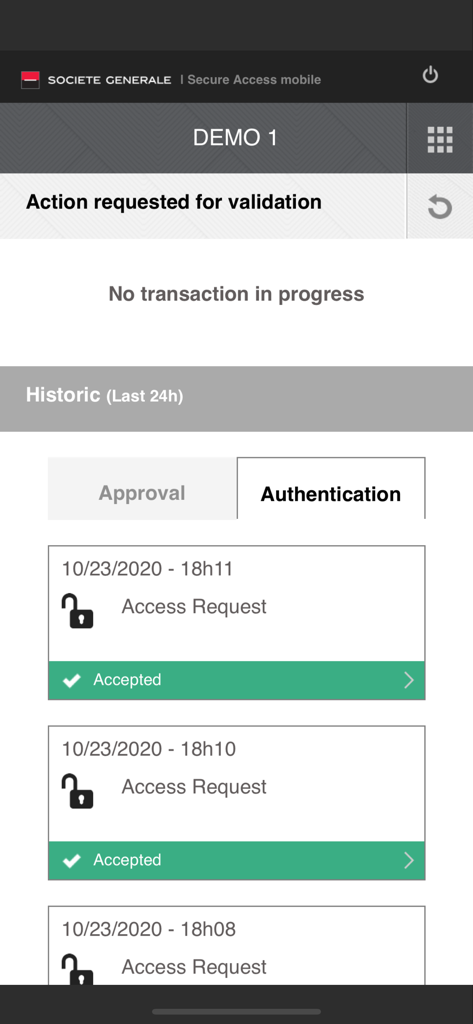
The Secure Access for Corporate app confirms transactions related to Global Cash. Users can also view a historical log of approvals and authentication requests.
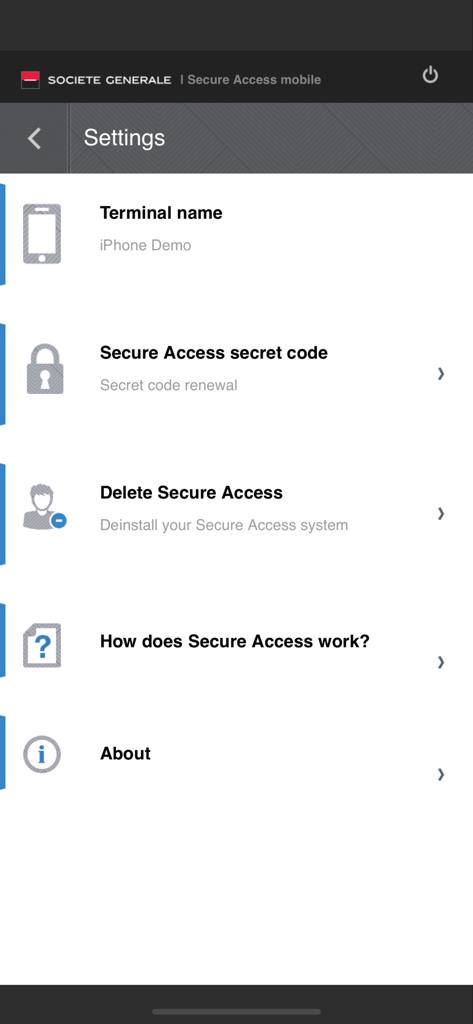
Yes, the Secure Access for Corporate app offers a "Delete Secure Access" option within its settings. This allows users to deinstall their Secure Access system.
The Secure Access for Corporate app includes a "Secure Access secret code" option in its settings. This feature is for secret code renewal.
Top-ranked apps in the same category

State Administration of Taxation

China Unionpay Co.,Ltd.

Shenzhen Xiaoduotou Information Technology Co.,Ltd.

PayPal, Inc.

AGRICULTURAL BANK OF CHINA LIMITED

MercadoLibre S.A.

KALSHI INC.

Industrial and Commercial Bank of China

State Administration of Taxation
App information, icons, screenshots, and descriptions displayed on this page are sourced from the Apple App Store and are the property of their respective developers. Download estimates and rankings are based on MWM's proprietary models and may not reflect actual figures. This page is provided for informational and analytical purposes only.
Believe this page infringes your intellectual property? File a dispute