ServiceDesk Plus | On-premises

ServiceDesk Plus | On-premises


Download on App Store
Logo of ServiceDesk Plus | On-premises

ServiceDesk Plus | On-premises: Empower Your IT Team with Mobile Freedom and Total Data Control

Streamline your ITSM and ITAM workflows on the go. From instant ticket resolutions and barcode asset scanning to one-tap approvals, manage your enterprise services securely from your mobile device.

Publisher

Zoho Corporation

Category

Business

Downloads

78K+

User Rating

2.9/5

Total Ratings

200

Locales

39

Your Desk, Without the Desk

Discover the interface used by 78K+ users.
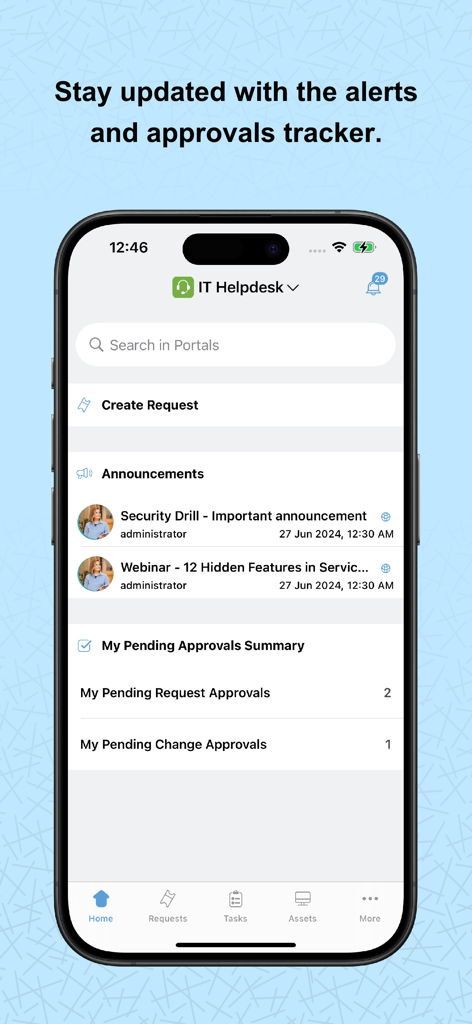
ServiceDesk Plus app dashboard showing IT helpdesk announcements and pending approvals summary on an iPhone.

ServiceDesk Plus app dashboard showing IT helpdesk announcements and pending approvals summary on an iPhone.

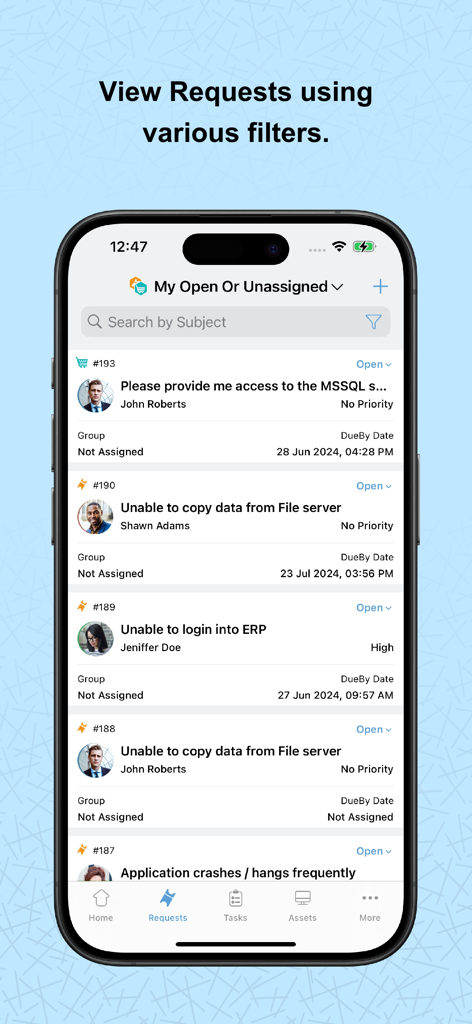
Mobile app screen showing a list of service desk requests with details and filtering options

Mobile app screen showing a list of service desk requests with details and filtering options

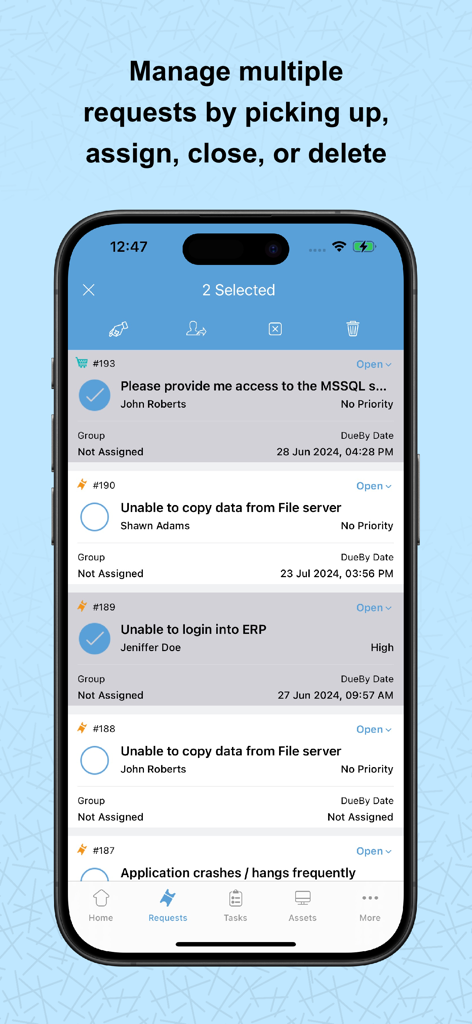
Mobile interface of ServiceDesk Plus showing a list of IT service requests with multiple tickets selected for management

Mobile interface of ServiceDesk Plus showing a list of IT service requests with multiple tickets selected for management

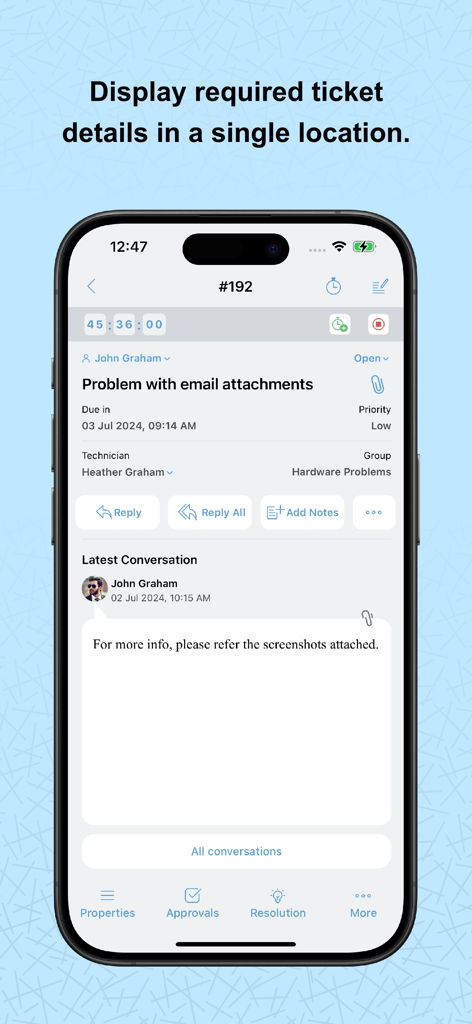
A mobile screen showing detailed information for an IT support ticket including priority, technician, and conversation history in the ServiceDesk Plus app.

A mobile screen showing detailed information for an IT support ticket including priority, technician, and conversation history in the ServiceDesk Plus app.

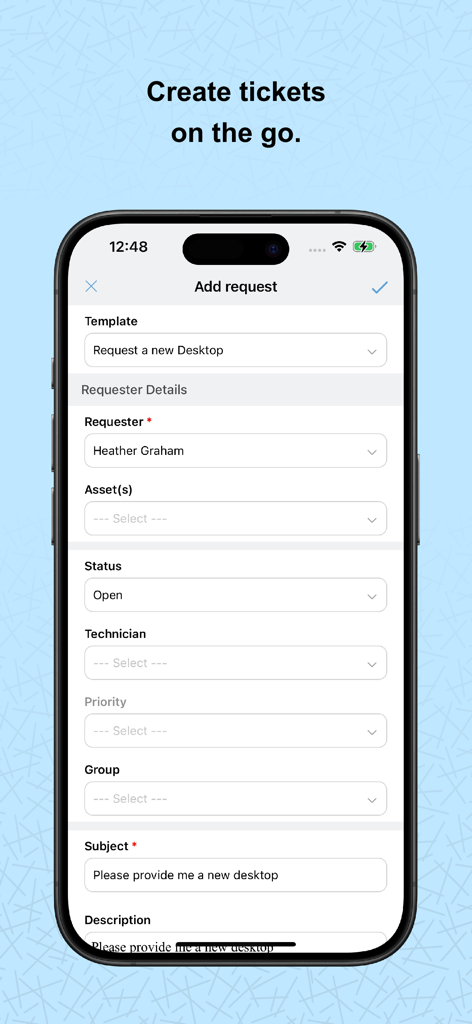
ServiceDesk Plus mobile app interface for creating a new IT service request ticket

ServiceDesk Plus mobile app interface for creating a new IT service request ticket

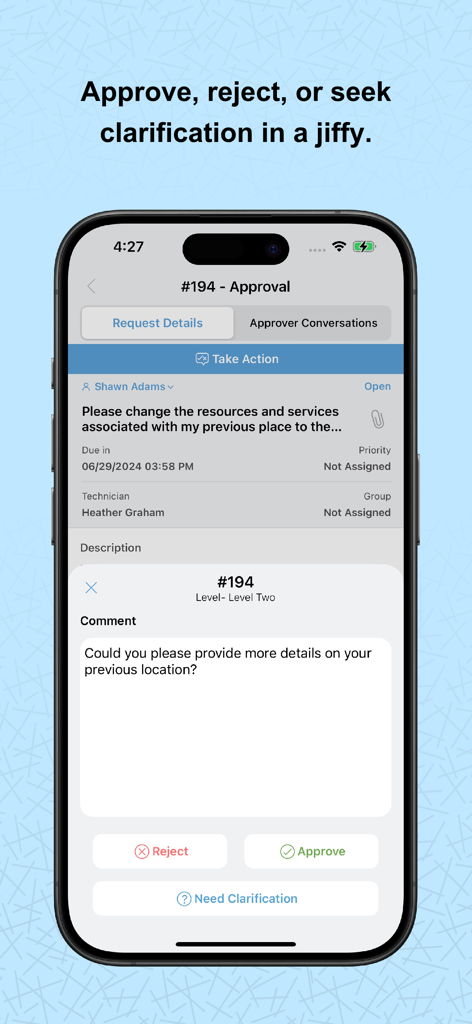
A mobile interface of ServiceDesk Plus showing options to approve, reject, or request clarification for an IT service request.

A mobile interface of ServiceDesk Plus showing options to approve, reject, or request clarification for an IT service request.

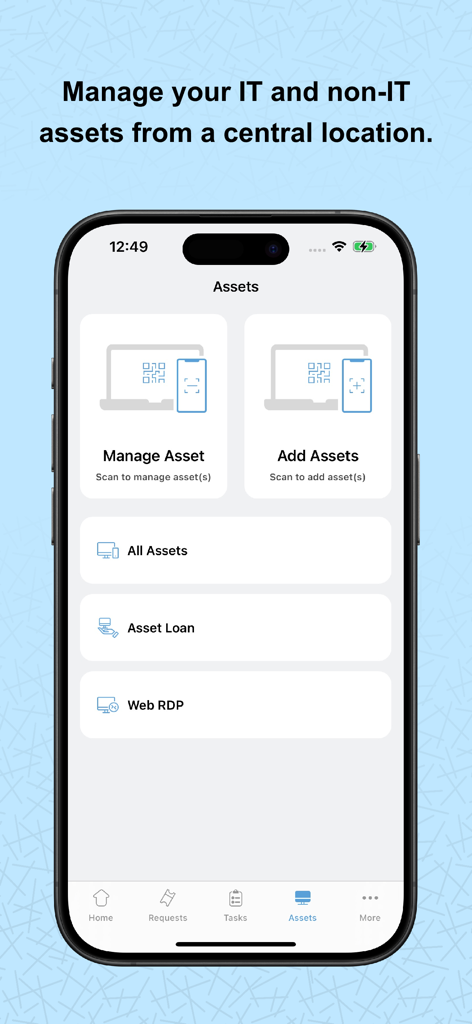
Mobile app interface for managing IT and non-IT assets with barcode scanning features.

Mobile app interface for managing IT and non-IT assets with barcode scanning features.

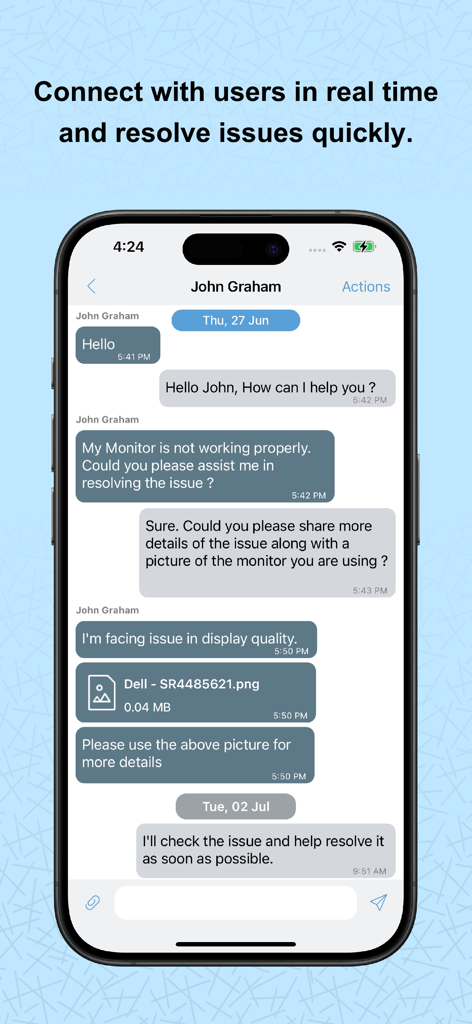
Mobile app interface showing a real-time chat between an IT technician and a user to resolve a hardware issue

Mobile app interface showing a real-time chat between an IT technician and a user to resolve a hardware issue

Complete IT Control in the Palm of Your Hand

The tools that make this app stand out, trusted by 78K+ users.

🎫

Agile Request Management

Handle the entire ticket lifecycle from your phone. Assign tasks, log work hours, and chat with users to resolve issues faster than ever without being tethered to your desk.

🏷️

Mobile Asset Tracking

Update your inventory in seconds using integrated barcode and QR code scanning. Gain instant visibility into asset details and access remote machines while on-site.

Instant Change Approvals

Eliminate project bottlenecks with one-tap approvals for service requests and changes. Stay ahead of urgent tasks with real-time push notifications and calendar integration.

About the app

Everything you need to know about ServiceDesk Plus | On-premises.

Description

Employees can find answers or get the services they need, anytime and from anywhere, with the mobile app powered by ServiceDesk Plus. The platform combines ITSM essentials and ITAM with enterprise service management capabilities. Technicians can also manage requests, approvals, and tasks on the go, be it handling IT, HR, legal, or finance service desks. Here are some of the key features available in the app: Requests: Create, view, edit, and resolve requests. Track the status of tickets, assign technicians, and add notes. Tasks: Break down requests into tasks, assign them, and track progress. Attachments: Add files and images to requests for reference. Work logs: Record time spent on requests. Solutions: Access prerecorded solutions for common issues. Assets: Add assets through bar code/QR code scan, view details, and gain access to remote Windows machines. Calendar integration: View all your pending tickets as events on your mobile calendar app. Change approval: CAB members can quickly approve change requests. Additional features 1. Review and approve service requests and changes from your mobile device. 2. Receive real-time notifications on request assignments, replies, and approvals. 3. Chat with end users right from the app. 4. Create custom views and tailor the app to your preferences. If you haven't installed ServiceDesk Plus yet, go ahead and try out out the fully featured, 30-day, free trial at https://mnge.it/install-servicedesk. Note: This is not a stand-alone application. To log in, your organization must have downloaded and installed the ServiceDesk Plus app or must have an account with ServiceDesk Plus. The ServiceDesk Plus mobile app is only supported with ServiceDesk Plus On-premises version 14000 and above.

Latest Version

6.4.1

Size

44.6 MB

First Released

Sep 28, 2011

Take Your Service Desk Beyond the Desk

Experience the power of ServiceDesk Plus on your mobile device. Manage requests, scan assets, and fast-track approvals on the go, all while maintaining total on-premises data control.

Download on App Store

App information, icons, screenshots, and descriptions displayed on this page are sourced from the Apple App Store and are the property of their respective developers. Download estimates and rankings are based on MWM's proprietary models and may not reflect actual figures. This page is provided for informational and analytical purposes only.

Believe this page infringes your intellectual property? File a dispute