ServiceMax Go: The All-in-One Mobile Toolkit for Field Excellence
Empower your technicians with powerful offline capabilities, intuitive service workflows, and instant data access—designed to keep your team productive in any environment.
Publisher
ServiceMax Inc
Category
Business
Downloads
36K+
User Rating
1.8/5
Total Ratings
0
Locales
25
Efficiency in Action
Discover the interface used by 36K+ users.
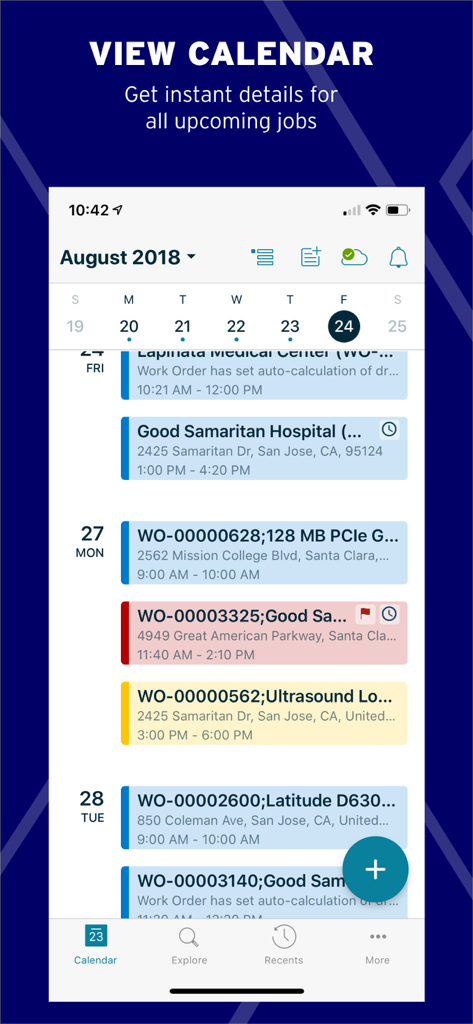
ServiceMax Go mobile app displaying a calendar view of scheduled field service work orders
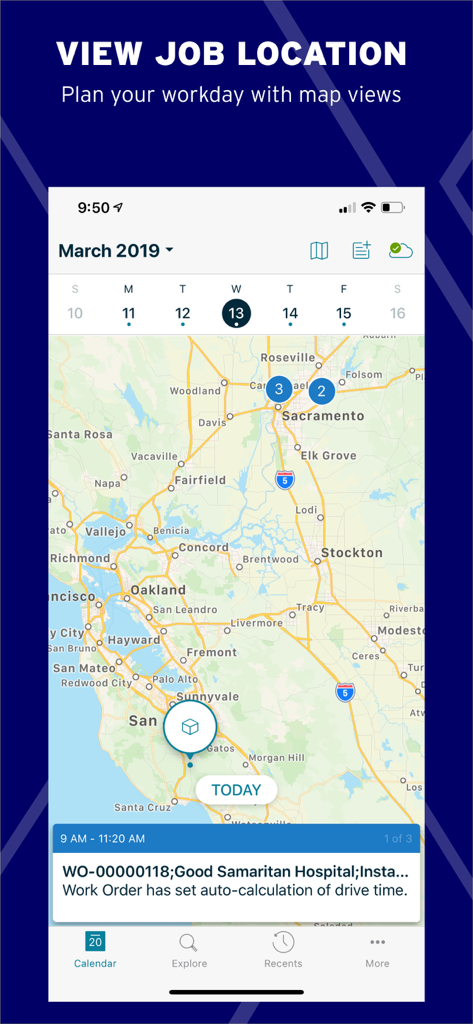
ServiceMax Go mobile interface showing job locations on a map with work order details for field service management.
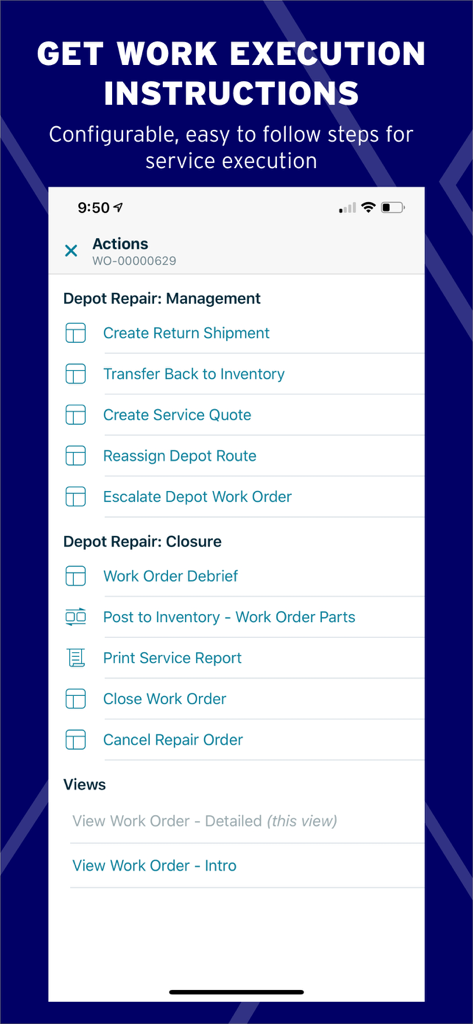
ServiceMax Go interface showing configurable work order actions and repair management steps
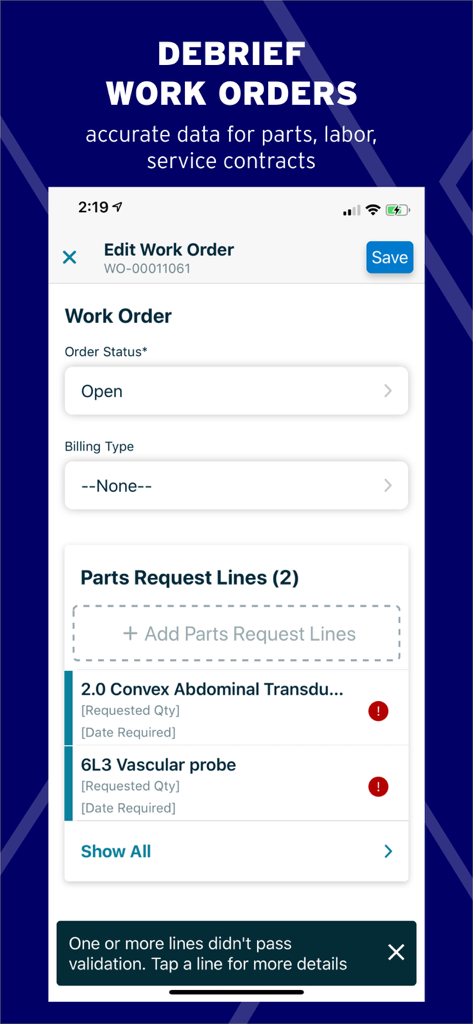
ServiceMax Go mobile interface for editing field service work orders and managing parts requests.
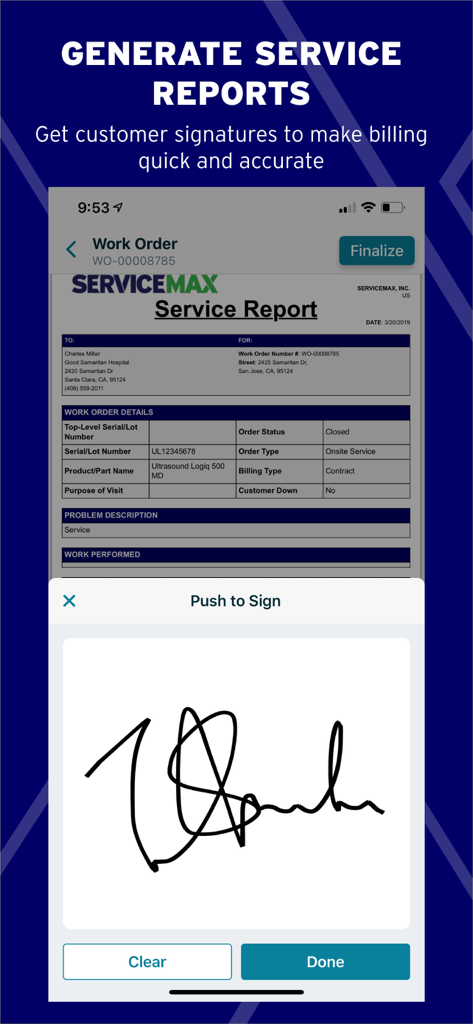
Digital signature capture for service reports in the ServiceMax Go app
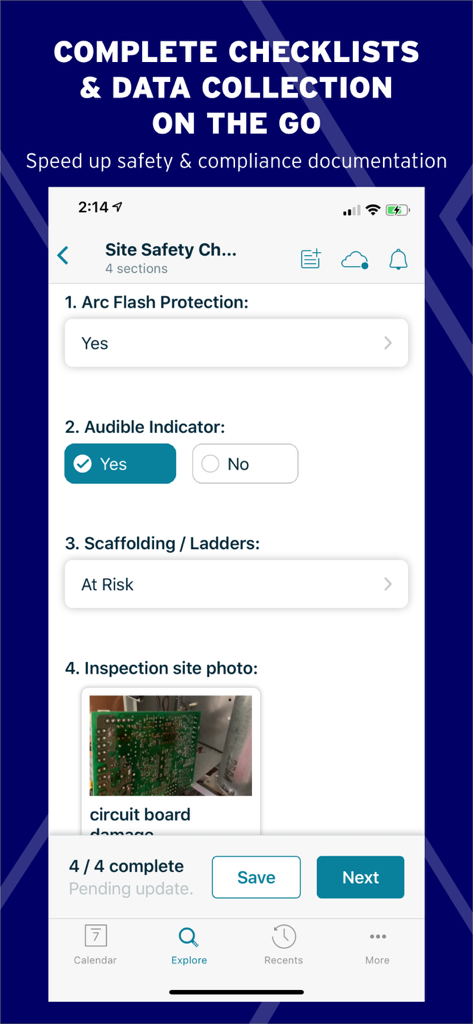
Mobile interface of the ServiceMax Go app showing a site safety checklist with an inspection photo of a circuit board.
Built for the Modern Field Force
The tools that make this app stand out, trusted by 36K+ users.
📶
Reliable Offline Performance
View service history and enter data in any environment. Our advanced sync ensures no information is lost in connectivity dead zones.
✅
Smart Service Execution
Streamline complex repairs with step-by-step checklists and automated pricing to ensure accuracy and safety on every site.
📦
Instant Parts Visibility
Stop the back-and-forth. Search for critical parts in nearby trunks or local hubs to achieve higher first-time fix rates.
About the app
Everything you need to know about ServiceMax Go.
Description
Everything field teams need to plan, execute, and communicate about their work.
ServiceMax Go, available on smartphones and tablets, empowers technicians, field engineers, and maintenance personnel with everything they need to plan their work, execute it efficiently, and effectively communicate with customers and colleagues.
ServiceMax Go’s modern design is purpose-built for field workers with easy navigation, intuitive screens, and powerful offline capabilities—enabling complete visibility for maximum productivity.
Access Data, Online or Offline:
• Entitlement verifications
• Customer & product service history, location, contacts, estimates, warranties, parts, and more
• Industry-leading offline capabilities
• Flexible sync settings to control background and sync behavior, delivering fast, reliable app performance
• Advanced data and business rules validation during data entry ensures data integrity even if connectivity is not available
Interactive Calendar Views:
• Preview daily and weekly tasks
• Agenda calendar view
• Driving directions, travel times, appointment details, and more
Service Execution:
• Step-by-step instructions
• Service Flow Manager drives business process automation for technicians
• Templatized checklists with section navigation, progress status, and inline navigation for inspections, safety checks, diagnostics, and more
• Price list support for automated pricing validation on time and materials estimates
Smart Document Generation:
• Create service reports, invoices, etc. for customers to sign while on-site to expedite processing
• Signature capture support
Collaborate Freely:
• Instant access to documents, videos, and technician and expert collaboration
• Share photos and videos taken at the customer site, email service reports or contracts
• Seamlessly integrated with ServiceMax Zinc and ServiceMax Engage
Search:
• Locate parts and products in own or nearby technicians’ trunk stock, customer consignment, stocking hubs, spare parts, and more
• Search nearby for work orders, installed products, parts stock, and any other records
Intuitive, Modern UX:
• Intuitive, field-ready UI design enabling technicians to get work done with minimal clicks and taps
• Push and SMS notifications
• Allows for custom UI, extended navigation and functionality with Mobile Activity Space
Latest Version
13.1.0
Size
149.5 MB
First Released
Mar 30, 2019
Ready to Empower Your Field Team?
Join thousands of field engineers who rely on ServiceMax Go to eliminate paperwork, master complex repairs, and stay productive anywhere—even offline.
FAQ
Frequently Asked Questions
Everything you need to know about ServiceMax Go
Can ServiceMax Go users access their data offline?
Yes, ServiceMax Go provides industry-leading offline capabilities, allowing users to access entitlement verifications, customer history, and other critical data even without connectivity.
What types of information can ServiceMax Go technicians view in the app?
ServiceMax Go technicians can view customer and product service history, location, contacts, estimates, warranties, and parts information directly within the app.
Does ServiceMax Go support creating service reports and invoices?
Yes, ServiceMax Go enables users to generate smart documents like service reports and invoices on-site. It also supports signature capture for customer authorization.
How does ServiceMax Go help field workers with daily task management?
ServiceMax Go offers interactive calendar views for previewing daily and weekly tasks. It provides driving directions, travel times, and appointment details to organize the workday.
Can ServiceMax Go assist with finding parts and products?
Yes, ServiceMax Go allows users to search for parts and products in their own or nearby technicians' trunk stock, customer consignment, stocking hubs, and spare parts.
Does ServiceMax Go provide guided steps for service execution?
Yes, ServiceMax Go offers step-by-step instructions and templated checklists for inspections, safety checks, and diagnostics, streamlining service execution processes.
Is it possible to capture customer signatures directly in the ServiceMax Go app?
Yes, ServiceMax Go supports signature capture, allowing customers to sign service reports and invoices digitally while technicians are on-site.
How does ServiceMax Go ensure data integrity during offline use?
ServiceMax Go includes advanced data and business rules validation during data entry. This ensures data integrity even if connectivity is unavailable at the time of input.
Can ServiceMax Go users view job locations on a map?
Yes, ServiceMax Go enables users to plan their workday with map views, showing job locations and helping technicians navigate efficiently.
Does ServiceMax Go allow for custom user interface modifications?
Yes, ServiceMax Go allows for custom UI, extended navigation, and functionality through Mobile Activity Space, enabling tailored user experiences.
App information, icons, screenshots, and descriptions displayed on this page are sourced from the Apple App Store and are the property of their respective developers. Download estimates and rankings are based on MWM's proprietary models and may not reflect actual figures. This page is provided for informational and analytical purposes only.
Believe this page infringes your intellectual property? File a dispute