Sessions: Plug-In Host

Sessions: Plug-In Host

Download on App Store
Logo of Sessions: Plug-In Host

Sessions: The Ultimate Performance-First Plug-In Host

Ditch the DAW and stay in the creative flow. Effortlessly host your AUv3 instruments and effects on iPad and Mac with streamlined MIDI routing, seamless scene switching, and an Always-On Recorder for every happy accident.

Download on App Store

Publisher

Open Planet Software Limited

Category

Music

Downloads

1K+

User Rating

4.8/5

Total Ratings

0

Locales

1

Performance at a Glance

Discover the interface used by 1K+ users.
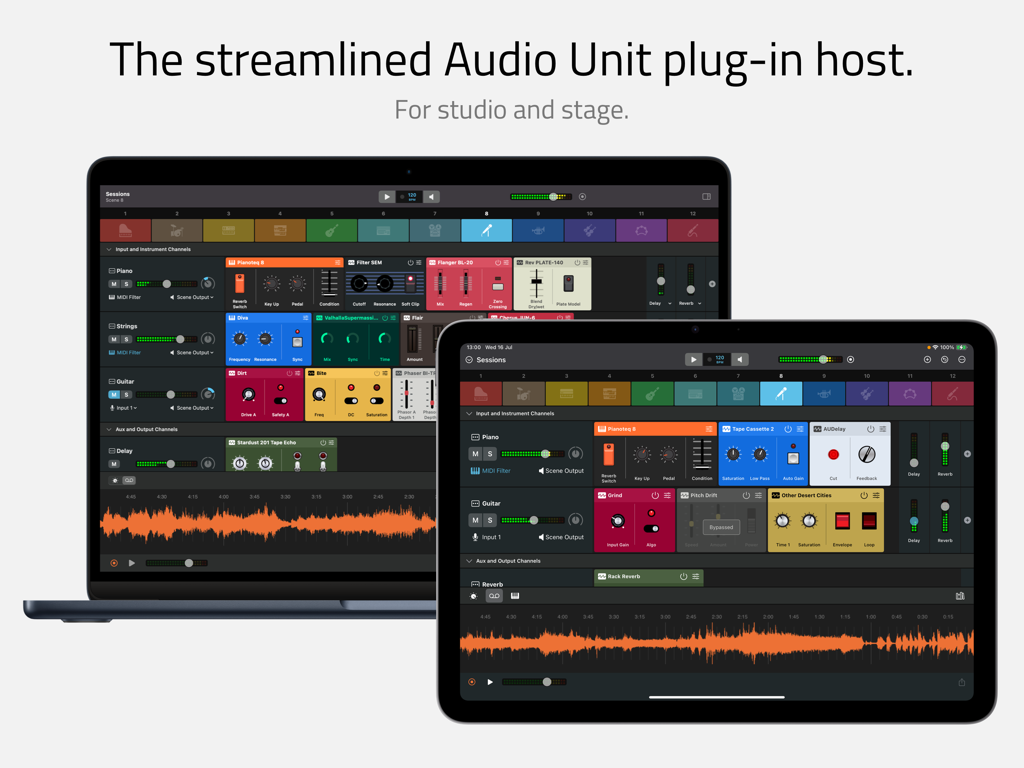
Sessions app interface displayed on a MacBook and iPad showing the audio unit plug-in host and mixer

Sessions app interface displayed on a MacBook and iPad showing the audio unit plug-in host and mixer

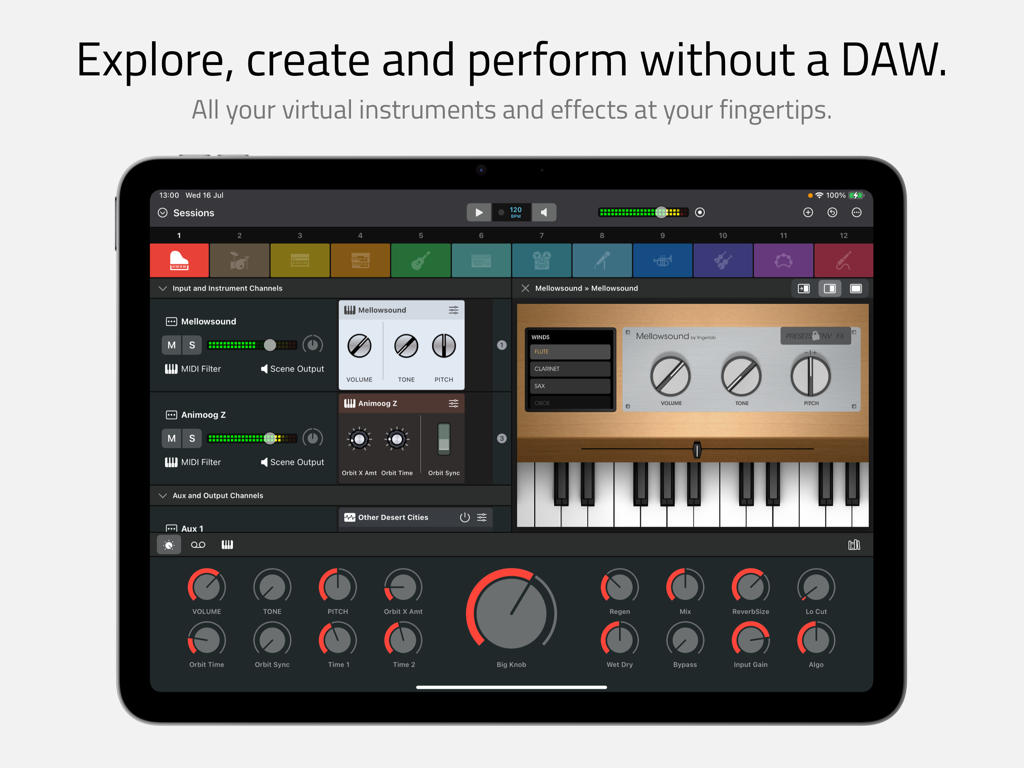
Sessions app interface on iPad showing a multi-channel mixer with virtual instruments and macro controls.

Sessions app interface on iPad showing a multi-channel mixer with virtual instruments and macro controls.

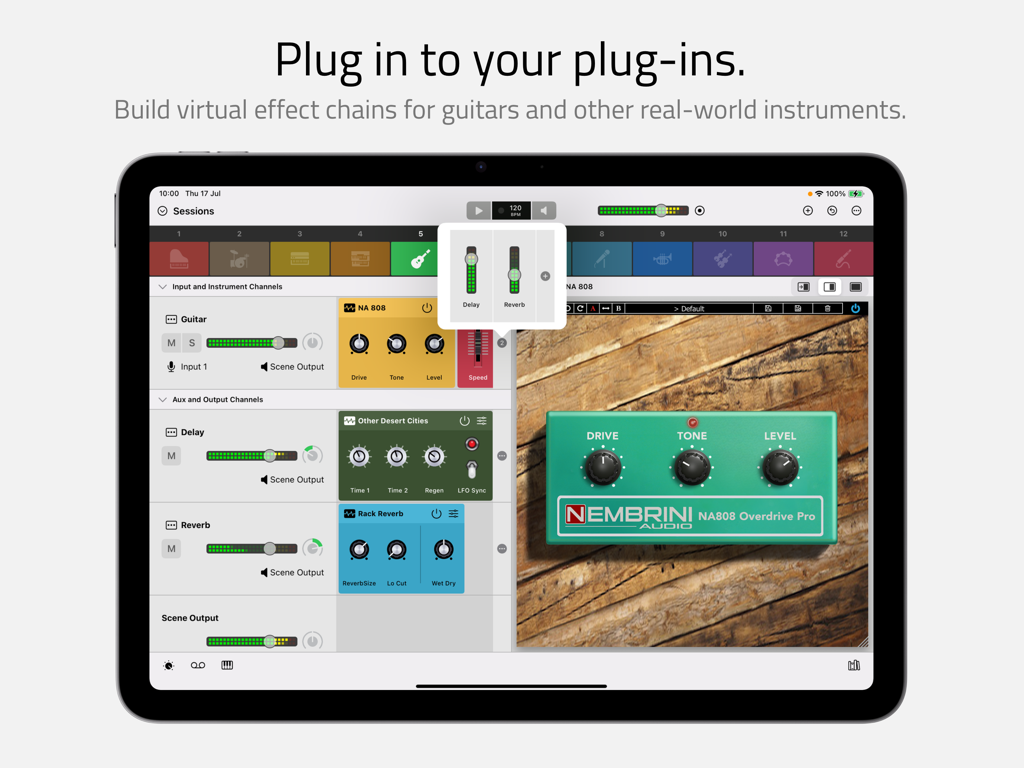
Sessions Plug-In Host interface on iPad showing a guitar effects chain and a virtual overdrive pedal

Sessions Plug-In Host interface on iPad showing a guitar effects chain and a virtual overdrive pedal

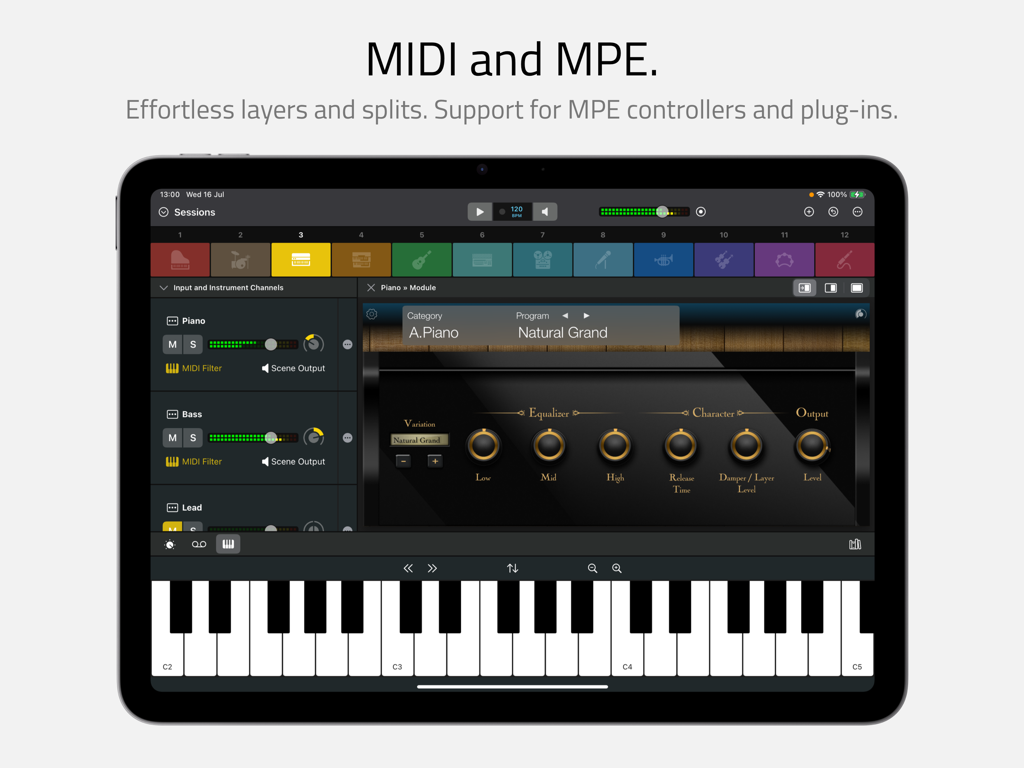
Interface of the Sessions app on an iPad showing MIDI and MPE features with a virtual keyboard and piano plugin.

Interface of the Sessions app on an iPad showing MIDI and MPE features with a virtual keyboard and piano plugin.

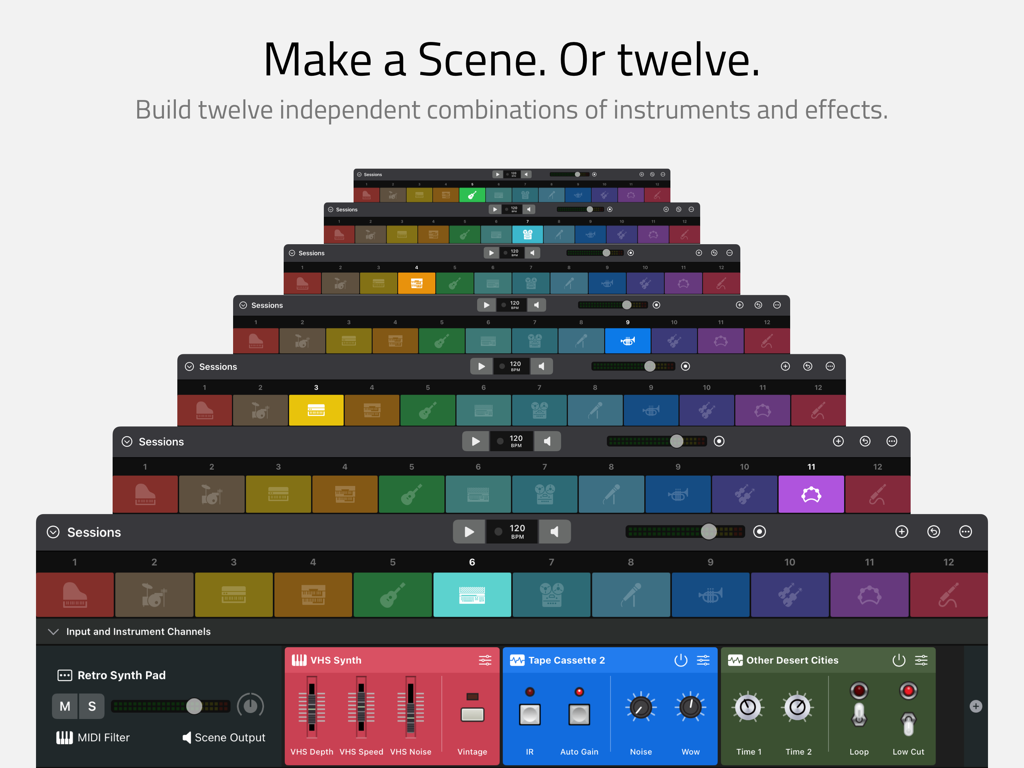
A stack of app screens showing twelve independent instrument and effect scenes in the Sessions interface

A stack of app screens showing twelve independent instrument and effect scenes in the Sessions interface

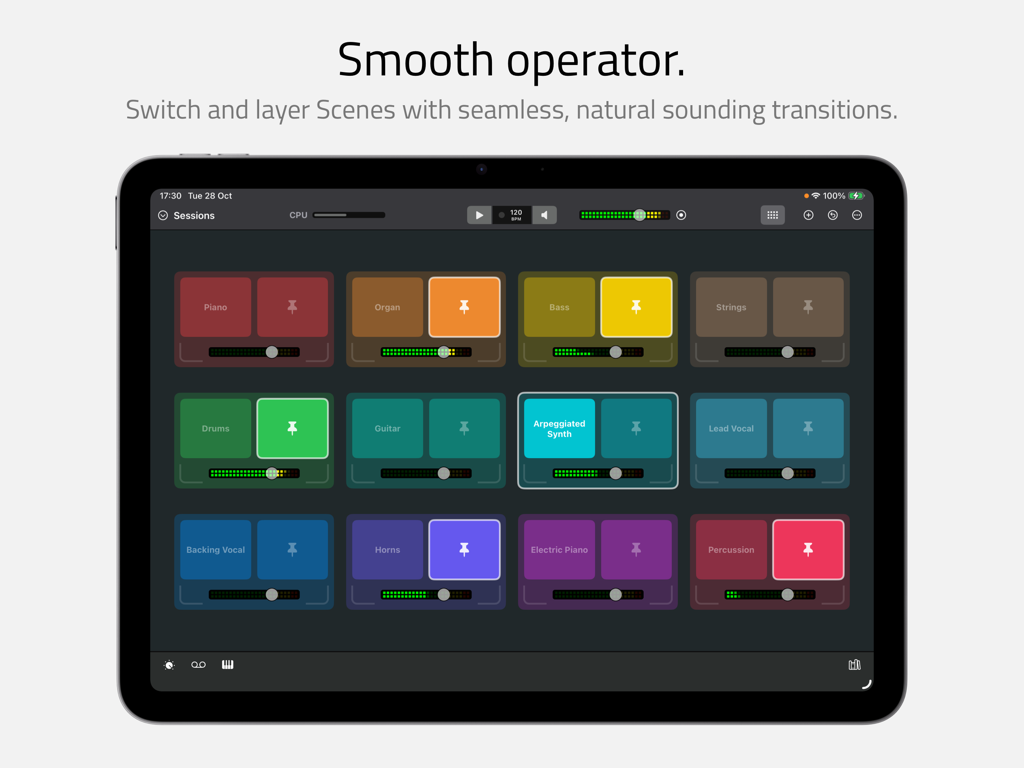
Sessions app interface on iPad showing a grid of colorful instrument scenes for seamless switching and layering

Sessions app interface on iPad showing a grid of colorful instrument scenes for seamless switching and layering

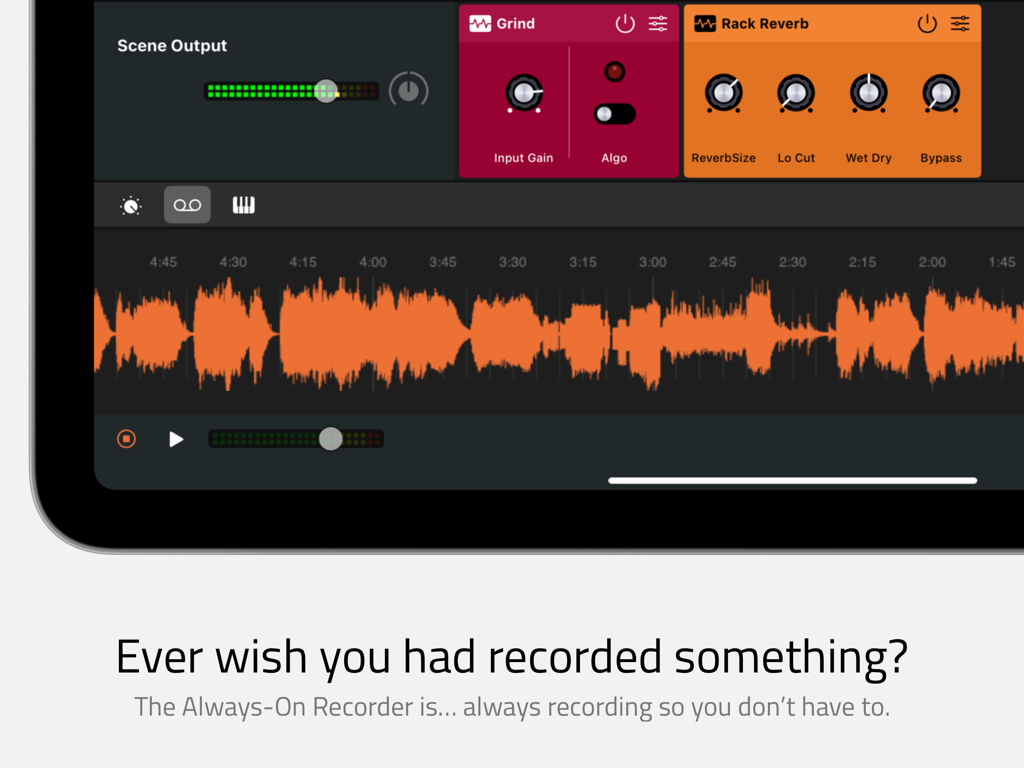
Interface of the Sessions app showing the always-on recorder feature with an orange audio waveform.

Interface of the Sessions app showing the always-on recorder feature with an orange audio waveform.

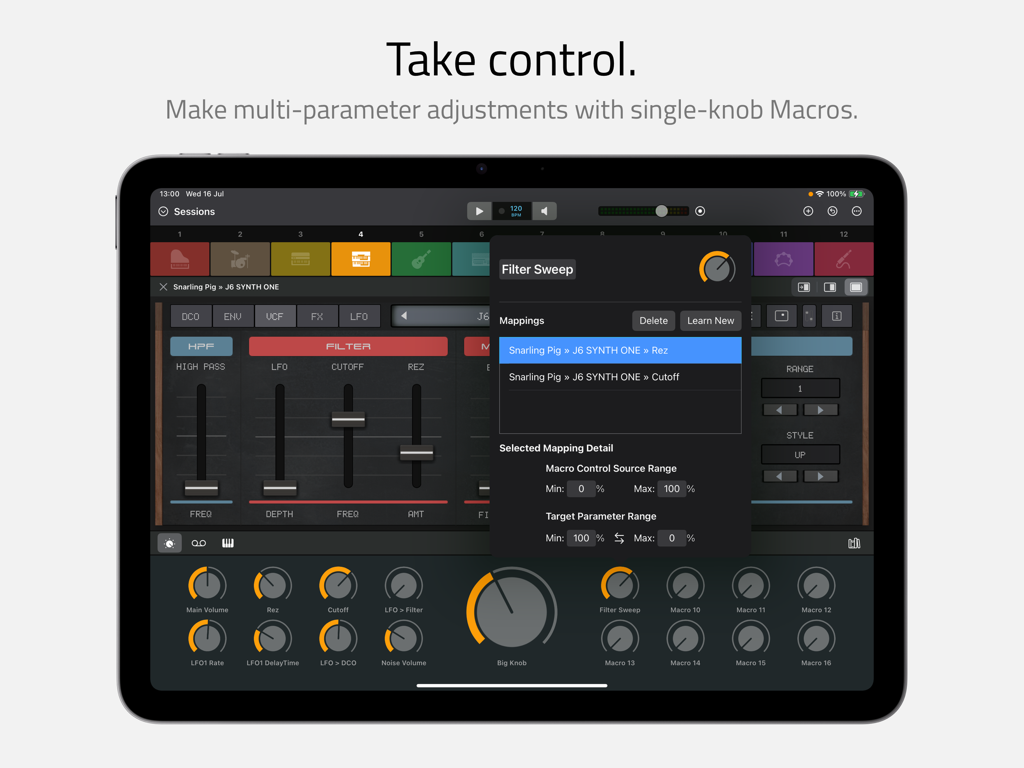
Sessions app interface on iPad showing the mapping of multi-parameter adjustments to a single-knob macro control.

Sessions app interface on iPad showing the mapping of multi-parameter adjustments to a single-knob macro control.

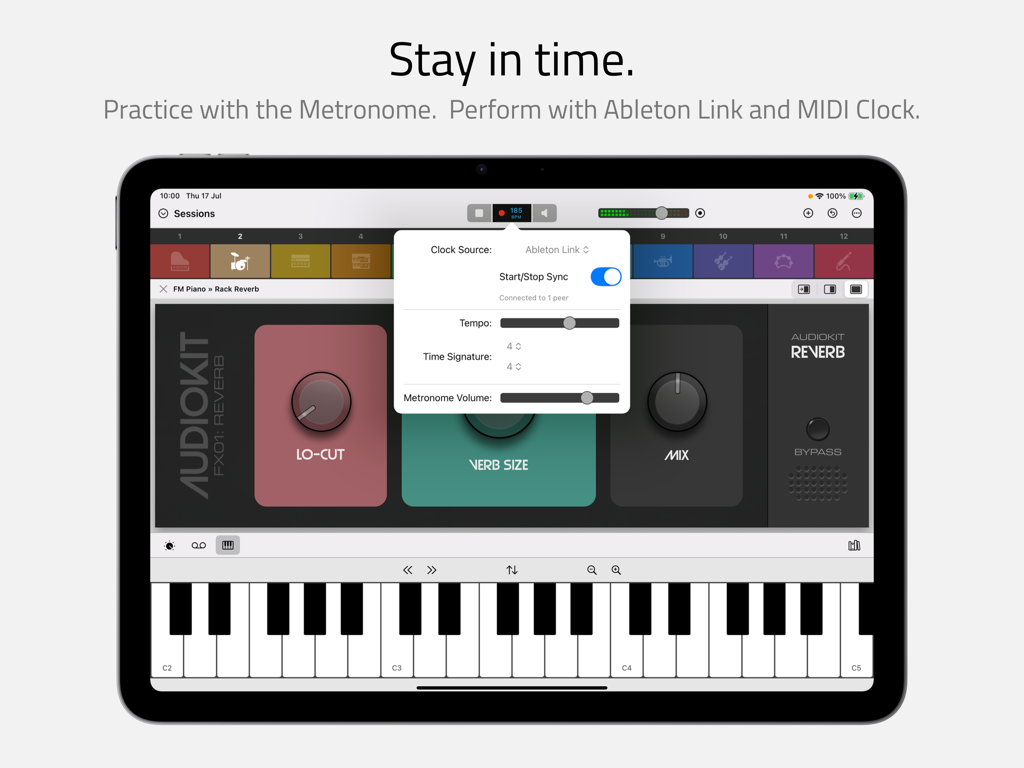
Sessions app interface on iPad showing beat clock and Ableton Link settings with a virtual keyboard

Sessions app interface on iPad showing beat clock and Ableton Link settings with a virtual keyboard

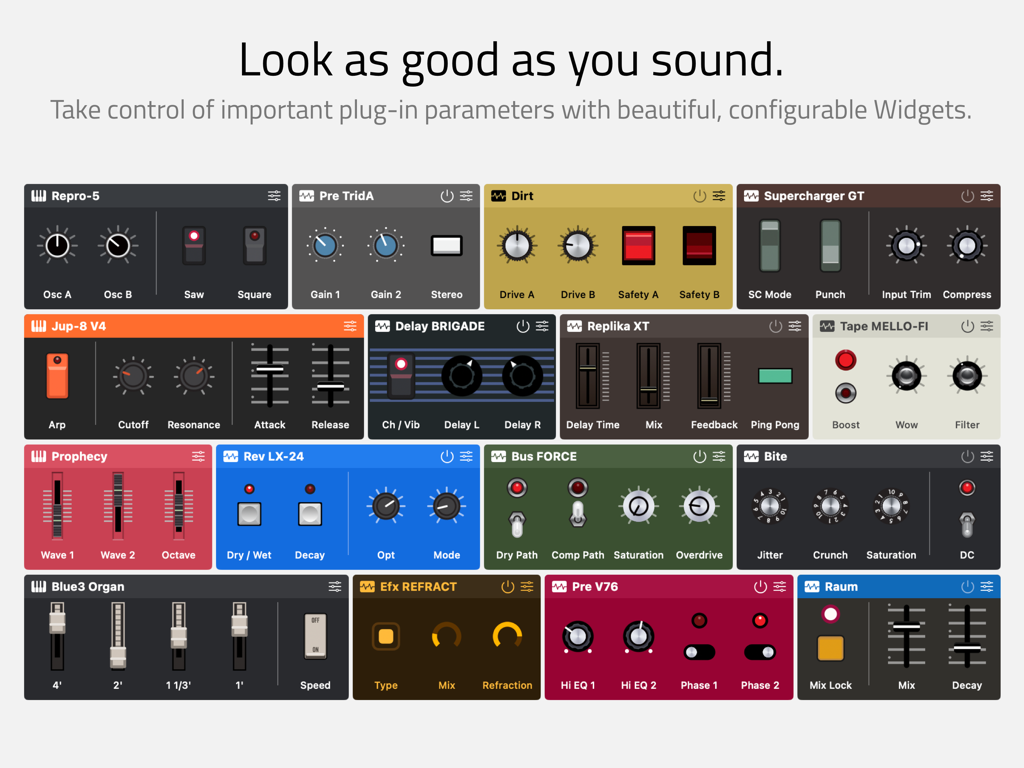
A grid showing various colorful and customizable audio plug-in widgets with knobs and sliders.

A grid showing various colorful and customizable audio plug-in widgets with knobs and sliders.

Master Your Live Sound Without the DAW Clutter

The tools that make this app stand out, trusted by 1K+ users.

Never Lose a Spark

Stay in the flow state with the Always-On Recorder. It continuously captures your performance in the background, ensuring those 'happy accidents' are never lost.

🎹

Complex Rigs Made Easy

Build professional-grade MIDI layers and splits in seconds. Switch between 12 independent scenes seamlessly for flawless live transitions and impromptu jams.

🎛️

Tactile Hardware Aesthetics

Personalize your workspace with over 30 beautiful widget themes. Map complex parameters to simple macros and big knobs for ultimate control on stage.

About the app

Everything you need to know about Sessions: Plug-In Host.

Description

Sessions is the performance-oriented plug-in host that puts all your virtual instruments and effects at your fingertips. With powerful features and a streamlined workflow, musicians can enjoy ultimate freedom to explore, create, play and perform without a DAW. Refreshingly straightforward, Sessions is designed to keep you ‘in the moment’ however you make music. Thanks to the fluid drag-and-drop interface and innovations like the Always-On Recorder, producers, songwriters and sound designers can quickly experiment with new ideas and jump-start the creative process. For live players, Sessions has everything you need for an impromptu jam or a professional stage performance including MIDI layers and splits, flexible audio mixing, seamless sound switching, MIDI control, Ableton Link support and so much more… COMPATIBILITY * AUv2* and AUv3 instrument and effect plug-ins * Mac / iPad compatible multi-channel audio interfaces * MIDI keyboards and controllers * MPE controllers and plug-ins MIXER * Unlimited Audio Input Channels for live audio sources * Unlimited Instrument Channels for hosting instrument plug-ins * Unlimited Auxiliary Channels * 1 Master Output Channel per Scene * Unlimited effect plug-ins on each Channel * 8 sends per Channel, switchable pre / post fader * Auxiliary Channels can be routed to independent external outputs MIDI * Layers and splits using MIDI device, channel, note and velocity * Note transposition on each Instrument Channel * MIDI CC control for switching Scenes and controlling Macros, Start/Stop and more PLUG-INS AND WIDGETS * Plug-ins are represented in the Mixer by Widgets * Widgets can be customized with knobs, sliders and switches to control up to 12 plug-in parameters * Over 30 beautiful Widget themes, many inspired by the classic hardware of yesteryear * Flexible Mixer / Plug-in split screen options: auto-sized, fixed 50/50 or full width * A plug-in’s own UI can be displayed in the main app window or in separate floating windows* SCENES * 12 Scenes, each with its own independent Mixer * Seamless switching between Scenes * Seamless layering using Pinned Scenes * Session Mix view for ‘big-button’ Scene switching and pinning * Customizable with color, icon and name MACROS * 16 Macro Controls and 1 Big Knob per Scene * Macros auto-map to the first 16 Widget parameters by default * Macros can be configured to control multiple parameters, each with its own scale and range PATCHES AND PROJECTS * Save individual Channels and Scenes to the Patch Library * Save the content of all 12 Scenes, Macros and the Beat Clock as a Project file * Move Patches and Projects between Mac and iPad (third party plug-in availably may vary between platforms) RECORDING * The Always-On Recorder continuously records the last 5, 10 or 15 minutes * Loop playback of recorded or selectable region * Export recorded or selectable region as M4A or WAV * Manual direct-to-file recorder for recordings of unlimited duration BEAT CLOCK * Start / Stop, Tempo and Time Signature controls * Internal, Ableton Link and external MIDI clock sources * Metronome with selectable tick sound PLUG-IN LIBRARY * Separate tabs for Instruments and Effects * Independent Search and Favorites filter in each tab * Organise Plug-ins alphabetically or grouped by manufacturer * Hide unwanted plug-ins using the Plug-In Manager AND MORE… * Highly efficient multi-threaded audio engine * CPU meter * iPad background audio * Bluetooth Audio / MIDI * Keyboard shortcuts* * Light and Dark modes * Safe Start to help troubleshoot problematic plug-ins * Feature only available on macOS Promotional materials depict Sessions hosting Audio Units from third party manufacturers. These Audio Units are not included with Sessions and no endorsement from or affiliation with these manufacturers is implied. All trademarks from these manufacturers are property of their respective holders.

Latest Version

5.3

Size

18.5 MB

First Released

Aug 28, 2024

Stop Routing. Start Performing.

Transform your iPad or Mac into a powerful, DAW-less instrument host. Experience the freedom of a streamlined workflow and never lose a spark of inspiration with Always-On recording.

Download on App Store
FAQ

Frequently Asked Questions

Everything you need to know about Sessions: Plug-In Host

What is Sessions: Plug-In Host?

Yes, Sessions is a performance-oriented plug-in host for virtual instruments and effects. It allows musicians to explore, create, play, and perform without requiring a traditional Digital Audio Workstation (DAW).

Does Sessions: Plug-In Host support AUv3 plug-ins?

Yes, Sessions supports both AUv2 and AUv3 instrument and effect plug-ins. It also supports Mac/iPad compatible multi-channel audio interfaces, MIDI keyboards, controllers, and MPE devices.

How does the Always-On Recorder function in Sessions?

Sessions features an Always-On Recorder that continuously records the last 5, 10, or 15 minutes of audio. Users can loop playback and export recorded regions as M4A or WAV files.

Can I create multiple independent scenes in Sessions?

Yes, Sessions allows users to create up to 12 independent Scenes. Each Scene has its own Mixer and can contain unique combinations of instruments and effects for seamless switching and layering.

What are Macros in Sessions: Plug-In Host?

Sessions offers 16 Macro Controls and 1 Big Knob per Scene. These Macros can auto-map to Widget parameters and be configured to control multiple parameters with custom scales and ranges.

Does Sessions offer MIDI layering and splitting capabilities?

Sessions supports MIDI layers and splits based on device, channel, note, and velocity. It also includes note transposition for each Instrument Channel and MIDI CC control for various functions.

What are the channel limitations in the Sessions Mixer?

Sessions provides unlimited Audio Input, Instrument, and Auxiliary Channels. Each Scene has one Master Output Channel, and users can add unlimited effect plug-ins per Channel with 8 sends.

Does Sessions: Plug-In Host support Ableton Link synchronization?

Yes, Sessions integrates a Beat Clock with Start/Stop, Tempo, and Time Signature controls. It supports internal, Ableton Link, and external MIDI clock sources, along with a selectable metronome.

What are Widgets in Sessions and how do they function?

Widgets in Sessions are visual representations of plug-ins in the Mixer. They are customizable with knobs, sliders, and switches to control up to 12 plug-in parameters and offer over 30 themes.

Can I save custom patches and projects in Sessions: Plug-In Host?

Yes, Sessions allows saving individual Channels and Scenes to the Patch Library. Entire Projects, including all 12 Scenes, Macros, and the Beat Clock, can be saved as project files.

App information, icons, screenshots, and descriptions displayed on this page are sourced from the Apple App Store and are the property of their respective developers. Download estimates and rankings are based on MWM's proprietary models and may not reflect actual figures. This page is provided for informational and analytical purposes only.

Believe this page infringes your intellectual property? File a dispute