Shift Work Planner - Shift

Shift Work Planner - Shift

Logo of Shift Work Planner - Shift

Shift Work Planner - Shift: Visualize Your Schedule, Master Your Income

The smartest visual calendar built for the deskless workforce. Effortlessly paint your shifts, automate complex rotations, and track your estimated earnings at a glance.

Publisher

kota tada

Category

Business

Downloads

100+

User Rating

1.0/5

Total Ratings

0

Locales

71

Your Schedule, Color-Coded

Discover the interface used by 100+ users.
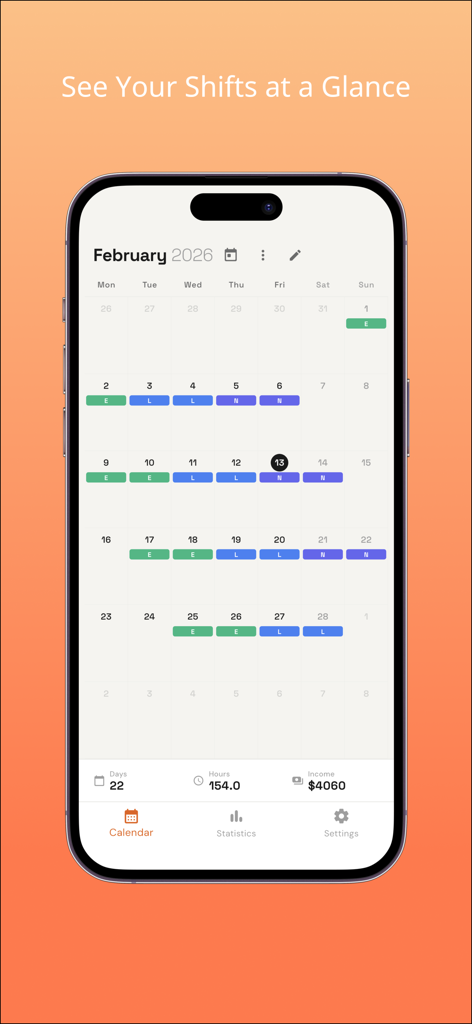
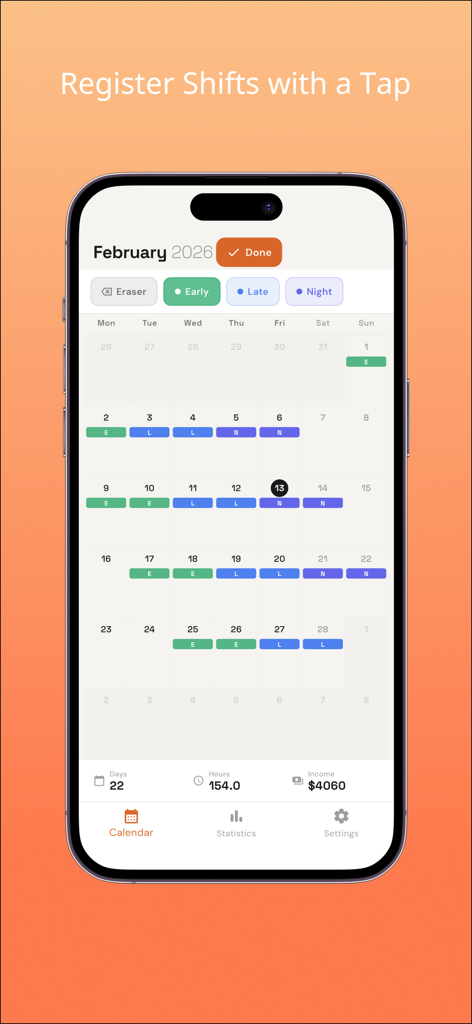
Monthly calendar interface of the Shift Work Planner app showing color coded work shifts and estimated income statistics

Monthly calendar interface of the Shift Work Planner app showing color coded work shifts and estimated income statistics

A mobile app interface showing a color-coded shift calendar with options to register early late and night shifts

A mobile app interface showing a color-coded shift calendar with options to register early late and night shifts

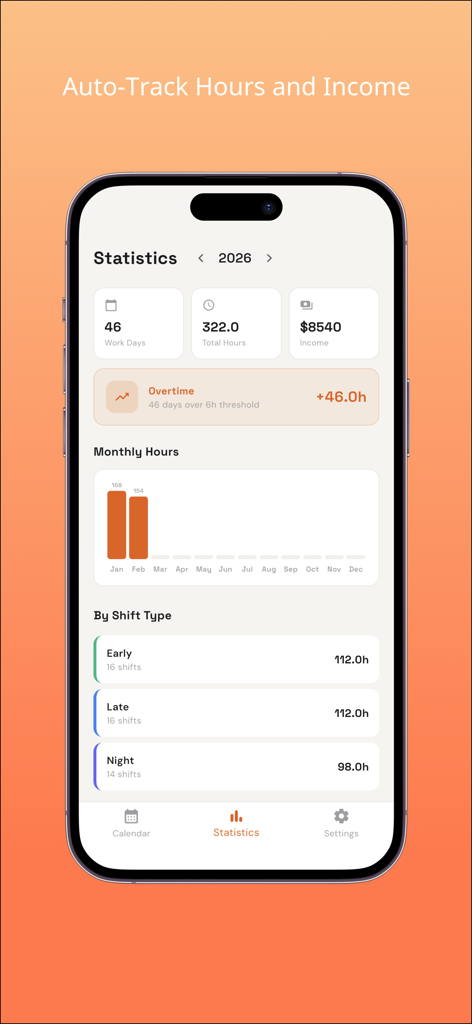
Statistics screen of the Shift Work Planner app showing work hours income and shift type breakdown

Statistics screen of the Shift Work Planner app showing work hours income and shift type breakdown

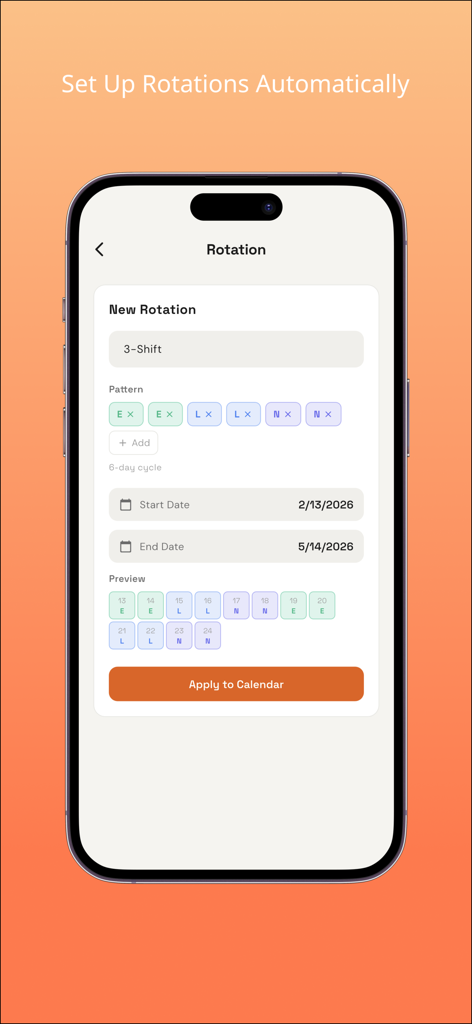
Mobile interface for setting up automatic shift rotations with a custom work pattern and calendar preview

Mobile interface for setting up automatic shift rotations with a custom work pattern and calendar preview

Master Your Shift Schedule with Ease

The tools that make this app stand out, trusted by 100+ users.

🎨

Paint Your Month in Seconds

Forget tedious manual entries. Use our unique 'Paint Mode' to swipe across dates and bulk-register your shifts with intuitive color-coded pills.

🔄

Automate Complex Rotations

Whether you work a 4-on/4-off cycle or a custom nursing rotation, set your pattern once and let the app auto-fill your entire year instantly.

💰

Real-Time Income Tracking

Stop guessing your next paycheck. Input your hourly rates and differentials to see an immediate summary of your estimated earnings and overtime.

About the app

Everything you need to know about Shift Work Planner - Shift.

Description

A colorful calendar app designed to make shift work management simple and visual. [Calendar View] Shifts are displayed with color-coded pills on the calendar. Different shift types like early, late, and night shifts are color-coded so you can see your monthly work pattern at a glance. The summary bar at the bottom shows your work days, hours, and income instantly. [Easy Shift Registration] In paint mode, just select a shift type and tap on dates. Swipe across multiple dates to register shifts in bulk. Use the eraser to make quick corrections. Copy and paste by week or month is also supported. [Automatic Rotation Setup] Register repeating patterns like early > late > night > off, and the app automatically fills shifts for your specified period. Works with any rotation pattern including 3-shift, 2-shift, and custom cycles. [Statistics and Income Tracking] Automatically tallies work days, total hours, and estimated income. View monthly trends with bar charts and see breakdowns by shift type. Overtime tracking is also available. [Data Management] Back up and restore your data in JSON format. Export to CSV for use with other apps and spreadsheets. [Full Customization] Create shift types with custom names, abbreviations, colors, start/end times, break duration, and hourly rates. Tailor the app to match your exact work schedule.

Latest Version

1.0.3

Size

32.6 MB

First Released

Feb 22, 2026

Ready to Reclaim Your Shift Life?

Join thousands of healthcare and essential workers who have traded messy calendars for effortless planning. Paint your schedule, track your earnings, and finally see your next day off clearly.

App information, icons, screenshots, and descriptions displayed on this page are sourced from the Apple App Store and are the property of their respective developers. Download estimates and rankings are based on MWM's proprietary models and may not reflect actual figures. This page is provided for informational and analytical purposes only.

Believe this page infringes your intellectual property? File a dispute