Signature Maker - eSign PDFs

Signature Maker - eSign PDFs

Logo of Signature Maker - eSign PDFs

Signature Maker - eSign PDFs: The Fastest Way to Sign and Send Documents

Create professional signatures and sign any PDF in seconds with our secure, no-account tool. Perfect for freelancers and on-the-go professionals.

Publisher

MINI SOFT YAZILIM REKLAMCILIK TICARET VE SANAYI LIMITED SIRKETI

Category

Business

Downloads

100+

User Rating

1.0/5

Total Ratings

0

Locales

20

A Glimpse of Pro Signing

Discover the interface used by 100+ users.
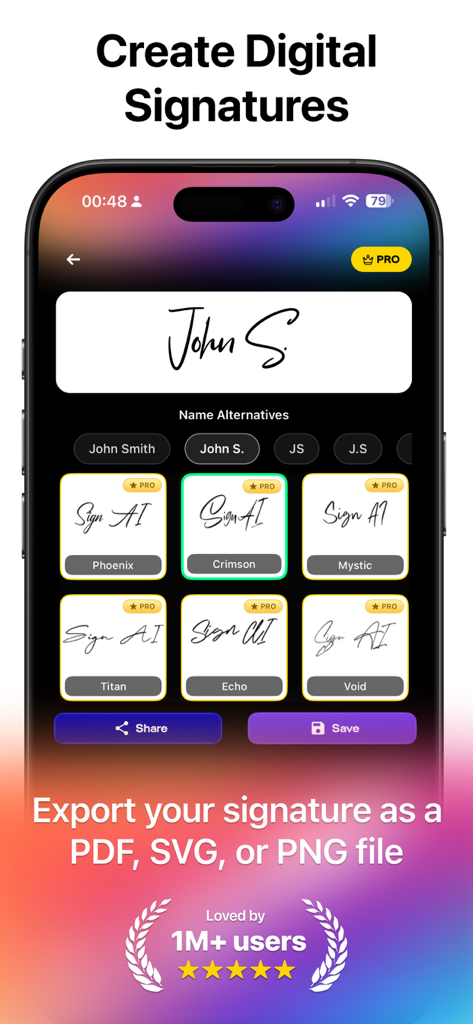
A mobile app interface displaying various digital signature font styles and export options for PDF SVG and PNG files

A mobile app interface displaying various digital signature font styles and export options for PDF SVG and PNG files

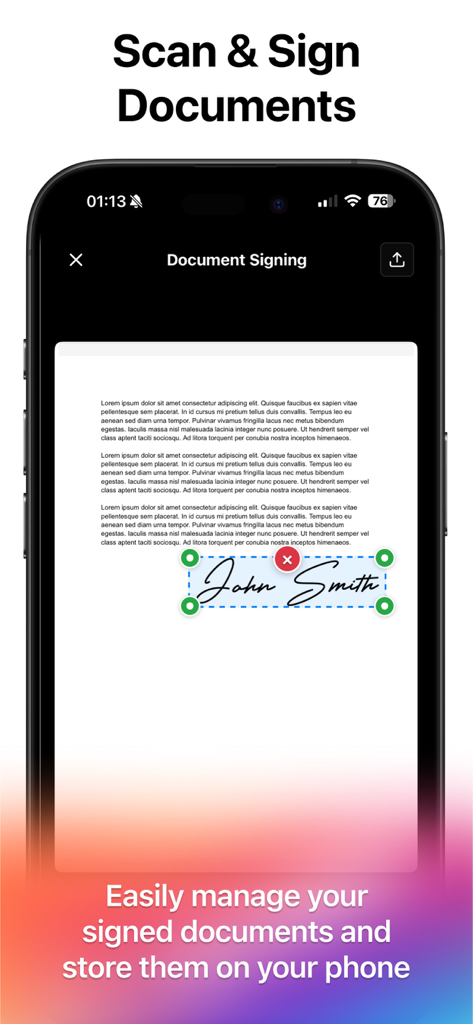
iPhone screen showing a digital signature being placed on a PDF document

iPhone screen showing a digital signature being placed on a PDF document

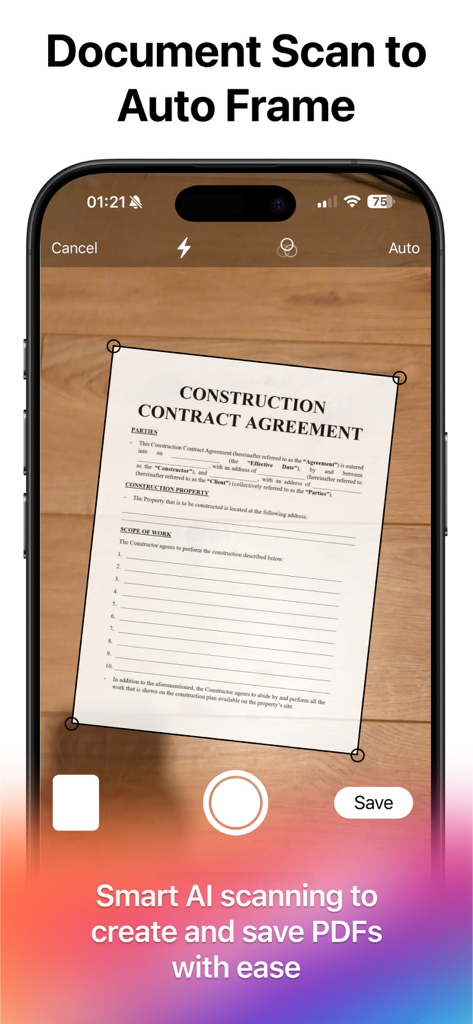
Smart AI document scanning feature to create and save PDFs on a mobile phone

Smart AI document scanning feature to create and save PDFs on a mobile phone

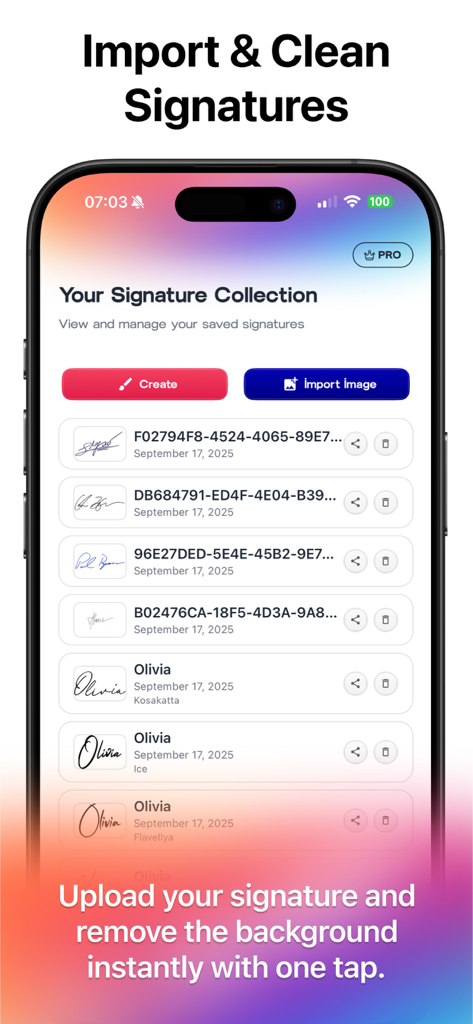
iPhone interface showing a list of saved digital signatures with options to create new ones or import images

iPhone interface showing a list of saved digital signatures with options to create new ones or import images

Professional Tools for Your Paperless Workflow

The tools that make this app stand out, trusted by 100+ users.

✍️

Craft Your Professional Identity

Choose from 50+ elegant font styles or draw your own signature naturally with your finger or Apple Pencil for a truly personal touch.

📄

Sign Any Document in Seconds

Import PDFs from email or cloud storage, then drag and drop your signature to fit perfectly on any contract, NDA, or application.

🔒

Privacy-First Local Storage

Keep your sensitive documents secure on your own device. No account creation or cloud uploads are necessary—start signing immediately.

About the app

Everything you need to know about Signature Maker - eSign PDFs.

Description

Turn your iPhone into a powerful signature and PDF signing tool. Create beautiful signatures instantly and sign any PDF document in seconds. Signature Maker is the easiest electronic signature app — free signature creator & generator for all your documents. Whether you're a professional, student, or simply need to sign personal forms, our app is designed to save you time, keep your workflow seamless, and give your documents a polished, professional look. KEY FEATURES Signature Creation • Type your name and choose from 50+ beautiful font styles. • Draw your own signature naturally with your finger or Apple Pencil. • Export signatures in SVG, PNG, or PDF format. PDF Signing • Import files from email, cloud, or your device. • Drag and drop your saved signature onto any document. • Resize and reposition freely. • Save or share the signed PDF instantly. Signature Management • Save unlimited signatures for quick reuse. • Organize, rename, and delete signatures easily. • Access your signature library anytime. Document Scanner • Scan physical documents using your camera. • Auto-detect edges and enhance quality. • Convert scans to PDF for signing. Advanced Features • Dark mode support for comfortable viewing. • Multi-language support (English & Turkish). • Secure local storage — your data stays on your device. • No account required — start signing immediately. PERFECT FOR • Business contracts & agreements • Legal documents & forms • School & university paperwork • Personal letters & applications • Remote work & freelancing Download Signature Maker now and sign documents like a pro!

Latest Version

3.0.0

Size

93.8 MB

First Released

Sep 19, 2025

Stop Printing. Start Signing.

Join thousands of professionals clearing their inbox in seconds. No account required—just download and sign your first document instantly.

App information, icons, screenshots, and descriptions displayed on this page are sourced from the Apple App Store and are the property of their respective developers. Download estimates and rankings are based on MWM's proprietary models and may not reflect actual figures. This page is provided for informational and analytical purposes only.

Believe this page infringes your intellectual property? File a dispute