Sleep time record charts

Sleep time record charts


Download on App Store
Logo of Sleep time record charts

Sleep time record charts: Master Your Rest with Data-Driven Precision

The minimalist, wearable-free tracker for high-performers and families. Log your sleep, correlate your waking mood, and visualize long-term patterns with detailed circadian rhythm charts.

Download on App Store

Publisher

YUTAKA IZUMIYAMA

Category

Health & Fitness

Downloads

300

User Rating

3.9/5

Total Ratings

0

Locales

2

Your Sleep, Visualized

Discover the interface used by 300 users.
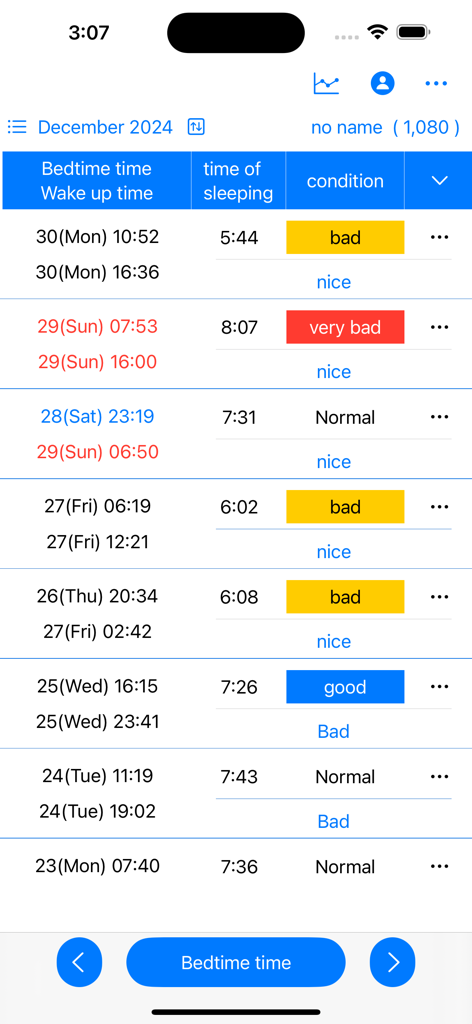
A manual sleep log interface showing a table with bedtime, wake-up time, sleep duration, and mood condition labels like good or bad.

A manual sleep log interface showing a table with bedtime, wake-up time, sleep duration, and mood condition labels like good or bad.

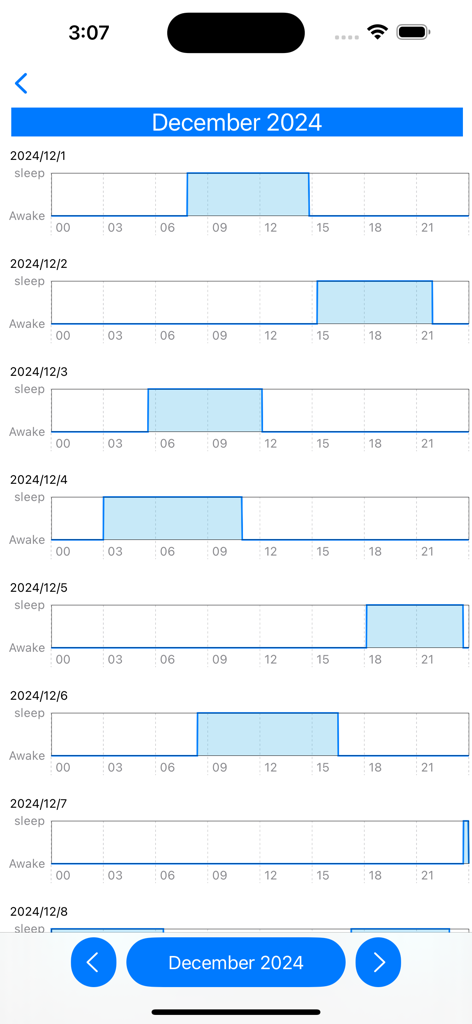
A vertical list of horizontal bar charts showing daily sleep and wake patterns for December.

A vertical list of horizontal bar charts showing daily sleep and wake patterns for December.

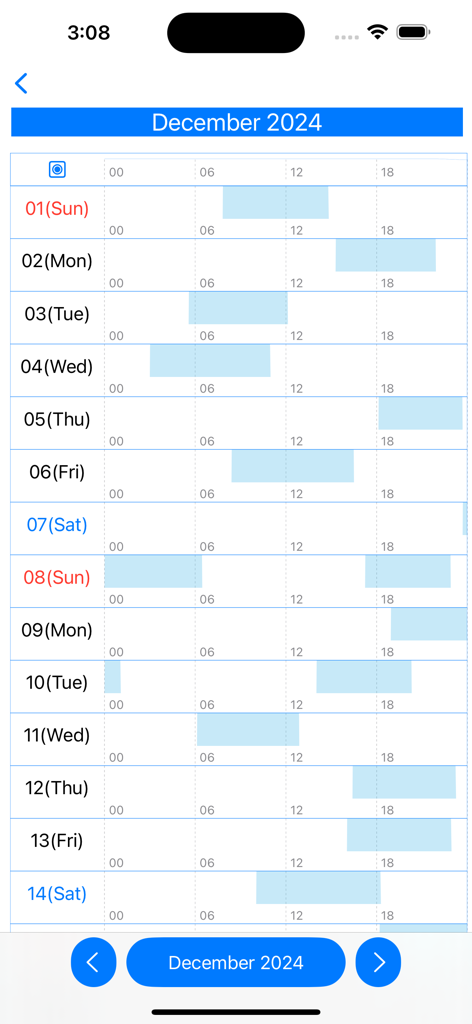
Monthly sleep rhythm chart showing daily sleep and wake patterns

Monthly sleep rhythm chart showing daily sleep and wake patterns

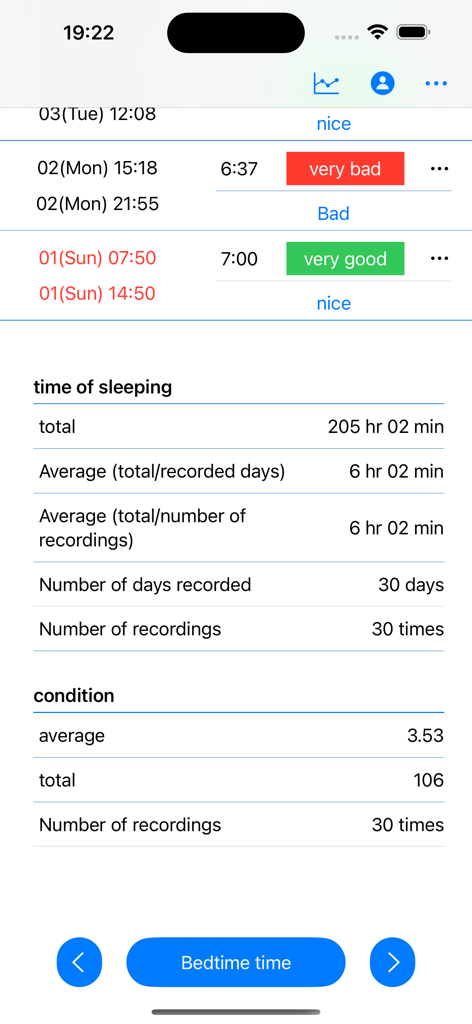
A sleep tracking app screen showing sleep statistics like total duration, daily averages over 30 days, and wake-up condition logs.

A sleep tracking app screen showing sleep statistics like total duration, daily averages over 30 days, and wake-up condition logs.

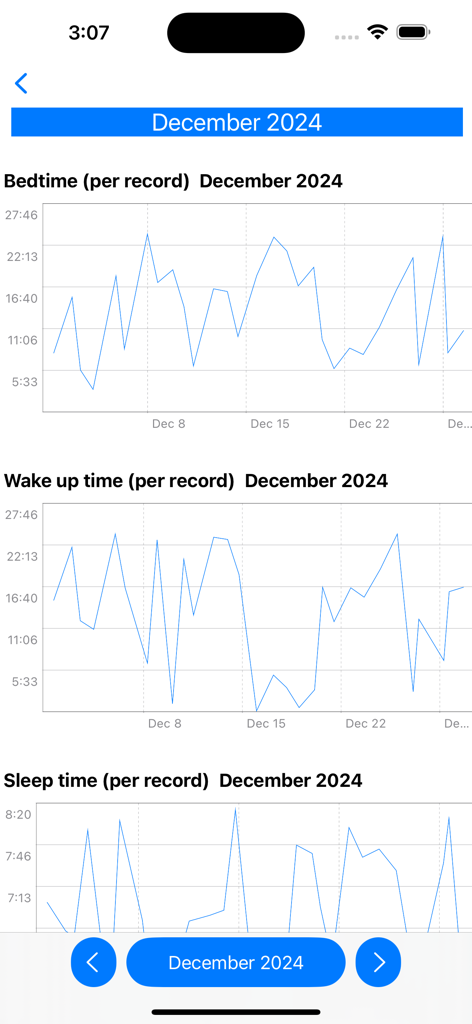
Monthly line graphs showing bedtime, wake up time, and total sleep duration records for December 2024.

Monthly line graphs showing bedtime, wake up time, and total sleep duration records for December 2024.

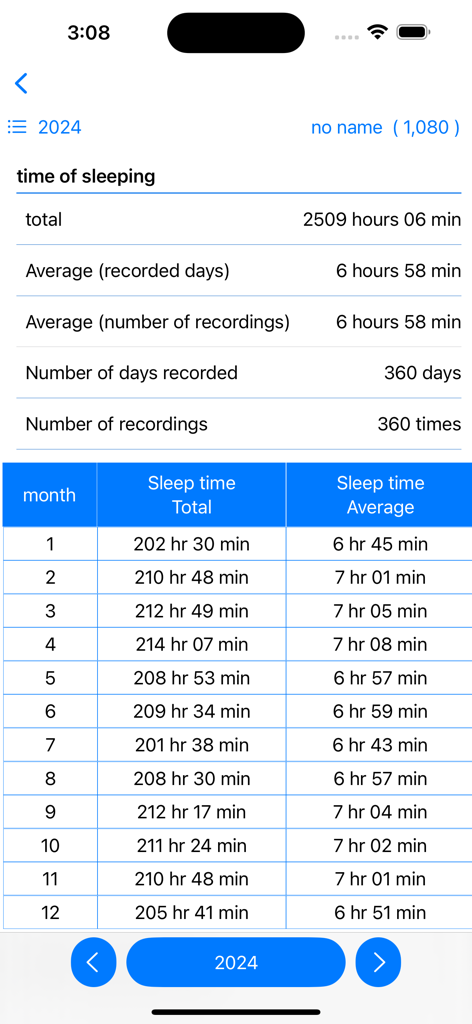
A mobile screen showing annual sleep data summary for 2024 including monthly totals and averages in a table format.

A mobile screen showing annual sleep data summary for 2024 including monthly totals and averages in a table format.

Visualize Your Path to Better Rest

The tools that make this app stand out, trusted by 300 users.

🎯

Precision Manual Logging

No invasive sensors or battery drain. Log your exact sleep times in seconds for data you can actually trust.

📊

Advanced Rhythm Analytics

Identify your ideal sleep window with detailed line graphs and monthly charts that reveal your natural circadian patterns.

🧠

Condition & Mood Tracking

Log how you feel upon waking to find the perfect balance between your sleep duration and peak daily performance.

About the app

Everything you need to know about Sleep time record charts.

Description

Sleep time is calculated and displayed based on bedtime and wake-up date and time. Displays sleep time in a line graph. ・Record bedtime 1. Tap the "Bedtime" button. If you press/tap for a long time, step 2/step 3 will be skipped. The current date and time will be set. 2. Select the year, month, and day and tap "Next". 3. Select your bedtime and tap OK. ・When recording the wake-up date and time 1. Tap the "Wake up date and time" button in the wake up date and time column of the table. If you press/tap for a long time, step 2/step 3 will be skipped. The current date and time will be set. 2. Select the year, month, and day and tap "Next". 3. Select your wake-up time and tap "OK". ▼Sleep time The sleep time in the table is automatically displayed based on the bedtime and wake-up date and time. ▼When recording your mood when you wake up 1. Tap "Condition" in the Condition column of the table. 2. Select a condition. ▼Display chart 1. Press the line chart button at the top. 2. Click the displayed chart from the menu below. Monthly chart sleep/wake chart sleep/wake rhythm chart Annual total/average/chart Full period chart ▼Add user 1. Press the user button at the top 2. Press add user 3. Enter the username and press OK. ▼Edit username 1. Press the user button at the top 2. Press user edit and delete 3. Press the username from the list. 4. Edit the user name on the edit screen and press OK. ▼Delete username 1. Press the user button at the top 2. Press user edit and delete 3. Swipe the username you want to delete from the list from the left and press Delete. ▼If you want to delete all records From the menu on the top right, select Erase all data. You can delete all records.

Latest Version

25.11.23

Size

4.1 MB

First Released

May 3, 2024

Take Control of Your Sleep Rhythm

Join the intentional sleepers using clean, manual logs and data-driven charts to optimize their rest and daily performance.

Download on App Store

App information, icons, screenshots, and descriptions displayed on this page are sourced from the Apple App Store and are the property of their respective developers. Download estimates and rankings are based on MWM's proprietary models and may not reflect actual figures. This page is provided for informational and analytical purposes only.

Believe this page infringes your intellectual property? File a dispute