Smart Completions Legacy

Smart Completions Legacy


Download on App Store
Logo of Smart Completions Legacy

Smart Completions Legacy: Master Every Phase of Your Industrial Project

Empower your field teams to execute inspections, manage punchlists, and access critical P&IDs instantly on iPad—from construction through commissioning and operations.

Download on App Store

Publisher

Intergraph Corporation

Category

Business

Downloads

0

User Rating

1.0/5

Total Ratings

0

Locales

5

Efficiency in Action

Discover the interface used by 0 users.
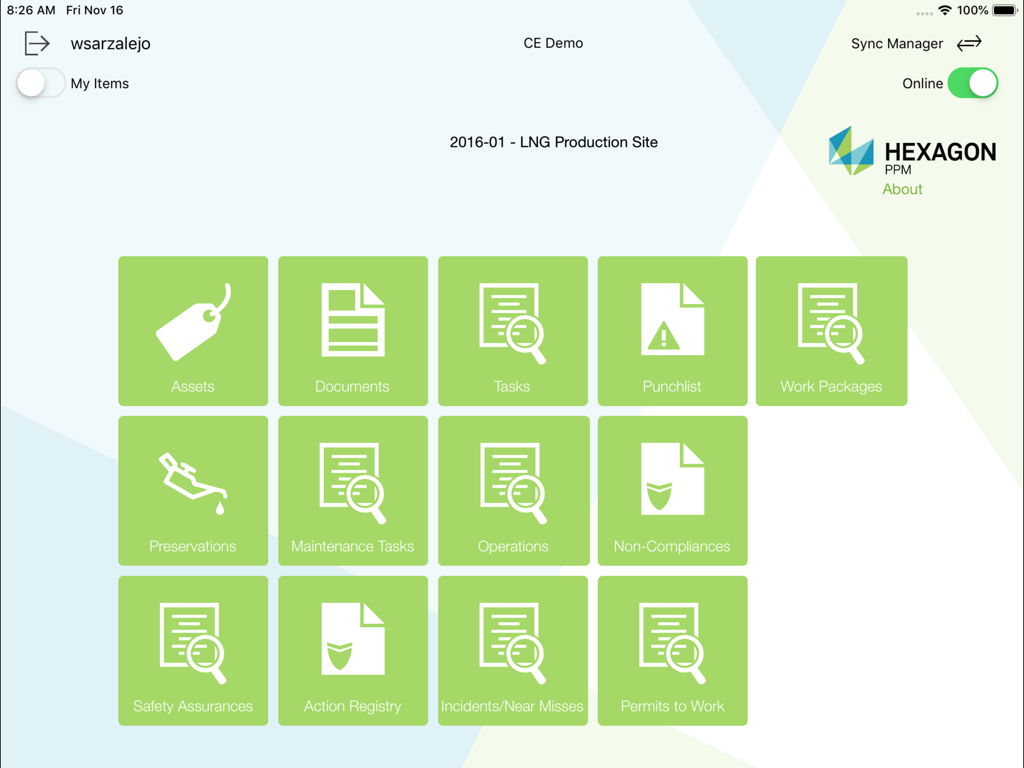
Smart Completions Legacy dashboard showing green icons for assets documents tasks and punchlists on an iPad screen

Smart Completions Legacy dashboard showing green icons for assets documents tasks and punchlists on an iPad screen

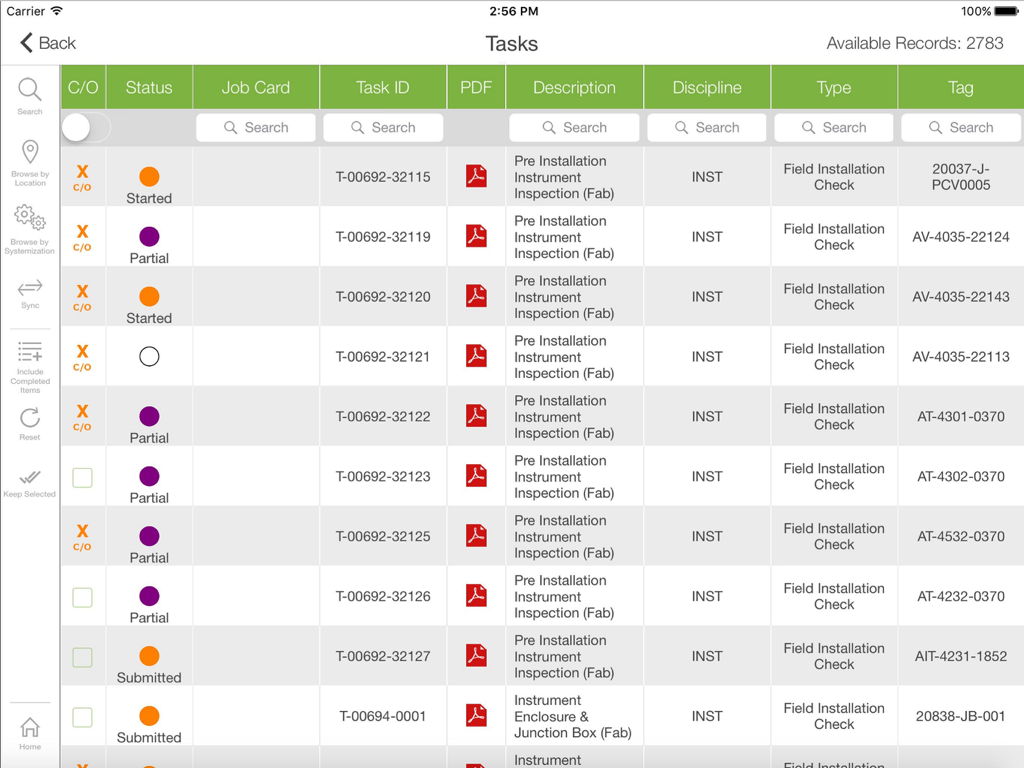
Field task management dashboard showing installation checks and asset status

Field task management dashboard showing installation checks and asset status

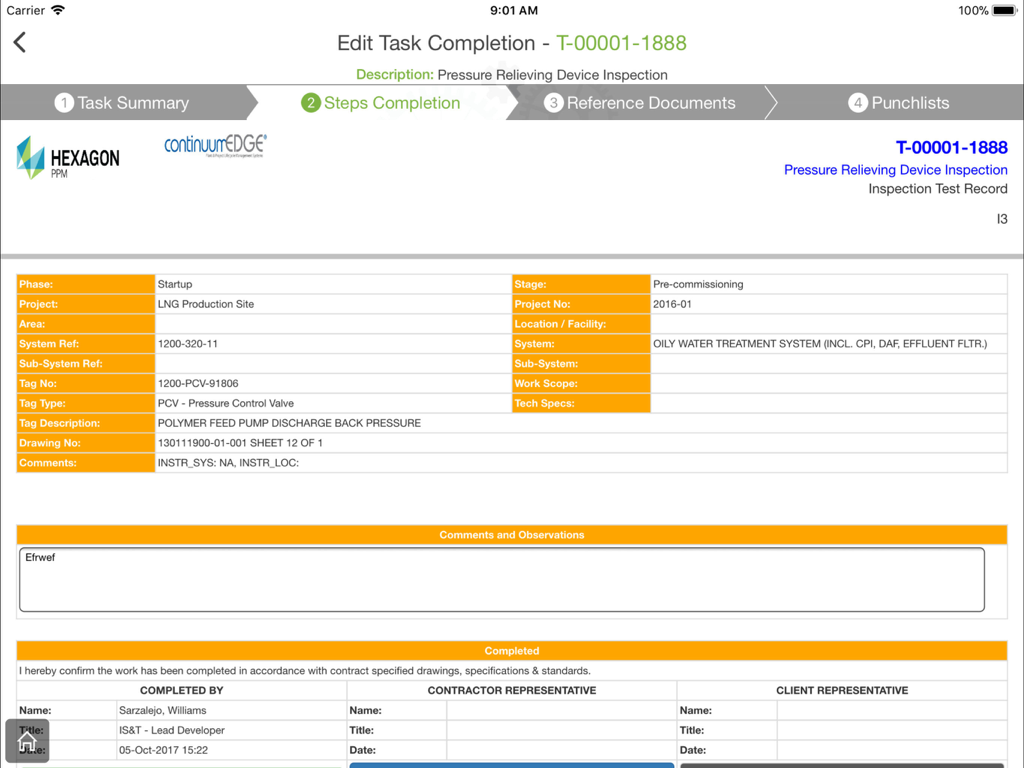
Digital task completion form in the Smart Completions Legacy app for industrial equipment inspection

Digital task completion form in the Smart Completions Legacy app for industrial equipment inspection

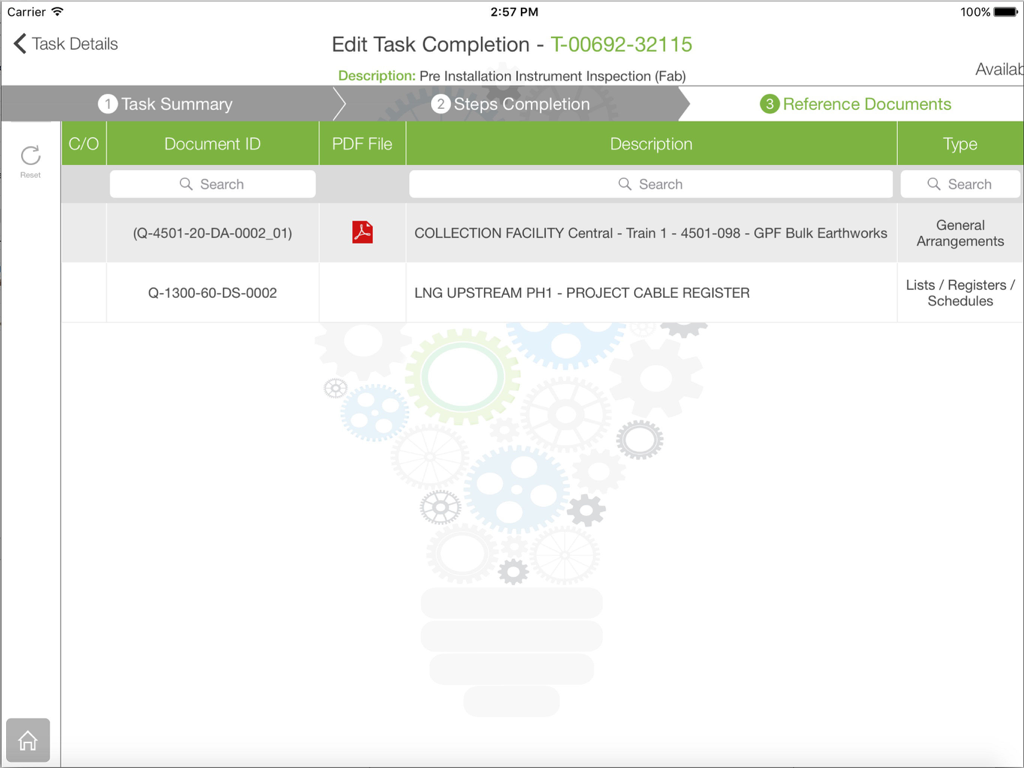
A screenshot of the Smart Completions Legacy app on an iPad showing the reference documents tab within a task completion workflow.

A screenshot of the Smart Completions Legacy app on an iPad showing the reference documents tab within a task completion workflow.

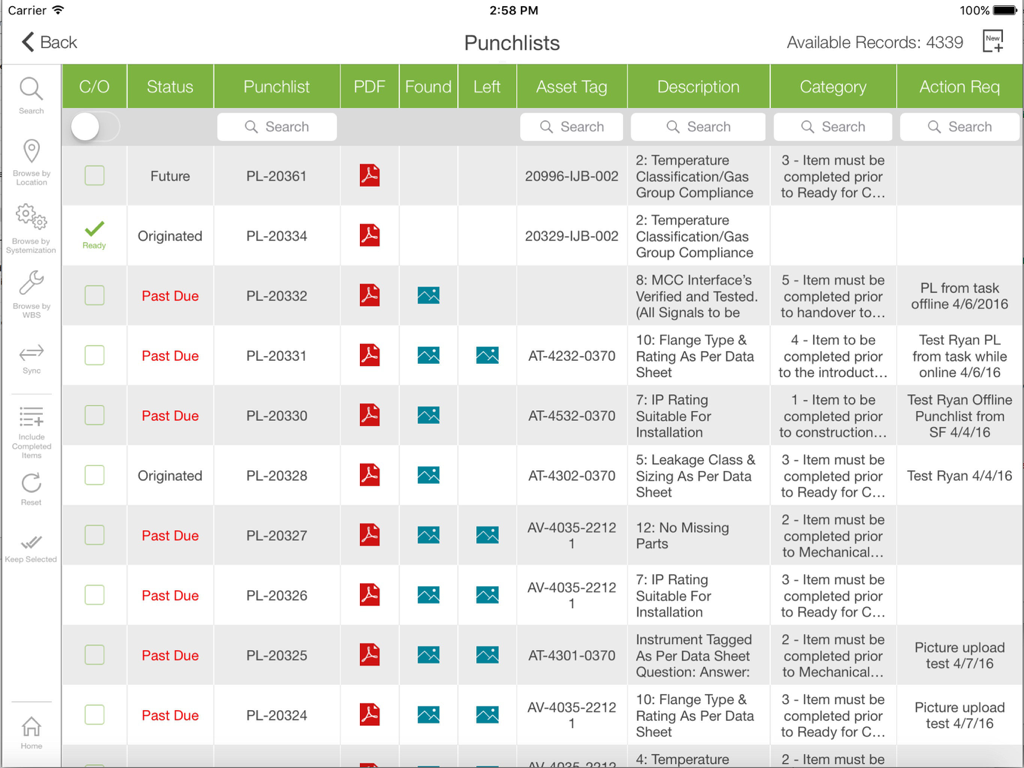
Smart Completions Legacy app interface displaying a punchlist table with asset tags and task statuses on an iPad

Smart Completions Legacy app interface displaying a punchlist table with asset tags and task statuses on an iPad

Industrial-Grade Field Management

The tools that make this app stand out, trusted by 0 users.

📂

Instant Technical Library

Eliminate heavy binders by accessing the latest P&IDs, datasheets, and OEM data directly on your iPad, ensuring you always work from the single source of truth.

📸

Smart Punchlist Execution

Capture and close punchlist items in real-time with as-found and as-left photo evidence, removing the need for manual data entry at the end of your shift.

🛡️

Rigorous Compliance & Safety

Maintain a verifiable digital paper trail for Field Installation Checks (FICs), safety isolations, and maintenance tasks to meet strict industrial audit standards.

About the app

Everything you need to know about Smart Completions Legacy.

Description

Smart Completions Legacy software offers a one-of-a-kind solution to manage ALL aspects of a project. Smart Completions Legacy is much different than any other completions system, as it is designed as a collection of “management systems” that enable our clients to manage activities from the beginning of a project - from Framing and Feasibility, through FEED, Detailed Design, Construction and Commissioning and Custody Transfer to Operations. The Smart Completions (SC) platform is also used as an Operational tool to perform Document Control, Management of Change (MOC), Safety Isolations, and O&M inspections. The Smart Completions (SC) mobile application provides field personnel; access to content in a database located on your company intranet or through a Hosted internet solution. The Smart Completions (SC) mobile application is used to: Retrieve and Edit (e.g. Primary & OEM Data) detailed equipment (asset) information. Retrieve detailed document information and view the document itself (e.g. P&IDs, Datasheets). View and Execute tasks (e.g. FICs - Field Installation Checks) electronically. Enter and complete Punchlist items in the field (with as-found & as-left images). View and Execute Preservation tasks electronically. Enter and complete Non-Compliance items in the field (w/ as-found / as-left images). View and Execute Operations tasks (Routine Inspection) electronically. View and Execute Maintenance tasks electronically.

Latest Version

06.00.1006

Size

27.5 MB

First Released

Aug 19, 2018

Master Your Project Lifecycle from the Field

Empower your engineering teams with real-time access to P&IDs, digital punchlists, and asset data. Download the iPad application to bridge the gap between site and office today.

Download on App Store

App information, icons, screenshots, and descriptions displayed on this page are sourced from the Apple App Store and are the property of their respective developers. Download estimates and rankings are based on MWM's proprietary models and may not reflect actual figures. This page is provided for informational and analytical purposes only.

Believe this page infringes your intellectual property? File a dispute