Smart PDF Document Scanner

Smart PDF Document Scanner

Download on App Store
Logo of Smart PDF Document Scanner

Smart PDF Document Scanner: The Professional’s Choice for Tack-Sharp Scans

Replace bulky office hardware with high-performance perspective correction and a unique color-coded tagging system designed for your mobile workflow.

Download on App Store

Publisher

Qrayon, LLC

Category

Business

Downloads

13K+

User Rating

4.5/5

Total Ratings

0

Locales

1

Precision at a Glance

Discover the interface used by 13K+ users.
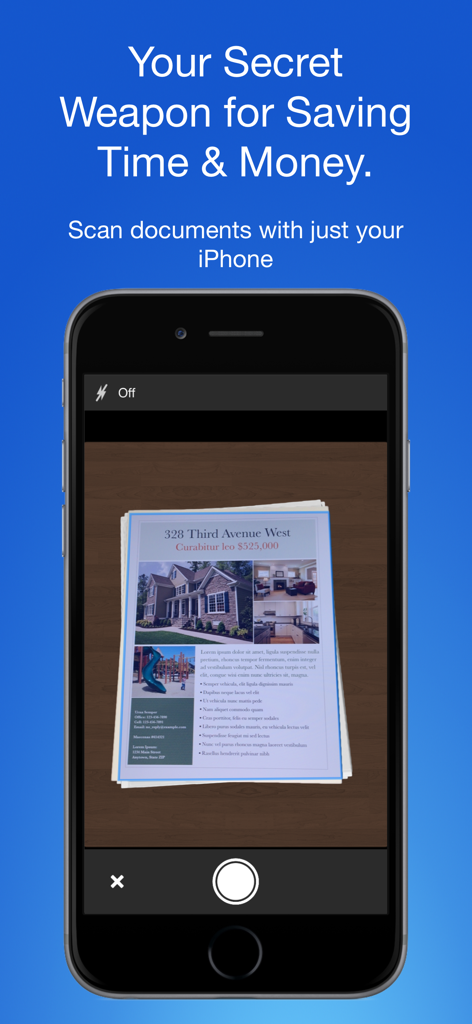
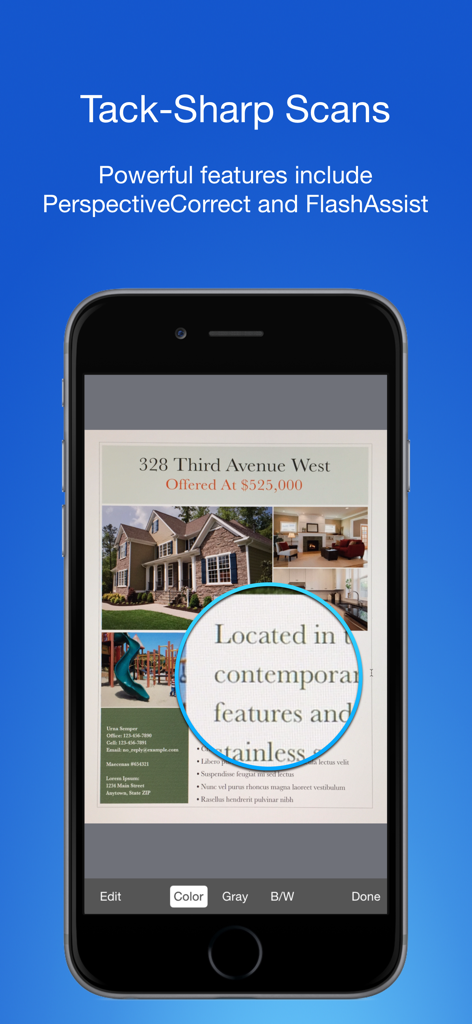
iPhone screen showing the Smart PDF Document Scanner app capturing a real estate document

iPhone screen showing the Smart PDF Document Scanner app capturing a real estate document

Mobile app interface showing high quality document scanning with sharp text magnification.

Mobile app interface showing high quality document scanning with sharp text magnification.

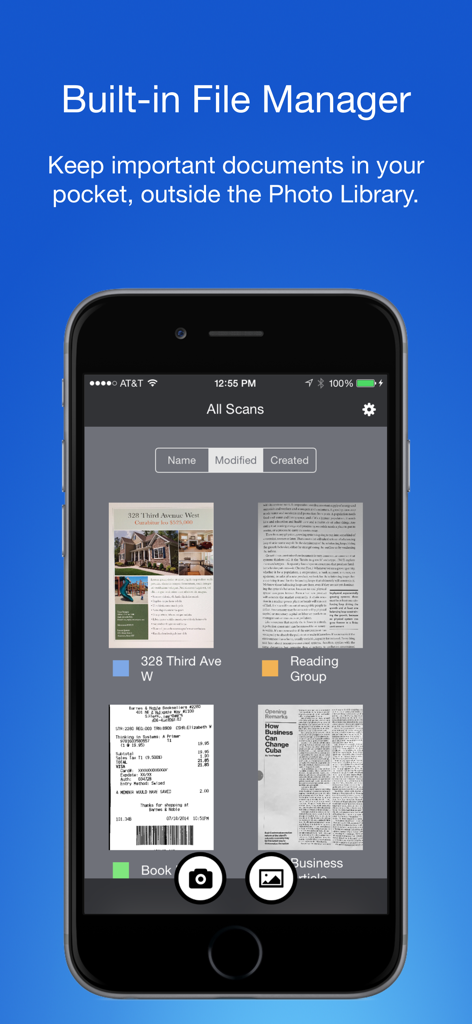
Smart PDF Document Scanner app showing the built-in file manager with color-coded tags for organized document management

Smart PDF Document Scanner app showing the built-in file manager with color-coded tags for organized document management

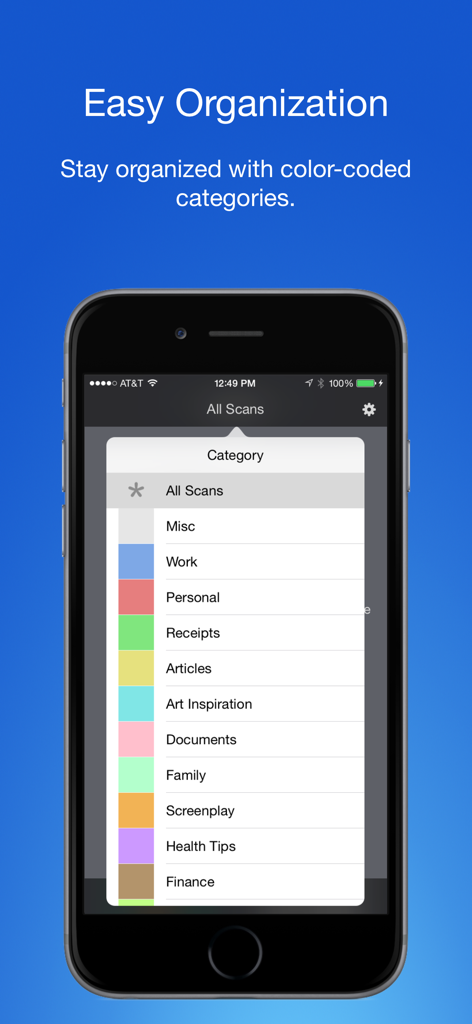
Smartphone screen displaying color-coded tags and categories for organizing scanned documents

Smartphone screen displaying color-coded tags and categories for organizing scanned documents

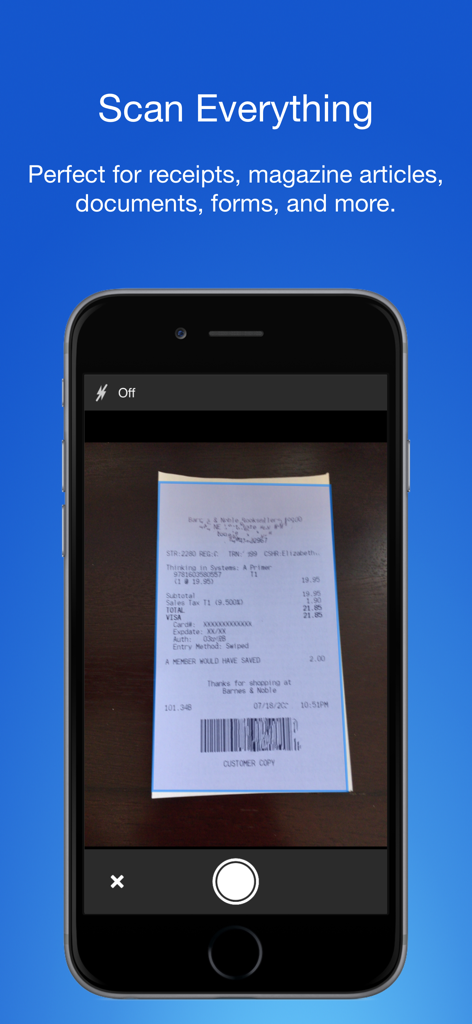
Smart PDF Document Scanner app on an iPhone capturing a store receipt

Smart PDF Document Scanner app on an iPhone capturing a store receipt

The Only Scanner a Professional Needs

The tools that make this app stand out, trusted by 13K+ users.

📄

Crystal Clear Scans

Automatic perspective correction and FlashAssist ensure every contract and receipt looks sharp, professional, and ready to send.

🏷️

Effortless Organization

Ditch the rigid folder systems. Our color-coded tagging allows you to categorize and find documents in seconds with just a tap.

🔒

Work-Life Separation

Maintain your boundaries by keeping business documents in a dedicated hub, completely separate from your personal photo library.

About the app

Everything you need to know about Smart PDF Document Scanner.

Description

Ditch the office scanner! Just snap a photo of your document, and get a PDF file you can instantly send to your colleagues, all from your phone or iPad. TACK SHARP SCANS That processor in your phone is quite a little monster. Smart Scanner uses it fully to make the best possible scans. Even full-page articles come out tack-sharp and easy to read. It automatically detects the page edges and corrects for perspective. Pick full-color scans, grayscale, or black-and-white for maximum legibility. FlashAssist can take perfect scans even in poor lighting conditions. You can even change the correction and enhancement settings after the fact. POWERFUL COLOR-CODED ORGANIZATION Scanning is just half the problem. You need a good way to keep all your documents organized, and easy to find later. Smart Scanner uses a simple tagging system that is much easier and more powerful than the regular folder system. File documents under custom color-coded categories with just a couple taps. Browse and sort files by category with a couple more. It's the way filing should work. FOR ALL YOUR SCANNING NEEDS + Quickly scan and send contracts and forms + Keep scans of important documents in your pocket, separate form the Photo Library + Scan all your travel receipts for easy expense reports + Keep digital copies of your notes and sketches + Scan articles to read later + And more! TIPS AND TRICKS Here are a few tips to get the best scans: + Place your document on a darker surface to improve the edge auto-detection. + You can drag the corners of the blue rectangle to fine tune it after taking a photo. + Make sure there is adequate lighting. Use the flash in low-light conditions. + You can tap on a page to edit its scan settings (including edges) after the fact.

Latest Version

2.5

Size

19.4 MB

First Released

Dec 5, 2016

Ready to Ditch the Office Scanner?

Join 13,000+ professionals who trust Smart Scanner for tack-sharp PDFs and effortless, color-coded organization on the go.

Download on App Store

App information, icons, screenshots, and descriptions displayed on this page are sourced from the Apple App Store and are the property of their respective developers. Download estimates and rankings are based on MWM's proprietary models and may not reflect actual figures. This page is provided for informational and analytical purposes only.

Believe this page infringes your intellectual property? File a dispute