Smart Speaker Equalizer Remote: The Ultimate Hub for Your Home Audio
Break free from walled gardens. Master your Sonos, Bose, and AirPlay speakers with a pro-grade equalizer, ad-free YouTube streaming, and seamless multi-room control—all in one powerful app.
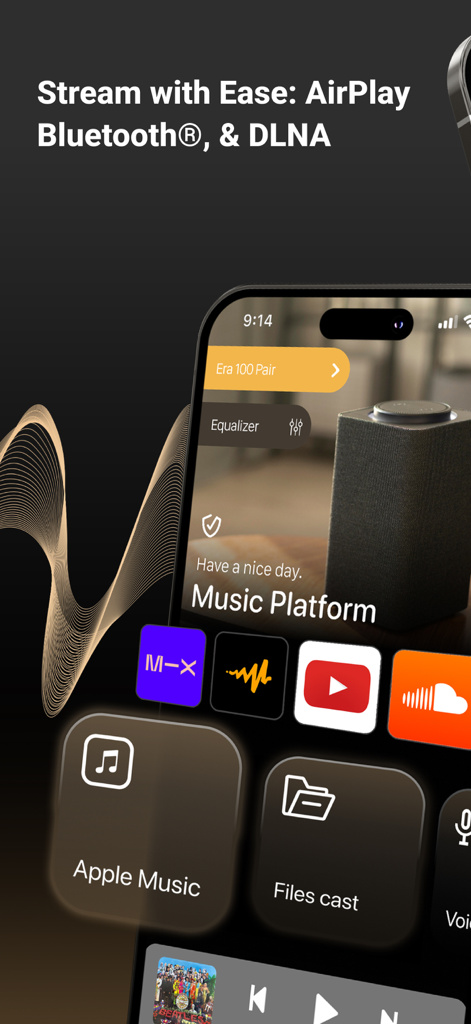
Smart Speaker Equalizer Remote app interface showing AirPlay and Bluetooth streaming options with music platform icons
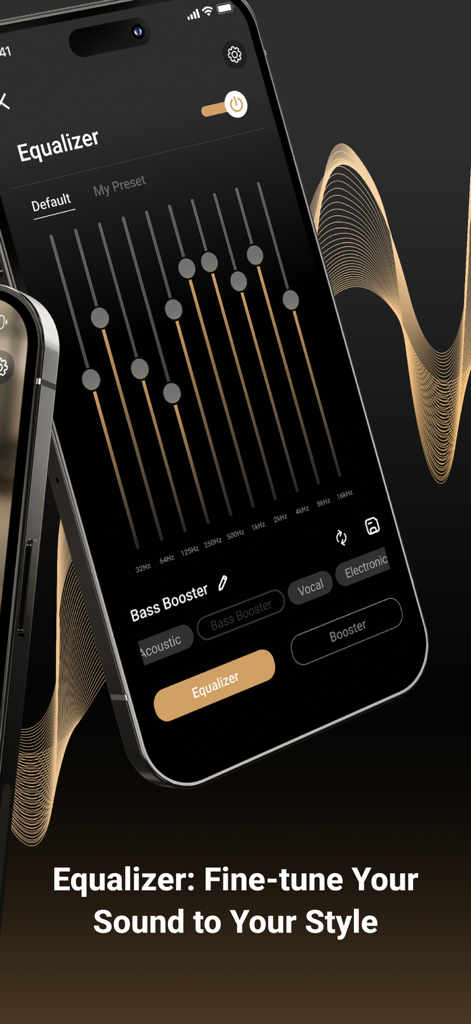
Smartphone screen showing the audio equalizer interface with frequency sliders and sound presets
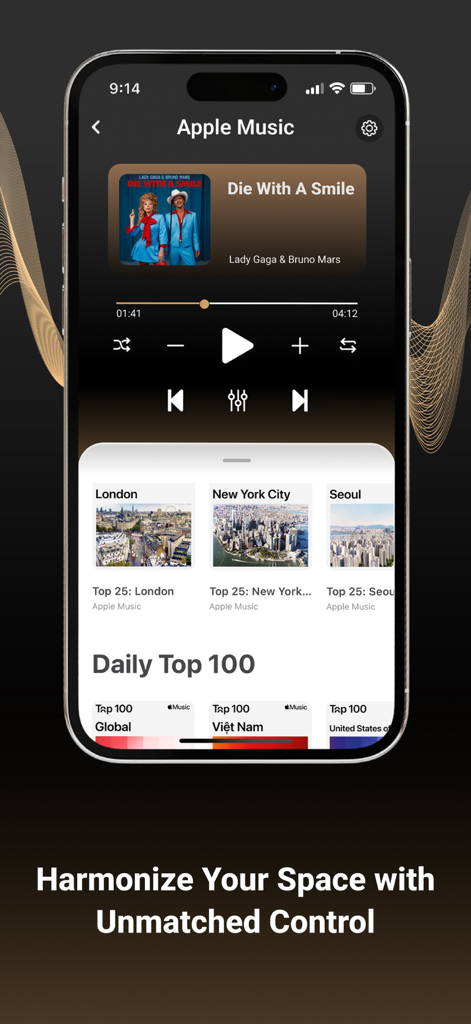
Music player screen of the Smart Speaker Equalizer Remote app featuring playback controls and global top charts
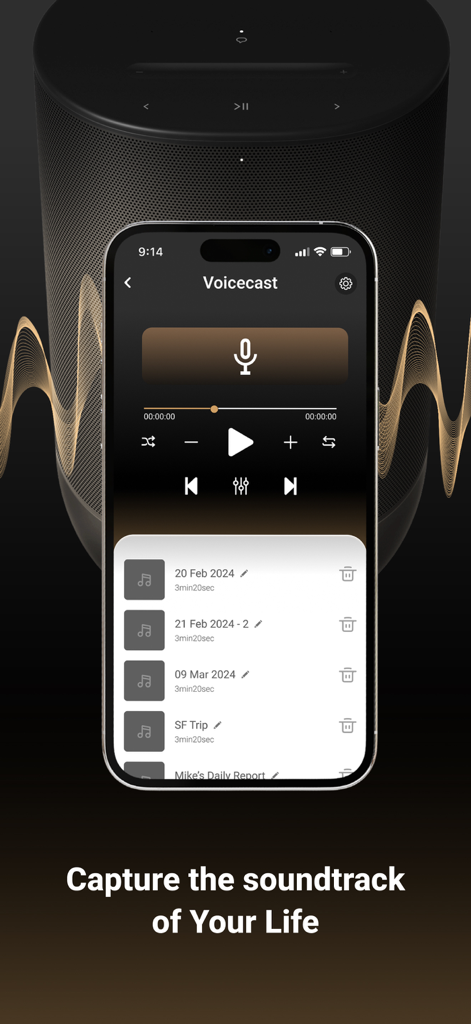
Voicecast recording interface on the Smart Speaker Equalizer Remote app
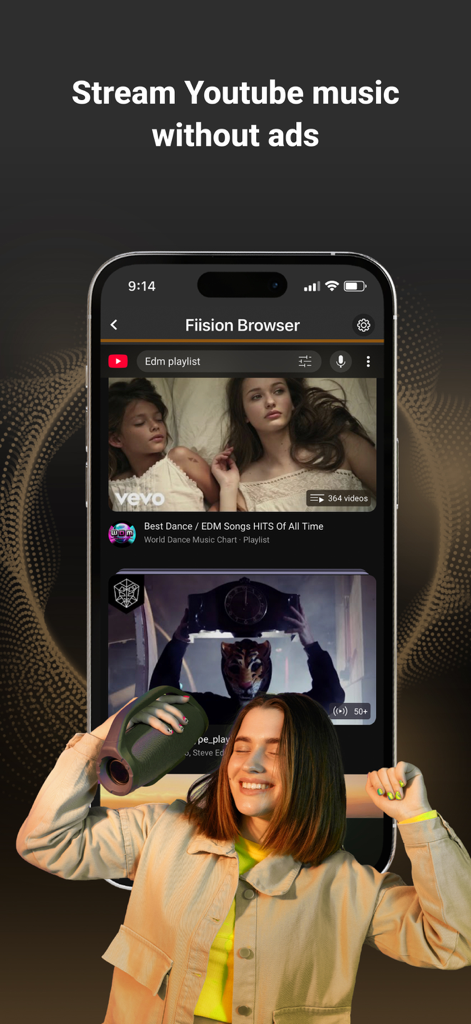
A woman dancing while using the Smart Speaker Equalizer Remote app to stream ad-free YouTube music
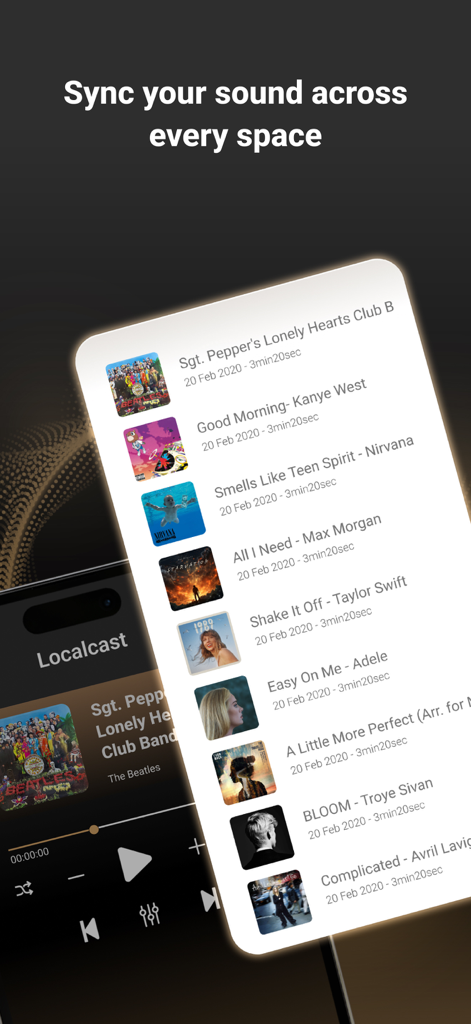
Interface of the Smart Speaker Equalizer Remote app showing a local music playlist and the text Sync your sound across every space
Master Your Home Audio Ecosystem
The tools that make this app stand out, trusted by 591K+ users.
🌐
One App, Every Speaker
Break free from manufacturer restrictions. Seamlessly group and control Sonos, Bose, AirPlay, and Bluetooth devices from a single, unified interface.
🎚️
Precision Sound Engineering
Unlock your hardware's true potential with a pro-grade equalizer, deep bass boosters, and custom acoustic presets tailored to your room.
🚀
Limitless Ad-Free Streaming
Access YouTube, SoundCloud, and web content without interruptions or tracking. Cast high-quality audio from any source directly to your speakers.
About the app
Everything you need to know about Smart Speaker Equalizer Remote.
Description
GIVE OUR APP A TRY IF YOU WANT TO:
• Connect, control, group, and ungroup all nearby AirPlay speakers, amplifiers, and smart TVs.
• Boost and sync multiple speakers to deliver high-quality sound at extra-high volumes for loud music.
• Enhance your music experience with our bass booster, treble booster, volume booster, and full-range equalizer, including presets such as Acoustic, Dance, Electronic, Jazz, Pop, R&B, and more.
• Manage and enjoy your all-time favorite songs, artists, and personalized playlists for every occasion with our Localcast feature.
• Use our all-in-one music hub to access multiple streaming services — Apple Music, YouTube, Dailymotion, Vimeo, Audiomack, SoundCloud, and more — and seamlessly switch between them without leaving the app.
• Instantly turn your iPhone into a microphone to record and stream your voice.
• Discover trending songs updated daily.
• Enjoy our ad blocker to watch your favorite YouTubers’ content and cast YouTube Music to your speakers without limitations or interruptions.
• Use a private, secure, and fast built-in web browser to access your favorite online audio content providers with no tracking and no personal data stored during browsing.
1. Detect & Connect
• Detect and connect to any nearby Wi-Fi or AirPlay speakers and amplifiers, such as:
- Sonos Era 100, Sonos One (S1 & S2), Sonos Play, and more.
- DENON, HEOS, Marantz, and Naim.
- B&O Beoplay, and B&O Beosound.
- Many other brands.
• Detect and pair with any Bluetooth speakers, amplifiers, headphones, or earbuds, such as:
- Bose Home Speaker, Bose Smart Soundbar, and more.
- Harman Kardon Aura, Harman Kardon AVR, JBL, and more.
- Logitech UE Boom
2. Control
• Bass booster, treble booster, volume booster, and equalizer.
• Adjust bass and treble output; enable or disable loudness.
• Play / Pause / Next Track / Previous Track / Seek.
3. Offline Music Player / Online Music Streaming
• Stream music from Apple Music, YouTube, Dailymotion, Vimeo, Audiomack, SoundCloud, and more.
• My Local music library: Import music files in various formats into your library, download your favorite tracks, and enjoy high-quality offline playback.
• Cast music to your speakers without Wi-Fi.
• Voice recorder: Create and amplify your voice with our VoiceCast.
HOW IT WORKS
• Getting started is simple — download the Smart Speakers Remote Control app.
• Join our Annual Premium Membership gives you access to:
- A free 3-day trial — cancel any time.
- Unlimited connection and casting of audio to speakers and headphones.
- Ad-free YouTube listening & streaming.
- Full control over your sound quality.
- Dedicated customer support just an email away.
• In addition to the annual plan, we offer more budget-friendly weekly and monthly options — cancel anytime.
• If you choose not to become our Premium member, that’s okay too! You can still enjoy our Premium Features using your iPhone’s built-in speaker all day long. DOWNLOAD Smart Speakers Remote Control NOW!
PAYMENT AND SUBSCRIPTIONS
• Pricing may vary by country, and actual charges may be converted to your local currency based on your country of residence.
• Payment will be charged to your iTunes Account at the time of purchase confirmation.
• Subscriptions automatically renew unless auto-renew is turned off at least 24 hours before the end of the current period.
• Your account will be charged for renewal within 24 hours prior to the end of the current period, and you will be informed of the renewal cost.
• Manage your membership in your account settings, including the option to disable auto-renewal. If a free trial is offered, any unused portion will be forfeited once you purchase a membership to the applicable publication.
Privacy Policy: https://fiisionstudio.com/privacy-policy/
Terms of Use: https://fiisionstudio.com/terms-and-conditions/
For assistance, contact us at support@fiisionstudio.com. Questions or suggestions? Just send us an email.
Latest Version
1.0.16
Size
56.9 MB
First Released
Jul 26, 2021
Experience Your Sound Without Limits
Join 591,000+ audio enthusiasts mastering their smart speakers. Get pro-grade EQ, universal connectivity, and ad-free streaming in one powerful hub. Start your free trial today.
FAQ
Frequently Asked Questions
Everything you need to know about Smart Speaker Equalizer Remote
What is the Smart Speaker Equalizer Remote app?
The Smart Speaker Equalizer Remote app connects, controls, and enhances audio on AirPlay and Bluetooth speakers. It offers equalization, access to streaming services, voice recording, and an ad-free web browser for an optimized music experience.
Which speaker brands are compatible with the Smart Speaker Equalizer Remote app?
Yes, the Smart Speaker Equalizer Remote app connects to various AirPlay speakers like Sonos, DENON, Marantz, and B&O, and Bluetooth speakers such as Bose, Harman Kardon, JBL, and Logitech UE Boom for versatile audio control.
Does the Smart Speaker Equalizer Remote app include audio equalization features?
Yes, the Smart Speaker Equalizer Remote app provides a full-range equalizer with presets including Acoustic, Dance, Electronic, and Jazz. It also features dedicated bass booster, treble booster, and volume booster controls for audio customization.
What music streaming services does Smart Speaker Equalizer Remote support?
The Smart Speaker Equalizer Remote app supports streaming from Apple Music, YouTube, Dailymotion, Vimeo, Audiomack, and SoundCloud. Users seamlessly switch between these services within the app's integrated music hub.
Can I record my voice using the Smart Speaker Equalizer Remote app?
Yes, the Smart Speaker Equalizer Remote app allows users to instantly convert their iPhone into a microphone to record and stream their voice. This feature is accessible through the app's VoiceCast functionality.
Does Smart Speaker Equalizer Remote block ads on YouTube?
Yes, the Smart Speaker Equalizer Remote app features an ad blocker. This allows users to watch YouTube content and cast YouTube Music to their speakers without encountering any advertisements or interruptions.
Is a free trial available for Smart Speaker Equalizer Remote Premium Membership?
Yes, an Annual Premium Membership for the Smart Speaker Equalizer Remote app includes a free 3-day trial. Users can cancel this trial at any time before it concludes.
Can I use the Smart Speaker Equalizer Remote app without a premium subscription?
Yes, you can use the Smart Speaker Equalizer Remote app without a premium subscription. You can still access and enjoy its Premium Features by utilizing your iPhone’s built-in speaker.
How do I manage my Smart Speaker Equalizer Remote app subscription?
You manage your Smart Speaker Equalizer Remote app subscription within your iTunes account settings. This includes the option to disable auto-renewal at least 24 hours prior to the current period's end.
Does the Smart Speaker Equalizer Remote app store my personal browsing data?
No, the built-in web browser in the Smart Speaker Equalizer Remote app operates with no tracking and stores no personal data during browsing. It provides a private, secure, and fast online audio experience.
Does Smart Speaker Equalizer Remote support local music playback?
Yes, the Smart Speaker Equalizer Remote app supports local music files via its Localcast feature. Users can import various music formats, download tracks, and enjoy high-quality offline playback directly from their library.
Can I cast music without Wi-Fi using Smart Speaker Equalizer Remote?
Yes, Smart Speaker Equalizer Remote allows users to cast music to their speakers even without a Wi-Fi connection. This functionality enhances flexibility for music playback in various environments.
App information, icons, screenshots, and descriptions displayed on this page are sourced from the Apple App Store and are the property of their respective developers. Download estimates and rankings are based on MWM's proprietary models and may not reflect actual figures. This page is provided for informational and analytical purposes only.
Believe this page infringes your intellectual property? File a dispute