SOS Inventory Software

SOS Inventory Software


Download on App Store
Logo of SOS Inventory Software

SOS Inventory Software: Professional Inventory and Manufacturing Control for QuickBooks Online

Take command of your stock, fulfillment, and production from anywhere. The affordable, mobile-ready ERP alternative designed to eliminate manual errors and scale your small business.

Download on App Store

Publisher

Saddle Oak Software LLC

Category

Business

Downloads

1K+

User Rating

4.8/5

Total Ratings

0

Locales

1

Your Operations in Action

Discover the interface used by 1K+ users.
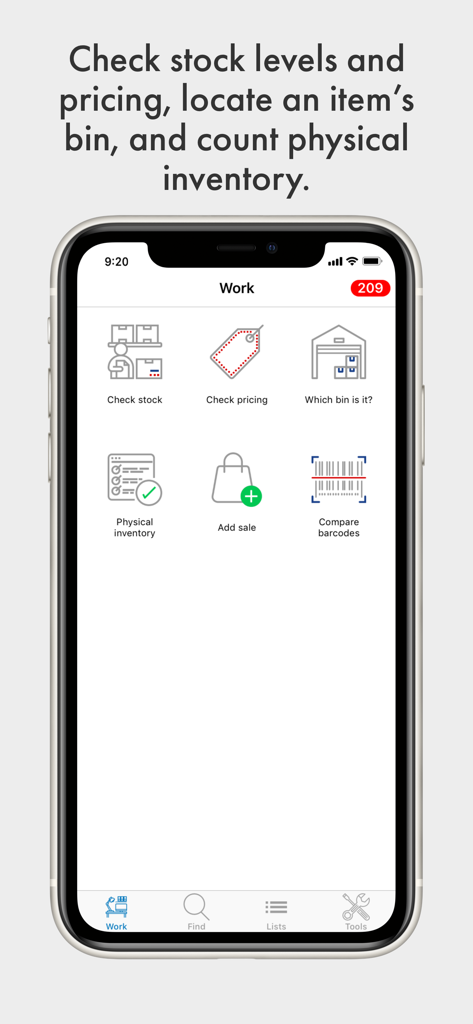
SOS Inventory app dashboard with features for stock checking, pricing, and barcode scanning.

SOS Inventory app dashboard with features for stock checking, pricing, and barcode scanning.

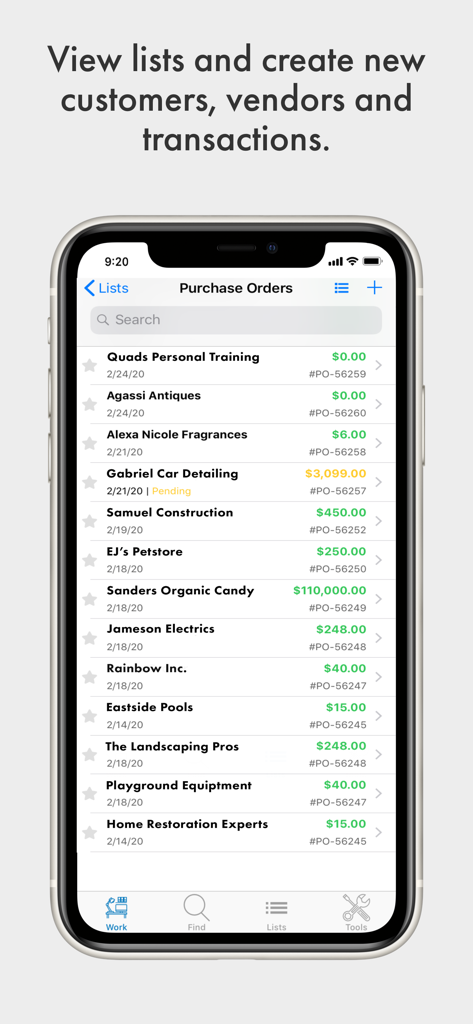
SOS Inventory app screen showing a list of business purchase orders and vendor names

SOS Inventory app screen showing a list of business purchase orders and vendor names

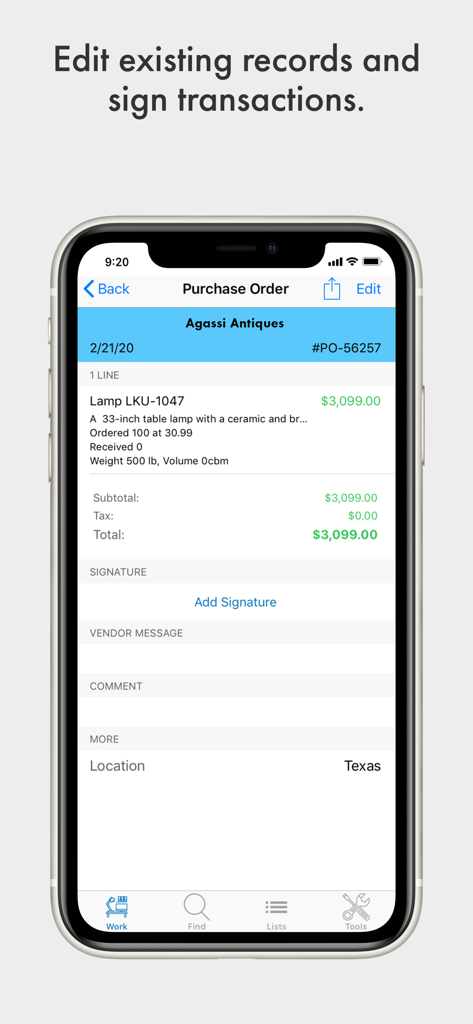
A purchase order screen in the SOS Inventory mobile app with an option to add a signature

A purchase order screen in the SOS Inventory mobile app with an option to add a signature

Professional Inventory Management in Your Pocket

The tools that make this app stand out, trusted by 1K+ users.

📱

Mobile Warehouse Control

Turn your phone into a professional scanner. Conduct cycle counts, track bin locations, and update stock levels directly from the floor without expensive dedicated hardware.

🔄

Seamless QuickBooks Sync

Eliminate spreadsheet errors and double entry. Your inventory, sales orders, and costs flow instantly into QuickBooks Online for perfectly accurate accounting and cash flow tracking.

🏭

Advanced Manufacturing Tools

Manage complex assemblies and track Work-in-Progress (WIP) on the go. Get a panoramic view of your operations and landed costs to ensure every product you ship is profitable.

About the app

Everything you need to know about SOS Inventory Software.

Description

Get a panoramic view of your inventory, cash flow, and operations with a single inventory management control program designed specifically for QBO integration. SOS Inventory was created with the small business owner in mind; similar programs start at tens of thousands of dollars. SOS is suitable for the cost-conscious with no sacrifice of powerful features and functions. SOS Inventory’s easy-to-use inventory management software offers complete control over purchase orders, stock, sales, customers and locations with endless reporting options. Our mobile application allows users the freedom to work away from the desk, and unique features that are especially convenient for conducting physical inventory counts. **Unique Mobile App Features:** • Rapid Stock Review – Quickly check stock-on-hand by location and date. • Pricing Checks – Scan items and apply a wide range of filters to vendor specific discounts, quantity discounts, general pricing, etc. • Bin Tracking – Find the count of any bin. • Physical Inventory Counts – Scan bar codes to check actual versus logged inventory numbers by location. • Add a Sale – Add an estimate, order, receipt or invoice. • Built-in Bar Code Scanning – Scan items from your phone directly to the mobile app for quick inventory review and comparison. **Inventory:** • Locations • Kits (Item Groups) • Cycle Counting • Inventory Adjustments • Pictures of Items • Serial Numbers (Serialized Inventory) • Lot Numbers (Batches) • Bin Tracking • Barcoding in Multiple Formats • Units of Measure on all Transactions • Inventory Transfers with Shipping • Item Variants • Calculate Reorder Points Based on Historical Data • Landed Costs **Manufacturing:** • Assemblies • BOM Levels • Auto-Build on Shipment • Contract Manufacturing • Job Tracking • Job Cost Accounting • Work Orders • Work Centers • Work-in-Progress (WIP) • Process Manufacturing • Variable-Yield Manufacturing • Labor Tracking • Overhead **Fulfillment:** • Backorder Management • Packing Slips • Bills of Lading • Shipments • Partial Shipments • Ship Multiple Sales Orders for Same Customer • Drop Shipments • UPS Shipping Integration • Pick Tickets **Sales:** • Sales Orders • Estimates/Quotes • Invoices • Merge Multiple Invoices for Same Customer • Sales Receipts • Sales Reps Restricted to Customers/Sales • Commission Reports • Note System for Customer Service Reps • Returns • Credit Memos • Credit Holds on Customers • Sub-Customers with Parent Billing • Number of External Connections • ShipStation Integration • Rentals and Consignments • Contract Pricing • Price Levels • “Cost Plus” Pricing Number one rated ERP software. Companion application for current SOS Inventory web application subscribers.

Latest Version

1.4.35

Size

17.4 MB

First Released

Mar 19, 2020

Ready to Manage Your Operations from the Palm of Your Hand?

Join thousands of QuickBooks Online users who have traded spreadsheet stress for professional inventory control. Get the power of a high-end ERP at a fraction of the cost—download the companion app today.

Download on App Store

App information, icons, screenshots, and descriptions displayed on this page are sourced from the Apple App Store and are the property of their respective developers. Download estimates and rankings are based on MWM's proprietary models and may not reflect actual figures. This page is provided for informational and analytical purposes only.

Believe this page infringes your intellectual property? File a dispute