Sparkasse  Ihre mobile Filiale

Sparkasse Ihre mobile Filiale


Download on App Store
Logo of Sparkasse  Ihre mobile Filiale

Sparkasse: Your Essential Link to German Banking from the USA

Securely manage multiple accounts, send instant transfers, and track your finances with German-standard security—no matter where your career takes you.

Download on App Store

Publisher

Star Finanz GmbH

Category

Finance

Downloads

14M+

User Rating

4.6/5

Total Ratings

2M+

Locales

6

Your Branch, Anywhere

Discover the interface used by 14M+ users.
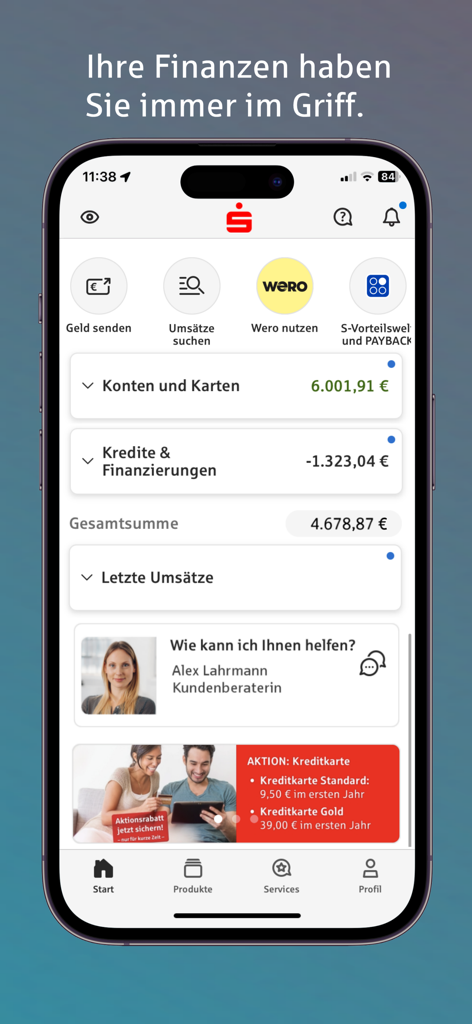
Sparkasse mobile banking app dashboard showing account balances and financial overview

Sparkasse mobile banking app dashboard showing account balances and financial overview

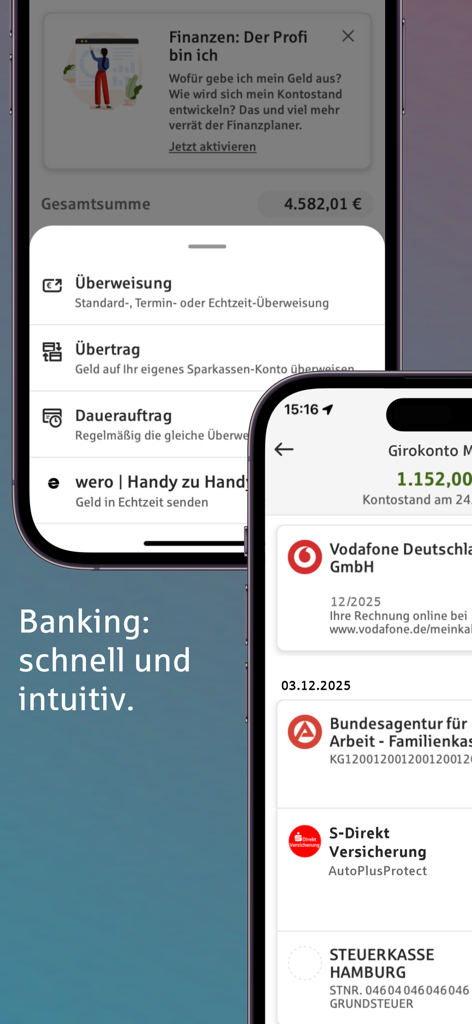
Two smartphone screens showing the Sparkasse mobile banking app interface with account transactions and transfer options

Two smartphone screens showing the Sparkasse mobile banking app interface with account transactions and transfer options

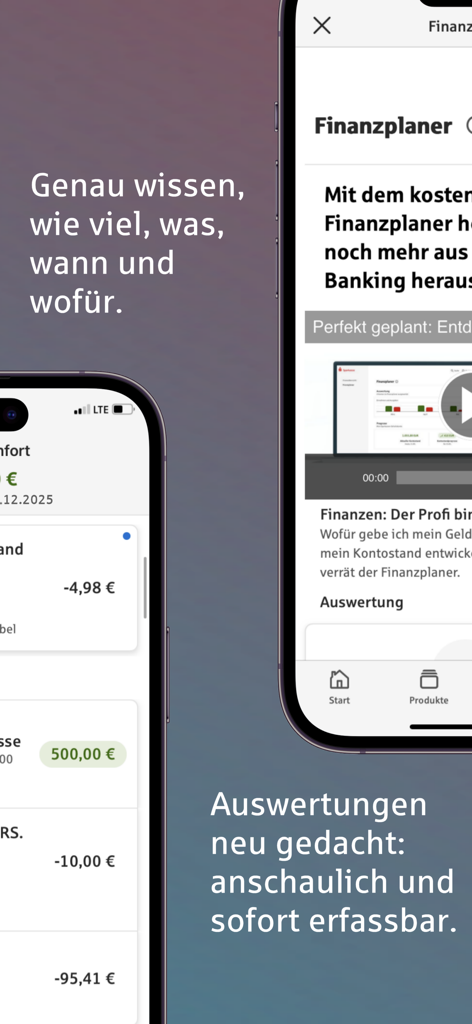
Interface of the Sparkasse mobile banking app showing account transactions and the financial planner feature on two iPhone screens.

Interface of the Sparkasse mobile banking app showing account transactions and the financial planner feature on two iPhone screens.

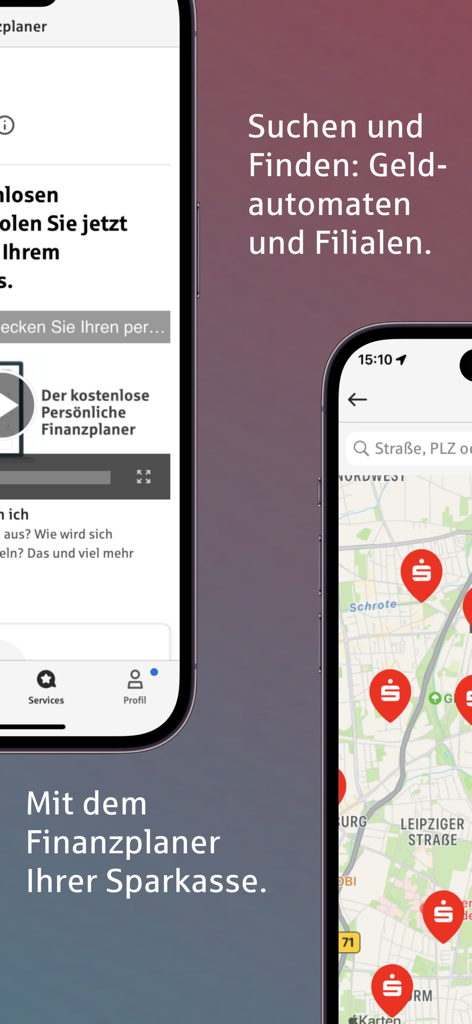
Sparkasse app screens showing the ATM branch locator map and the personal financial planner.

Sparkasse app screens showing the ATM branch locator map and the personal financial planner.

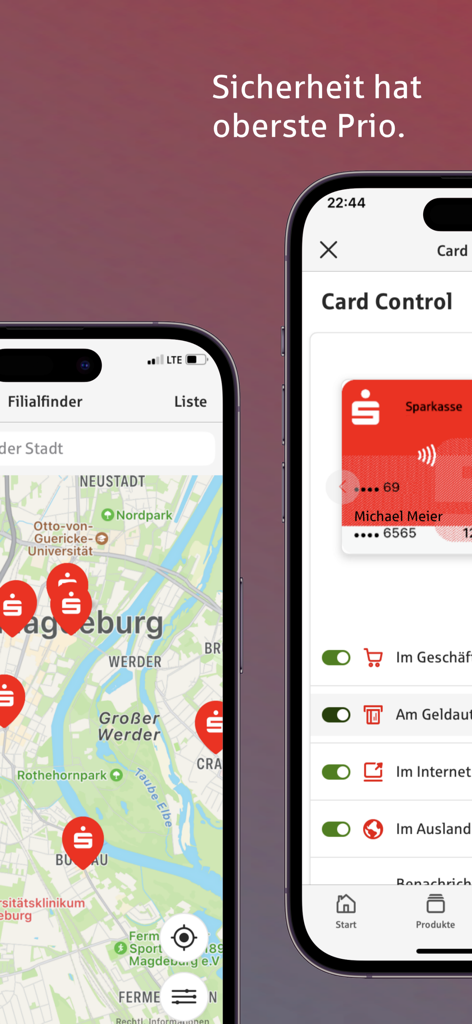
Sparkasse app interface displaying a branch locator map and card security control settings.

Sparkasse app interface displaying a branch locator map and card security control settings.

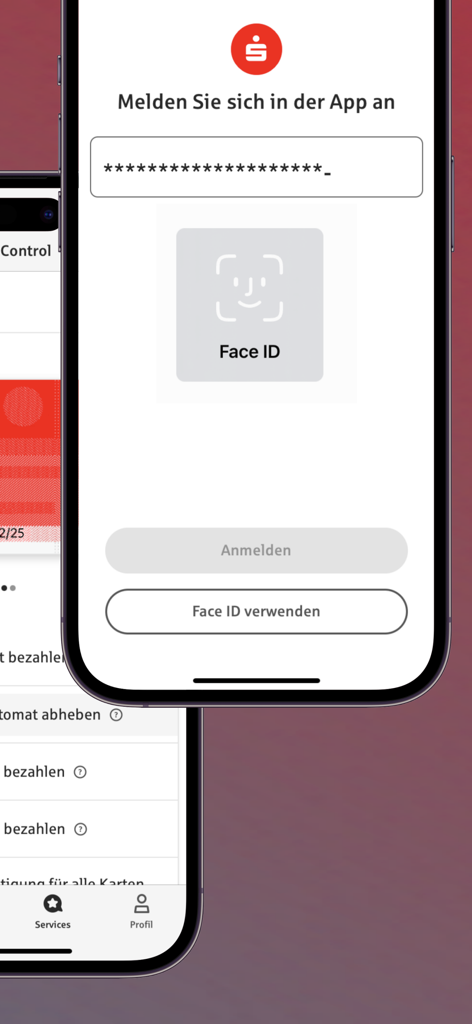
Sparkasse mobile banking login screen with Face ID biometric authentication

Sparkasse mobile banking login screen with Face ID biometric authentication

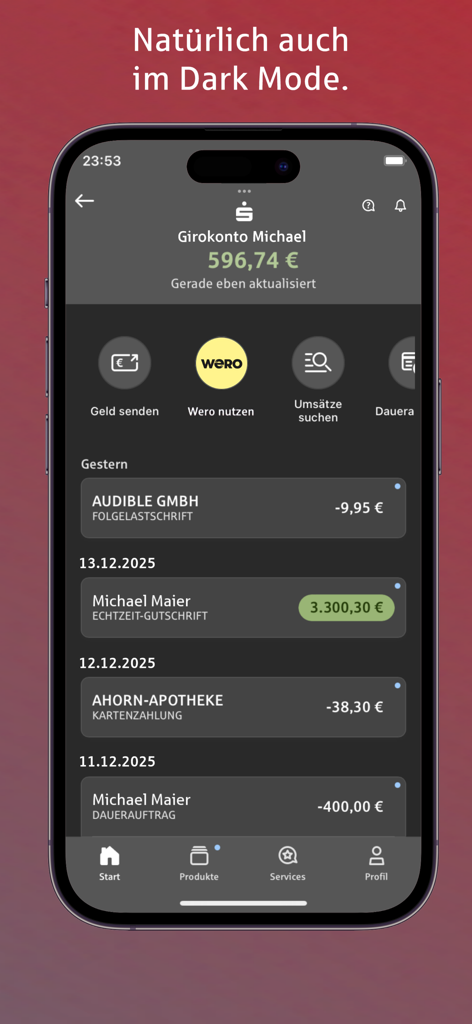
Sparkasse mobile banking app interface showing account balance and transaction history in dark mode

Sparkasse mobile banking app interface showing account balance and transaction history in dark mode

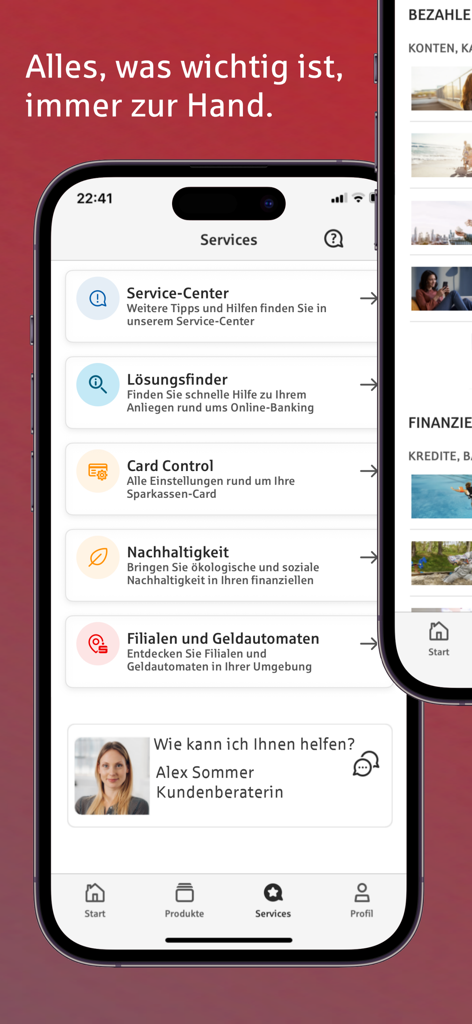
User interface of the Sparkasse app services section featuring customer support and banking tools

User interface of the Sparkasse app services section featuring customer support and banking tools

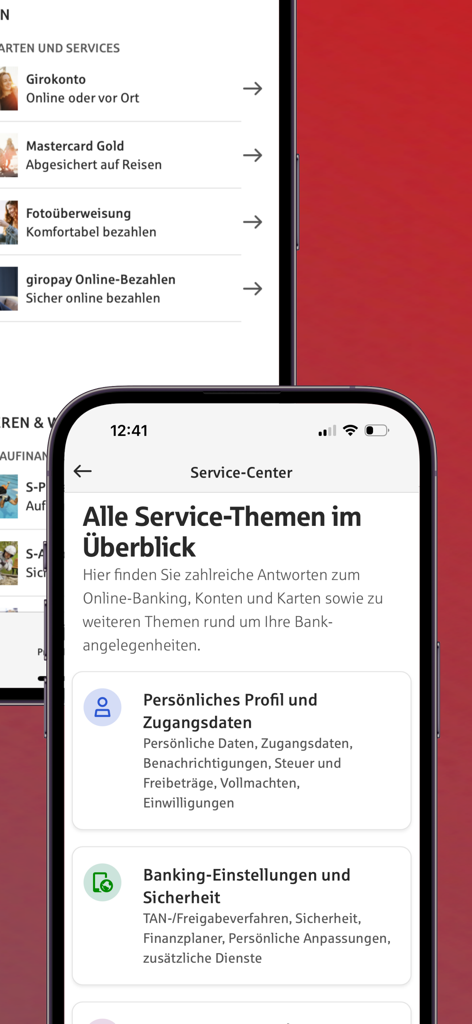
Sparkasse mobile banking app service center interface on iPhone

Sparkasse mobile banking app service center interface on iPhone

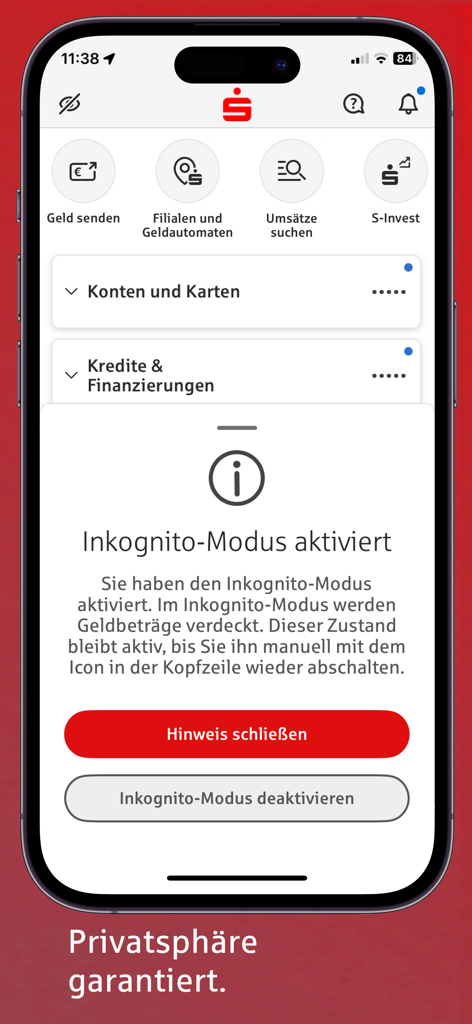
Sparkasse app interface showing activated incognito mode to hide account balances for increased privacy in public spaces

Sparkasse app interface showing activated incognito mode to hide account balances for increased privacy in public spaces

Your German Bank, Wherever You Are

The tools that make this app stand out, trusted by 14M+ users.

🌐

Full Multibanking Control

View and manage all your German bank accounts in one single interface, even from across the Atlantic.

🔐

Uncompromising Security

Rest easy with encrypted data transfers and biometric protection that meet strict German banking regulations.

📱

Smart Account Alarms

Stay informed 24/7 with custom push notifications for salary arrivals, balance limits, and transaction movements.

About the app

Everything you need to know about Sparkasse Ihre mobile Filiale.

Description

Banking without opening hours, transfers from your couch and account transactions always in view: Use simple and intuitive banking and take care of your banking transactions on the side. ADVANTAGES • Check your accounts anytime, anywhere • Manage any number of online accounts – from Sparkassen and other banks • Set up transfers and standing orders, return direct debits • Stay informed about all account movements with the account alert • Find the shortest route to the nearest cash machine or Sparkasse • Graphical display via financial planner • Direct access to the attractive added value of the S-Vorteilswelt • Privacy thanks to optional incognito display of monetary amounts The Sparkasse app is there for you in all situations. Whether you're setting up a standing order on the train, paying your bill at the breakfast table with a photo transfer or checking your account balance and credit card transactions. No more tedious filling out a transfer slip on the computer. Instead, you can simply do everything with your iPhone/iPad. ACCOUNT ALARM The account alarm clock informs you promptly about account movements around the clock. If you want to know what's going on in your account every day, set up the account balance alarm clock. The salary alarm clock tells you when your salary arrives and the limit alarm clock lets you know whether your account balance has been exceeded or fallen short of. FROM MOBILE TO MOBLIE Splitting a bill after a pleasant evening with friends in a restaurant is very easy. With Wero, you can send money from cell phone to cell phone without delay. It also works for borrowing money or collecting money together for a gift. APPLE PAY Apple Pay is of course included, and the Sparkasse app is a prerequisite for this. You use it to activate your digital cards for the Wallet app. STRONG PROTECTION You don't need to worry about mobile banking as long as you use the latest version of the Sparkasse app in conjunction with a current operating system and a secure internet connection. The app communicates via verified interfaces and ensures secure data transfer in accordance with German online banking regulations. All data is stored in encrypted form. Access is protected by a password and, optionally, by Touch ID/Face ID. The autolock function locks the app automatically. All your finances are fully protected in the event of loss. PRACTICAL FUNCTIONS Use the search function to find transactions across accounts and bank details. Set up a budget book (offline account) for budget planning and view graphical evaluations with your Sparkassen financial planner. You have a direct line to your savings bank via the app and access to many services such as card blocking, messages, reminders, appointments and even account opening via the app (if offered by your Sparkasse). On top of that, you can switch directly to the S-Invest app and carry out your securities transactions. PREREQUISITES You need an account with a German Sparkasse or bank that is activated for online banking. The TAN procedures supported for payment transactions are chipTAN manual, chipTAN QR, chipTAN comfort (optical), pushTAN. NOTES Please send any comments directly from the app using the small question mark speech bubble. Individual functions may incur costs at your institution, which may be passed on to you. Wero, account opening and the S-Vorteilswelt are only available in the app if they are supported by your Sparkasse. By downloading and/or using the Sparkasse app, you accept the terms and conditions of the end user license agreement of Star Finanz GmbH without restriction. The protection of your data is regulated in the privacy policy. • Data protection: https://cdn.starfinanz.de/index.php?id=datenschutz_ios_sparkasse_en • Terms of use: https://cdn.starfinanz.de/index.php?id=lizenz-ios • Accessibility declaration: https://cdn.starfinanz.de/barrierefreiheitserklaerung-app-sparkasse-und-sparkasse-business

Latest Version

8.0.4

Size

417.4 MB

First Released

Mar 19, 2010

Take Your Mobile Branch Across the Atlantic

Join over 14 million users today. Securely manage your German accounts and bridge your financial life with the power of Germany’s most trusted banking app, right from your iPhone.

Download on App Store
FAQ

Frequently Asked Questions

Everything you need to know about Sparkasse Ihre mobile Filiale

What is the Sparkasse app?

The Sparkasse app is a mobile banking application allowing users to manage accounts, conduct transfers, set up standing orders, and access financial planning tools directly from their mobile device. It serves as a digital branch for banking transactions.

Can I manage accounts from other banks within the Sparkasse app?

Yes, the Sparkasse app enables users to manage any number of online accounts, including those from other banks, in addition to their Sparkassen accounts. This provides a centralized overview of all finances.

Is the Sparkasse app secure for mobile banking transactions?

Yes, the Sparkasse app ensures strong protection using verified interfaces, secure data transfer according to German online banking regulations, encrypted data storage, and access secured by password, Touch ID, or Face ID.

Does the Sparkasse app offer notifications for account movements?

Yes, the Sparkasse app features an "Account Alarm" that provides prompt notifications for account movements. Users can set up alerts for balance changes, salary arrivals, and specific spending limits.

How does the Wero feature function in the Sparkasse app?

The Wero feature in the Sparkasse app facilitates mobile-to-mobile money transfers. Users can send money, split bills, or collect funds for gifts directly between cell phones easily and without delay.

What is the Financial Planner feature in the Sparkasse app?

The Sparkasse app's Financial Planner is a tool for budget planning. It offers graphical evaluations of finances to help users understand their spending patterns and manage their budget effectively.

Does the Sparkasse app integrate with Apple Pay?

Yes, the Sparkasse app supports Apple Pay. It is a necessary prerequisite for users to activate and manage their digital cards within the Apple Wallet app for contactless payments.

Can I hide my monetary amounts for privacy in the Sparkasse app?

Yes, the Sparkasse app provides an optional incognito display feature. This allows users to hide monetary amounts on screen, ensuring privacy when viewing financial details in public or shared environments.

What are the technical requirements for using the Sparkasse app?

To use the Sparkasse app, users require an online banking-activated account with a German Sparkasse or bank. Supported TAN procedures include chipTAN manual, chipTAN QR, chipTAN comfort (optical), and pushTAN.

How do I find a Sparkasse branch or ATM using the app?

The Sparkasse app includes a practical function to locate the nearest cash machine or Sparkasse branch. Users can access this feature to find the shortest route to a desired location.

Does the Sparkasse app provide control over credit card usage?

Yes, the Sparkasse app offers "Card Control." This feature allows users to manage and adjust various settings for their Sparkassen card, such as enabling or disabling its use in stores, ATMs, online, or abroad.

Does the Sparkasse app offer a Dark Mode option?

Yes, the Sparkasse app supports Dark Mode. This provides an alternative visual theme for the user interface, catering to preferences for darker display settings and potentially reducing eye strain.

App information, icons, screenshots, and descriptions displayed on this page are sourced from the Apple App Store and are the property of their respective developers. Download estimates and rankings are based on MWM's proprietary models and may not reflect actual figures. This page is provided for informational and analytical purposes only.

Believe this page infringes your intellectual property? File a dispute