Speede Scooters

Speede Scooters

Download on App Store
Logo of Speede Scooters

Speede Scooters: The Ultimate Smart Dashboard for Your Ride

Take full control of your e-scooter with real-time speed tracking, precision range updates, and seamless connectivity designed for the modern urban commuter.

Download on App Store

Publisher

Matus Vido

Category

Travel

Downloads

4K+

User Rating

4.1/5

Total Ratings

0

Locales

7

Your Ride, Visualized

Discover the interface used by 4K+ users.
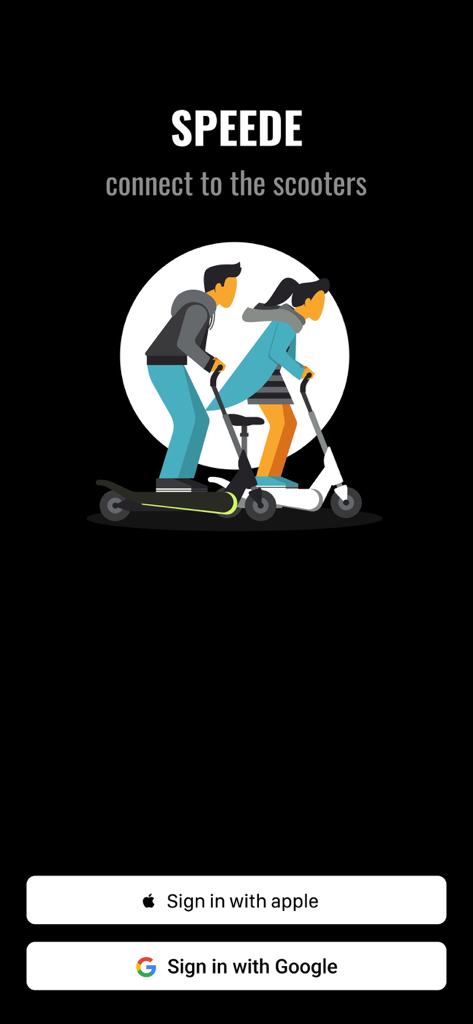
Speede Scooters app login screen featuring Apple and Google sign in buttons and an illustration of people on electric scooters

Speede Scooters app login screen featuring Apple and Google sign in buttons and an illustration of people on electric scooters

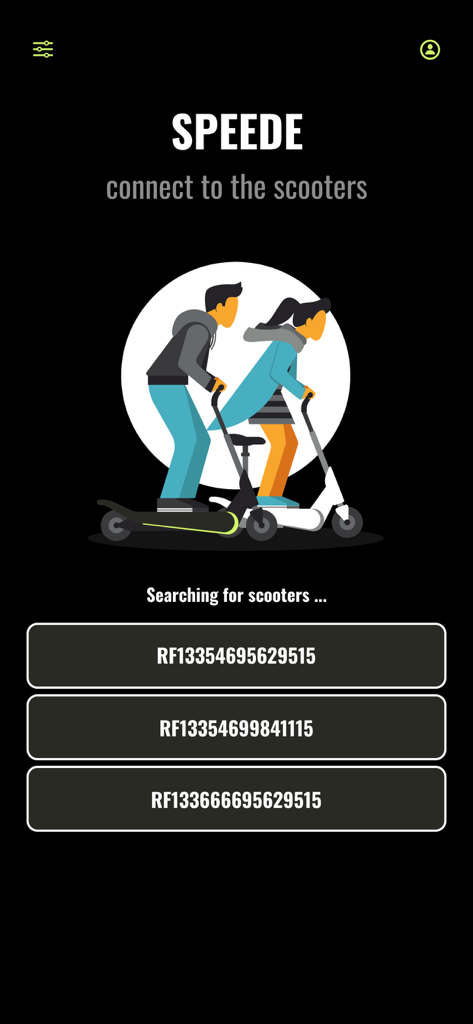
Speede Scooters mobile app screen searching for and listing nearby electric scooters to connect.

Speede Scooters mobile app screen searching for and listing nearby electric scooters to connect.

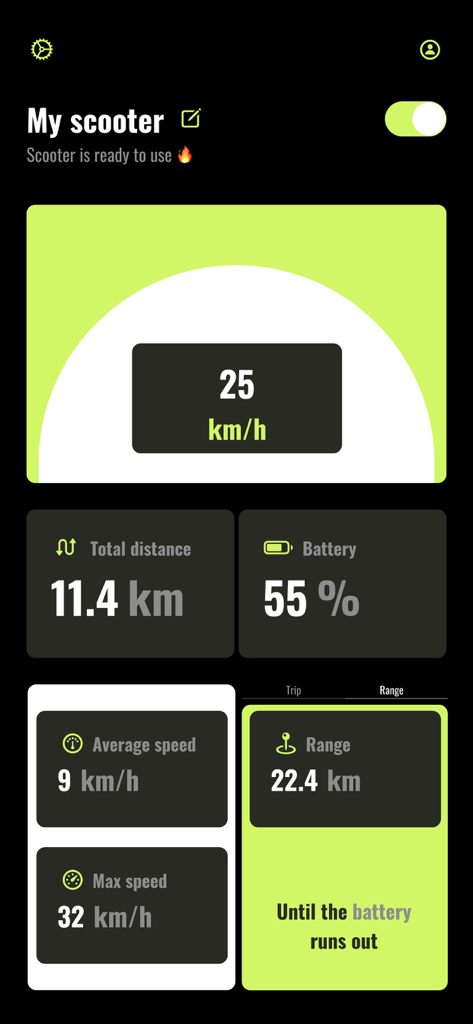
Dashboard of the Speede Scooters app displaying speed, battery life, and travel distance.

Dashboard of the Speede Scooters app displaying speed, battery life, and travel distance.

Master Your Urban Journey

The tools that make this app stand out, trusted by 4K+ users.

Precision HUD Speedometer

Track your live speed, average pace, and max velocity on a high-contrast dashboard designed for perfect visibility while you ride.

🔋

Eliminate Range Anxiety

Get precise updates on exactly how many kilometers you can travel before your next charge, ensuring you never get stranded.

📲

Smart Remote Control

Power your scooter on or off with a single tap and personalize your device settings for a truly custom ownership experience.

About the app

Everything you need to know about Speede Scooters.

Description

Introducing Speede, the ultimate app for enhancing your electric scooter experience. The app was made by a team of scooter lovers who want to provide the users with the best experience. Seamlessly connect to your scooter, customize device settings, and track your rides with the Speedometer and Trip features. Enjoy convenient control over scooter. 1. Sign in effortlessly with your Apple or Google account. Your travel data will be securely stored and automatically loaded each time you log in. 2. Automatically scan the devices around you and connect to the scooter: you are able to see the nearby scooters available to connect. When you tap on the scooter name you will be connected and redirected to the scooter page. 3. Changing the name of the scooter: To customize the name of your device, you have the ability to do so on the main screen by tapping the edit icon located next to the scooter name when it is detected nearby. 4. Turning the scooter on/off: Once you are connected to your scooter, you can locate the power button in the upper right corner. Tapping on this button will turn on the scooter. Likewise, the same procedure applies in reverse when you wish to turn off the scooter. Please note that when you toggle the turn off button, the scooter may not immediately power down. In most cases, you will observe two red flashes on the scooter's head LED, indicating that the scooter is in the process of turning off. However, in certain instances, the scooter's LED may attempt to flash multiple times for a brief duration. Please be advised that this behavior is normal, and the scooter will eventually power off after approximately one minute. 5. Speedometer: Showing the current scooter speed. 6. Battery state visibility. 7. Total distance traveled: The cumulative distance traveled on your scooter begins counting from the moment you install the application and start using it for the first time. If you power off the scooter and then turn it back on the following day, the distance displayed will remain the same as when you last left it on the previous day. 8. Average and maximum speed: Those speeds are calculated for the whole usage of the application. You are able to reset the values by settings icon once you are connected to the scooter. 9. Trip feature: Feature allows you to track your personal trip by restarting the traveled distance while the total distance is unchanged. 10. Filter distance: Filter icon on the upper left corner of the main page represents the functionality to have an option to limit visibility of the closes devices by the range. Set it to min to see the scooters within the range 1 meter, medium with 5 meters and the maximum to 10. 11. Settings icon: If you ever wondered if you can reset your previous speed or distance traveled with your scooter, now you are able to do it. Once you connected to your scooter locate the setting icon just next to power button. Just click on the icon and choose which value you want to reset and the app will do it for you. 12. Range: Get precise updates on how many kilometers you can still travel before your scooter needs a recharge Thank you for the purchase, enjoy the time spent on the scooters and ride safe Speede team.

Latest Version

1.0.8

Size

14.0 MB

First Released

Jul 6, 2024

Ready to Upgrade Your Ride?

Join over 4,000 urban commuters and transform your iPhone into the ultimate high-tech dashboard. Track every trip, eliminate range anxiety, and take full control of your e-scooter today.

Download on App Store

App information, icons, screenshots, and descriptions displayed on this page are sourced from the Apple App Store and are the property of their respective developers. Download estimates and rankings are based on MWM's proprietary models and may not reflect actual figures. This page is provided for informational and analytical purposes only.

Believe this page infringes your intellectual property? File a dispute