
Spirit Board (very scary)


Gather your friends, dim the lights, and summon the unknown. Experience the thrill of real-time spirit communication through voice recognition—just remember to say goodbye before the countdown ends.
Publisher
Category
EntertainmentDownloads
5M+User Rating
Total Ratings
74K+Locales
23Discover the interface used by 5M+ users.
The tools that make this app stand out, trusted by 5M+ users.
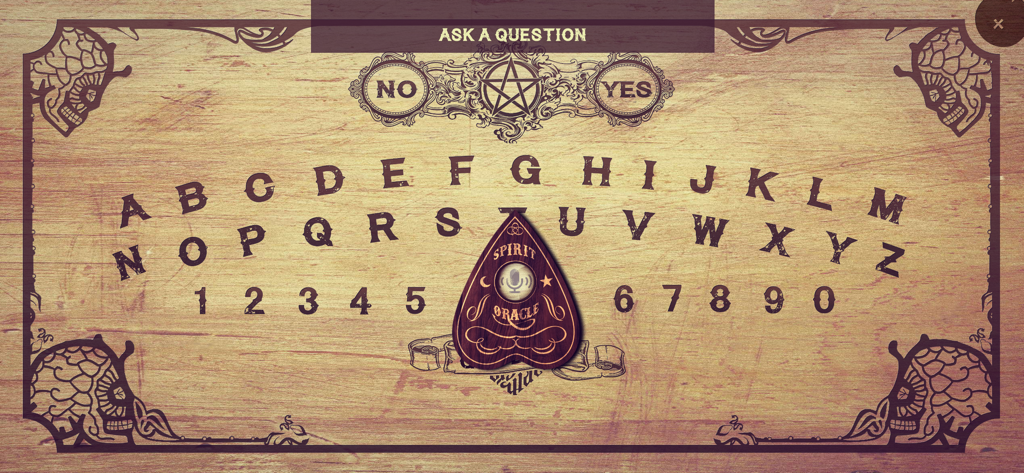
The only board that actually listens. Speak your questions clearly and wait for the entities to respond to your voice in real-time.
Watch as the planchette glides across your screen to reveal names, ages, and secrets from beyond the grave in an immersive 4.2-star experience.
Follow the rules to stay safe. If the spirit grows angry, you must move to 'Goodbye' before the countdown ends—or face the unexplained.
Everything you need to know about Spirit Board (very scary).
Description
Latest Version
2.0.5
Size
104.8 MB
First Released
Jul 13, 2016
Join 5 million brave souls. Dim the lights, grab your friends, and use your voice to summon the other side—just make sure you say goodbye before the countdown ends.
Everything you need to know about Spirit Board (very scary)
The Spirit Board (very scary) app listens to your voice for questions. Users place a finger on the planchette, ask a question, and the planchette moves to reveal the spirit's answer on the board.
Yes, the Spirit Board (very scary) app supports text input. In addition to voice commands, users can type their questions to interact with the virtual spirit board.
No, the Spirit Board (very scary) app's disclaimer states that paranormal activity cannot be scientifically proven, so it cannot guarantee communication with real spirits. The app simulates a spirit board experience.
To start a séance with the Spirit Board app, darken the room, light candles if possible, and place your finger on the planchette. Then, ask your first question aloud, such as 'Is anyone there?'.
If a spirit becomes angry in the Spirit Board (very scary) app, quickly move the planchette to 'Goodbye' before the countdown ends. Be persistent if the spirit initially refuses.
Yes, the Spirit Board (very scary) app uses voice commands. It is specifically designed to listen to your voice, allowing users to ask questions aloud for spirits to respond.
You can ask polite and normal questions in the Spirit Board (very scary) app, such as 'What's your name?', 'How old are you?', 'Are you a good spirit?', or 'Where are you?'.
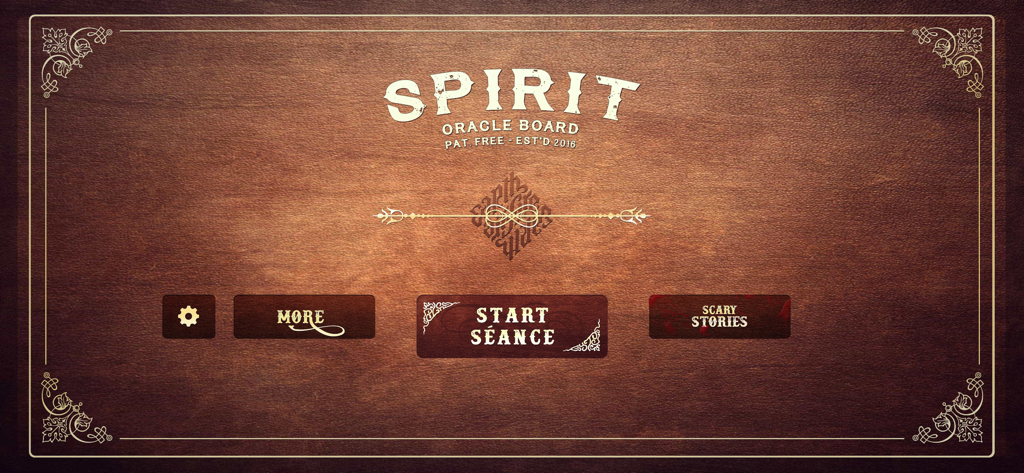
The 'START SÉANCE' button is centrally located on the app's initial screen. It is a prominent, large button on a dark wooden background, inviting users to begin their experience.
Apps with similar features and user experience

Enigma Labs, LLC

GhostTube Pty Ltd
Alex Quesada

Zipo Apps Ltd.
YET ROOM DESIGN LIMITED

GhostTube Pty Ltd
Wojciech Jan Pawlowski
First Class Media B.V.

GhostTube Pty Ltd
App information, icons, screenshots, and descriptions displayed on this page are sourced from the Apple App Store and are the property of their respective developers. Download estimates and rankings are based on MWM's proprietary models and may not reflect actual figures. This page is provided for informational and analytical purposes only.
Believe this page infringes your intellectual property? File a dispute