STACK Construction Management

STACK Construction Management


Download on App StoreDownload on Google Play
Logo of STACK Construction Management

STACK Construction Management: Master Your Jobsite with Real-Time Plan Access

Empower your field crews to access, markup, and share digital plans from anywhere. Eliminate rework, work offline, and reduce plan review time by 50% with the ultimate field-to-office toolkit.

Download on App Store

Publisher

STACK Construction Canada Inc.

Category

Business

Downloads

20K+

User Rating

4.3/5

Total Ratings

0

Locales

-

Built for the Field

Discover the interface used by 20K+ users.
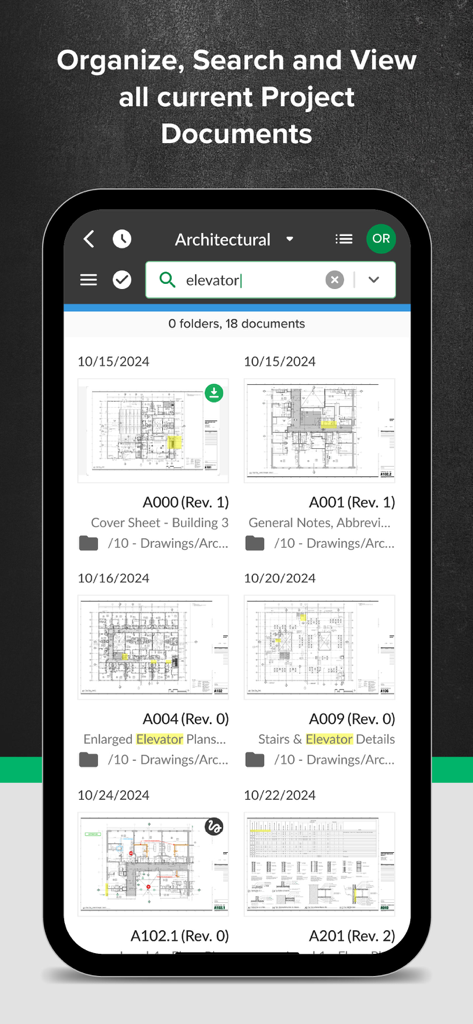
Smartphone screen showing the STACK app document library and search feature for construction plans.

Smartphone screen showing the STACK app document library and search feature for construction plans.

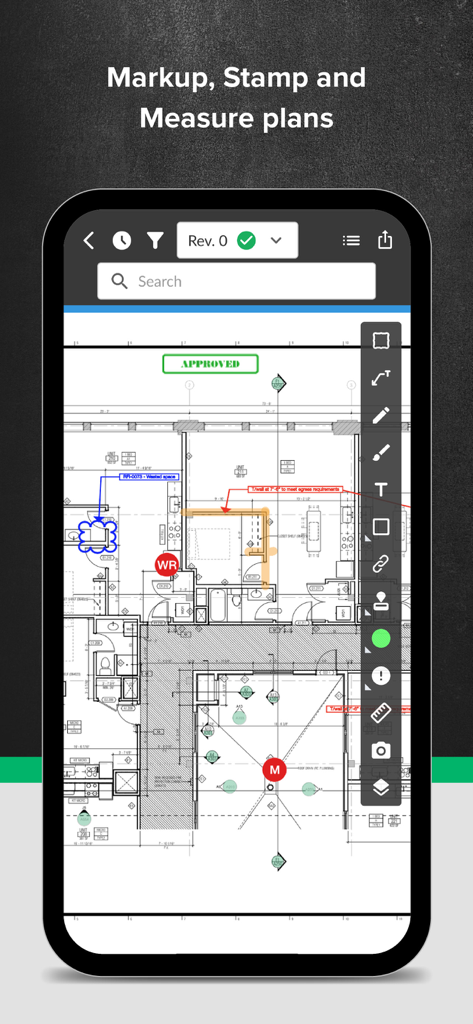
Digital construction plan with redline markups and measurement tools in the STACK mobile app.

Digital construction plan with redline markups and measurement tools in the STACK mobile app.

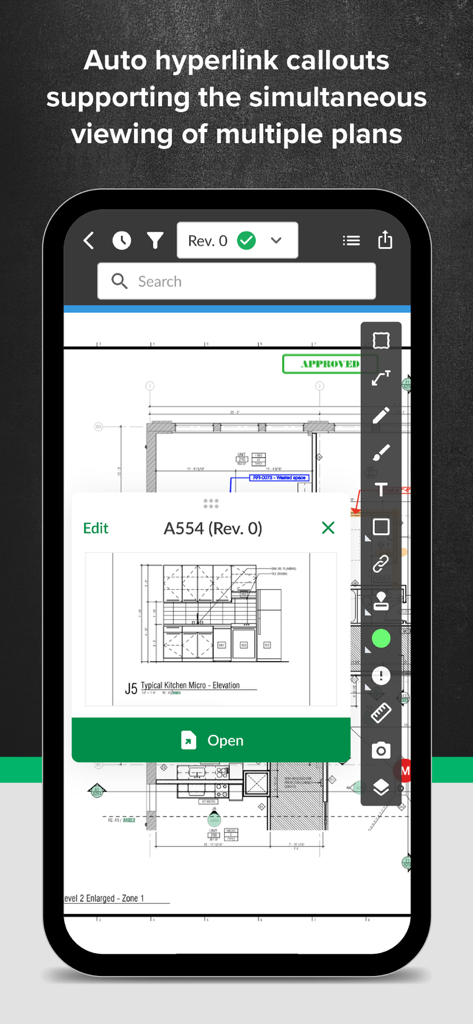
STACK app interface showing auto hyperlink callouts for simultaneous viewing of construction plans

STACK app interface showing auto hyperlink callouts for simultaneous viewing of construction plans

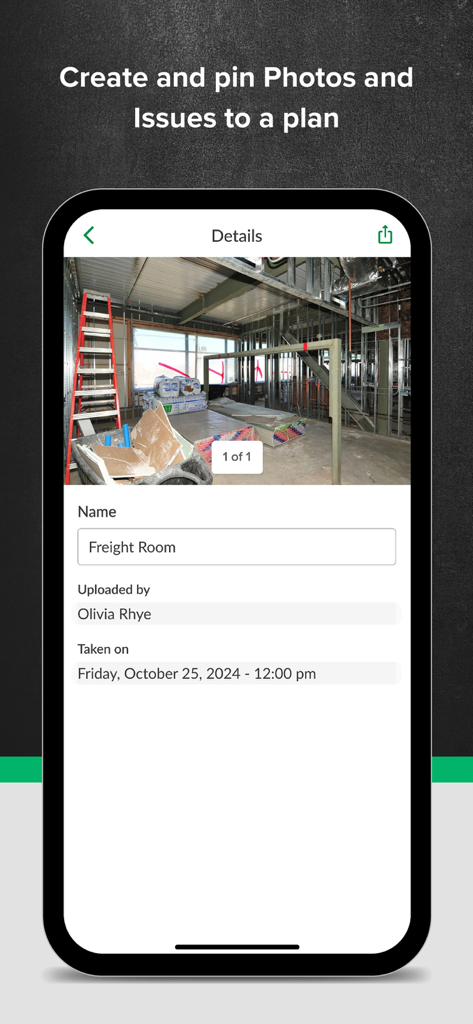
STACK construction app interface showing site photo details and pinning functionality

STACK construction app interface showing site photo details and pinning functionality

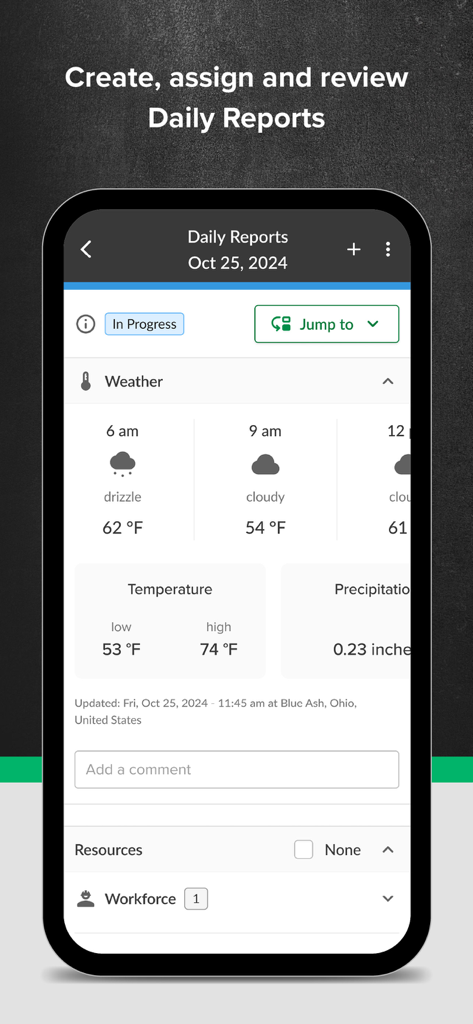
Daily reports screen in STACK app showing construction site weather and workforce tracking

Daily reports screen in STACK app showing construction site weather and workforce tracking

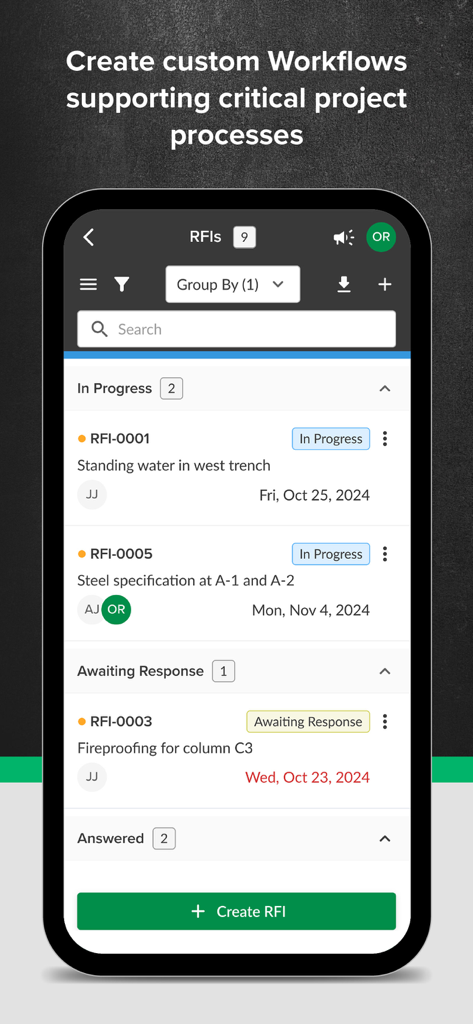
STACK Construction Management app showing RFI tracking and project workflow statuses

STACK Construction Management app showing RFI tracking and project workflow statuses

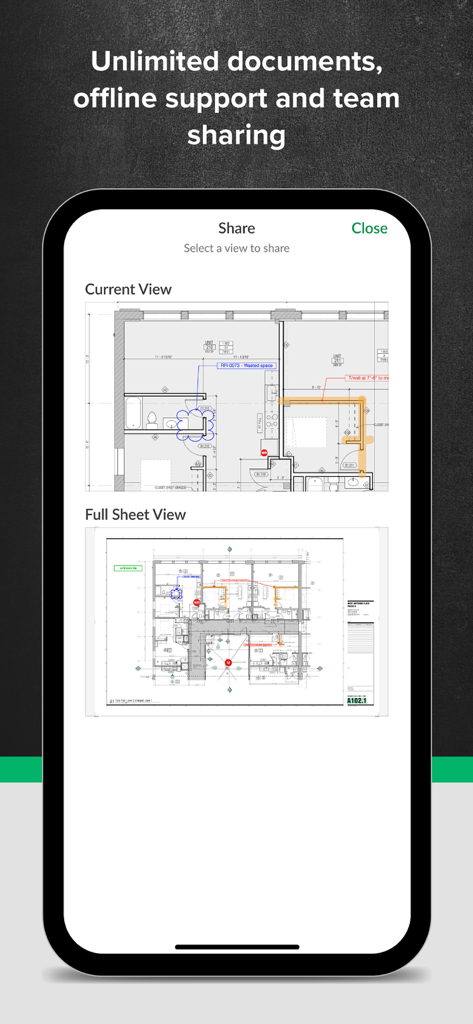
STACK Construction Management app interface showing the share screen for digital blueprints and markups

STACK Construction Management app interface showing the share screen for digital blueprints and markups

Built for the Field, Engineered for Results

The tools that make this app stand out, trusted by 20K+ users.

Instant Auto-Hyperlinking

Stop flipping through hundreds of paper sheets. Automatically link detail callouts to navigate between drawings in seconds.

📵

Rugged Offline Reliability

Access and markup plans in basements or remote sites without Wi-Fi. Your work syncs automatically once you’re back in range.

📸

Pin-Point Field Reporting

Attach photos and issues directly to specific plan locations. Generate RFIs and punch lists instantly to keep the office in sync.

About the app

Everything you need to know about STACK Construction Management.

Description

Access, markup, and share digital plans on the jobsite with our fast, responsive mobile app. Construction crews can work offline, manage issues with photo uploads on plans, and reduce overall plan review time in the field by 50%. Construction collaborators use STACK to distribute, view, compare, redline, and automatically hyperlinks sheets. It ensures everyone is working from the latest drawings and markups, whether on a tablet or mobile phone in the field, a workstation in the office, or a large touch screen at the construction site. Plan Viewing App That Simplifies Jobsite Management STACK’s plan viewer makes digital plans accessible onsite with zoom, search, and markup capabilities on any device. Compare versions with side-by-side viewing and include photos with issue details. Real-time Plan Access Eliminate time spent searching and working from outdated information. Store, find, and retrieve all current project documents with just a flew clicks. You can also collaborate across teams and make informed decisions by instantly viewing & marking up plans on any device with no delays, even without access to WiFi. And zoom, pan & markup plans with our responsive mobile app. Increase Field Productivity Capture real-time data in the field for streamlined productivity on the jobsite and in the back office. Construction Workflows Standardize your approach to workflow processing, from the office to the jobsite, with seamless project communication in a single platform for RFIs, change orders, punch lists, inspections, tasks, and more. Daily Reports Capture automated weather reports, record workforce and equipment on-site, and add photos and documents to streamline daily reports for your crew and save time. Open, Pan and Zoom Quickly Manipulate multiples documents more efficiently than possible with paper plans. View as thumbnails or expand to full size. Automatic Detail Callouts Hyperlinking STACK creates hyperlinks to your detail callouts so you can navigate between sheets faster. Work Intuitively Be productive from the outset. Unlike complicated software, STACK is touch-simple, as you’d expect from an app. Organize your day by creating your own set of plans using the Favorites feature. Collaborate Live Collaborate in real-time with your team from anywhere. Instantly share new revisions, RFIs, markups, and photos. Compare Sheets Compare revisions side-by-side and see differences. Detect clashes by overlaying plans from multiple trades. Deliver More Successful Projects Improve collaboration, reduce errors, shorten meeting times, and enrich the team’s understanding of the project’s requirements. Download STACK today for the best construction app to help you build and operate your business. https://www.stackct.com/terms/

Latest Version

6.0.5057

Size

190.0 MB

First Released

Apr 12, 2017

Ready to Eliminate Costly Rework?

Join 20,000+ construction professionals who use STACK to keep the field and office in perfect sync. Download the app today to cut your plan review time by 50% and manage your jobsite with precision, even offline.

Download on App StoreDownload on Google Play

App information, icons, screenshots, and descriptions displayed on this page are sourced from the Apple App Store and are the property of their respective developers. Download estimates and rankings are based on MWM's proprietary models and may not reflect actual figures. This page is provided for informational and analytical purposes only.

Believe this page infringes your intellectual property? File a dispute