Stopwatch Max: Lap Timer

Stopwatch Max: Lap Timer

Logo of Stopwatch Max: Lap Timer

Stopwatch Max: Precision Lap Timing Built for Your Wrist

Leave your phone behind. Capture every split with gestures or Siri, sync directly with Apple Health, and enjoy a professional-grade experience with no ads and no subscriptions.

Publisher

Mariam Markosyan

Category

Sports

Downloads

0

User Rating

1.0/5

Total Ratings

0

Locales

1

Precision at a Glance

Discover the interface used by 0 users.
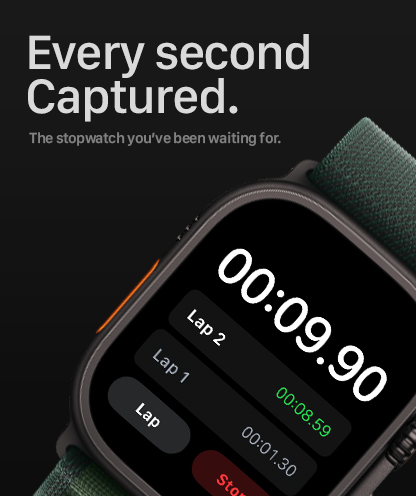
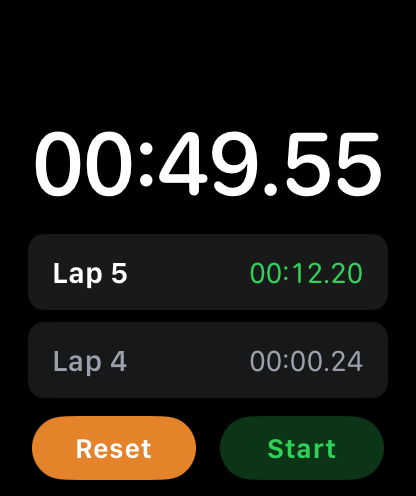
Stopwatch Max app interface on Apple Watch showing recorded lap times

Stopwatch Max app interface on Apple Watch showing recorded lap times

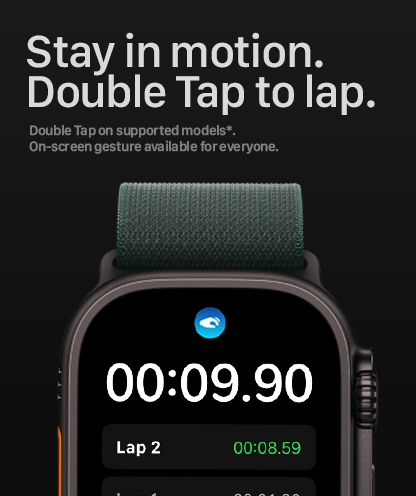
Stopwatch Max app on Apple Watch Ultra showing the double tap gesture to record laps

Stopwatch Max app on Apple Watch Ultra showing the double tap gesture to record laps

Stopwatch Max interface on Apple Watch displaying elapsed time and lap splits

Stopwatch Max interface on Apple Watch displaying elapsed time and lap splits

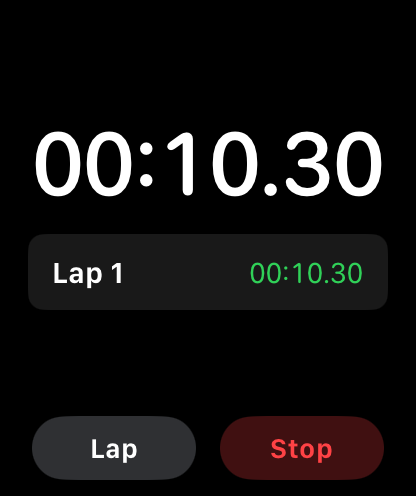
Stopwatch Max app interface on Apple Watch showing a running timer and recorded lap.

Stopwatch Max app interface on Apple Watch showing a running timer and recorded lap.

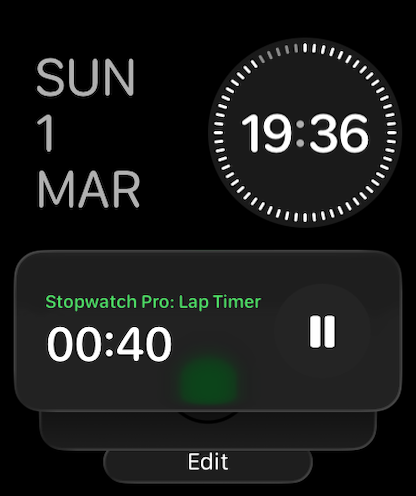
Stopwatch Max lap timer complication on Apple Watch

Stopwatch Max lap timer complication on Apple Watch

Precision Performance on Your Wrist

The tools that make this app stand out, trusted by 0 users.

🎙️

Hands-Free Split Tracking

Record laps using Siri shortcuts or natural hand gestures. Stay focused on your pace and keep your momentum without ever fumbling for a button.

❤️

Full HealthKit Integration

Every session is logged as a workout. Automatically contribute to your Activity Rings and maintain a structured history of every split in the Apple Health app.

🔒

Privacy-First, Zero Subscriptions

Escape subscription fatigue with a one-time purchase. No ads, no data collection, and no hidden fees—just a reliable tool that respects your privacy.

About the app

Everything you need to know about Stopwatch Max: Lap Timer.

Description

Stopwatch Max — Precision Lap Timer for Apple Watch The stopwatch built for your wrist. Stopwatch Max is a precision lap timer designed exclusively for Apple Watch — no iPhone required. Raise your wrist and go. TRACK EVERY LAP Capture every split with pinpoint accuracy. Record laps with a tap, a double-tap, or a natural hand gesture — whatever feels right in the moment. Every split is logged instantly and displayed in real time, so you always know exactly where you stand. Review your full lap history at a glance, right on your wrist. HEALTHKIT WORKOUTS Every session counts. Stopwatch Max integrates with Apple Health, logging each timing session as a workout. Lap events are recorded as activity milestones, giving you a structured log of every session — no extra taps or setup required. SIRI SHORTCUTS Your hands are busy. Start, record a lap, and reset — all hands-free with Siri. Control Stopwatch Max with your voice from anywhere, at any time. Whether you're mid-rep, mid-lap, or mid-race, your voice is all you need. WATCH COMPLICATIONS Add Stopwatch Max to any watch face and launch it instantly with a single tap — no swiping, no searching. Have your stopwatch ready the moment you need it. BUILT TO LAST Your timer state is saved automatically in the background. Switching apps, checking a notification, or restarting your watch won't cost you a single second. Come back to your stopwatch exactly as you left it. WORKS IN YOUR LANGUAGE Fully localized in English, German, Spanish, French, Japanese, Russian, and Chinese. PRIVACY FIRST No ads. No subscriptions. No data collected. A one-time purchase that respects your time and your privacy. Simple enough for your first workout. Precise enough for your best one.

Latest Version

1.2

Size

4.2 MB

First Released

Mar 6, 2026

Ready for Your Next Personal Best?

Get the ultimate standalone lap timer for Apple Watch. One-time purchase, zero subscriptions, and 100% privacy.

App information, icons, screenshots, and descriptions displayed on this page are sourced from the Apple App Store and are the property of their respective developers. Download estimates and rankings are based on MWM's proprietary models and may not reflect actual figures. This page is provided for informational and analytical purposes only.

Believe this page infringes your intellectual property? File a dispute