SuPAR

SuPAR

Download on App Store
Logo of SuPAR

SuPAR: Precision AR Inspection for Smarter Manufacturing

Instantly compare physical objects with CAD models in real-time. Eliminate manual measurements, automate documentation, and achieve flawless quality control with the power of Augmented Reality.

Download on App Store

Publisher

CDMVISION Yazilim hizmetleri ticaret anonim sirketi

Category

Business

Downloads

0

User Rating

5.0/5

Total Ratings

0

Locales

1

Precision Visualized

Discover the interface used by 0 users.
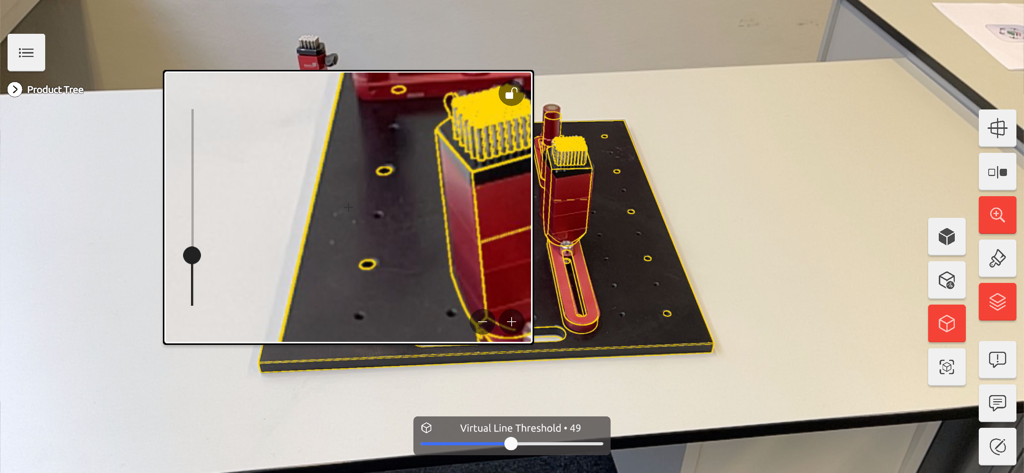
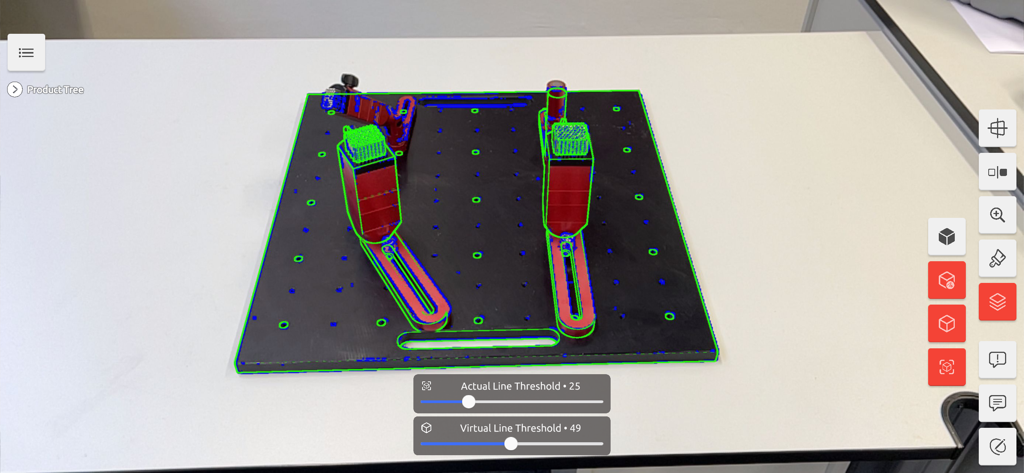
SuPAR app interface showing an augmented reality CAD wireframe overlay on a physical manufacturing part for quality control

SuPAR app interface showing an augmented reality CAD wireframe overlay on a physical manufacturing part for quality control

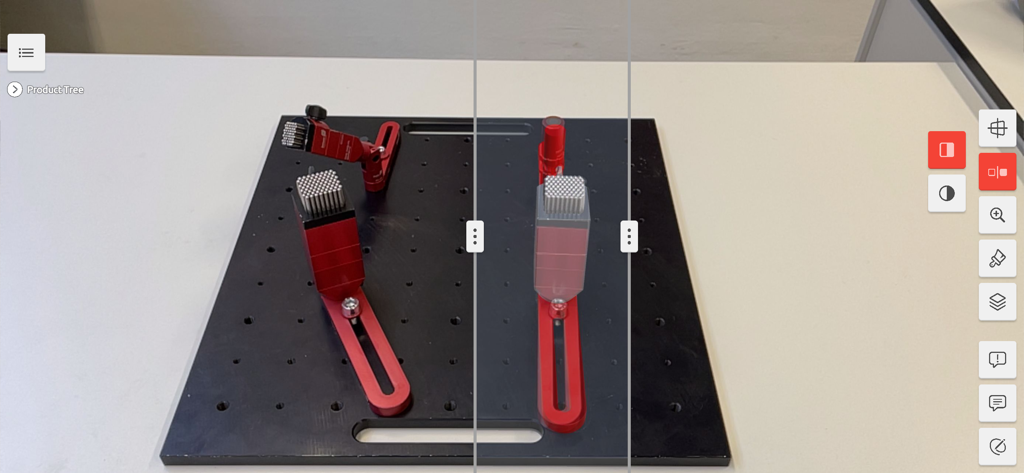
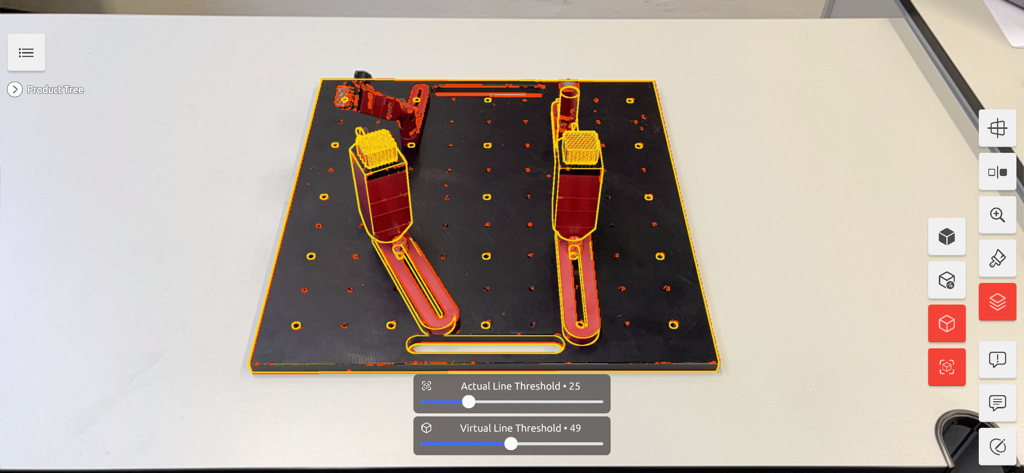
AR interface comparing a physical red component on a manufacturing base with its digital CAD model overlay

AR interface comparing a physical red component on a manufacturing base with its digital CAD model overlay

Augmented reality visual inspection using SuPAR to overlay CAD data on physical mechanical components

Augmented reality visual inspection using SuPAR to overlay CAD data on physical mechanical components

SuPAR app showing an augmented reality CAD model overlay on a physical part for quality control inspection

SuPAR app showing an augmented reality CAD model overlay on a physical part for quality control inspection

SuPAR mobile app interface showing augmented reality CAD overlay on a physical industrial part for visual inspection

SuPAR mobile app interface showing augmented reality CAD overlay on a physical industrial part for visual inspection

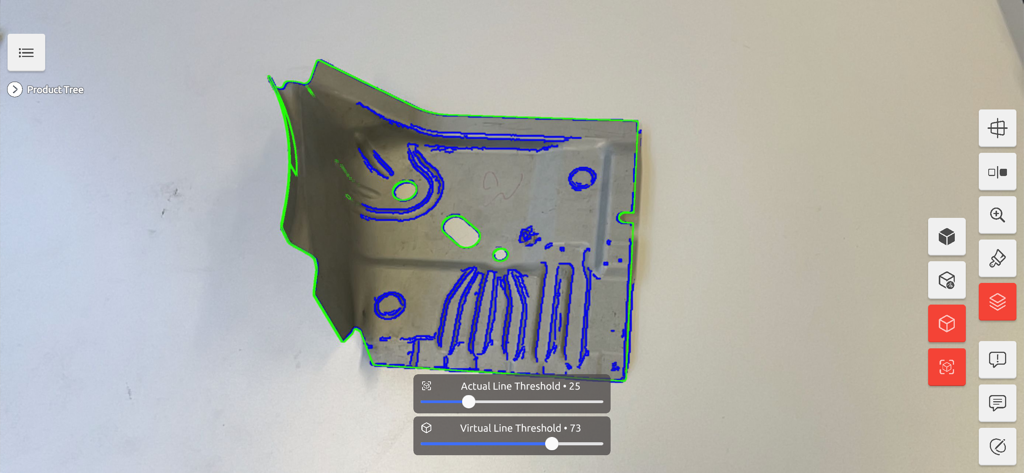
Augmented reality CAD overlay on a metal part for quality control inspection in SuPAR

Augmented reality CAD overlay on a metal part for quality control inspection in SuPAR

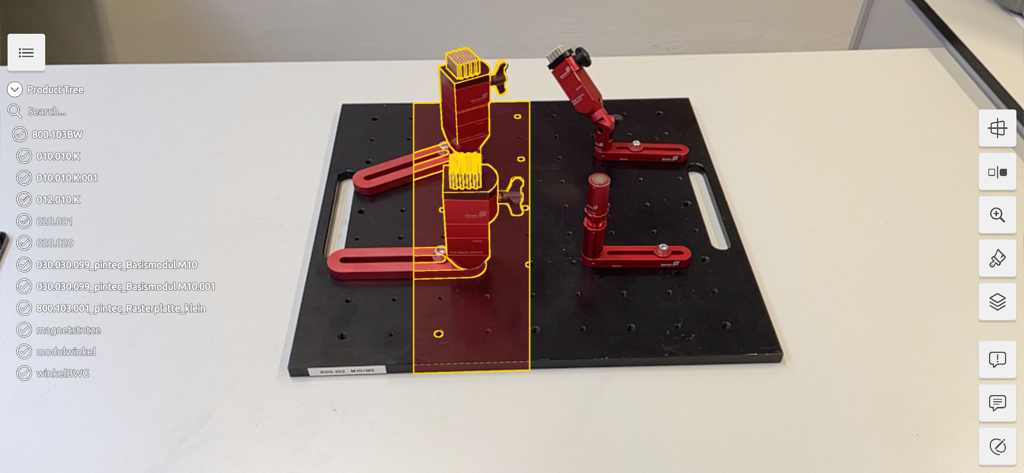
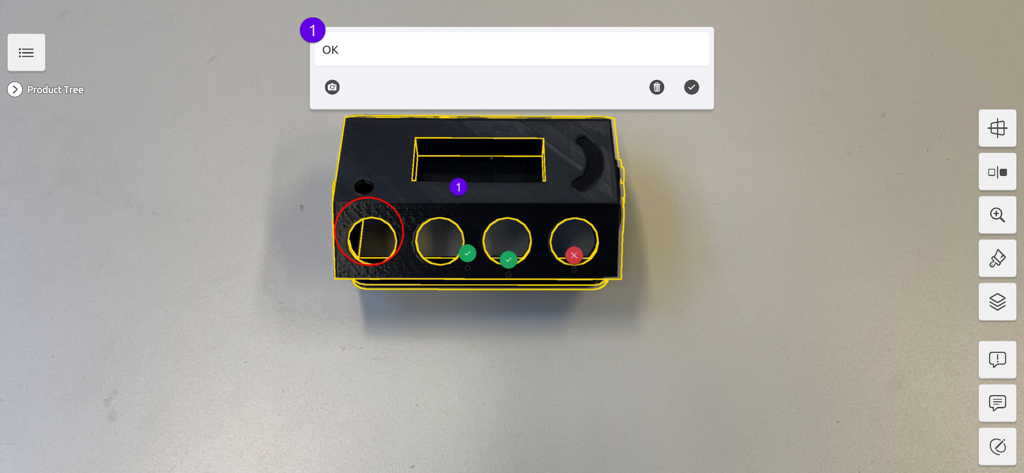
SuPAR app performing an augmented reality visual inspection of a black component with yellow CAD outlines and status markers

SuPAR app performing an augmented reality visual inspection of a black component with yellow CAD outlines and status markers

Precision Inspection Powered by Augmented Reality

The tools that make this app stand out, trusted by 0 users.

📐

Instant CAD-to-Part Overlay

Eliminate manual calipers and templates. Superimpose your CAD models onto physical parts in real-time to visualize deviations with surgical precision.

📝

Audit-Ready Digital Reporting

Capture 3D notes and photos directly on your digital twin. Export automated Excel reports to ensure seamless ISO compliance and professional documentation.

🤝

Live Remote Collaboration

Connect the shop floor to the engineering office instantly. Share live AR feeds and video conferences to solve production bottlenecks from anywhere in the world.

About the app

Everything you need to know about SuPAR.

Description

SuPAR, enables instant visual inspection of the physical objects in the quality control process, by superimposing its CAD model onto the object over real-time imagery from a device camera. With the AR visualization SuPAR provides, visual inspection in the quality processes can be carried out much more efficiently and reliably. SuPAR automatically creates a visual comparison of CAD data (how it should be) with what the camera sees (real situation). Thus, with the augmented reality (AR) technology, it is easily ensured that the targeted and real situations can be coincided and the deviations can be detected. The software supports the user in three main tasks: • Visual inspection/verification of various production tools, master models, sheet metal molds and parts, plastic parts, equipment and such series, prototypes and test parts, • Recording problematic areas in notes and reports using annotations such as texts, photographs and 3D Notes, through created digital Twins, • Communication through the created digital twin and video conference. With SuPAR, parts of any size can be traced using a CAD file reference and can be checked in a very short time by a "Quality Assurer" without any calipers, templates, rulers, etc. In addition, the virtual drawing tools and control notes offer the possibility of exporting outputs, such as notes and photos, overlapping of target and real situations, with an Excel file during and after the control. There is also a communication module where you can start a video conference. SuPAR application areas can be various as follows. • Dimensional quality control in the input and output processes of materials • In the approval and acceptance of components and equipment, • In the approval of the first sample shapes and geometries, • Providing production standardization, • In maintenance and repair processes, etc. Using SuPAR saves great time and resources, helps achieve higher quality and process reliability with improved cognitive perception, simplifies the whole process and builds a better cooperation between operational processes. In a nutshell, with the use of SuPAR; • Quality issues are detected earlier with less effort and corrected easier and faster. • All structural and geometric features are checked and documented. Terms of Use: https://supar.eu/eula

Latest Version

2025.1.138

Size

505.5 MB

First Released

May 4, 2021

Ready to Modernize Your Quality Control?

Join the leaders in Industry 4.0. Download SuPAR to eliminate inspection bottlenecks, reduce scrap, and bridge the gap between your CAD models and the shop floor with AR precision.

Download on App Store

App information, icons, screenshots, and descriptions displayed on this page are sourced from the Apple App Store and are the property of their respective developers. Download estimates and rankings are based on MWM's proprietary models and may not reflect actual figures. This page is provided for informational and analytical purposes only.

Believe this page infringes your intellectual property? File a dispute