SwiftCall: Auto Dialer & CRM

Download on App Store

This page is not an official page of the app or its developer, but an independent editorial publication created for informational and commentary purposes. Unless expressly stated otherwise, neither the app nor its developer is affiliated with, endorsed by, sponsored by, authorized by, or otherwise officially connected with MWM, Apple, Google Play, the app publisher, or the app's developer, and nothing on this page implies that the app was developed using MWM's services. Any trademarks, logos, screenshots, and other content remain the property of their respective owners.

Logo of SwiftCall: Auto Dialer & CRM
Download on App Store

SwiftCall: Auto Dialer & CRM

Transform your cold calls into closed deals. Automate your outreach, manage leads on the go, and reclaim hours of your day with the mobile-first CRM built for the modern hustle.

Key Figures

Downloads

42K+

User Rating

4.4/5

Total Ratings

100

Publisher

The Basic Software Company

Category

Business

Locales

1

Latest Version

8.2

Size

202.8 MB

First Released

Apr 26, 2017
Features

Supercharge Your Sales Pipeline

SwiftCall automates the tedious parts of cold calling, allowing you to reach more leads and close deals in half the time.

High-Velocity Auto-Dialing

Stop manual dialing. Import your CSV leads and breeze through 100+ calls per day with our rapid auto-dialer technology.

Instant Follow-Up Presets

Strike while the iron is hot. Send personalized text and email follow-ups the moment you hang up to keep leads warm.

The following screenshots and description are sourced directly from the app's official store listing and are the property of the app developer.

App Store

Screenshots

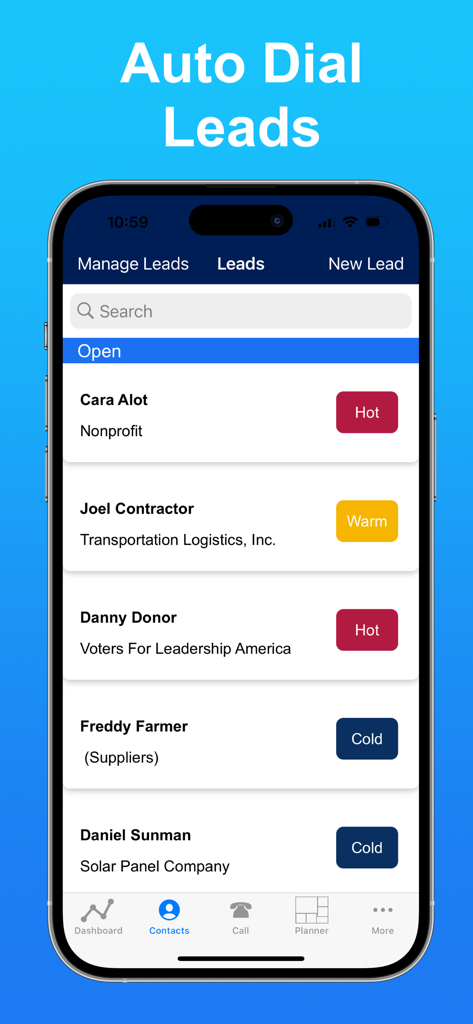
SwiftCall: Auto Dialer & CRM - SwiftCall app displaying a list of sales leads categorized as hot warm or cold

SwiftCall app displaying a list of sales leads categorized as hot warm or cold

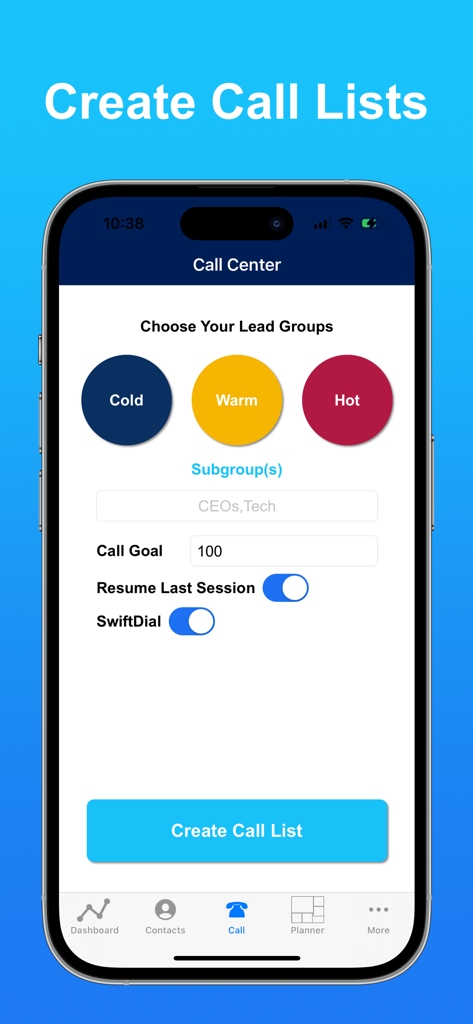
SwiftCall: Auto Dialer & CRM - SwiftCall mobile interface for creating segmented call lists and setting daily call goals

SwiftCall mobile interface for creating segmented call lists and setting daily call goals

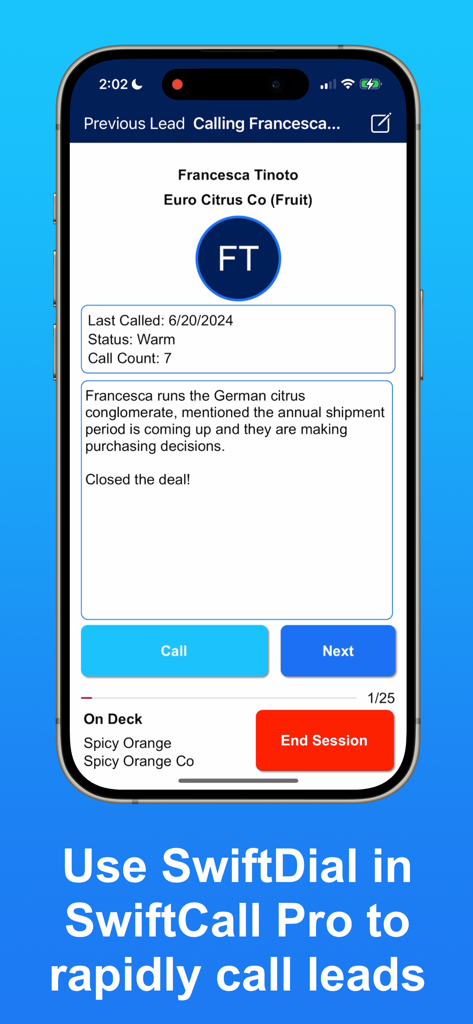
SwiftCall: Auto Dialer & CRM - SwiftCall CRM mobile app interface showing lead contact details and rapid dialing options.

SwiftCall CRM mobile app interface showing lead contact details and rapid dialing options.

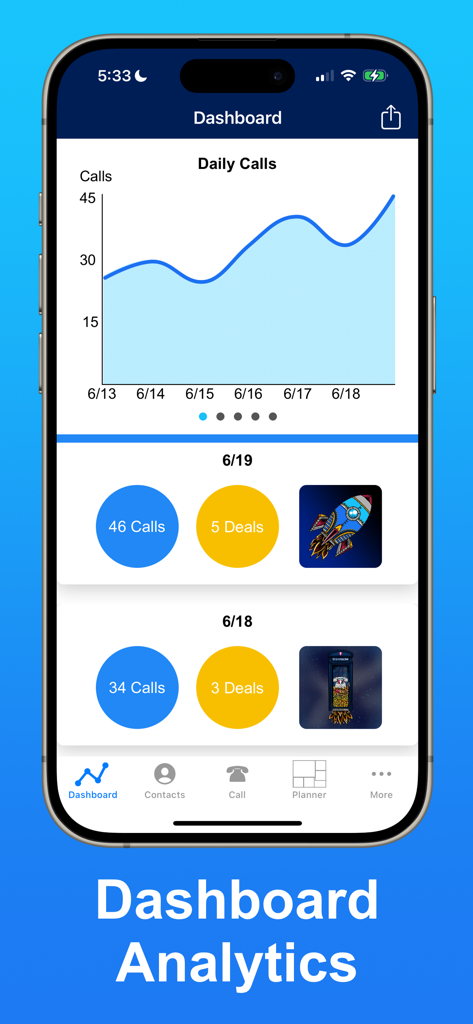
SwiftCall: Auto Dialer & CRM - SwiftCall app analytics dashboard with call and deal performance tracking

SwiftCall app analytics dashboard with call and deal performance tracking

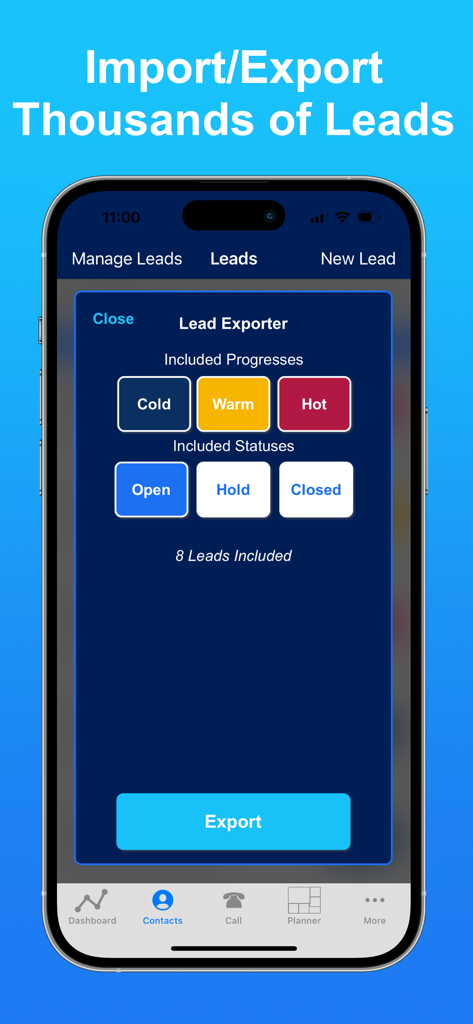
SwiftCall: Auto Dialer & CRM - iPhone display showing the Lead Exporter feature in the SwiftCall CRM app with status and progress filters

iPhone display showing the Lead Exporter feature in the SwiftCall CRM app with status and progress filters

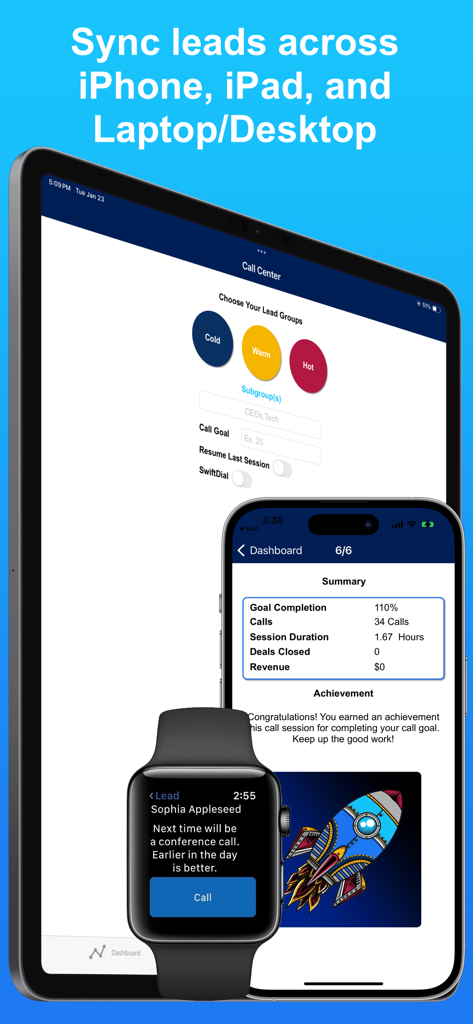
SwiftCall: Auto Dialer & CRM - SwiftCall CRM app interface displayed on an iPad, iPhone, and Apple Watch showing lead synchronization and sales analytics

SwiftCall CRM app interface displayed on an iPad, iPhone, and Apple Watch showing lead synchronization and sales analytics

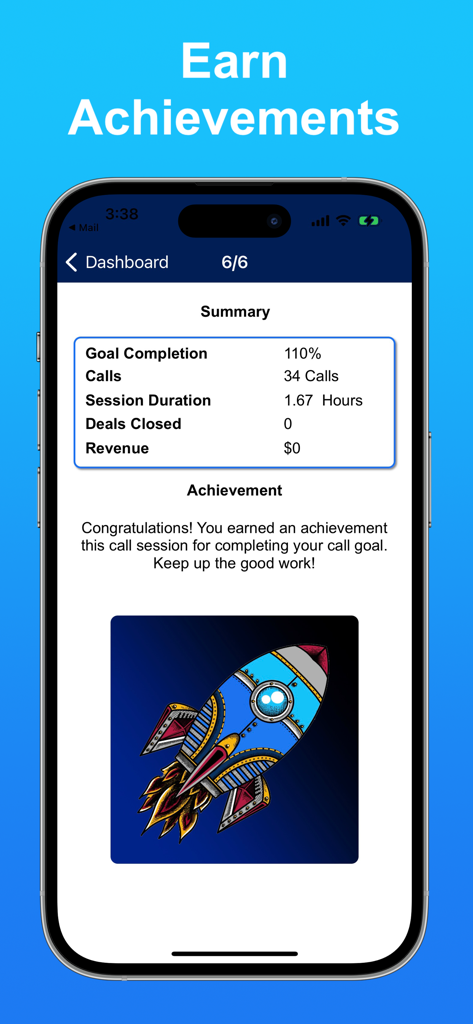
SwiftCall: Auto Dialer & CRM - SwiftCall app dashboard showing call session achievements and a colorful rocket illustration

SwiftCall app dashboard showing call session achievements and a colorful rocket illustration

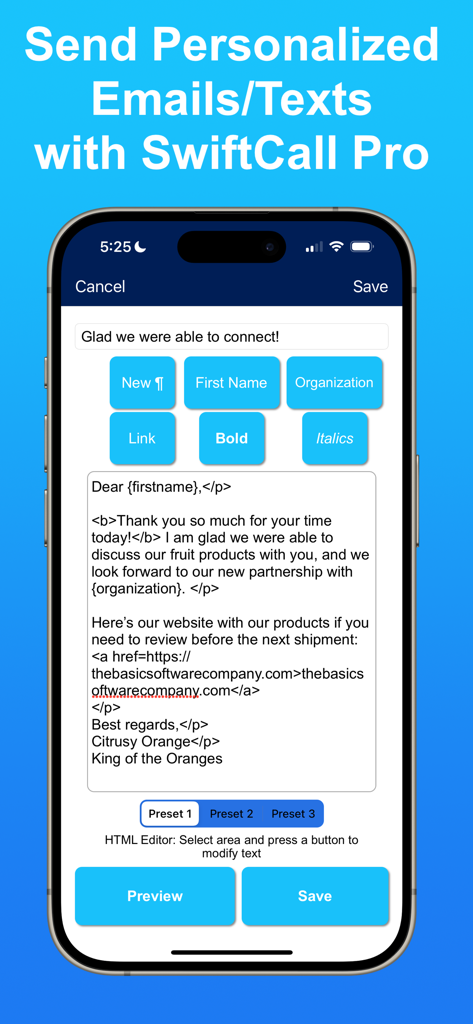
SwiftCall: Auto Dialer & CRM - SwiftCall Pro HTML editor for creating personalized email and text message templates with dynamic placeholders

SwiftCall Pro HTML editor for creating personalized email and text message templates with dynamic placeholders

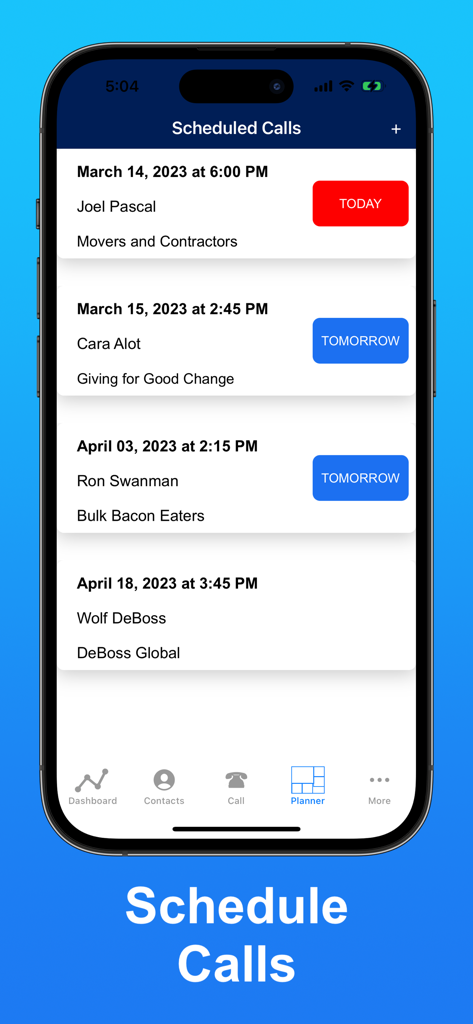
SwiftCall: Auto Dialer & CRM - Interface of the SwiftCall app displaying a list of scheduled sales calls in the planner.

Interface of the SwiftCall app displaying a list of scheduled sales calls in the planner.

SwiftCall: Auto Dialer & CRM - Splash screen of The Basic Software Company featuring a red arrow logo and the text Live Laugh Love

Splash screen of The Basic Software Company featuring a red arrow logo and the text Live Laugh Love

Description

Warm up your cold calls with SwiftCall! SwiftCall is an auto dialer that will help you and your team swiftly autodial through your call lists. SwiftCall is a powerful mobile CRM for phone calls. Swiftly follow-up your calls with emails and texts, schedule calls with our Planner, and review performance metrics with Dashboard Analytics. SwiftCall also makes it easy to collaborate as a team with lead sharing (SwiftCall Pro) and analytics reporting. If you have been calling over 25, 50, or even 100 leads per day, get ready for SwiftCall to revolutionize the way you make calls. Set your goals, start calling, and start closing more deals! “SwiftCall is the single most valuable piece of software I have ever purchased.” - Chip, Mortgage Industry “What used to take me 4 hours of calling is now cut down to 1.5. I have been setting 1 meeting every 12 minutes.” - JoeyAdair14323, Mortgage Loan Officer “Worth way more than the cost! This app makes my life so much more efficient with cold calling. I’ve been able to make 30 to 40% more calls in the same time period.” - Mike A., Sales Team Leader Feature Highlights •Create call lists and auto-dial leads •Import CSVs to download thousands of leads in seconds •Cloud storage to sync your leads, analytics, and scheduled calls across all of your iCloud devices (SwiftCall Pro) •Rapidly dial leads using SwiftDial (SwiftCall Pro) •Share leads with your team (SwiftCall Pro) •Manage your leads from first contact through close •Measure lead progress and SwiftCall will algorithmically determine which ones you are most likely to close •Quickly follow-up calls from SwiftCall with personalized emails and text messages (SwiftCall Pro) •Schedule future calls to create Calendar events and receive Siri Suggestions, in addition to receiving push notifications for your device and Apple Watch •Review reports and call logs detailing daily progress on calls made, deals closed, and revenue earned •Share reports of call logs and analytics •Set goals for your call sessions and earn achievements when you meet them •Make calls from SwiftCall’s Apple Watch app SWIFTCALL PRO (Monthly Subscription) 5 Incredible upgrades 1. Cloud Storage: Cloud Storage helps you work seamlessly across devices with data syncing 2. SwiftDial rapid dialing: SwiftDial allows you to dial leads rapidly without managing call list logistics 3. Team Collaboration with Lead Exporting: Collaborate with others with the lead exporter so you can pass leads on to other SwiftCallers 4. Email & Text Presets: 3 personalized email and text presets so you have the right message for the right occasion 5. Subgroups: Refine call sessions to more specified groups of leads How SwiftCall Works SwiftCall warms up your cold calling by helping you dial more leads more quickly and by making every step of the process easier. Create leads or import them with a CSV. SwiftCall will do the work of sorting them into call lists based on your goals. Organize call lists based on your progress (cold leads, warm leads, hot leads) or by Subgroups, such as by industry or geographic location (SwiftCall Pro). Use SwiftCall Cloud Storage (a SwiftCall Pro feature) to automatically sync your leads across all of your iCloud Devices. Then auto-dial away. SwiftCall will keep auto dialing and presenting leads to you in rapid succession, while helping you document call notes and then taking follow-up actions. This can go even more quickly when using SwiftDial. Schedule your follow-up calls with SwiftCall’s Planner, Siri can also prompt you right before your scheduled call. Measure your progress from your call sessions with our Analytics Dashboard, which helps you measure your calls, deals, and revenue. Review call logs and achievements earned to measure long-term performance. Create reports from the Dashboard to show off your performance to the team. SwiftCall Privacy Policy and Terms of Service: https://thebasicsoftwarecompany.com/swiftcall-privacy-policy

Download

Download on App Store

This page is not an official page of the app or its developer, but an independent editorial publication created for informational and commentary purposes. Unless expressly stated otherwise, neither the app nor its developer is affiliated with, endorsed by, sponsored by, authorized by, or otherwise officially connected with MWM, Apple, Google Play, the app publisher, or the app's developer, and nothing on this page implies that the app was developed using MWM's services. Any trademarks, logos, screenshots, and other content remain the property of their respective owners.