TAI: Comic Maker Manga, Manhwa

TAI: Comic Maker Manga, Manhwa


Download on App Store
Logo of TAI: Comic Maker Manga, Manhwa

TAI: Comic Maker Manga, Manhwa: Create Your Own Visual Stories Without Drawing

Transform your ideas into professional-looking webtoons and comics. Design characters, arrange scenes, and master vertical scrolling manhwa or classic manga layouts—no drawing skills required.

Publisher

CODEPILOT LIMITED

Category

Graphics & Design

Downloads

0

User Rating

1.0/5

Total Ratings

0

Locales

1

Your Vision in Panels

Discover the interface used by 0 users.

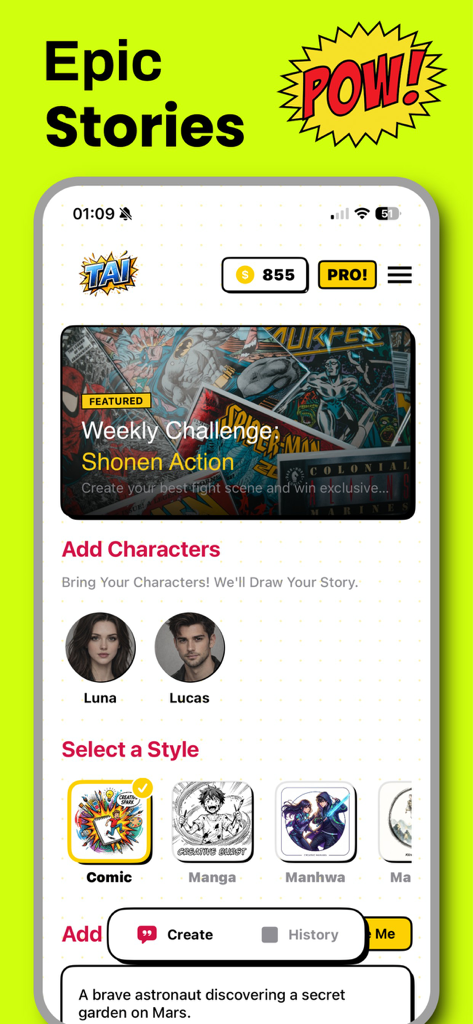
A pop art style superhero character on a green background with text inviting users to create comics

A pop art style superhero character on a green background with text inviting users to create comics

TAI Comic Maker app interface showing character selection and style options for Manga and Manhwa stories

TAI Comic Maker app interface showing character selection and style options for Manga and Manhwa stories

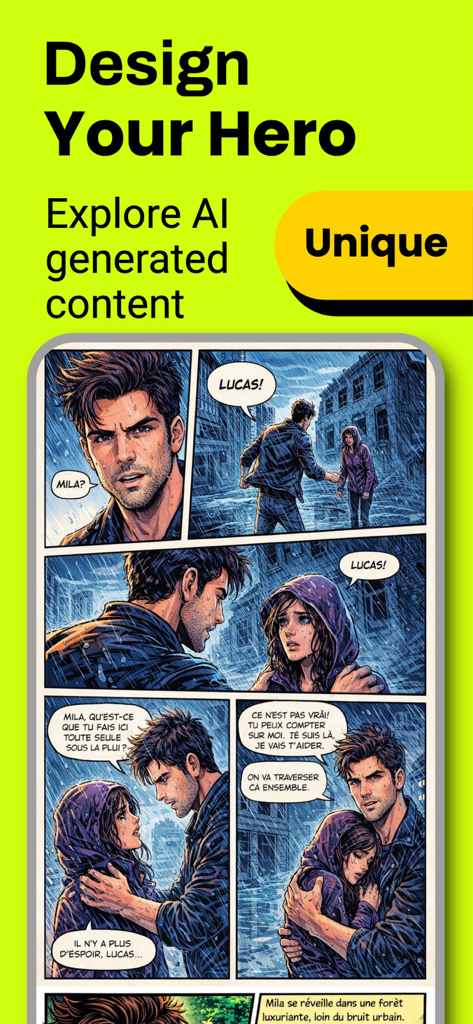
Interface of TAI Comic Maker showing AI generated manhwa panels with characters and dialogue

Interface of TAI Comic Maker showing AI generated manhwa panels with characters and dialogue

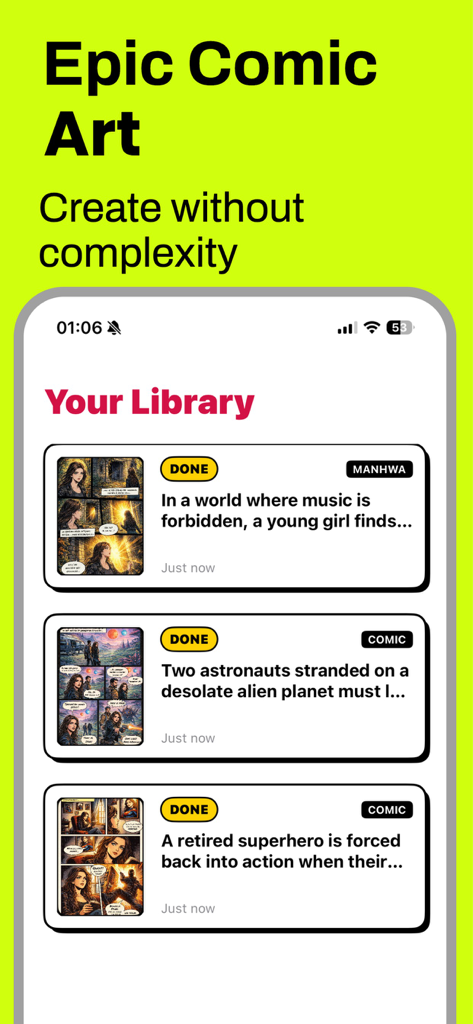
TAI Comic Maker app screen showing a library of created manga and manhwa stories with titles and thumbnails

TAI Comic Maker app screen showing a library of created manga and manhwa stories with titles and thumbnails

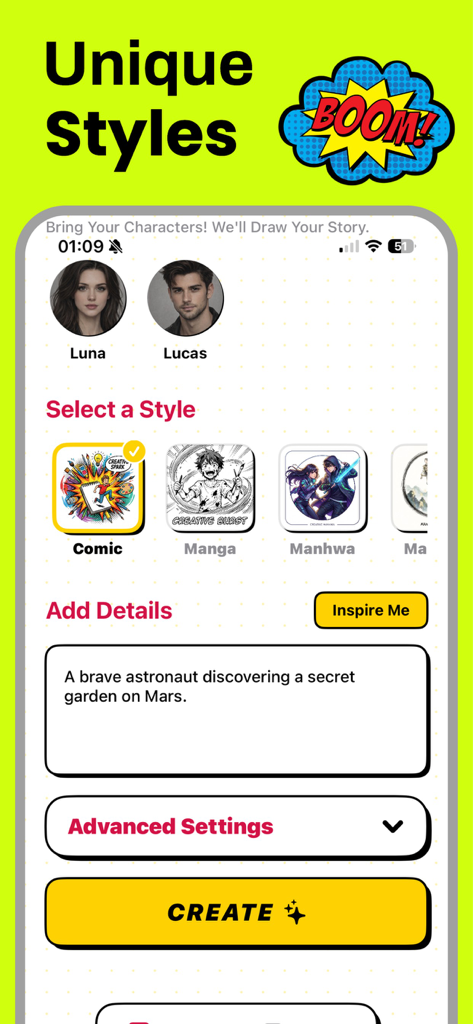
TAI Comic Maker app interface showing style selection for comic manga and manhwa with a story prompt input field

TAI Comic Maker app interface showing style selection for comic manga and manhwa with a story prompt input field

Unleash Your Inner Mangaka Without Picking Up a Pencil

The tools that make this app stand out, trusted by 0 users.

Pro Art Without the Learning Curve

Skip years of drawing practice using our library of customizable characters and expressive poses to build your cast instantly.

📱

Optimized for Webtoon & Manhwa

Design seamless vertical-scrolling layouts and vibrant color pages tailored specifically for mobile reading and social sharing.

🗯️

Dynamic Cinematic Storytelling

Add professional speech bubbles, cinematic backgrounds, and action-packed visual effects to make your narrative feel alive.

About the app

Everything you need to know about TAI: Comic Maker Manga, Manhwa.

Description

Comic Maker Manga & Manhwa is a powerful and easy-to-use creation tool designed for anyone who wants to turn ideas into stunning visual stories. Whether you dream of creating manga, manhwa, or western-style comics, this app gives you everything you need to build your own comic universe from scratch — no drawing skills required. With Comic Maker, you can design characters, arrange scenes, and create professional-looking comic pages in multiple styles. The app supports classic black-and-white manga layouts, colorful comic pages, and modern vertical manhwa formats optimized for mobile reading. This flexibility allows creators to produce content suitable for both traditional comic readers and today’s digital-first audience. Bring your stories to life with customizable panels, expressive character poses, dynamic backgrounds, and visual effects. Add speech bubbles, narration boxes, and sound effect texts to enhance storytelling and create immersive scenes. Whether you are working on an action-packed adventure, a romantic drama, a fantasy world, or a darker seinen-inspired story, Comic Maker adapts to your creative vision. The vertical scrolling format makes it easy to create manhwa-style stories ideal for mobile platforms, while horizontal and panel-based layouts are perfect for manga and classic comics. Every element is designed to help you focus on storytelling, pacing, and atmosphere rather than complex technical tools. Comic Maker is suitable for writers, storytellers, content creators, and comic enthusiasts of all levels. Beginners can start quickly with ready-to-use templates, while experienced creators can fine-tune details and build long-running series. You can save your projects, edit them anytime, and prepare them for sharing or publishing. Creating comics no longer requires expensive software or advanced illustration skills. Comic Maker simplifies the process while maintaining a professional result. Build your characters, shape your narrative, and transform your imagination into a visual story that readers can enjoy anywhere. Start creating your own manga, manhwa, or comic today. Design your world, tell your story, and bring your ideas to life with Comic Maker. Privacy Policy : https://codepilotlimited.com/comicbookprivacy.html Terms of Use : https://codepilotlimited.com/comicbookterms.html

Latest Version

6.0

Size

57.7 MB

First Released

Jan 15, 2026

Ready to Launch Your Own Webtoon?

Join the next generation of digital storytellers. Transform your ideas into professional Manga and Manhwa in minutes—no drawing skills required. Download TAI and start your first chapter today.

Download on App Store

App information, icons, screenshots, and descriptions displayed on this page are sourced from the Apple App Store and are the property of their respective developers. Download estimates and rankings are based on MWM's proprietary models and may not reflect actual figures. This page is provided for informational and analytical purposes only.

Believe this page infringes your intellectual property? File a dispute