Tattoo Font Designer

Tattoo Font Designer

Download on App Store
Logo of Tattoo Font Designer

Tattoo Font Designer: Design & Visualize Your Perfect Ink

Create custom lettering, generate AI-powered designs, and use AR to see them on your skin before you commit. No more guesswork—just your dream tattoo, perfected.

Publisher

Lidwien Veugen

Category

Graphics & Design

Downloads

7K+

User Rating

4.7/5

Total Ratings

100

Locales

1

Visualize Your Vision

Discover the interface used by 7K+ users.
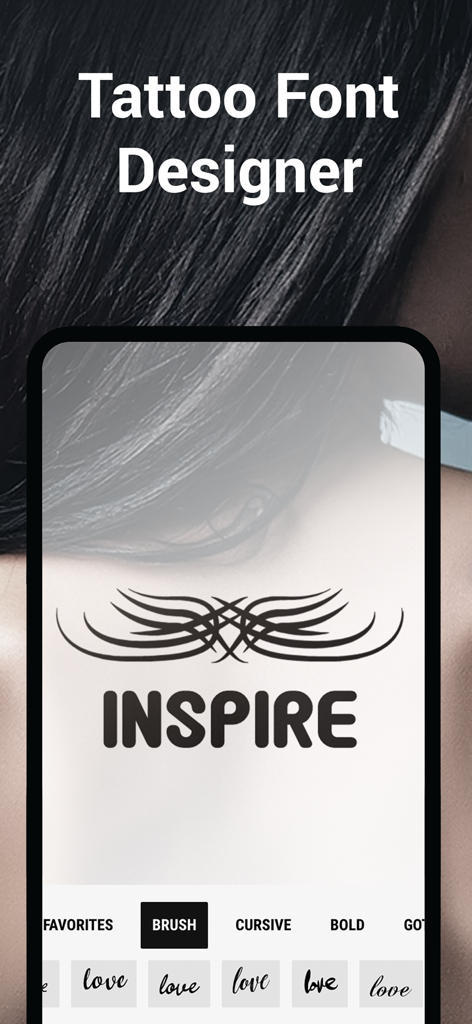
Mobile app interface for Tattoo Font Designer showing a custom tattoo design with the word INSPIRE and font style categories

Mobile app interface for Tattoo Font Designer showing a custom tattoo design with the word INSPIRE and font style categories

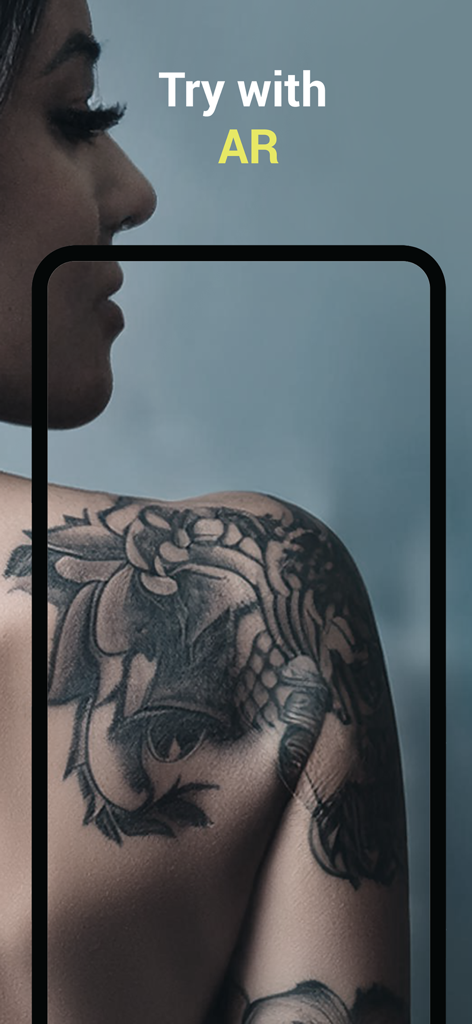
A floral tattoo design previewed on a shoulder using the augmented reality AR viewer feature

A floral tattoo design previewed on a shoulder using the augmented reality AR viewer feature

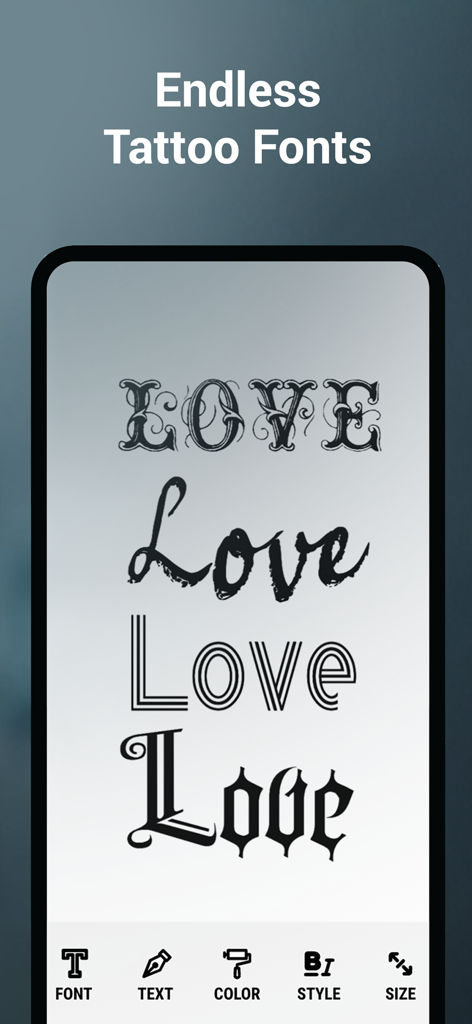
Preview of various tattoo lettering styles within the app interface

Preview of various tattoo lettering styles within the app interface

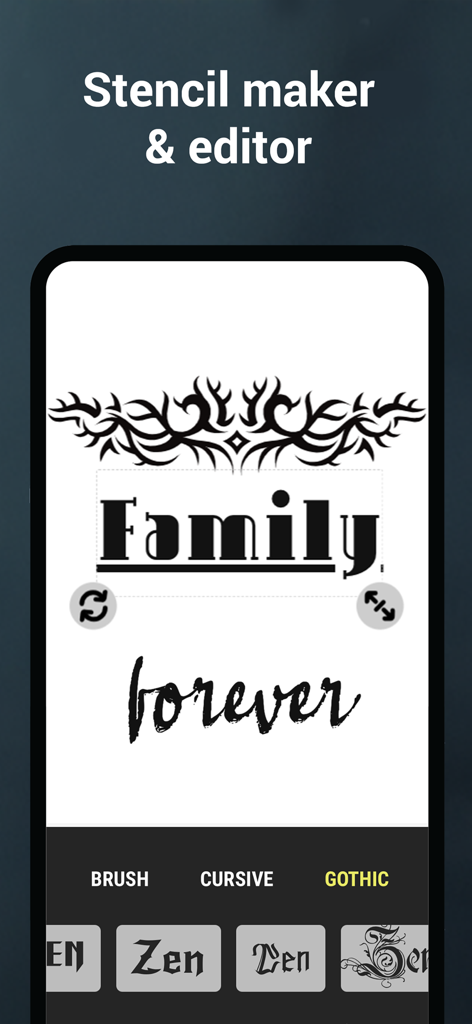
Mobile app interface of Tattoo Font Designer showing a stencil maker with tribal graphics and custom typography for the words Family Forever.

Mobile app interface of Tattoo Font Designer showing a stencil maker with tribal graphics and custom typography for the words Family Forever.

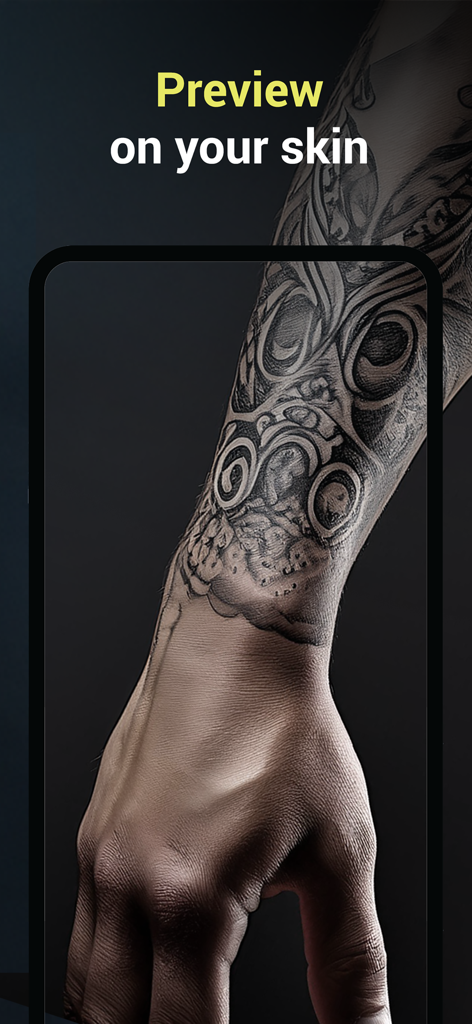
Augmented reality tattoo preview on a forearm

Augmented reality tattoo preview on a forearm

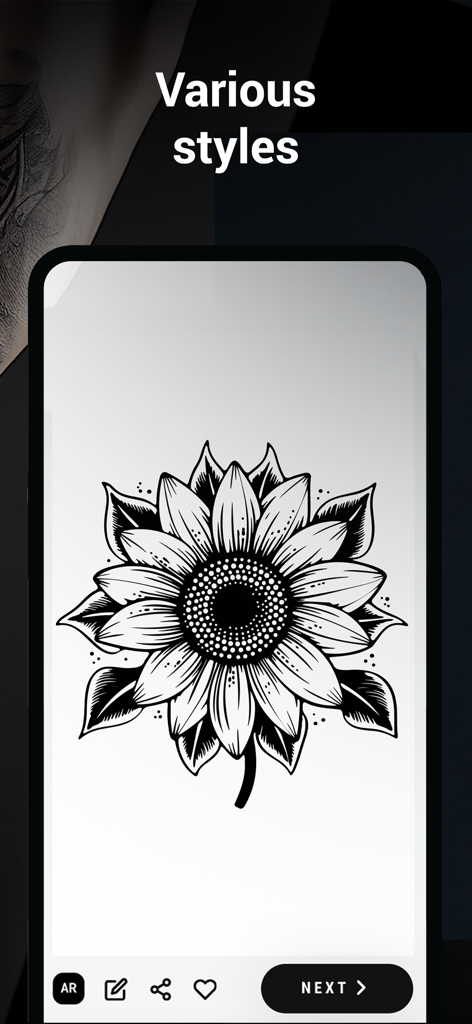
Sunflower tattoo design displayed on a smartphone screen under the heading various styles

Sunflower tattoo design displayed on a smartphone screen under the heading various styles

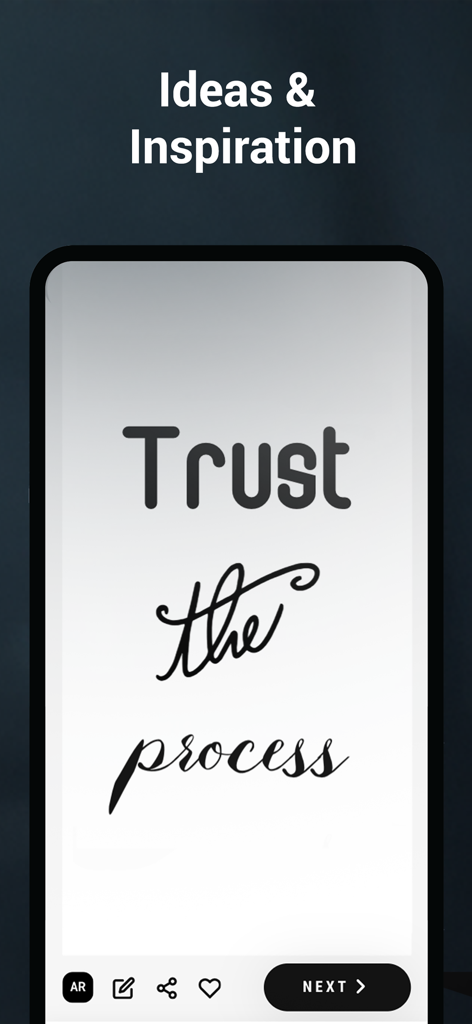
Tattoo font design interface showcasing Trust the process quote in different lettering styles

Tattoo font design interface showcasing Trust the process quote in different lettering styles

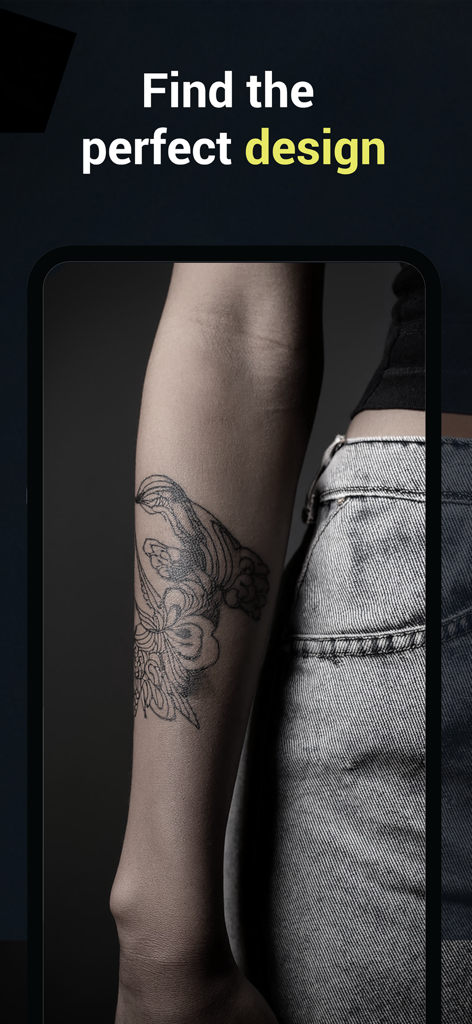
A floral tattoo design preview on a person forearm

A floral tattoo design preview on a person forearm

Design the Perfect Tattoo with Confidence

The tools that make this app stand out, trusted by 7K+ users.

🪄

AI-Powered Custom Designs

Transform your vague ideas into unique visual sketches instantly, from delicate fine-line florals to bold traditional patterns.

✍️

Professional Typography Editor

Customize every detail of your text tattoos with hundreds of fonts, adjustable curvature, and perfect letter spacing.

🤳

Real-Time AR Visualization

Eliminate commitment regret by using augmented reality to preview your design on your body for perfect sizing and placement.

About the app

Everything you need to know about Tattoo Font Designer.

Description

Looking for the perfect tattoo? Whether you’re getting your first ink or you're a professional tattoo artist, this app is the ultimate tool to design, customize, and visualize tattoos before making them permanent. With endless tattoo inspiration, a powerful design generator, and fully editable tattoo fonts, you can bring your ideas to life like never before! Create Unique Tattoo Designs Not sure what tattoo to get? Our tattoo generator creates stunning designs based on your preferences. Whether you want minimalist tattoos, tribal patterns, calligraphy, or realistic flower tattoos, our app can generate custom designs tailored to your style. Tattoo Font Editor Typography tattoos are more popular than ever, and we offer a vast collection of tattoo fonts that you can fully customize! Adjust the size, spacing, curvature, and style to make your tattoo text truly unique. From traditional script to modern calligraphy, you’ll find the perfect font for your ink. Try Tattoos on Your Skin with the AR Viewer Wondering how a tattoo will look on your body? Use our Augmented Reality (AR) Tattoo Preview to place any design on your skin in real time! This feature lets you test different sizes, placements, and styles before committing to permanent ink. Key Features - Tattoo Generator – Instantly create custom tattoo designs.
- Tattoo Font Editor – Personalize tattoo lettering with adjustable fonts.
- AR Tattoo Preview – See how tattoos look on your body in real time.
- Endless Tattoo Inspiration – Explore thousands of tattoo ideas and styles.
- Save & Share – Download your designs and share them with tattoo artists or friends. Who is Tattoo AI for? - Tattoo Enthusiasts – Design and visualize your perfect tattoo before visiting a shop.
- Tattoo Artists – Create stencils and explore new design ideas for clients.
- Graphic Designers – Experiment with tattoo art and lettering styles.
- Ink Lovers – Browse thousands of tattoo inspirations and trends. Get Inked the Smart Way! Before making a lifetime commitment, use our app to test, design, and refine your tattoo ideas. Whether you’re into blackwork, fine-line tattoos, geometric designs, or custom lettering, this app ensures you get the perfect tattoo every time. Download Tattoo AI today and start designing your dream tattoo now! For support contact support at wienelware.nl

Latest Version

2.3

Size

103.8 MB

First Released

Feb 24, 2025

Ready to See Your Dream Tattoo?

Stop guessing and start visualizing. Join thousands of ink lovers using AI to design, customize, and preview their next piece in AR before making it permanent.

Download on App Store
FAQ

Frequently Asked Questions

Everything you need to know about Tattoo Font Designer

What is the Tattoo Font Designer app?

The Tattoo Font Designer app is a tool for designing, customizing, and visualizing tattoos. It offers a design generator, editable fonts, and an AR viewer to preview tattoos before getting inked permanently.

Can I create custom tattoo designs with Tattoo Font Designer?

Yes, the Tattoo Font Designer app includes a tattoo generator that creates custom designs based on user preferences. It supports various styles like minimalist, tribal, calligraphy, and realistic flower tattoos.

How can I customize fonts in the Tattoo Font Designer app?

Yes, the Tattoo Font Designer app offers a vast collection of customizable tattoo fonts. Users can adjust the size, spacing, curvature, and style of text, from traditional script to modern calligraphy, to make their tattoo text unique.

Does Tattoo Font Designer allow me to preview tattoos on my skin using AR?

Yes, the Tattoo Font Designer app features an Augmented Reality (AR) Tattoo Preview. This allows users to place any design on their skin in real-time to test different sizes, placements, and styles before committing to permanent ink.

Who is the Tattoo Font Designer app for?

The Tattoo Font Designer app is for tattoo enthusiasts, professional tattoo artists, graphic designers, and ink lovers. It provides tools to design, visualize, and explore new tattoo ideas and styles for various purposes.

Does Tattoo Font Designer provide tattoo inspiration?

Yes, the Tattoo Font Designer app provides endless tattoo inspiration. Users can explore thousands of tattoo ideas and styles, such as blackwork, fine-line, geometric designs, or custom lettering, to find their perfect ink.

Can I save and share my designs from Tattoo Font Designer?

Yes, the Tattoo Font Designer app enables users to download their tattoo designs. They can also share these designs directly with tattoo artists or friends to gather feedback or prepare for their tattoo appointment.

Can Tattoo Font Designer be used to create stencils?

Yes, the Tattoo Font Designer app includes a "Stencil maker & editor" feature. This functionality allows users to create and edit stencils from their customized designs, aiding both enthusiasts and professional artists.

How do I contact support for the Tattoo Font Designer app?

To contact support for the Tattoo Font Designer app, users can send an email to the provided support address at wienelware.nl. This ensures direct communication for any assistance needed.

App information, icons, screenshots, and descriptions displayed on this page are sourced from the Apple App Store and are the property of their respective developers. Download estimates and rankings are based on MWM's proprietary models and may not reflect actual figures. This page is provided for informational and analytical purposes only.

Believe this page infringes your intellectual property? File a dispute