Tayasui Watercolor & Painting

Tayasui Watercolor & Painting


Download on App Store
Logo of Tayasui Watercolor & Painting

Tayasui Watercolor & Painting: The Beauty of Real Watercolor, Without the Mess.

Master the art of digital painting with hyper-realistic wet-on-wet brushes, a minimalist zen interface, and our unique Tracing Projector. The perfect digital sketchbook for iPad artists and mindful creators.

Publisher

SKETCHES SRL

Category

Graphics & Design

Downloads

604K+

User Rating

4.6/5

Total Ratings

31K+

Locales

14

Pure Watercolor Magic

Discover the interface used by 604K+ users.
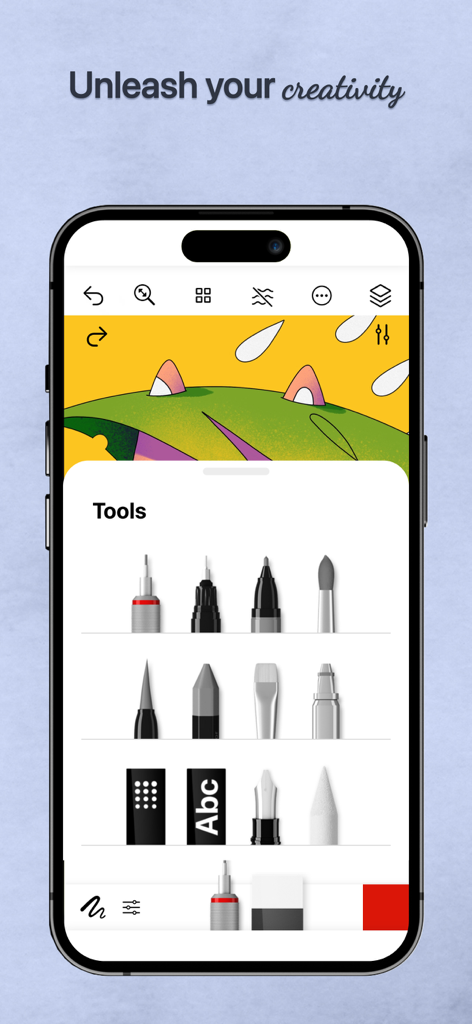
A mobile interface of Tayasui Watercolor showing various digital painting and drawing tools.

A mobile interface of Tayasui Watercolor showing various digital painting and drawing tools.

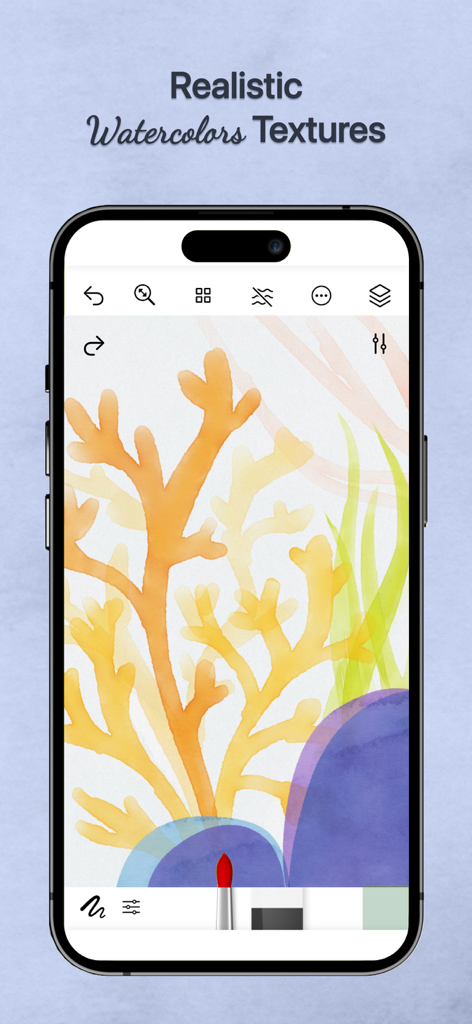
Tayasui Watercolor app interface showing realistic watercolor textures on a coral painting

Tayasui Watercolor app interface showing realistic watercolor textures on a coral painting

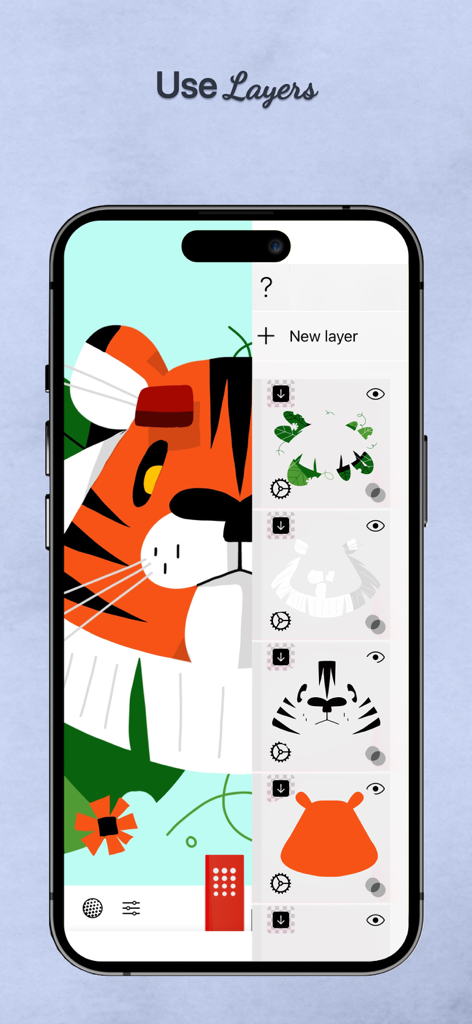
Interface of the Tayasui Watercolor app showing multiple drawing layers for a tiger illustration

Interface of the Tayasui Watercolor app showing multiple drawing layers for a tiger illustration

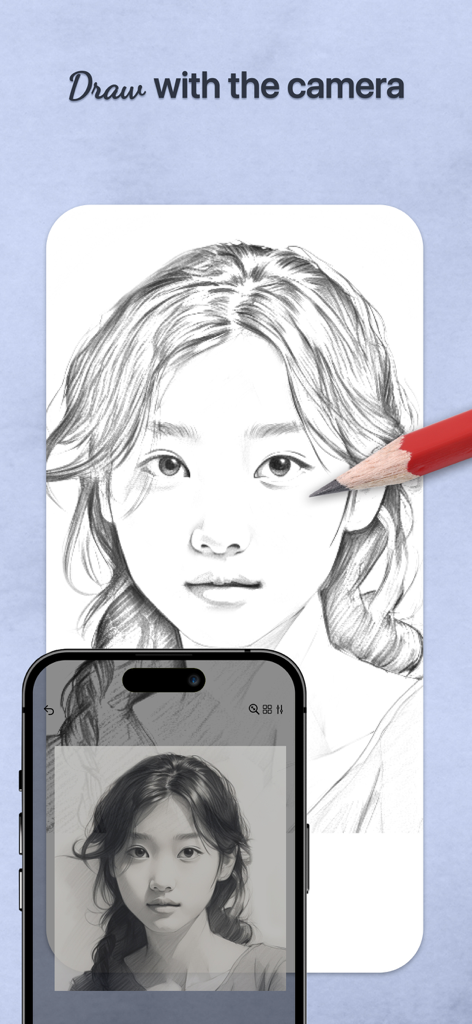
Pencil drawing a portrait on paper using the tracing projector feature on a smartphone

Pencil drawing a portrait on paper using the tracing projector feature on a smartphone

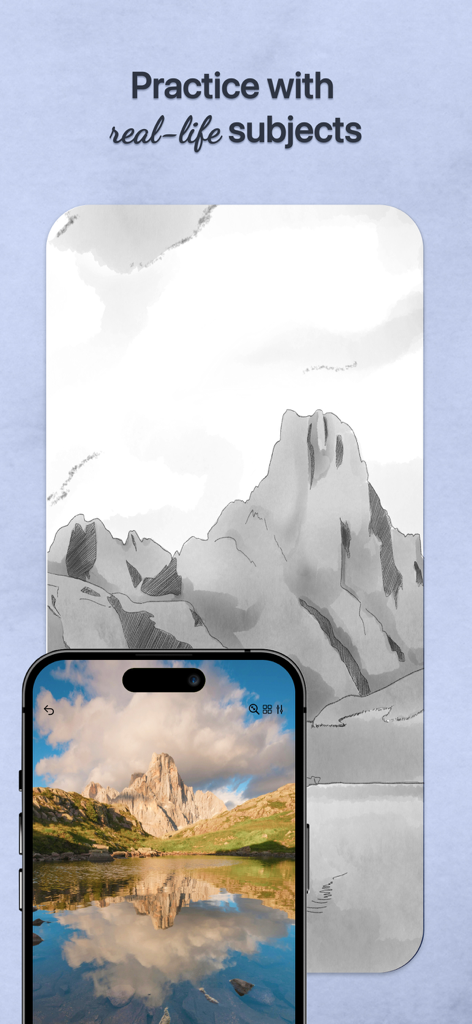
A smartphone displaying a mountain photo being used as a reference for a digital sketch in Tayasui Watercolor

A smartphone displaying a mountain photo being used as a reference for a digital sketch in Tayasui Watercolor

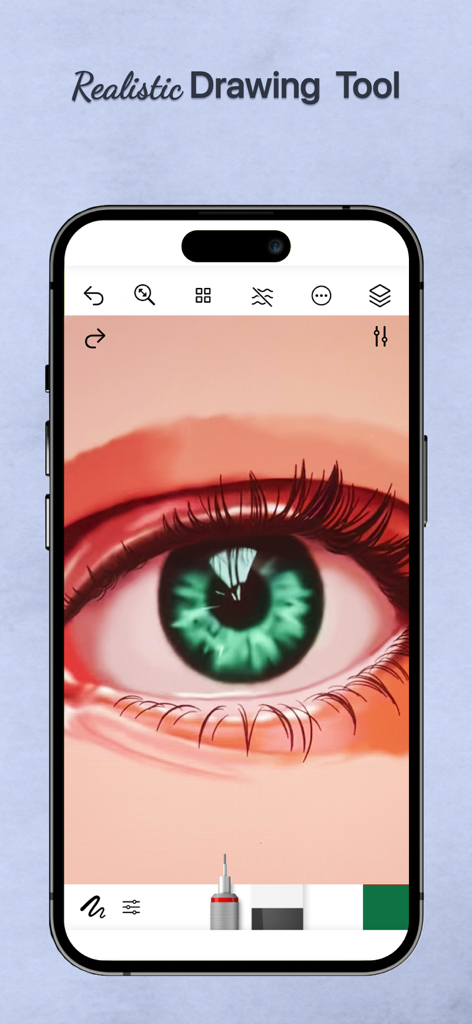
Digital watercolor painting of a realistic green eye on a mobile app interface

Digital watercolor painting of a realistic green eye on a mobile app interface

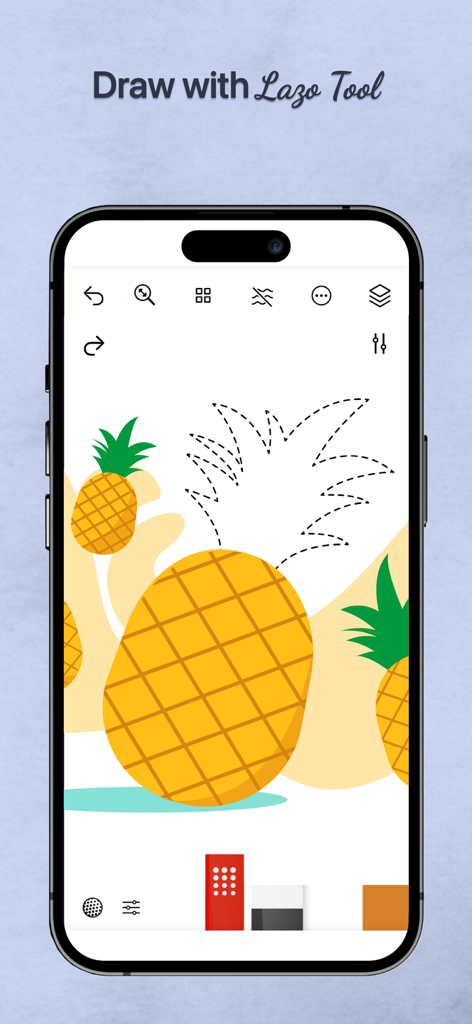
Tayasui Watercolor app on iPhone using the Lazo tool to select a pineapple drawing

Tayasui Watercolor app on iPhone using the Lazo tool to select a pineapple drawing

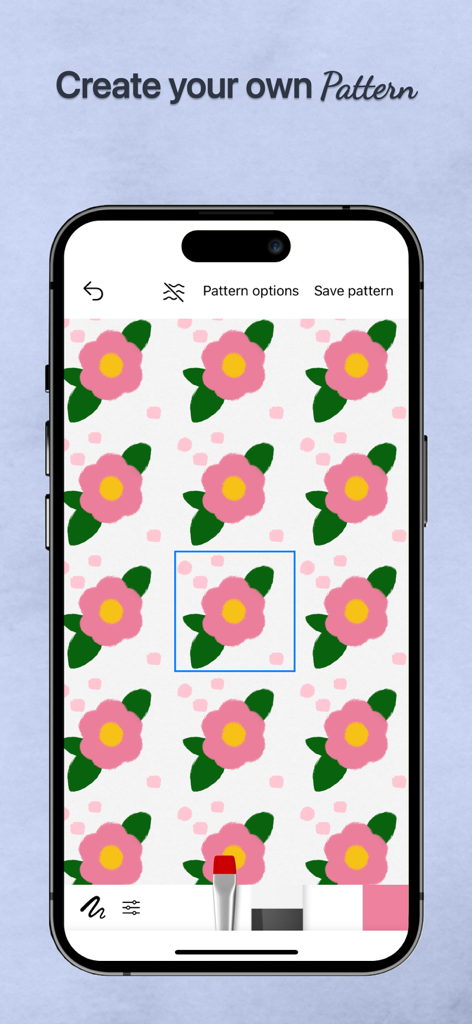
Interface of Tayasui Watercolor app showing the pattern creation feature with a pink flower design on a mobile device

Interface of Tayasui Watercolor app showing the pattern creation feature with a pink flower design on a mobile device

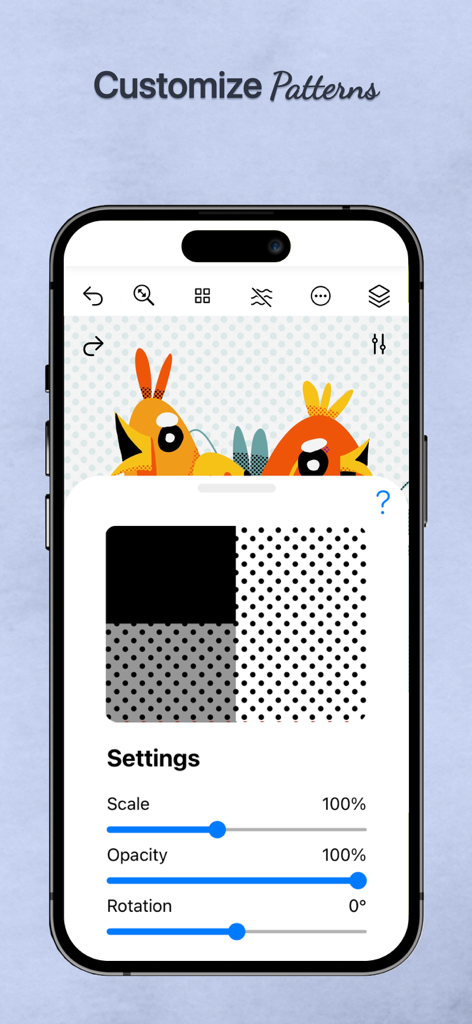
Tayasui Watercolor app showing custom pattern settings for scale opacity and rotation over a digital bird illustration

Tayasui Watercolor app showing custom pattern settings for scale opacity and rotation over a digital bird illustration

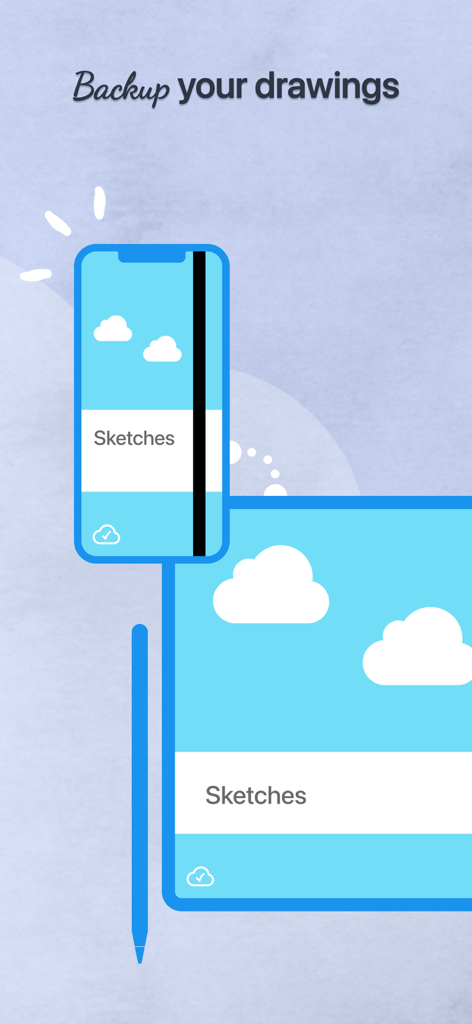
Digital sketches being backed up and synced between a smartphone and a tablet

Digital sketches being backed up and synced between a smartphone and a tablet

Master the Art of Digital Watercolor

The tools that make this app stand out, trusted by 604K+ users.

🎨

Hyper-Realistic Fluidity

Watch colors bleed and blend naturally with wet-on-wet brushes that react exactly like paint on high-quality paper.

📸

Effortless Tracing Projector

Transform your favorite photos into stunning paintings. Perfect for capturing memories or practicing your technique without the stress of a blank page.

🧘‍♀️

Mindful Minimalist Canvas

A distraction-free workspace that hides complex tools while you work, giving you the mental space to find your creative flow.

About the app

Everything you need to know about Tayasui Watercolor & Painting.

Description

Tayasui Watercolor and Painting is the ultimate watercolor-focused drawing tool, with realistic brushes and an easy-to-use interface. We’ve created tools that feel like real ones, ensuring your watercolor paintings and sketches always look amazing. Tools and Features - Drawing Tools and Enhancements: With over 20 tools that mimic real-life drawing implements, Watercolor and Painting includes an array of options such as watercolor—featuring both dry and wet brushes that behave just like real paint on paper, pens, Rotring, felt pens, pen brushes, oil pastels, acrylic brushes, airbrushes - Tracing Projector: allows users to project their sketches onto any surface, facilitating tracing. This tool significantly enhances the creative workflow by enabling broader applications of the artwork. - Precision Tools: The application offers various rulers and magnetic shapes, including straight, arc, circle, and spline rulers, alongside symmetry and cutout shapes—perfect for laying out detailed watercolor compositions or adding structured elements within freeform washes. - Color Management: The app includes a color eyedropper, mixer, and support for color palettes (.ase). - Layer Management: With full layer support, users can build up watercolor paintings gradually, just like on paper. Export transparent PNGs or layered PSD files for further refinement in other software. - Cloud Sync and Organization: All your watercolor projects are backed up and synchronized across devices. Sync settings can be managed per folder, and projects can be neatly organized into custom folders or digital sketchbooks, keeping your watercolor works easy to access and beautifully presented. - Stylus and User Interface: Apple Pencil is fully supported, capturing pressure, tilt, and stroke width to simulate natural watercolor strokes. The minimalist interface stays out of your way while you paint, letting the focus remain on your watercolor expression. With its advanced watercolor simulation and the unique tracing projector, Tayasui Watercolor and Painting stands out as a powerful and versatile tool for artists, illustrators, and creative professionals who want to bring watercolor to life in the digital world. Subscribe to access to premium app features; subscription details are the following: - Length: monthly, yearly - Your payment will be charged to your iTunes Account as soon as you confirm your purchase - You can manage your subscriptions and turn off auto-renewal from your Account Settings after the purchase - Your subscription will renew automatically, unless you turn off auto-renew at least 24 hours before the end of the current period - The cost of renewal will be charged to your account in the 24 hours prior to the end of the current period - When canceling a subscription, your subscription will stay active until the end of the period. Auto-renewal will be disabled, but the current subscription will not be refunded - Any unused portion of a free trial period, if offered, will be forfeited when purchasing a subscription Terms of Use: https://www.apple.com/legal/internet-services/itunes/dev/stdeula/

Latest Version

36.2.1

Size

283.4 MB

First Released

Dec 31, 2014

Begin Your Most Relaxing Creative Journey Yet

Experience the beauty of real watercolor without the mess. Join thousands of artists and transform your iPad into a professional-grade digital studio today.

Download on App Store
FAQ

Frequently Asked Questions

Everything you need to know about Tayasui Watercolor & Painting

What drawing tools are available in Tayasui Watercolor & Painting?

Tayasui Watercolor & Painting provides over 20 realistic drawing tools, including wet and dry watercolors, pens, Rotring, felt pens, oil pastels, acrylic brushes, and airbrushes for diverse artistic needs.

Can Tayasui Watercolor & Painting project sketches for tracing?

Yes, Tayasui Watercolor & Painting features a Tracing Projector. This tool allows users to project sketches onto any surface, significantly enhancing creative workflow by facilitating tracing.

Does Tayasui Watercolor & Painting support layers for artwork?

Yes, Tayasui Watercolor & Painting offers full layer support. Users can build watercolor paintings gradually and export transparent PNGs or layered PSD files for further refinement in other software.

Is Apple Pencil compatible with Tayasui Watercolor & Painting?

Yes, Tayasui Watercolor & Painting fully supports Apple Pencil. It captures pressure, tilt, and stroke width to simulate natural watercolor strokes, ensuring a realistic and expressive drawing experience.

Does Tayasui Watercolor & Painting offer cloud backup for projects?

Yes, Tayasui Watercolor & Painting backs up and synchronizes all projects across devices. Users can manage sync settings per folder and organize projects into custom folders or digital sketchbooks.

How can I cancel my subscription to Tayasui Watercolor & Painting?

To cancel, manage your subscription and turn off auto-renewal from your iTunes Account Settings after purchase. Auto-renewal must be disabled at least 24 hours before the current period ends.

Are subscriptions to Tayasui Watercolor & Painting refundable?

No, the current subscription for Tayasui Watercolor & Painting is not refunded upon cancellation. The subscription remains active until the end of the period, but auto-renewal is disabled.

Can I create and customize patterns within Tayasui Watercolor & Painting?

Yes, Tayasui Watercolor & Painting allows users to create their own patterns. The app also provides options to customize patterns, adjusting settings such as scale, opacity, and rotation.

App information, icons, screenshots, and descriptions displayed on this page are sourced from the Apple App Store and are the property of their respective developers. Download estimates and rankings are based on MWM's proprietary models and may not reflect actual figures. This page is provided for informational and analytical purposes only.

Believe this page infringes your intellectual property? File a dispute