The Vector Converter

The Vector Converter

Download on App Store
Logo of The Vector Converter

The Vector Converter: Professional File Conversion for Mobile Creatives

Instantly transform AI, EPS, and CDR files into SVG, PDF, or PNG. Bridge the gap between your mobile workflow and professional design tools in under 15 seconds.

Publisher

Float Tech, LLC

Category

Utilities

Downloads

169K+

User Rating

4.7/5

Total Ratings

800

Locales

23

Your Workflow, Visualized

Discover the interface used by 169K+ users.
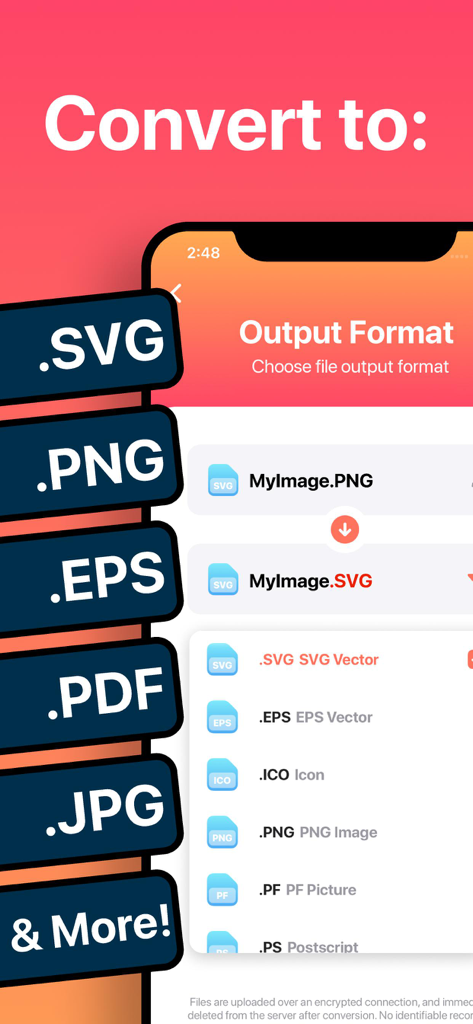
Mobile app interface showing options to convert images to vector formats like SVG and EPS

Mobile app interface showing options to convert images to vector formats like SVG and EPS

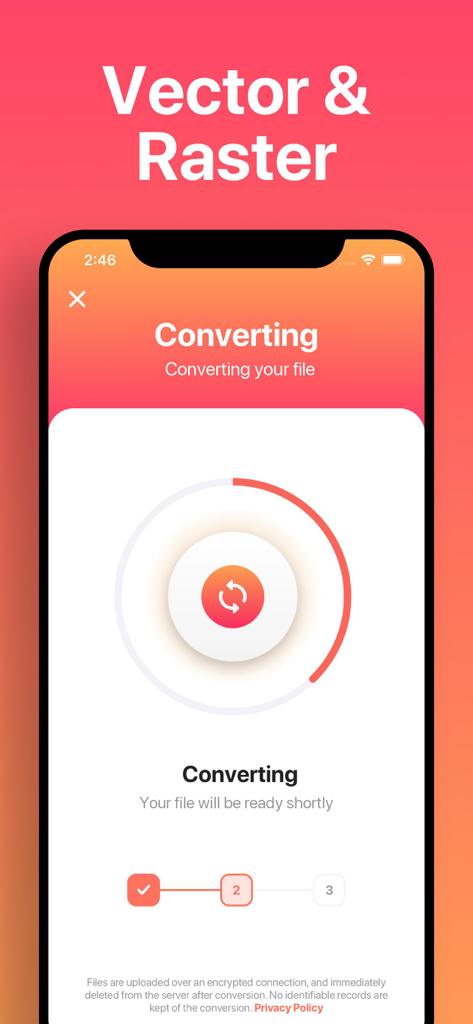
A smartphone screen showing the progress of a file conversion from raster to vector format.

A smartphone screen showing the progress of a file conversion from raster to vector format.

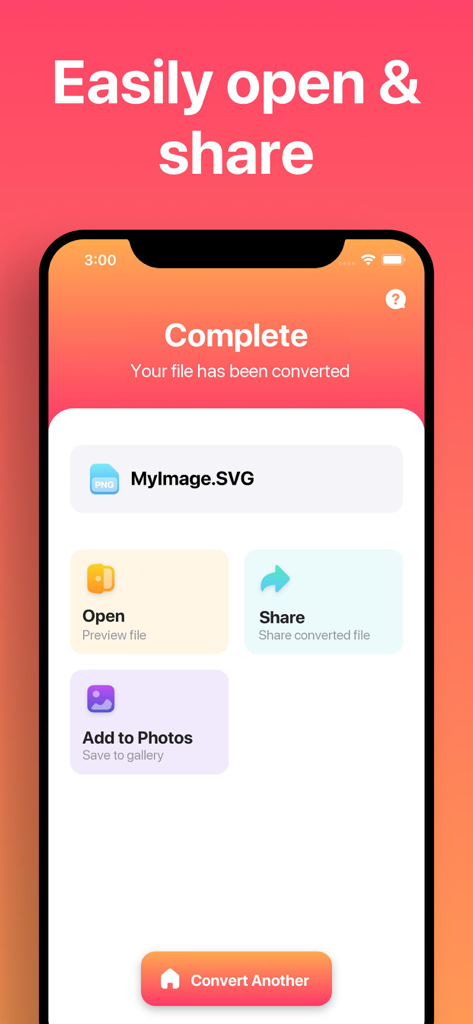
The Vector Converter app screen showing a completed file conversion to SVG with options to open share or save to photos

The Vector Converter app screen showing a completed file conversion to SVG with options to open share or save to photos

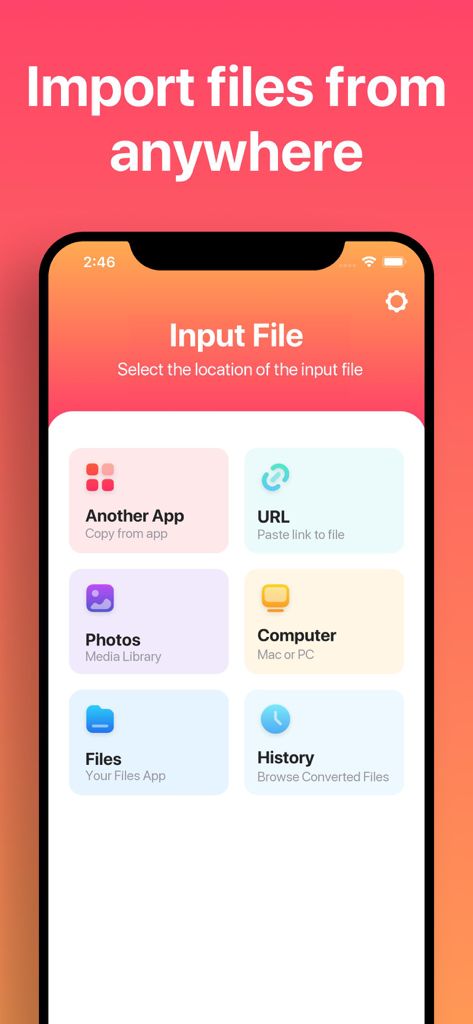
Interface of The Vector Converter app showing various file import options including URL, Photos, and Computer.

Interface of The Vector Converter app showing various file import options including URL, Photos, and Computer.

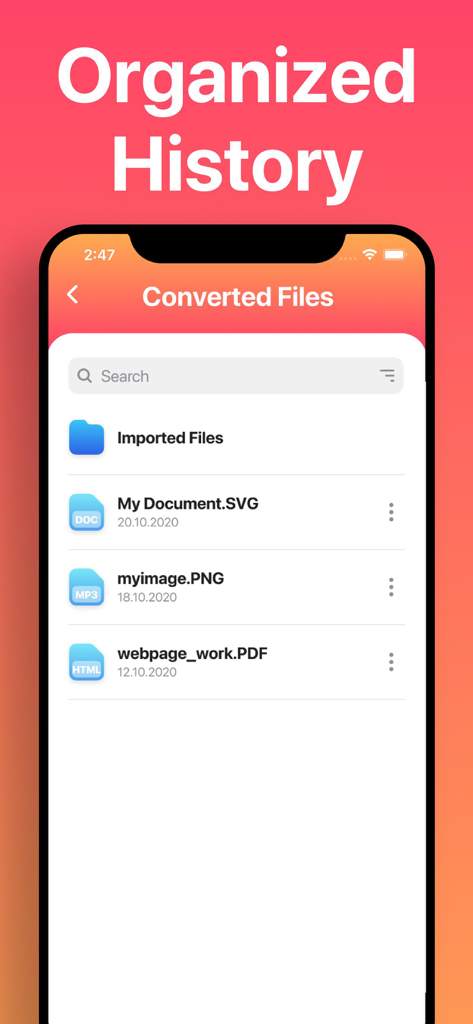
A mobile app screen showing a list of converted files including SVG, PNG, and PDF formats under the header Organized History.

A mobile app screen showing a list of converted files including SVG, PNG, and PDF formats under the header Organized History.

Pro-Grade Conversions at Your Fingertips

The tools that make this app stand out, trusted by 169K+ users.

🔄

Universal Format Support

From AI and CDR to SVG and DXF, convert dozens of complex formats instantly to work seamlessly with tools like Procreate, Canva, or Cricut.

Lightning-Fast Performance

Most conversions take less than 15 seconds. Use our secure cloud or instant local processing to keep your project moving without the wait.

📲

Mobile Workflow Optimized

Perfect for iPad and iPhone power users. AirDrop files to your Mac, save to iCloud, or open results directly in your favorite design apps.

Review Analysis

Insights from user reviews.

Sentiment Score

18%
Negative

Summary

This app receives predominantly negative feedback, with many users expressing severe dissatisfaction. While a few users find it easy to use and effective for basic conversions, the vast majority report critical issues with output quality, such as degraded images, empty files, incorrect colors, or distortion. Numerous complaints also highlight a problematic subscription model, including unexpected charges, the absence of a true free trial, and difficulties canceling. Users frequently describe the core conversion functionality as non-existent or unreliable, leading to accusations of the app being a "scam" and a "waste of money."

Common Themes

Output Quality(25)
Conversion Reliability(20)
Subscription & Billing(17)
Value for Money(11)
Ease of Use(8)
Saving & Export(4)

About the app

Everything you need to know about The Vector Converter.

Description

Easily convert your files to nearly any vector or image format! 1. Select your input file 2. Choose your output format ( SVG, PNG, EPS, PDF etc. ) 3. Convert! It will only take a few seconds. 4. Save your file, or open it in your favorite app! Here are the output formats you can choose from: SVG, EPS, ICO, PNG, PS, JPG, BMP, TIFF, WEBP, DXF, PSD, PDF You can convert from dozens of input formats, here are some of the most popular formats we support converting from: AI, EPS, SVGZ, CDR, OTF, TTF, PDF, DWG, JPG, PNG, EPS, HEIC, SVG and many more! Save, Share or Open your converted files in your favorite apps immediately. You can even browse your previously converted files with our in-app file browser. After conversion, you can immediately AirDrop your files right to your Mac or another device. Conversions usually take less than 15 seconds! Conversion is done on a secure cloud server, which makes conversion easier, faster and much more battery-friendly. You must have an internet connection to use this app. Files are immediately deleted from the server after conversion. While the files are immediately deleted after conversion or cancellation, you should be aware that by using this app, you agree that your files will be sent over to internet from the app to the conversion server. We've also recently added support for local conversions for many popular conversion types. These conversions don't require a server, and are usually done almost instantly! We are continuing to add support for more local conversions with each update. This app includes an optional auto-renewable subscription (Premium Pass): Premium Pass beings with a free trial period, then an auto-renewable monthly subscription when trial ends. Payment will be charged to your Apple account at confirmation of purchase and will automatically renew (at the duration/price selected) unless auto-renew is turned off at least 24 hrs before the end of the current period. Account will be charged for renewal within 24-hours prior to the end of the current period. Current subscription may not be cancelled during the active subscription period; however, you can manage your subscription and/or turn off auto-renewal by visiting your Apple Account Settings after purchase. Any unused portion of the free initial period will be forfeited when you purchase a subscription. Privacy Policy: https://float.support/the-vector-converter/privacy Terms of Use: https://float.support/the-vector-converter/terms

Latest Version

26.0.2

Size

41.9 MB

First Released

Mar 20, 2015

Ready to Streamline Your Creative Workflow?

Join over 169,000 designers and makers who convert files in seconds. Download The Vector Converter today and never let a file format hold you back again.

Download on App Store
Recommendations

More Like This

Apps with similar features and user experience

App information, icons, screenshots, and descriptions displayed on this page are sourced from the Apple App Store and are the property of their respective developers. Download estimates and rankings are based on MWM's proprietary models and may not reflect actual figures. This page is provided for informational and analytical purposes only.

Believe this page infringes your intellectual property? File a dispute