TK Waiter

TK Waiter

Download on App Store
Logo of TK Waiter

TK Waiter: Streamline Your Restaurant with Smart Mobile Ordering

Empower your staff with instant kitchen syncing and seamless register integration. The ultimate tableside tool for faster service and perfect order accuracy.

Download on App Store

Publisher

XingData Information Technology Co., Ltd.

Category

Food & Drink

Downloads

0

User Rating

1.0/5

Total Ratings

0

Locales

2

Efficiency at Hand

Discover the interface used by 0 users.
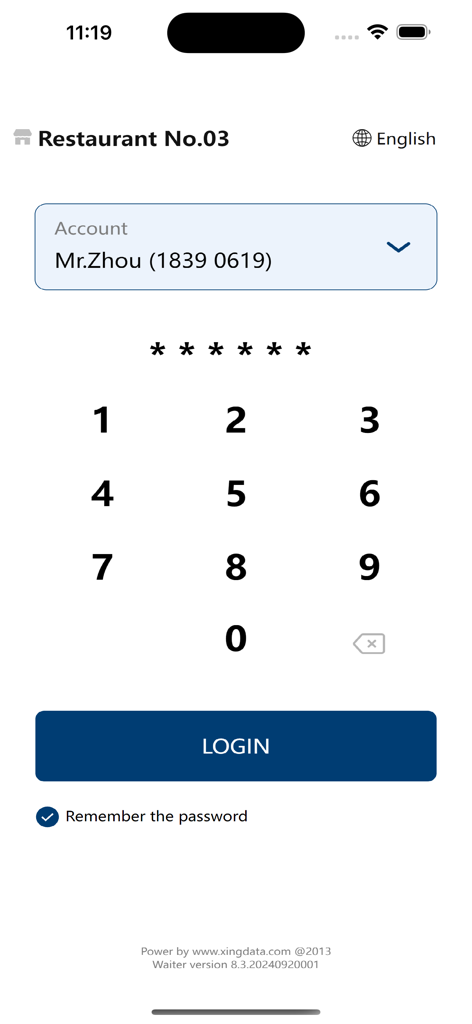
Login screen of TK Waiter app with account selection and PIN entry keypad for restaurant staff

Login screen of TK Waiter app with account selection and PIN entry keypad for restaurant staff

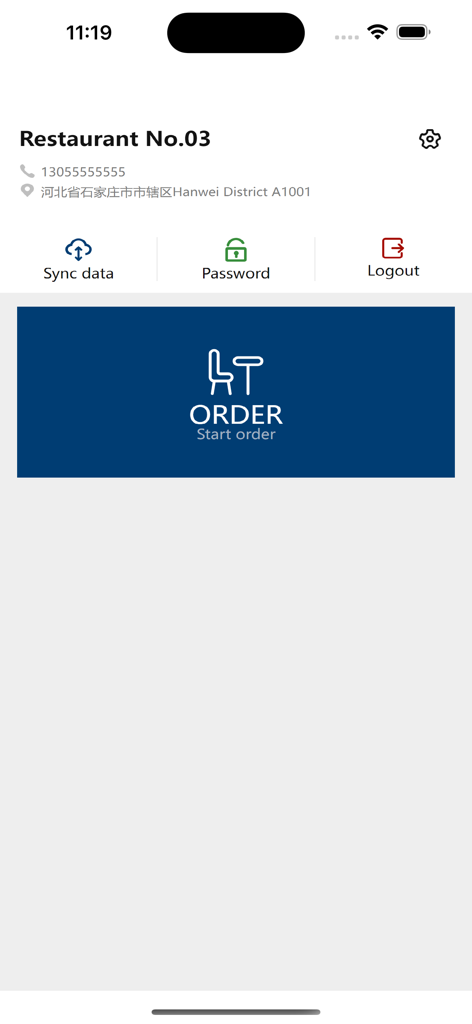
TK Waiter app main menu featuring a large button to start an order and options for data sync and password management

TK Waiter app main menu featuring a large button to start an order and options for data sync and password management

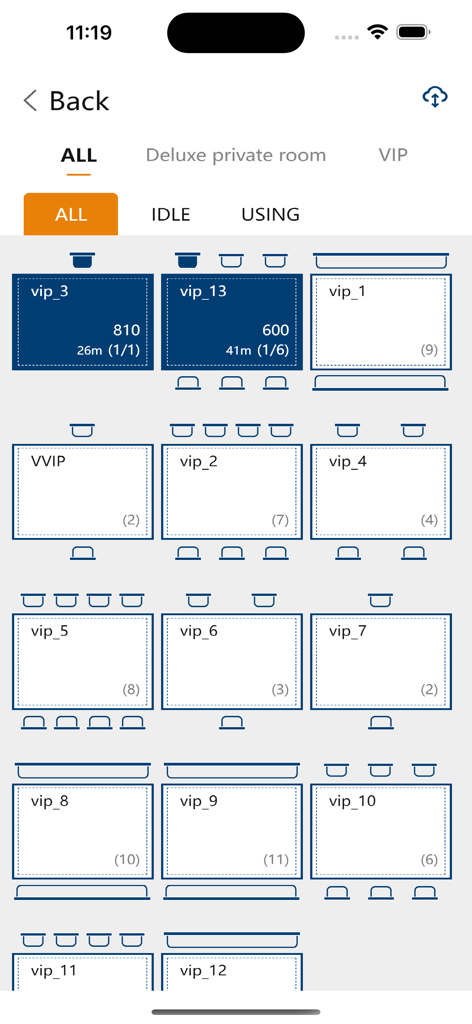
Screenshot of the TK Waiter app showing a restaurant floor plan with active and idle table statuses for efficient seating management.

Screenshot of the TK Waiter app showing a restaurant floor plan with active and idle table statuses for efficient seating management.

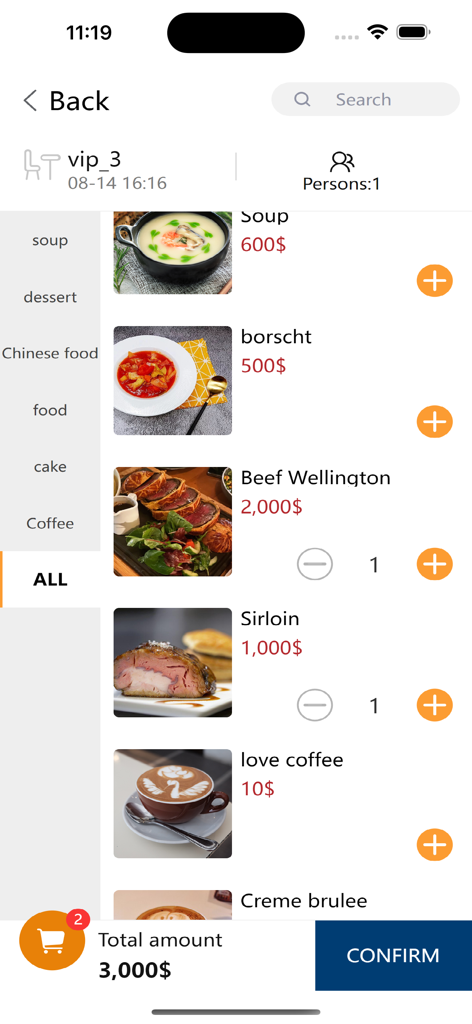
A menu screen in the TK Waiter app showing food items prices and a total order summary for restaurant staff

A menu screen in the TK Waiter app showing food items prices and a total order summary for restaurant staff

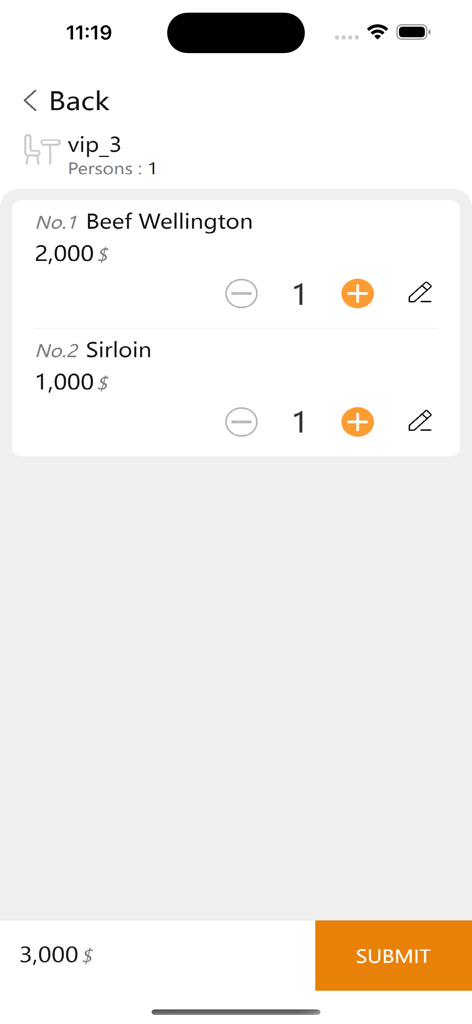
TK Waiter app interface showing a food order summary for tableside service

TK Waiter app interface showing a food order summary for tableside service

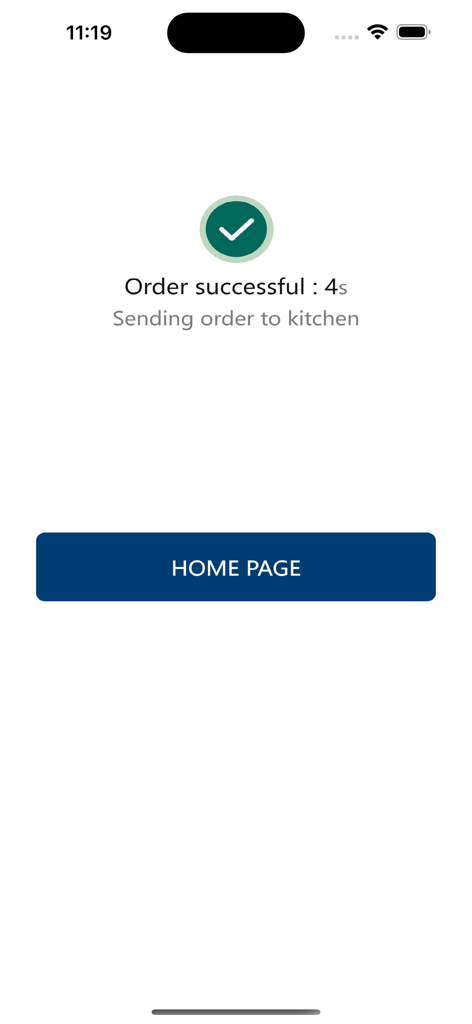
TK Waiter app interface displaying an order successful confirmation message with a sending order to kitchen notification

TK Waiter app interface displaying an order successful confirmation message with a sending order to kitchen notification

Streamline Your Service Workflow

The tools that make this app stand out, trusted by 0 users.

📱

Pocket-Sized Productivity

Ditch the paper and pens. Take orders directly at the table for faster service and fewer manual entry mistakes.

🖨️

Instant Kitchen Dispatch

Send orders straight to the kitchen printer the moment they are confirmed, ensuring food prep starts without a second of delay.

🔄

Real-Time POS Sync

Every order is automatically updated on your central cash register, making the final checkout process fast and error-free for your guests.

About the app

Everything you need to know about TK Waiter.

Description

1.The user first creates an account and password on the cash register or management backend. 2.After logging into the APP, the user enters the ordering page, selects a table, and places an order. 3.Dishes can be added to the table multiple times, and the ordered dishes will be sent to the kitchen, where the menu will be printed out via a printer. 4.The ordered dishes will be synchronized to the cash register, where the cashier can settle the bill and print a receipt for the customer.

Latest Version

1.2.3

Size

25.0 MB

First Released

Aug 14, 2024

Ready to Streamline Your Tableside Service?

Download TK Waiter now to sync orders instantly from table to kitchen. Eliminate the walk back to the POS and empower your staff with the agility of mobile ordering.

Download on App Store

App information, icons, screenshots, and descriptions displayed on this page are sourced from the Apple App Store and are the property of their respective developers. Download estimates and rankings are based on MWM's proprietary models and may not reflect actual figures. This page is provided for informational and analytical purposes only.

Believe this page infringes your intellectual property? File a dispute