TradeLocker

TradeLocker

Download on App Store
Logo of TradeLocker

TradeLocker: The Next-Gen Day Trading Platform for Prop Firm and Professional Traders

Master the markets with pro-grade tools, integrated TradingView charts, and automated risk management built for the modern, mobile-first trader.

Download on App Store

Publisher

TradeLocker Limited

Category

Finance

Downloads

831K+

User Rating

4.4/5

Total Ratings

2K+

Locales

1

A Professional Edge, Visualized

Discover the interface used by 831K+ users.
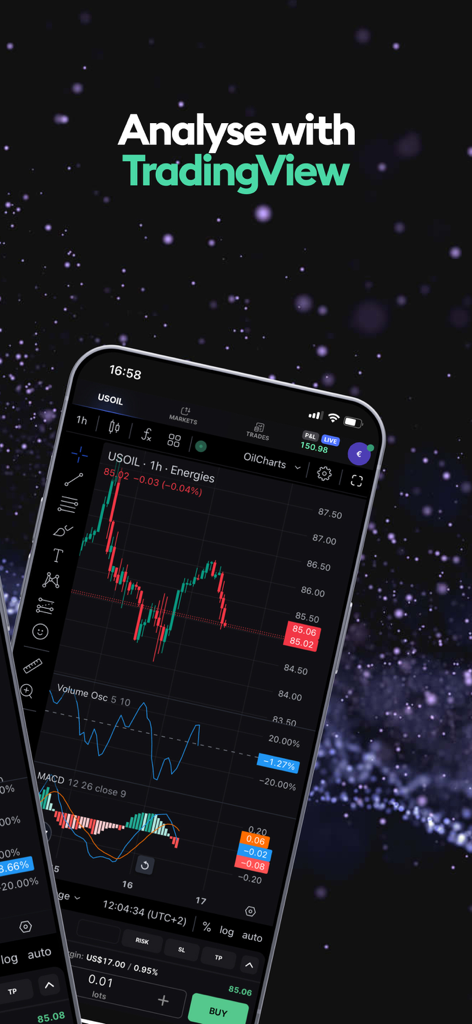
TradeLocker mobile app displaying professional TradingView charts and indicators for technical analysis

TradeLocker mobile app displaying professional TradingView charts and indicators for technical analysis

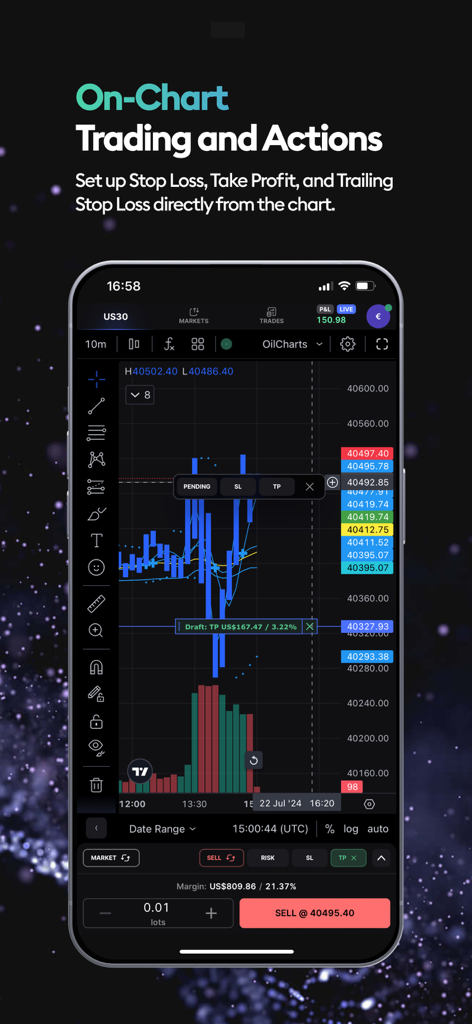
TradeLocker mobile app interface showing on-chart trading with stop loss and take profit controls

TradeLocker mobile app interface showing on-chart trading with stop loss and take profit controls

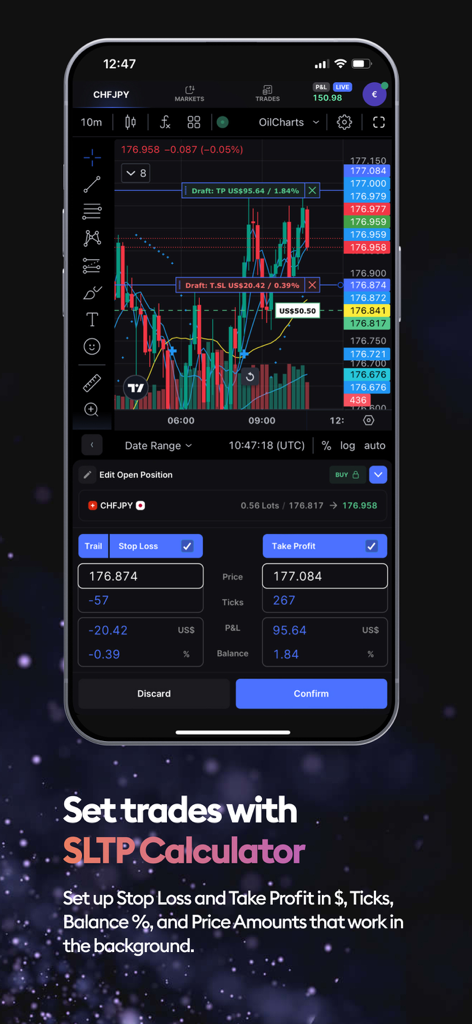
TradeLocker mobile trading app showing the SLTP calculator interface

TradeLocker mobile trading app showing the SLTP calculator interface

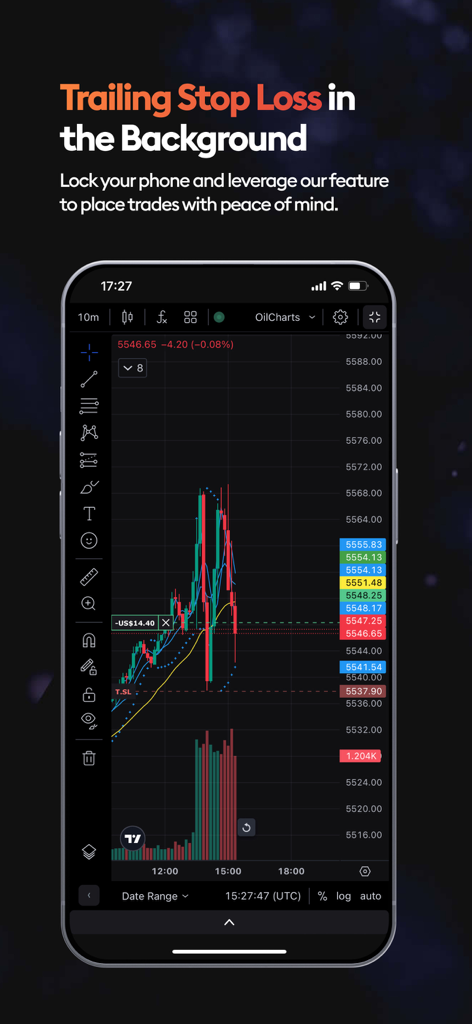
TradeLocker app screen showing a trading chart with trailing stop loss

TradeLocker app screen showing a trading chart with trailing stop loss

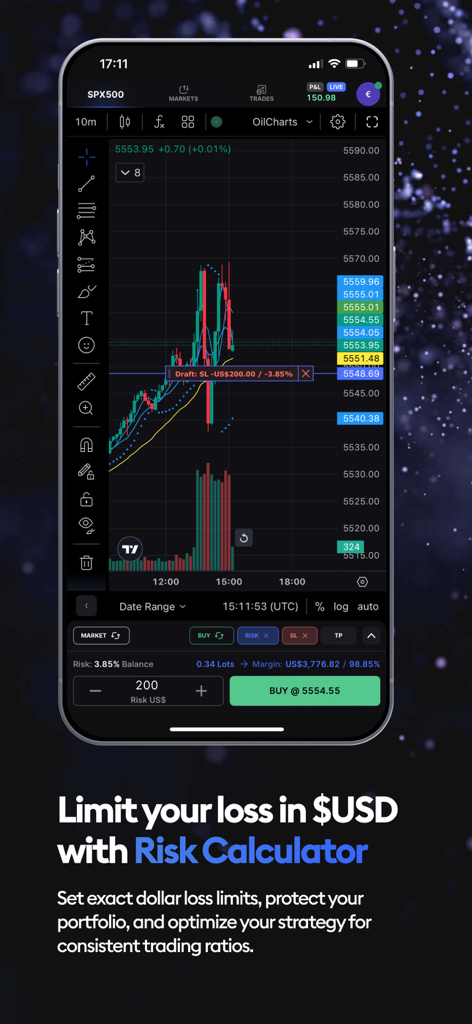
TradeLocker mobile app showing the risk calculator feature and a technical analysis chart for SPX500

TradeLocker mobile app showing the risk calculator feature and a technical analysis chart for SPX500

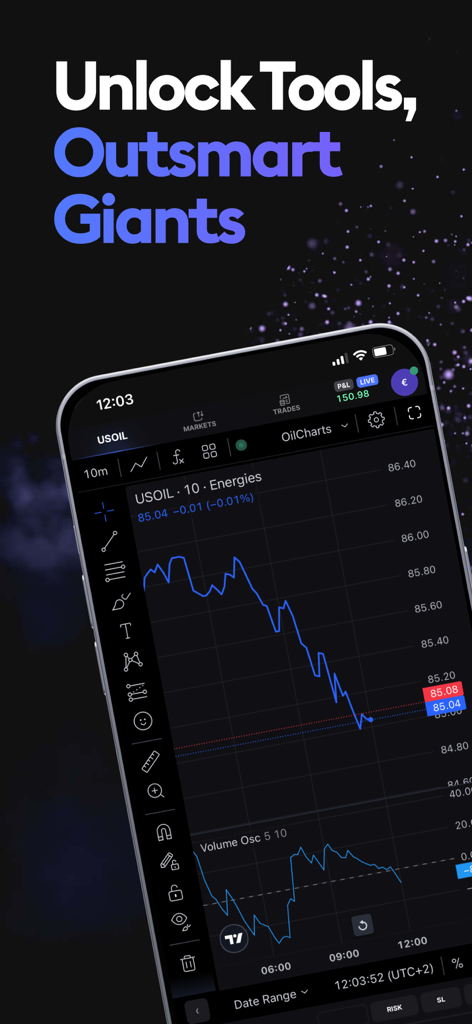
Smartphone displaying TradeLocker app with a professional USOIL trading chart and TradingView integration

Smartphone displaying TradeLocker app with a professional USOIL trading chart and TradingView integration

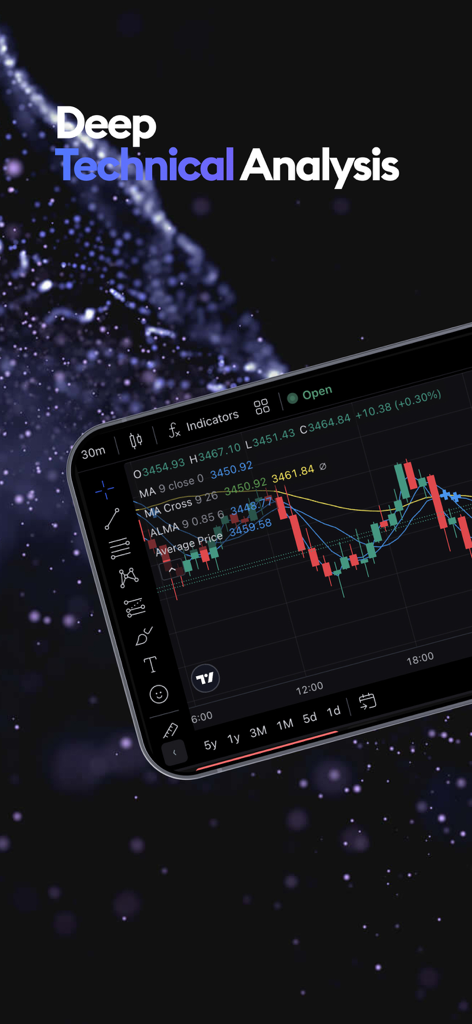
TradeLocker mobile interface showing advanced technical analysis with candlestick charts and indicators

TradeLocker mobile interface showing advanced technical analysis with candlestick charts and indicators

Professional Trading, Reimagined for Mobile

The tools that make this app stand out, trusted by 831K+ users.

📈

Native TradingView Integration

Analyze markets with precision. Access hundreds of customizable charts and execute trades directly on the chart without switching screens.

🛡️

Smart Risk Management

Protect your capital with built-in tools. Automatically calculate position sizes based on your exact dollar risk per trade to pass your prop firm challenges.

High-Performance Execution

Capture opportunities instantly with one-click trading and ultra-low latency, perfect for high-stakes scalping and active day trading.

About the app

Everything you need to know about TradeLocker.

Description

TradeLocker is the next-gen day trading platform built by listening to the needs and preferences of over 2.5 million traders. It's designed to help both novice and experienced users make quick and accurate market decisions. Experience the future of trading with TradeLocker, featuring high-quality charts and indicators for well-informed decisions, advanced risk management tools such as stop loss and take profit features, and a versatile platform for trading anytime, anywhere, and on any device. TradeLocker Features: - TradingView Charting Gain access to hundreds of customizable charts and custom indicators with our TradingView integration. - Risk Calculator Set a SL price and specify the $ amount you are willing to risk and the platform will automatically calculate the order amount. - SL&TP Calculator Auto-calculate Stop Loss & Take Profit values in $, %, ticks or the market price. - Trailing Stop Loss Unlike a regular stop loss that remains at a set level, a trailing stop loss automatically adjusts if the trade moves in a favourable direction. - On-Chart Trading Execute trades directly on the chart for a more streamlined experience. - One-Click Trading Streamline your trading and open positions quicker with a single click. - Micro Lot Trading Trade a minimum lot size of 0.01 to spread high-volume trading risks. - Trader-Friendly Interface Easily navigate and perform trading activities on our clean, customizable and intuitive interface. - 500+ Trading Assets Choose your favorite instrument pairs, including Forex majors, crypto, stocks and shares, metals, indices and more. How to start using TradeLocker: Currently, TradeLocker is only accessible via a broker (both Demo and Live accounts) or through a prop firm challenge (Demo). Not sure which broker to use? Simply go to tradelocker.com, fill out a form and choose available brokers or prop firms. Once you've chosen a broker, select TradeLocker as your platform of choice and your broker will send you an email with your credentials. If you're ready to take your trading to the next level, download TradeLocker and join the future of trading. Let’s connect on Discord where you can chat with our team, discuss potential features, share feedback and exchange experiences with fellow traders. "Neither this app or its contents should be regarded as professional or financial advice. This app is a suite of trading tools, meant to be used in connection with an account held by a trader with their brokerage firm. If you intend on using this app for real trading, you should understand how various financial products work and the risks you will be undertaking on your own. By using this app you will have access to information of a general nature (i.e., that does not address the circumstances of any particular individual). If you require further information, or otherwise a more comprehensive or complete statement of the related matters and regulations, you should seek the advice of a lawyer, your brokerage firm, or from a licensed financial service provider before you start trading."

Latest Version

2.1.0

Size

5.8 MB

First Released

Jun 26, 2023

Take Command of the Markets

Join over 2.5 million traders using the next-gen platform designed for speed, precision, and professional risk management. Download TradeLocker and trade like a pro, anywhere.

Download on App Store
FAQ

Frequently Asked Questions

Everything you need to know about TradeLocker

What is TradeLocker?

TradeLocker is a next-generation day trading platform designed for both novice and experienced users. It helps users make quick and accurate market decisions and offers high-quality charts, indicators, and advanced risk management tools.

What trading features does TradeLocker include?

TradeLocker includes TradingView Charting, Risk Calculator, SL&TP Calculator, Trailing Stop Loss, On-Chart Trading, One-Click Trading, Micro Lot Trading, and a trader-friendly interface. It also offers over 500 trading assets.

Does TradeLocker integrate with TradingView?

Yes, TradeLocker integrates TradingView Charting. This integration provides access to hundreds of customizable charts and custom indicators for enhanced market analysis within the platform.

Can I execute trades directly on charts in TradeLocker?

Yes, TradeLocker supports On-Chart Trading. Users can execute trades directly on the charts for a streamlined experience, including setting Stop Loss, Take Profit, and Trailing Stop Loss.

How does the Risk Calculator function in TradeLocker?

The TradeLocker Risk Calculator allows users to set a Stop Loss price and specify the dollar amount they are willing to risk. The platform then automatically calculates the required order amount.

What is the SL&TP Calculator feature in TradeLocker?

The SL&TP Calculator in TradeLocker automatically calculates Stop Loss and Take Profit values. Users can specify these values in dollars, percentages, ticks, or based on the market price.

Does TradeLocker offer a Trailing Stop Loss feature?

Yes, TradeLocker offers a Trailing Stop Loss. Unlike a regular stop loss, this feature automatically adjusts if the trade moves in a favorable direction, securing profits or minimizing losses.

What is the minimum lot size for trading on TradeLocker?

TradeLocker supports Micro Lot Trading. Users can trade with a minimum lot size of 0.01, which helps in spreading high-volume trading risks effectively across various instruments.

What types of financial instruments can be traded on TradeLocker?

TradeLocker provides access to over 500 trading assets. These include various instrument pairs such as Forex majors, cryptocurrencies, stocks, shares, metals, and indices.

How can I access TradeLocker?

TradeLocker is accessible through a broker for both Demo and Live accounts, or via a prop firm challenge for Demo accounts. Users select TradeLocker as their platform with their chosen broker.

Does TradeLocker provide financial or investment advice?

No, TradeLocker does not provide professional or financial advice. It is a suite of trading tools to be used in connection with an account held by a trader with their brokerage firm.

Is one-click trading available in TradeLocker?

Yes, TradeLocker offers One-Click Trading. This feature allows users to streamline their trading process and open positions quicker with a single click, enhancing trading efficiency.

App information, icons, screenshots, and descriptions displayed on this page are sourced from the Apple App Store and are the property of their respective developers. Download estimates and rankings are based on MWM's proprietary models and may not reflect actual figures. This page is provided for informational and analytical purposes only.

Believe this page infringes your intellectual property? File a dispute