Translator X: Master Any Language with Instant Voice, Text, and Photo Translation
The essential tool for global professionals and adventurers to communicate freely, navigate foreign landscapes, and sync seamlessly across the Apple ecosystem.
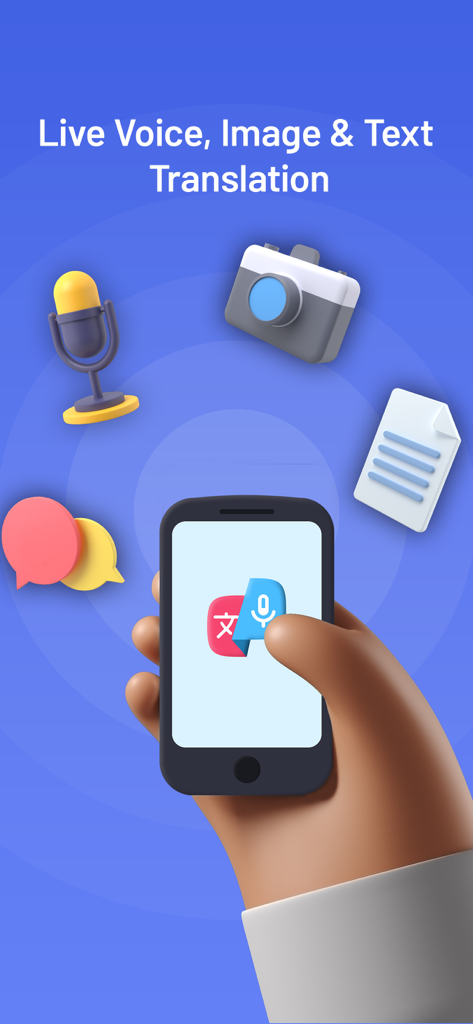
A hand holding a smartphone illustrating live voice image and text translation features of Translator X
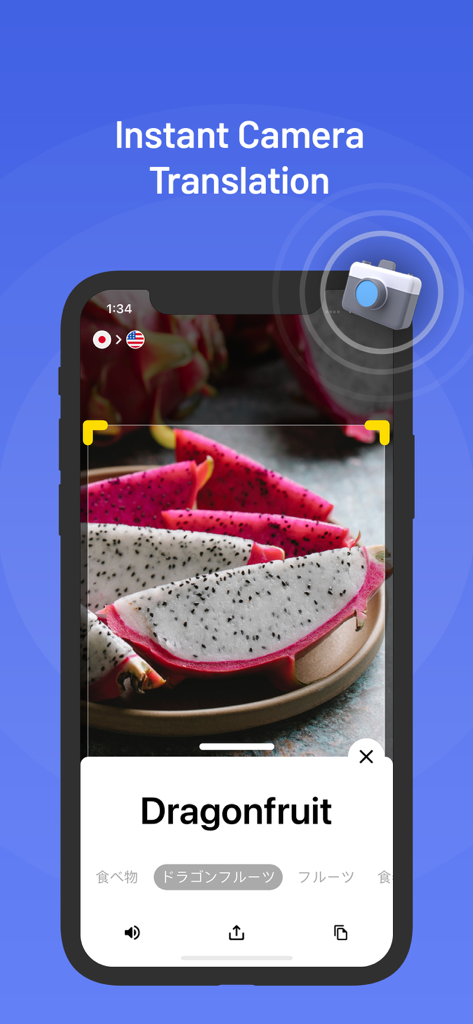
Instant camera translation identifying dragon fruit on a mobile screen
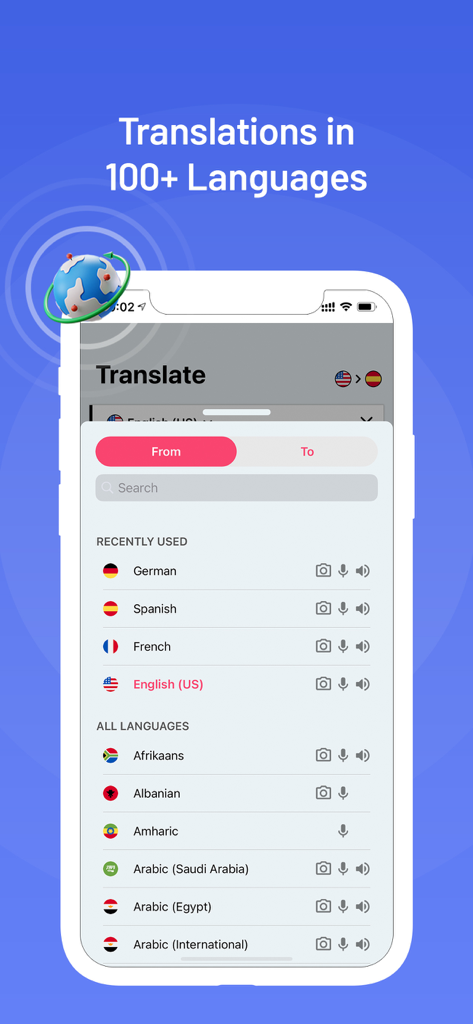
Translator X app interface showing the language selection menu with over 100 options
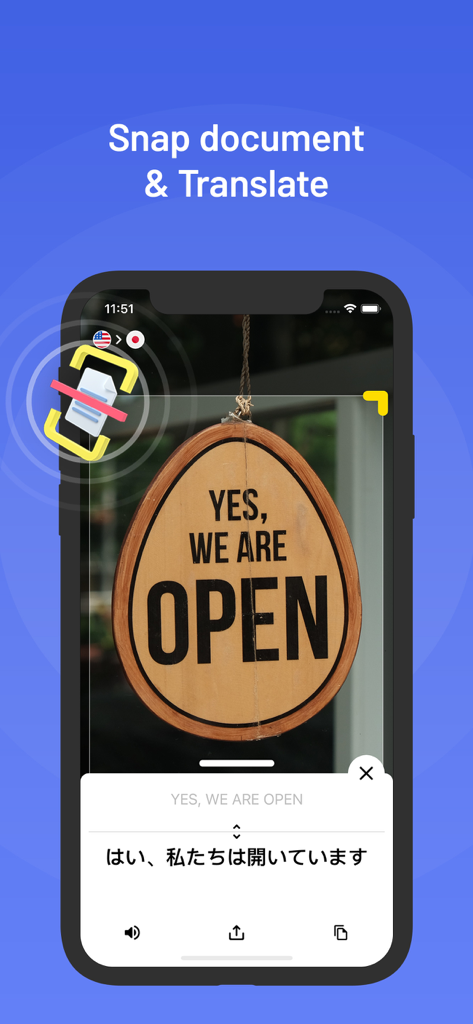
Translator X app using camera to translate an English open sign to Japanese on iPhone
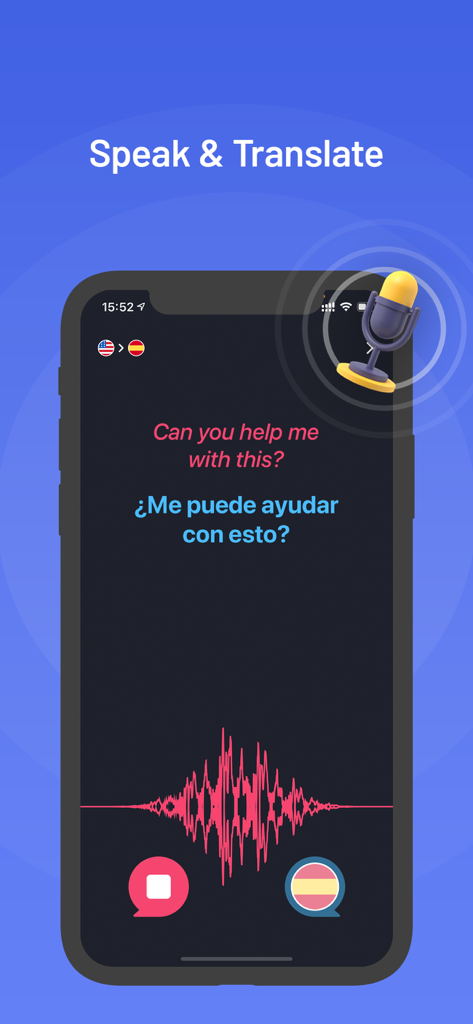
Translator X app interface showing the speak and translate feature with English to Spanish voice translation
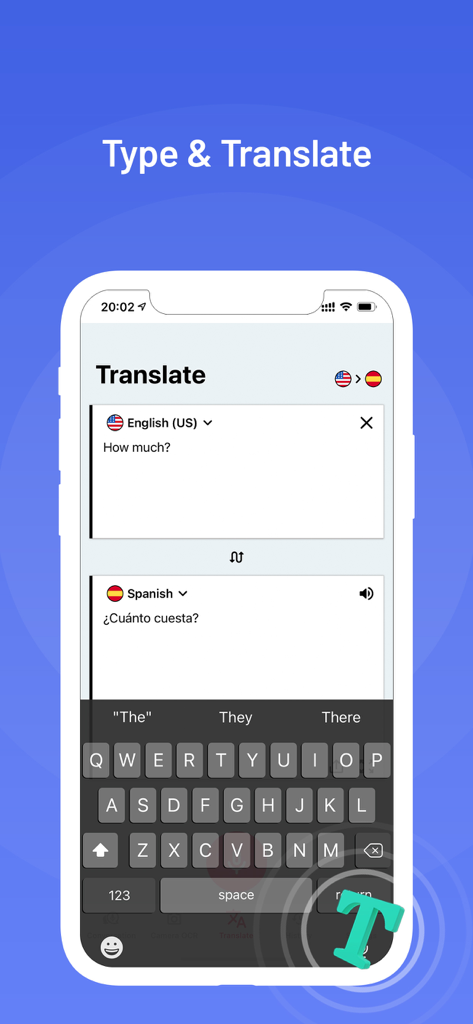
Translator X app screen showing text translation from English to Spanish for the phrase How much
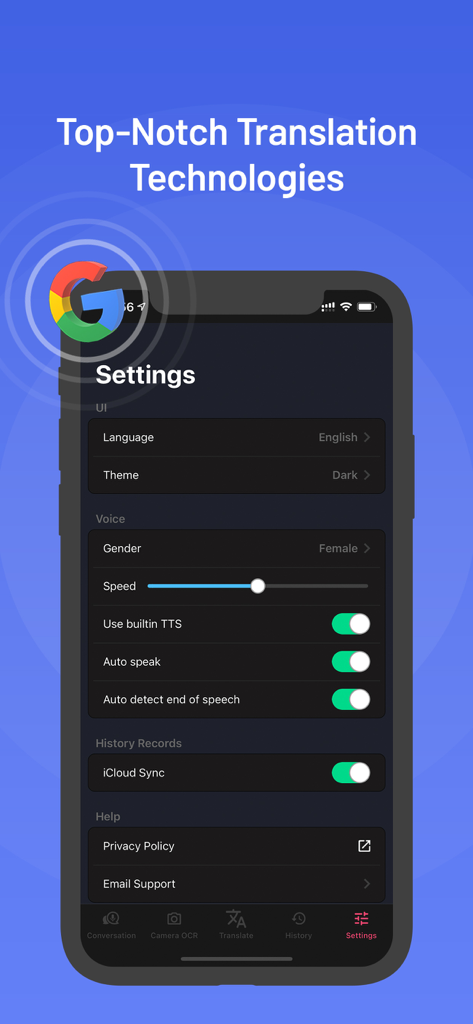
Settings screen of the Translator X app on iPhone showing voice customization and iCloud sync options
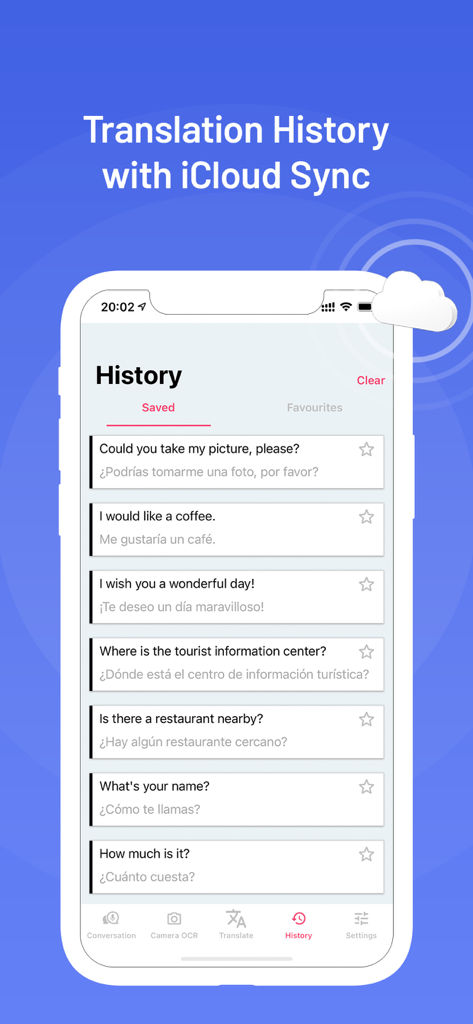
Translator X app history screen showing saved phrase translations and iCloud synchronization
Communicate Without Boundaries
The tools that make this app stand out, trusted by 662K+ users.
📸
Instant Visual Discovery
Point your camera at signs, menus, or physical objects to receive instant translations and hear perfect pronunciations on the spot.
🗣️
Seamless Voice Exchange
Engage in natural, real-time dialogue using Apple’s advanced speech recognition technology for fluid two-way conversations anywhere.
✈️
Global Offline Freedom
Avoid expensive roaming charges with built-in offline voices and keep your translation history synced across all your devices via iCloud.
About the app
Everything you need to know about Translator X: Text Voice Photo.
Description
"Translator X" will help you communicate freely and effectively at any time wherever you go.
Our app is a must-have tool for tourists or business travelers, and thus wish to communicate in local languages at the airport, the hotel, or famous places. All you need is to type, say or snap a photo of any phrase in your mother tongue, and the app will automatically recognize, interpret, and pronounce the translation out loud, on the fly! Our app can also turn into a language supporting tool for those who want to learn new phrases and listen to the accurate pronunciation.
We show you how to get the most out of all the features and the top-notch technology used in Translator X.
How the CAMERA OBJECT mode works:
- Take a photo of an object via camera
- See the name of the object automatically recognized in the captured image
- Get the translation into your target language
- Listen to the pronunciation
How the CAMERA IMAGE mode works:
- Take a photo of printed text via camera
- See the printed text automatically recognized in the captured image
- Get the translation into your target language
- Listen to the pronunciation
How the VOICE mode works:
- Speak a phrase in your language via a microphone
- See the text automatically recognized
- Get the translation into your target language
- Listen to the pronunciation
How the TEXT mode works:
- Type a text in your language via keyboard
- Get the translation into your target language
- Listen to the pronunciation
FEATURES:
- Apple Speech Recognition Technology allows converting Speech-to-Text in real-time, ensures maximum translation speed
- 115 languages for Text-to-Text translations
- 39 languages for Speech-to-Speech translations
- 74 languages for Speech-to-Text translations
- Built-in offline voices without Internet connection needs: help reduce traffic usage and faster translation
- Smart & intuitive History log tapes to save conversations & translations. It can also be used as a phrasebook to store your favorite phrases & conversations
- iCloud support to sync all history log tapes across all your Apple devices
- Log tapes can be editable
- Copy to clipboard, Paste & Share log tapes
- Export all History log tapes via Email, SMS, Notes, etc
- Configurable settings: male or female voice, voice speed, auto-detect end of the speech, auto speak out loud after translation
NOTES:
* Translation, Speech Recognition and Text-to-Speech services provided by Google Translate™
* Voice to Voice translations support:
Arabic, Basque, Catalan, Chinese (Cantonese, Mandarin, Taiwan), Czech, Danish, Dutch (The Netherlands), English (Australian, Canada, India, UK, US), Finnish, French, French (Canada), Galician, German, Greek, Hebrew, Hindi, Hungarian, Indonesian, Italian, Japanese, Korean, Moldavian, Norwegian, Polish, Portuguese, Portuguese (Brazil), Romanian, Russian, Slovak, Spanish, Spanish (Mexican), Swedish, Thai, Turkish.
* Voice to Text translations support:
Afrikaans, Bulgarian, Croatian, Filipino, Icelandic, Latin, Lithuanian, Malay, Persian, Serbian, Slovenian, Ukrainian, Vietnamese, Zulu.
SUBSCRIPTION:
* Subscription payments will be charged to your iTunes account at confirmation of your purchase and upon commencement of each renewal term. Subscriptions with a free trial period will automatically renew to a paid subscription. You can cancel your subscription or free trial in the iTunes settings at least 24-hours before the end of the free trial period. The cancellation will take effect the day after the last day of the current subscription period, and thus you will be downgraded to the free service.
* Please note: any unused portion of a free trial period (if offered) will be forfeited when you purchase a premium subscription during the free trial period.
* Privacy Policy: http://www.skypaw.com/translatorx/privacy_policy.html
* EULA: http://www.skypaw.com/translatorx/terms.html
Latest Version
4.5.0
Size
35.7 MB
First Released
Jun 7, 2018
Ready for Your Next Great Adventure?
Empower your travels with the ultimate companion for voice, text, and photo translation. Join 662K+ users and communicate with confidence anywhere in the world.
App information, icons, screenshots, and descriptions displayed on this page are sourced from the Apple App Store and are the property of their respective developers. Download estimates and rankings are based on MWM's proprietary models and may not reflect actual figures. This page is provided for informational and analytical purposes only.
Believe this page infringes your intellectual property? File a dispute