
Tread®



Track up to 20 friends in real-time, plan adventurous vehicle-specific routes, and seamlessly sync waypoints across your Garmin devices for the ultimate off-road experience.
Publisher
Category
NavigationDownloads
278K+User Rating
Total Ratings
300Locales
40Discover the interface used by 278K+ users.
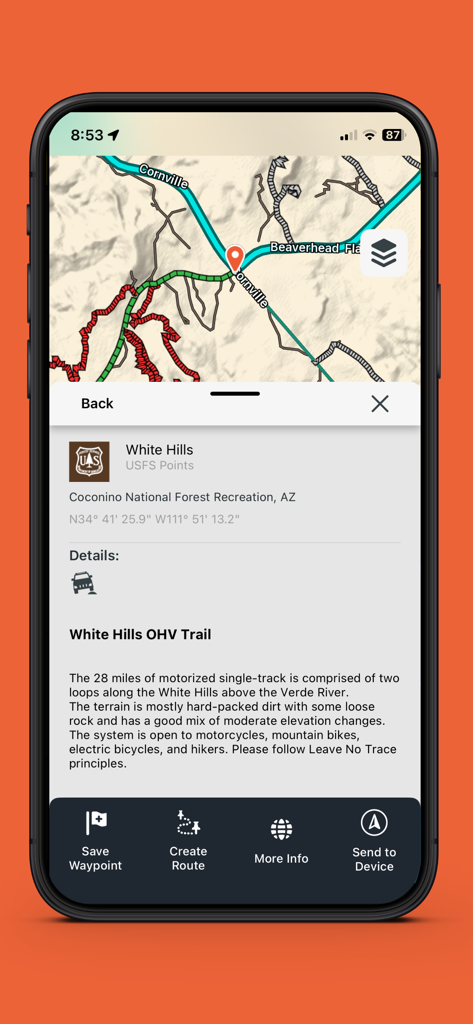
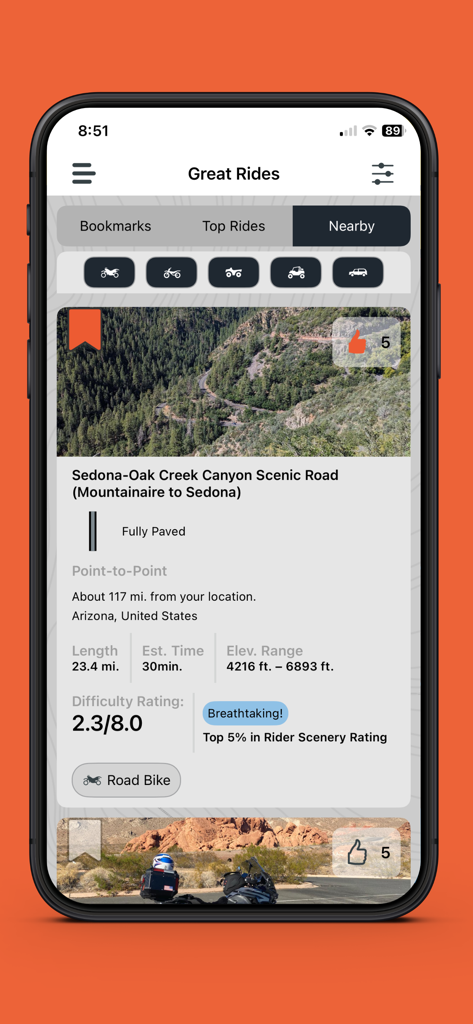
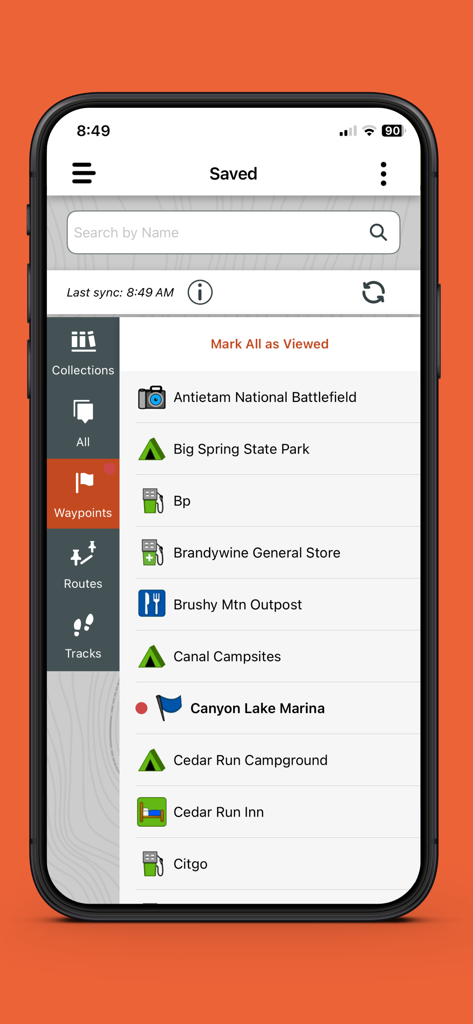
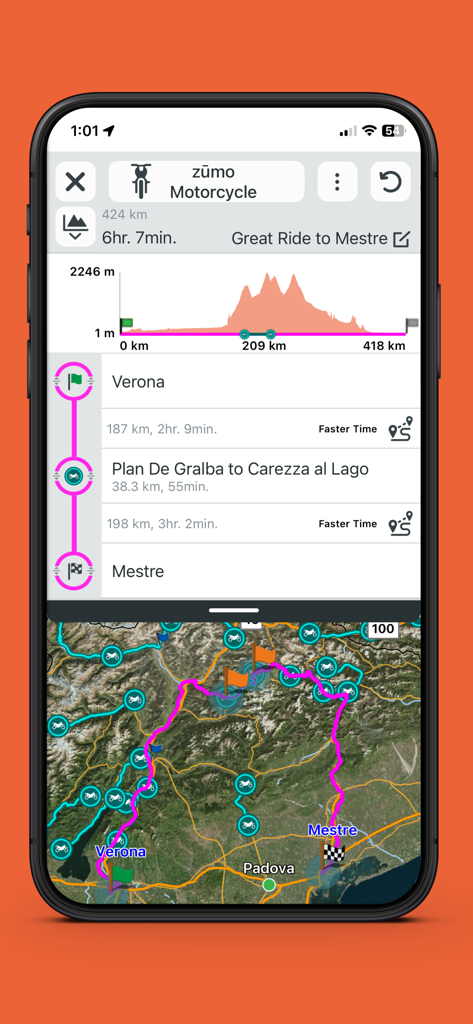
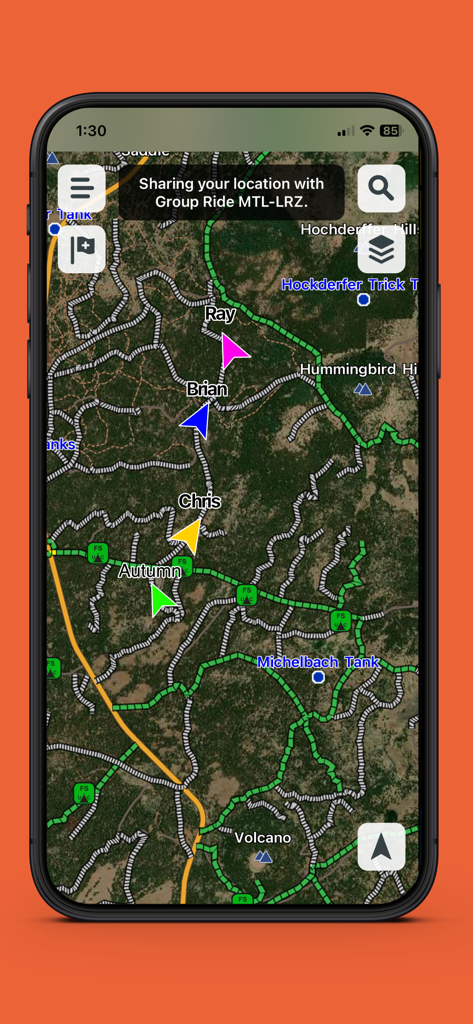
The tools that make this app stand out, trusted by 278K+ users.
Track up to 20 friends in real-time on your smartphone map using Group Ride Mobile, ensuring your crew stays together even in the most rugged terrain.
Plan adventurous trails on your phone using custom vehicle profiles and wirelessly sync waypoints, tracks, and GPX files directly to your Tread navigator.
Stay ahead of the elements with live weather updates and keep your phone safely stowed while receiving smart notifications directly on your rugged device display.
Everything you need to know about Tread®.
Description
Latest Version
2.12.50
Size
332.5 MB
First Released
Mar 10, 2021
Download the Tread® app today to sync your adventures, track your crew in real-time, and navigate the backcountry with ultimate Garmin precision.
Everything you need to know about Tread®
The Tread® app tracks up to 20 friends on a smartphone map and Tread® powersport navigator. It utilizes the Group Ride Mobile feature for real-time location sharing among users.
Yes, the Tread® app wirelessly syncs waypoints, tracks, routes, and collections. This synchronization occurs across your compatible smartphone and Tread® powersport navigator devices.
Yes, the Tread® app supports both importing and exporting GPX files. This allows users to try new routes or revisit their favorite saved rides.
The Tread® app allows planning faster time or adventurous routes. It uses the same maps, vehicle profiles, and route preferences available on your Tread® device.
Yes, the Tread® app provides access to live weather updates. These updates are viewable directly on your Tread® navigator’s display when connected.
Yes, the Tread® app displays detailed trail information. This includes trail descriptions, length, terrain, and suitable vehicle types like motorcycles or mountain bikes.
The Tread® app delivers important messages and alerts via smart notifications. These appear on your Tread® device display when paired with the app, allowing safe phone stowing.
The Tread® app suggests various routes, including 'Top Rides' and 'Nearby' options. It provides details such as length, estimated time, elevation range, and difficulty ratings.
Yes, the Tread® app allows users to save locations as waypoints, routes, tracks, and collections. These saved items are accessible in the dedicated 'Saved' section.
Yes, the Tread® app integrates vehicle profiles into route planning. It calculates routes based on your vehicle's specifications and preferences.
Apps with similar features and user experience

Detecht Technologies AB

Rever, LLC

Mapgears Inc.
Applified Life Ltd.

TRAILS OFFROAD LLC
Overland Bound Inc

Stegraio AB

Mapgears Inc.

Lost Riders, LLC
App information, icons, screenshots, and descriptions displayed on this page are sourced from the Apple App Store and are the property of their respective developers. Download estimates and rankings are based on MWM's proprietary models and may not reflect actual figures. This page is provided for informational and analytical purposes only.
Believe this page infringes your intellectual property? File a dispute
