TV Towers USA

TV Towers USA

Download on App Store
Logo of TV Towers USA

TV Towers USA: Precision Antenna Alignment for Crystal Clear TV

The trusted tool for RVers and cord-cutters to locate over 3,000 broadcast stations. Access FCC signal maps and use the integrated compass to point your antenna with expert precision, all while keeping your data private.

Download on App Store

Publisher

Generally Helpful Software

Category

Travel

Downloads

17K+

User Rating

4.6/5

Total Ratings

800

Locales

1

Clear Reception Starts Here

Discover the interface used by 17K+ users.
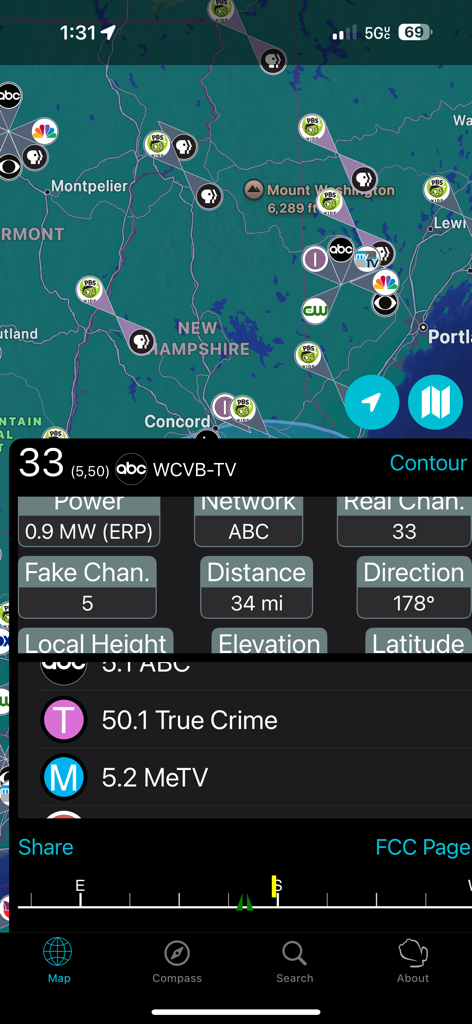
TV Towers USA app map displaying broadcast tower locations and technical signal details for antenna alignment

TV Towers USA app map displaying broadcast tower locations and technical signal details for antenna alignment

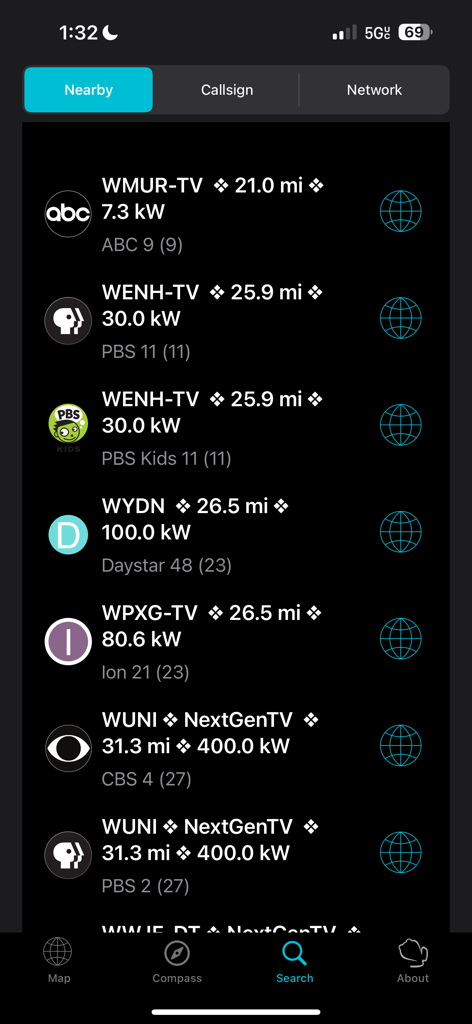
A list of nearby TV stations in the TV Towers USA app showing call signs, distance, and signal power.

A list of nearby TV stations in the TV Towers USA app showing call signs, distance, and signal power.

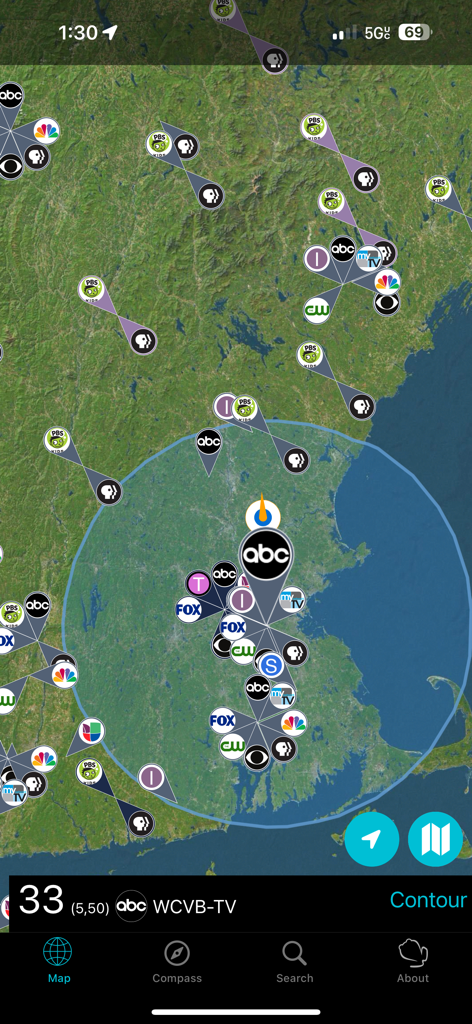
Satellite map showing TV tower locations and signal coverage area

Satellite map showing TV tower locations and signal coverage area

Precision Tools for the Ultimate Cord-Cutter

The tools that make this app stand out, trusted by 17K+ users.

🧭

Precision Compass Alignment

Eliminate the guesswork. Use the specialized compass view to point your antenna with total accuracy for perfect line-of-sight reception.

📡

FCC Signal Contour Maps

Visualize your signal strength with technical blue overlay plots, helping you determine exactly where a tower's broadcast is strongest at your location.

🛡️

Privacy-First & Offline Ready

No data tracking or 'phoning home.' Store tower data locally to find stations even in remote campsites where cellular service is unavailable.

About the app

Everything you need to know about TV Towers USA.

Description

TV Towers USA is a map of digital TV broadcasting towers in the United States and its territories plus a select number of Canadian stations. The database includes over 2000 stations and over 1000 repeaters. My users include avid RVers who roam from region to region and need to locate available TV networks, and homeowners setting up a new antenna system. Apple Watch (Series 5) users can make use of their compass with the optional in-app purchase of an embedded watch app. There is an alternate compass tab which shows the direction of stations within a 45 mile radius—given enough screen space—just look over your phone to see which way to point your antenna. Pinch to zoom into your locality, or hit the circular location button to concentrate on local stations. If more than 80 stations are in the area being viewed, a random assortment of 80 stations will be displayed. There is no "phoning home" with data, personal or not. If a data connection is available, the FCC servers will be asked for contour plot data when a tower is selected. This will show up as a blue overlay showing the calculated area over which the signal will drop off by at most 35 dBu. Basically, this is the area where an antenna not too near the ground has a chance to receive the signal; your luck will vary. Once downloaded, the data is stored for the next time you select the tower. Errors and omissions are to be expected especially for stations with low power licenses. Please e-mail the support address if you find a glaring omission or error; I'll need a call sign and a TV network.

Latest Version

1.15

Size

14.6 MB

First Released

Oct 20, 2010

Start Getting Perfect Reception Today

Join over 17,000 RVers and homeowners using the most trusted tool for crystal-clear local TV. No tracking, no subscriptions—just precise directions to every tower in the USA.

Download on App Store

App information, icons, screenshots, and descriptions displayed on this page are sourced from the Apple App Store and are the property of their respective developers. Download estimates and rankings are based on MWM's proprietary models and may not reflect actual figures. This page is provided for informational and analytical purposes only.

Believe this page infringes your intellectual property? File a dispute