UpCall

UpCall

Download on App Store
Logo of UpCall

UpCall: Smart Caller ID & Spam Shield

Take total control of your phone. Identify unknown numbers instantly, block robocalls, and see why someone is calling before you even pick up.

Publisher

Turkcell Teknoloji

Category

Utilities

Downloads

3M+

User Rating

4.2/5

Total Ratings

25K+

Locales

2

Experience Smarter Calling

Discover the interface used by 3M+ users.
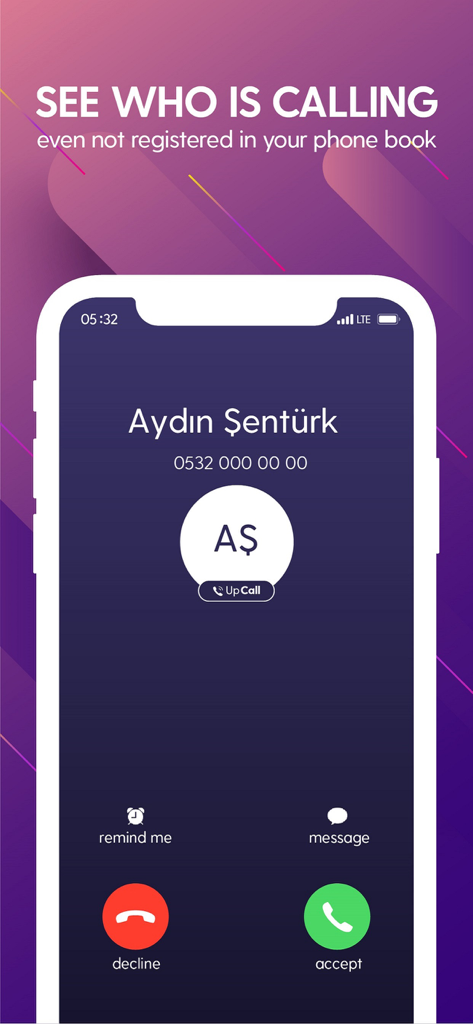
UpCall app interface showing the name and number of an unknown caller on an incoming call screen

UpCall app interface showing the name and number of an unknown caller on an incoming call screen

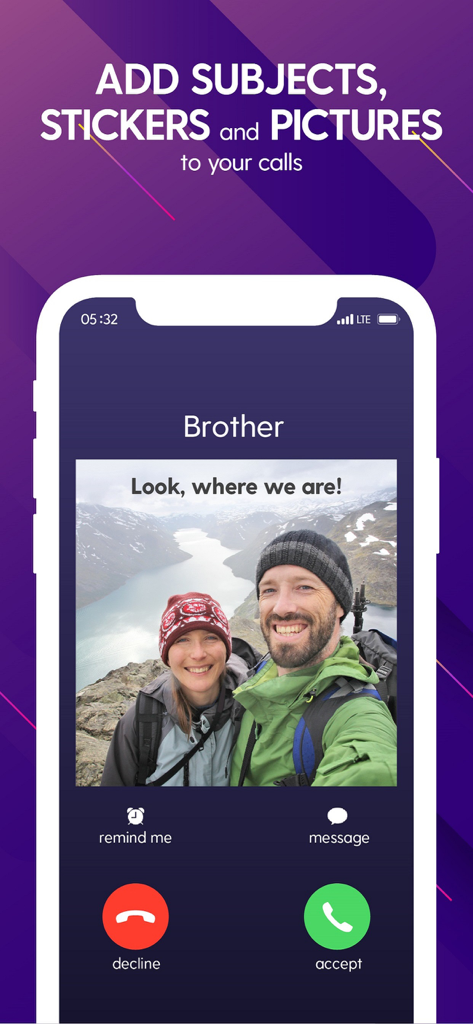
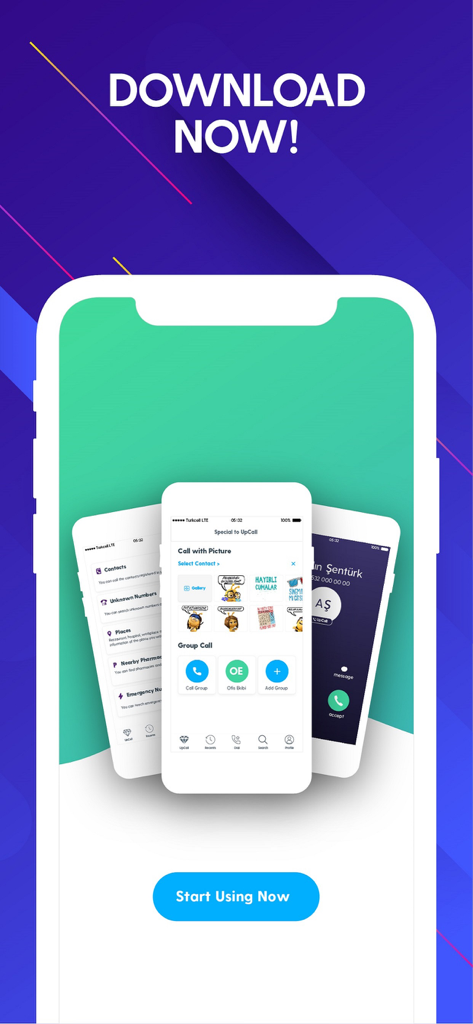
Incoming call interface on UpCall app featuring a personalized picture and note

Incoming call interface on UpCall app featuring a personalized picture and note

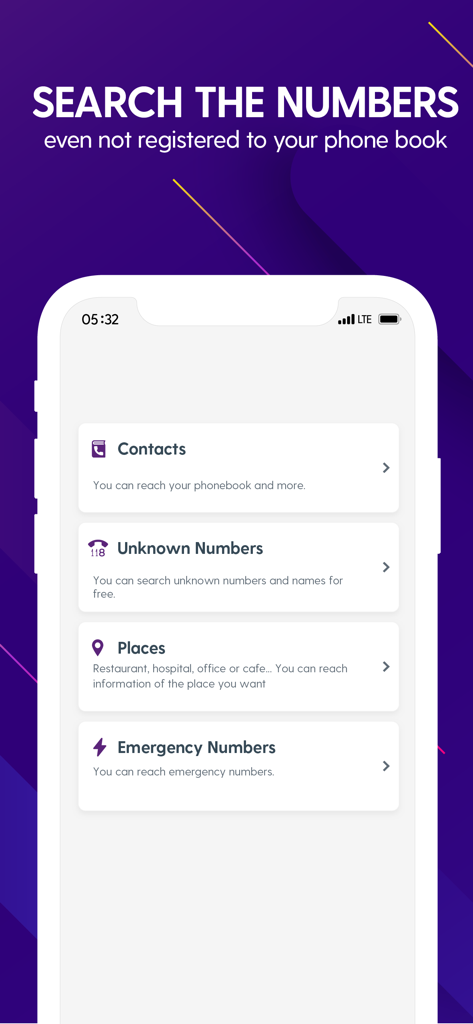
UpCall mobile app interface showing search options for contacts unknown numbers and places

UpCall mobile app interface showing search options for contacts unknown numbers and places

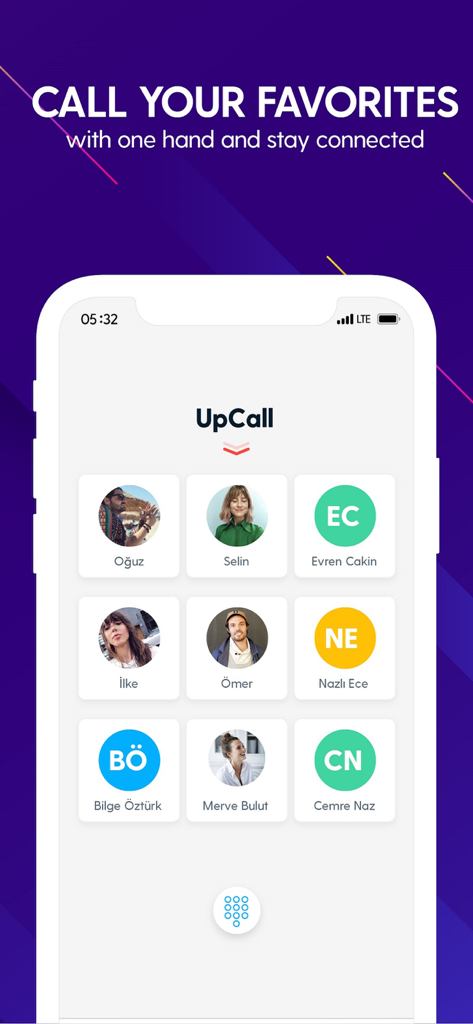
UpCall app interface displaying a grid of favorite contacts for quick calling.

UpCall app interface displaying a grid of favorite contacts for quick calling.

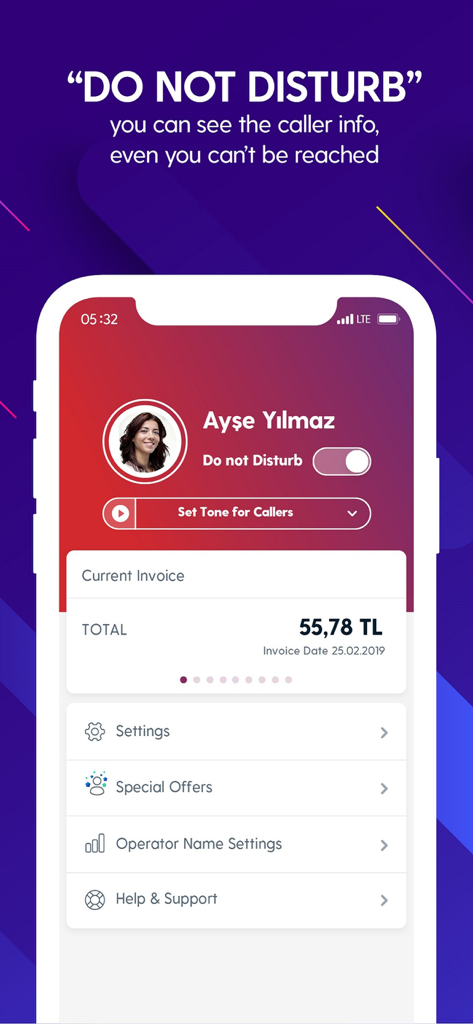
UpCall app screen showing the Do Not Disturb feature and user profile settings.

UpCall app screen showing the Do Not Disturb feature and user profile settings.

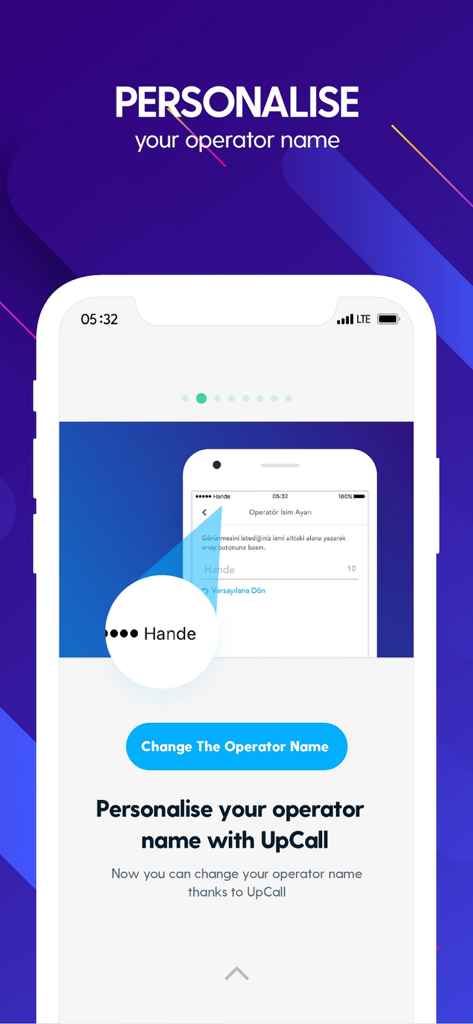
Smartphone screen displaying UpCall feature to customize and personalize the mobile operator name.

Smartphone screen displaying UpCall feature to customize and personalize the mobile operator name.

Promotion for the UpCall app highlighting its caller identification and call personalization features

Promotion for the UpCall app highlighting its caller identification and call personalization features

Master Your Mobile Communication

The tools that make this app stand out, trusted by 3M+ users.

🛡️

Smart Caller ID & Spam Shield

Instantly identify unknown numbers and block bothersome robocalls. Know exactly who is calling before you even touch your phone.

💬

Contextual Calling

Add a note, photo, or sticker to your outgoing call. Let your contacts know why you’re reaching out so they never miss an important conversation.

Unified Call Management

Access your entire call history on one screen and use the 'Do Not Disturb' mode to stay productive without being unreachable.

About the app

Everything you need to know about UpCall.

Description

Dou you want to know who’s calling, even the number isn’t saved in your contacts? Free UpCall application is the practical and safe solution to identify unknown numbers. When you receive a call from a Turkcell unknown number, you can find out who the caller is while your phone is ringing, you can query a Turkcell unknown number via the advanced search tool and reach the person you want to call easily. In the UpCall application, in addition to unknown numbers, there are many different features; with the do not disturb feature, you can use your phone as if it is turned off when it is on, you can personalize the operator name with the operator name setting, you can choose a tone for the callers, you can add photos, stickers and notes to your calls. DOU YOU WANT TO KNOW WHO IS CALLING? When you get a call from a Turkcell number that is not saved in your contacts, you can see who is calling while your phone is ringing. The caller IDs appears on the screen if the callers have given permission to share their names. YOU CAN ALSO CALL THE NUMBERS YOU DON'T KNOW Now, your directory is not just made up of saved numbers, you can also find and call numbers you don't know. Thanks to UpCall, you can query a Turkcell number from a name and a name from a number. In addition, you can search for a place number by simply typing its name, view its location on the map, and draw a route. LET THE OTHERS KNOW WHY YOU’RE CALLING! By adding a photo, sticker and note to your call, you can tell the other party why you are calling while the phone is still ringing. In order to benefit from this feature, the application must be installed on the called one’s phone too. BE AWARE OF SPAM CALLS With UpCall, you can be informed of SPAM calls thanks to the warning on your screen. BE UNREACHABLE WITH DO NOT DISTURB If you want to be unreachable but at the same time keep your phone on, UpCall is the solution for you! The callers will hear the announcement that "the person you are calling cannot be reached". But you can keep on using your phone and making calls. CUSTOMIZE OPERATOR NAME With UpCall, you can change the operator name on the screen of your mobile phone. CHOOSE YOUR TONE FOR THE CALLERS You can choose a tone for the callers that they can listen to while your phone is ringing. Thus, you can inform why you can’t pick up the phone. ALL YOUR CALLS NOW ON ONE SCREEN Unlike your phone's call screen, you can see all your calls on a single screen. For example, you can learn from your call records, who called you when your mobile is turned off or busy or when the called ones are reachable. You can receive service notifications for call services (KimAramış, CepAçık, ŞimdiAra, KimArıyor…etc) within the application instead of SMS. You must have a subscription to search services for this feature. * This application can be used by all operator subscribers in Turkey. Some features are only available to Turkcell subscribers due to network restrictions. For details and Frequently Asked Questions, you can visit https://www.turkcell.com.tr/servisler/upcall#sss SUGGESTION: You can send all your suggestions about the application from the "SUGGESTION" section under the "HELP & SUGGESTION" menu in the application.

Latest Version

5.38.1

Size

41.3 MB

First Released

Oct 12, 2016

Take Control of Every Call Today

Join over 3 million users who have ended the guessing game. Download UpCall to identify unknown callers, block spam, and personalize your mobile experience in seconds.

Download on App Store
FAQ

Frequently Asked Questions

Everything you need to know about UpCall

What is the main function of the UpCall app?

The UpCall application identifies unknown numbers, specifically Turkcell numbers, even if they are not in your contacts. It also enables advanced number search, call personalization, and a "do not disturb" feature.

Does the UpCall app identify all unknown callers?

Yes, UpCall identifies unknown Turkcell numbers. The caller's name appears on your screen while ringing, provided they have given permission to share their name with the service.

Can users add custom content to calls with UpCall?

Yes, UpCall allows users to add photos, stickers, and notes to their calls. This content informs the recipient why you are calling, visible if the UpCall app is installed on their phone too.

How does the "Do Not Disturb" feature work in the UpCall application?

UpCall's "Do Not Disturb" feature makes you unreachable while your phone remains on. Callers hear an announcement that you cannot be reached, but you can continue using your phone for other activities.

Is it possible to customize the operator name using UpCall?

Yes, UpCall enables users to personalize the operator name displayed on their mobile phone screen. This feature allows for a customized visual experience within the application.

Which operators support the UpCall application?

The UpCall application is usable by all operator subscribers in Turkey. However, certain advanced features are exclusively available to Turkcell subscribers due to specific network requirements and integrations.

Does UpCall provide warnings for spam calls?

Yes, UpCall identifies and informs users about spam calls. The app displays a warning on your screen when a potential spam number calls, helping you to decide whether to answer.

Can I search for unknown numbers and names using UpCall's search tool?

Yes, UpCall provides an advanced search tool. You can query a Turkcell number from a name, a name from a number, and search for place numbers to view their locations and routes.

Does UpCall display calls that occurred when my phone was off or busy?

Yes, UpCall consolidates all your calls on a single screen, unlike your phone's default call screen. This includes records of who called you when your mobile was off, busy, or unreachable.

Can I view my current invoice within the UpCall app?

Yes, the UpCall app displays your current invoice details, including the total amount and invoice date. This information is accessible from your profile or settings area within the application.

App information, icons, screenshots, and descriptions displayed on this page are sourced from the Apple App Store and are the property of their respective developers. Download estimates and rankings are based on MWM's proprietary models and may not reflect actual figures. This page is provided for informational and analytical purposes only.

Believe this page infringes your intellectual property? File a dispute