
uTest


Join the premier community of QA professionals to earn extra income, sharpen your technical skills, and influence the digital products of the world’s leading brands—all from your mobile device.
Publisher
Category
BusinessDownloads
52K+User Rating
Total Ratings
0Locales
1Discover the interface used by 52K+ users.
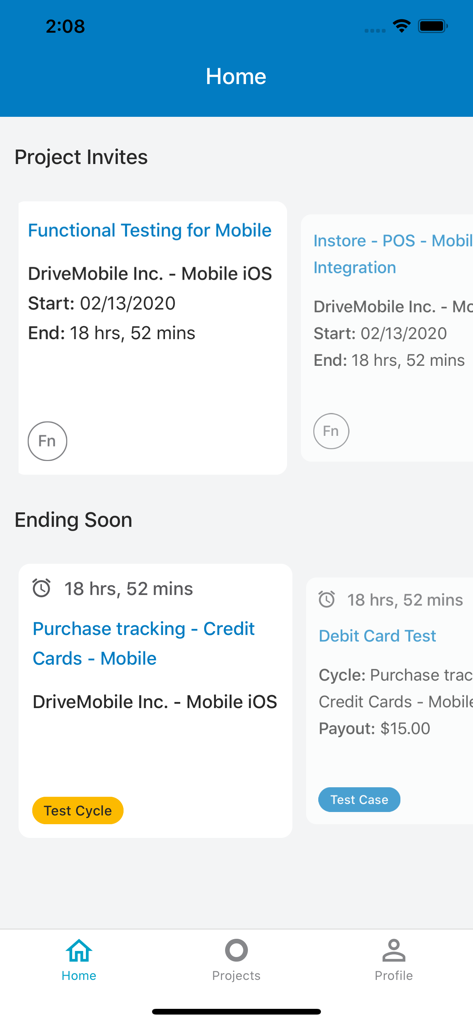
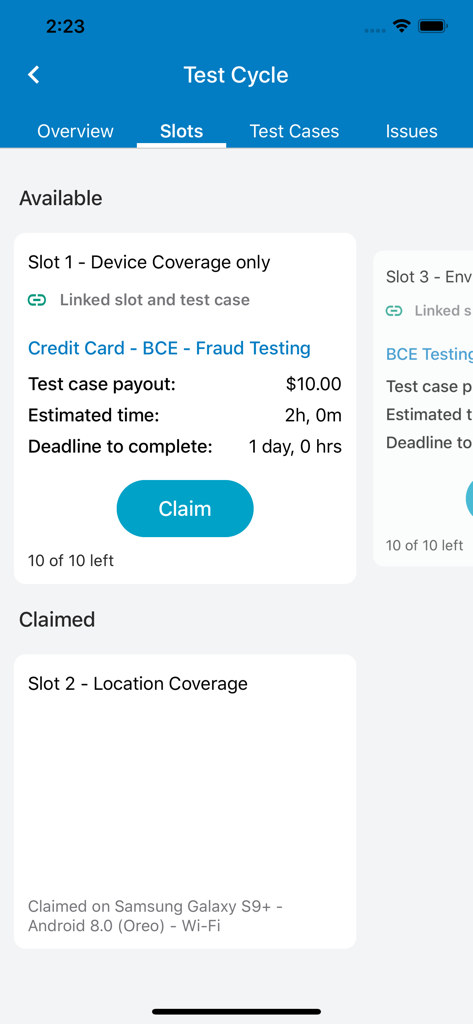
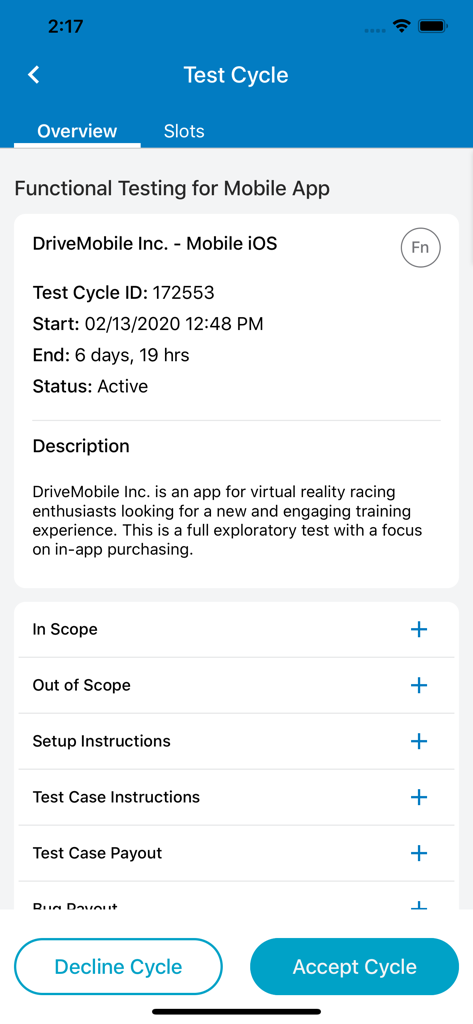
The tools that make this app stand out, trusted by 52K+ users.
Earn extra income by discovering bugs and providing critical feedback on the latest digital products before they hit the market.
Access the uTest Academy to master software testing and gain hands-on experience that makes your resume stand out to tech recruiters.
Stay ahead of the competition by claiming new testing cycles, communicating with managers, and submitting reports right from your phone.
Everything you need to know about uTest.
Description
Latest Version
3.1.5
Size
36.6 MB
First Released
Feb 29, 2020
Join the leading global community of freelance testers. Download uTest to start earning, developing new skills, and impacting your favorite brands today.
Everything you need to know about uTest
uTest is a leading platform connecting global freelancing software testers with brands to improve digital products. It allows testers to develop skills and earn money by performing real-world testing.
Yes, the uTest mobile app is designed for convenience, allowing users to perform software testing on-the-go. It serves as a tool for global freelancing software testers.
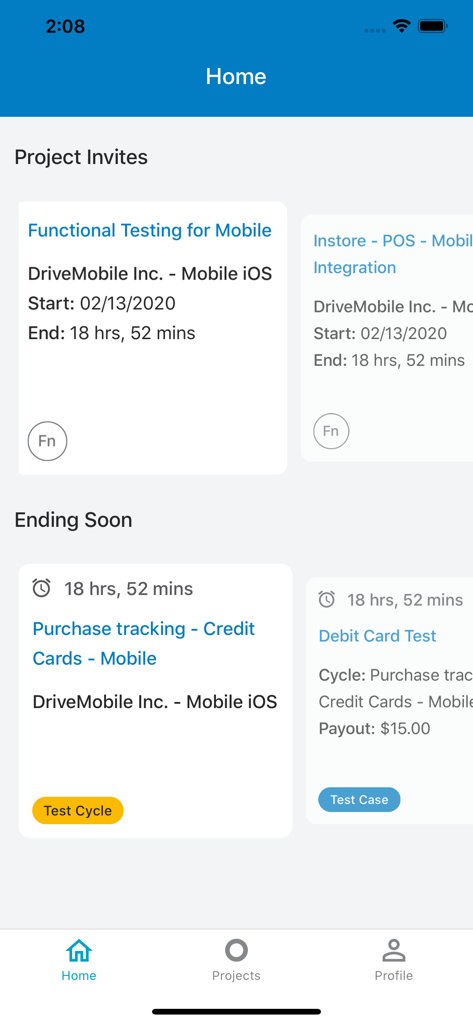
Yes, the uTest app displays available testing projects on its home screen under "Project Invites" and "Ending Soon." Each project listing shows its start and end dates.
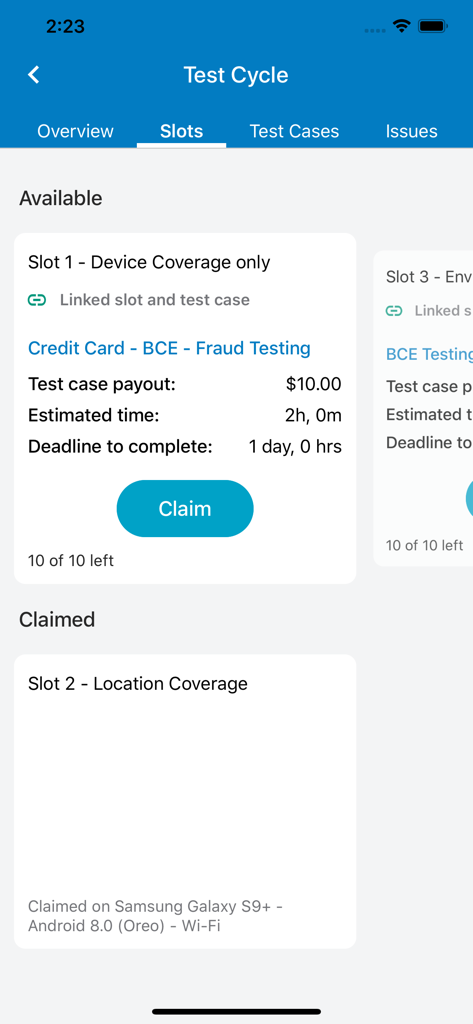
Yes, the uTest app provides payout information. Users can see general project payouts on the home screen and detailed test case payouts on the 'Slots' tab within a test cycle.
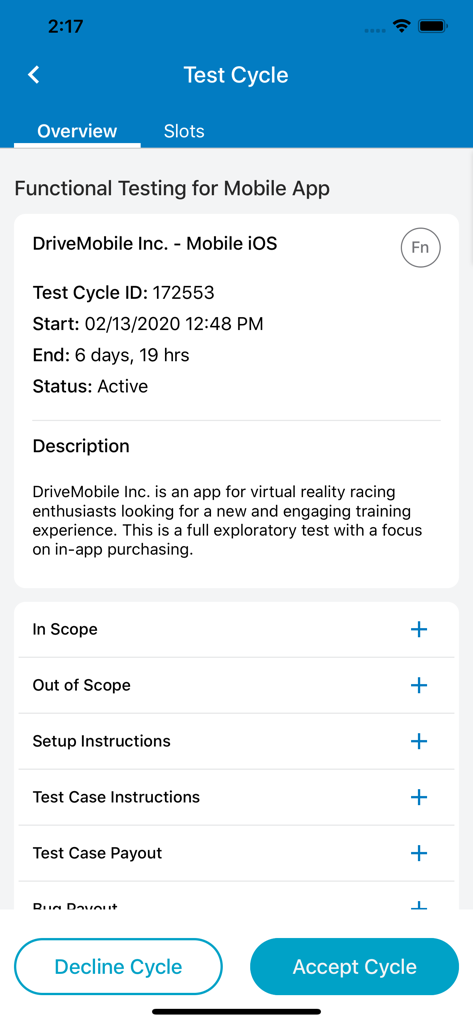
Yes, you can accept a uTest test cycle through the app. Navigate to the specific test cycle's 'Overview' screen, where an 'Accept Cycle' button is available at the bottom.
Yes, the uTest app allows users to claim specific test slots within a project. On the 'Slots' tab, each available slot details tasks, estimated time, and a 'Claim' button.
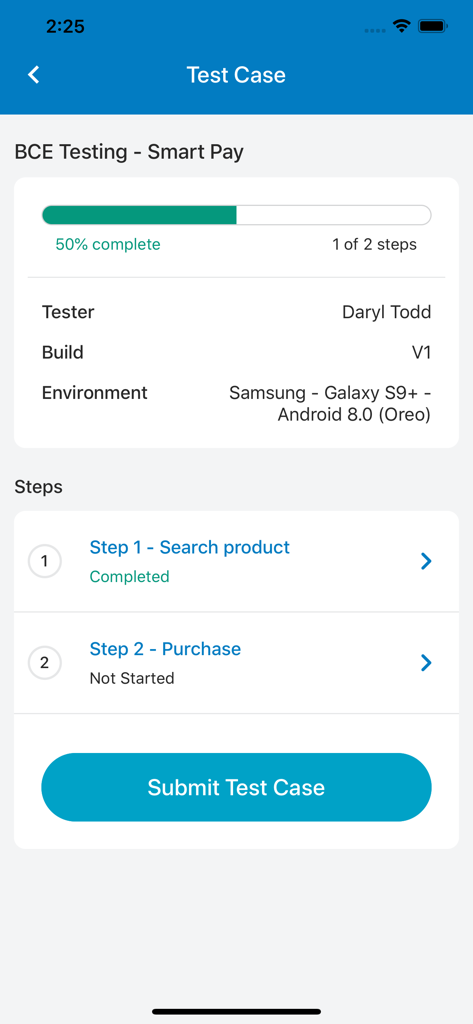
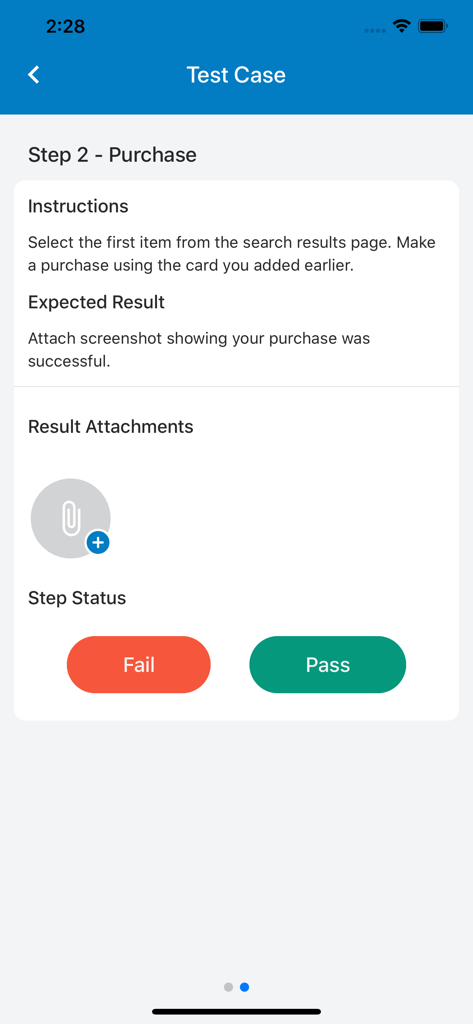
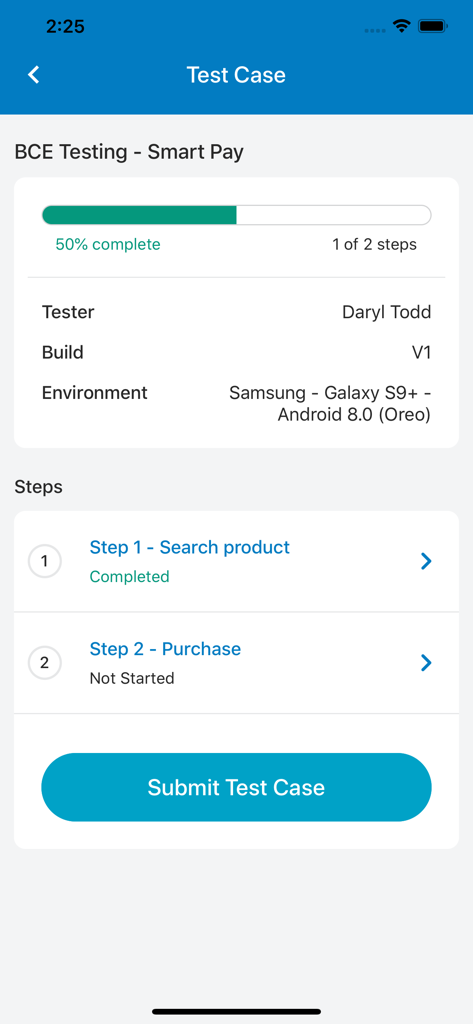
To submit results for a test step in uTest, access the step details screen. Follow instructions, attach required results like screenshots, and then mark the step as 'Pass' or 'Fail'.
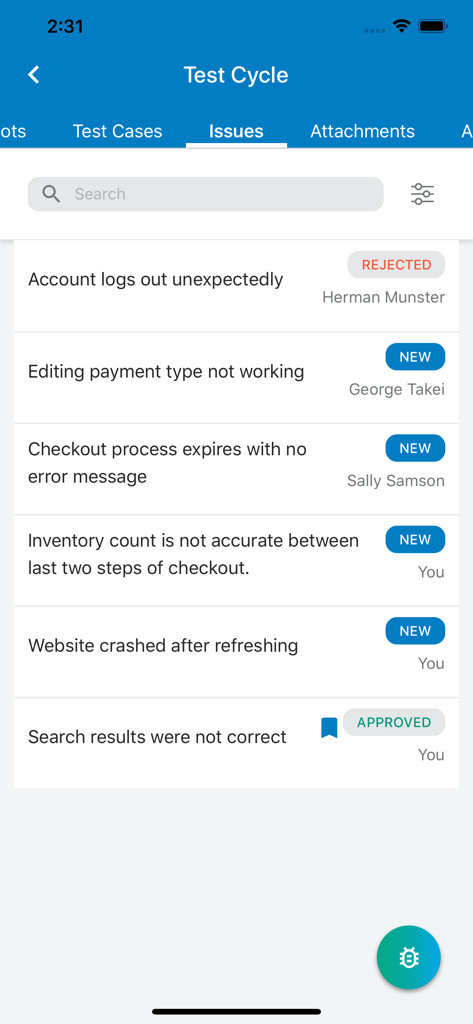
Yes, the uTest app displays reported issues for a test cycle under the 'Issues' tab. It shows issue descriptions and their current statuses, such as 'REJECTED,' 'NEW,' or 'APPROVED'.
Top-ranked apps in the same category

Microsoft Corporation

Zoom Communications, Inc.

WhatsApp Inc.

Indeed Inc.

LinkedIn Corporation

Adobe Inc.

Tencent Technology (Shenzhen) Company Limited

Beijing China Product Bo Farce Network Technology Co., Ltd.

DingTalk Technology Co., Ltd.
App information, icons, screenshots, and descriptions displayed on this page are sourced from the Apple App Store and are the property of their respective developers. Download estimates and rankings are based on MWM's proprietary models and may not reflect actual figures. This page is provided for informational and analytical purposes only.
Believe this page infringes your intellectual property? File a dispute