
Vertex - Revenue Tracker


Stop fighting spreadsheets and get total clarity on your income. Track projects from building to live, set revenue targets, and see your growth in one view—no accounts, no sync, just your data on your device.
Publisher
Category
FinanceDownloads
0User Rating
Total Ratings
0Locales
1Discover the interface used by 0 users.


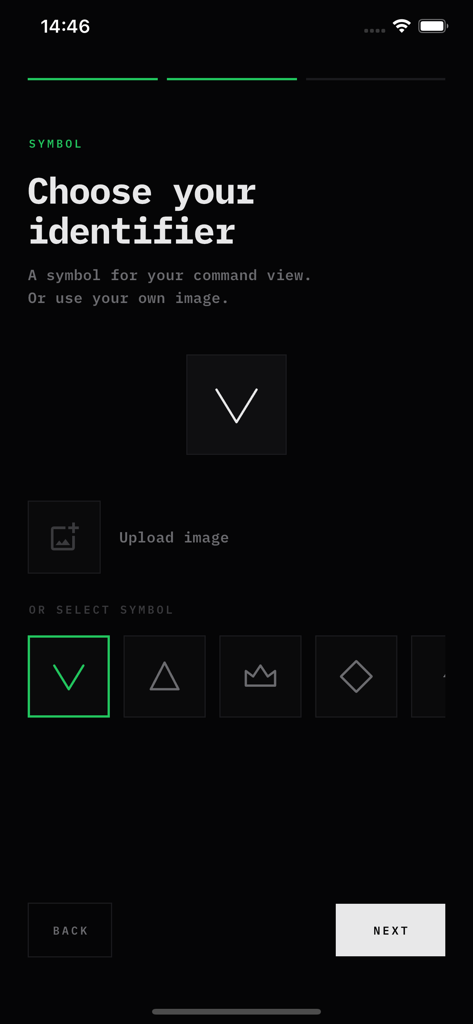
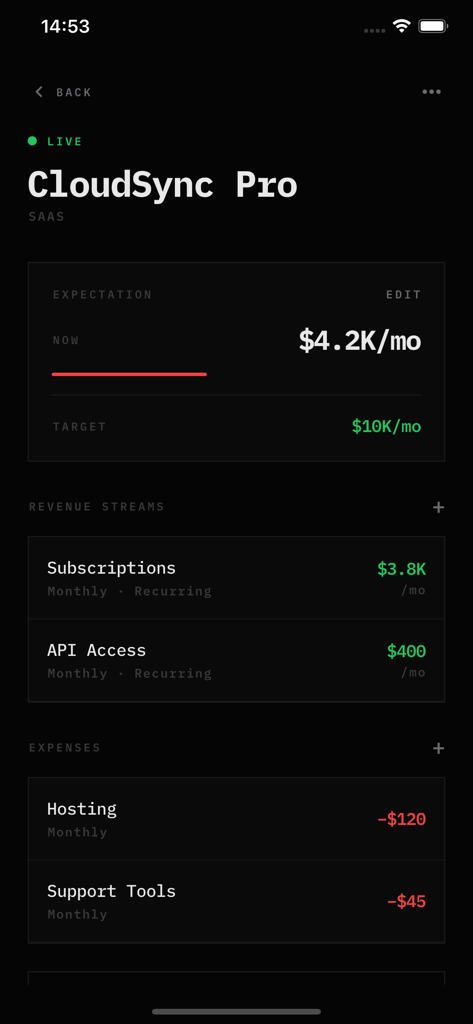
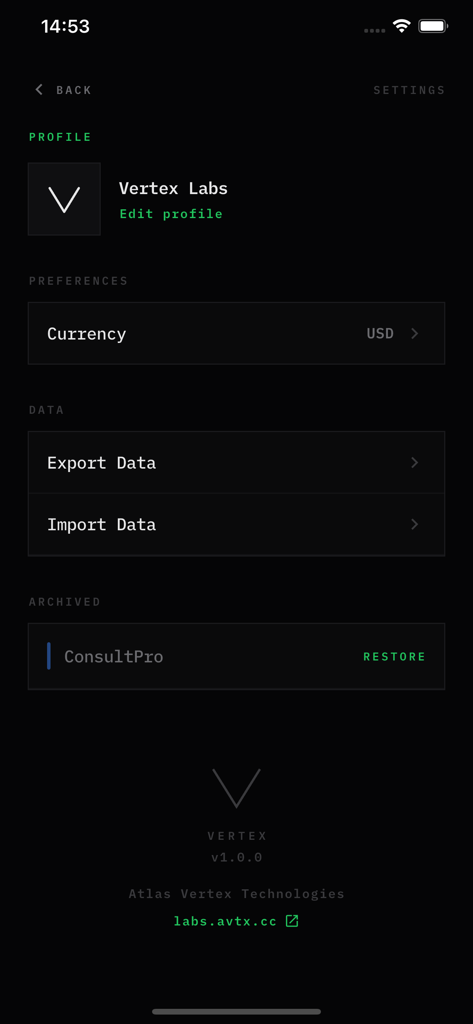
The tools that make this app stand out, trusted by 0 users.
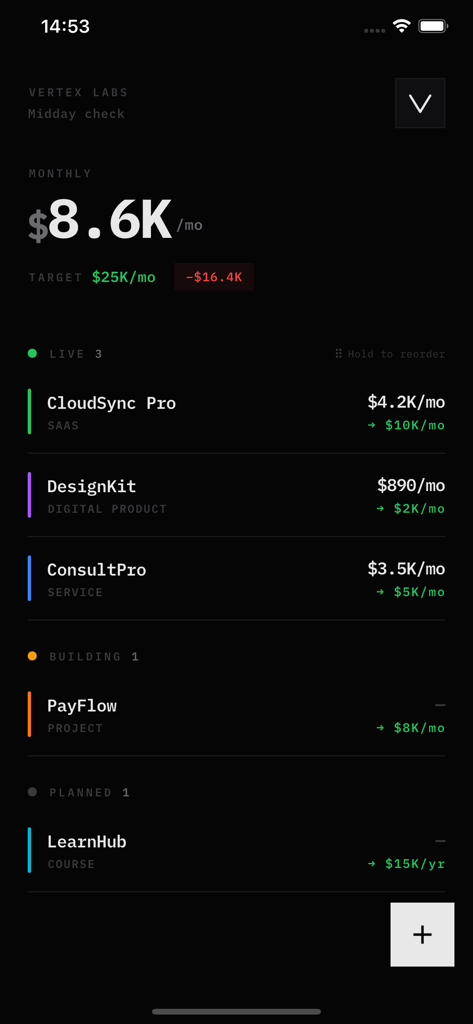
Organize your workflow from concept to launch. See your live revenue and upcoming projects in one unified, visual board.
Set ambitious revenue goals and visualize 'the gap.' Turn your financial tracking into a motivational roadmap for your business.
No accounts or cloud syncing required. Your sensitive business data stays securely on your device, ensuring total privacy and speed.
Everything you need to know about Vertex - Revenue Tracker.
Description
Latest Version
1.0.1
Size
28.9 MB
First Released
Jan 5, 2026
Join the founders and creators moving from 'Building' to 'Live.' Track your revenue privately and hit your targets without the spreadsheet overhead.
Everything you need to know about Vertex - Revenue Tracker
Vertex - Revenue Tracker is an application that provides a unified view of your entire business revenue. It tracks projects, revenue streams, and expenses to help users monitor monthly income and achieve financial targets.
Vertex organizes projects into three distinct stages: Planned, Building, and Live. This system allows users to clearly manage their project pipeline from initial concept through to active revenue generation, with an option to archive completed projects.
Yes, Vertex - Revenue Tracker allows adding multiple revenue streams per project, such as subscriptions or one-time sales. It tracks income daily, weekly, monthly, or yearly, consistently converting all figures into monthly totals.
Yes, Vertex - Revenue Tracker supports expense tracking per project. This feature enables users to accurately monitor all project-related costs, providing an immediate overview of net revenue and true profit margins.
Yes, Vertex allows users to set specific monthly, yearly, or overall revenue goals for each project. These targets can include dates, and the application clearly displays the current financial gap between performance and set goals.
Yes, Vertex ensures user data security by stating, "Your data stays on your device." The application operates without accounts or cloud synchronization, meaning all personal and financial information remains local to your device.
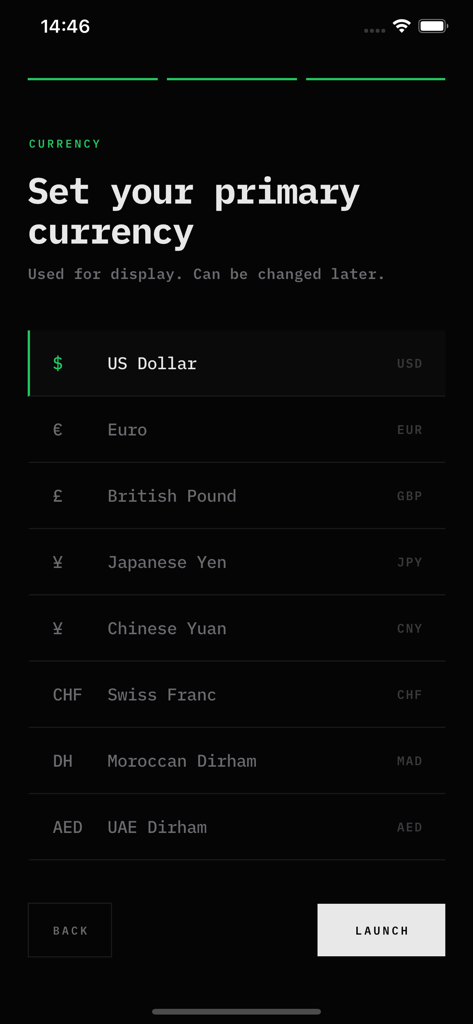
Vertex - Revenue Tracker offers various primary currency options for display, including US Dollar, Euro, British Pound, Japanese Yen, Chinese Yuan, and Swiss Franc. Users can easily modify this currency setting at any time.
Yes, Vertex provides direct functionality to both export and import data. These options are readily accessible to users within the Profile/Settings menu of the application, ensuring data portability.
Vertex - Revenue Tracker is explicitly designed for founders, freelancers, and individuals who manage multiple income streams. It offers a comprehensive financial overview without the need for complex spreadsheet management.
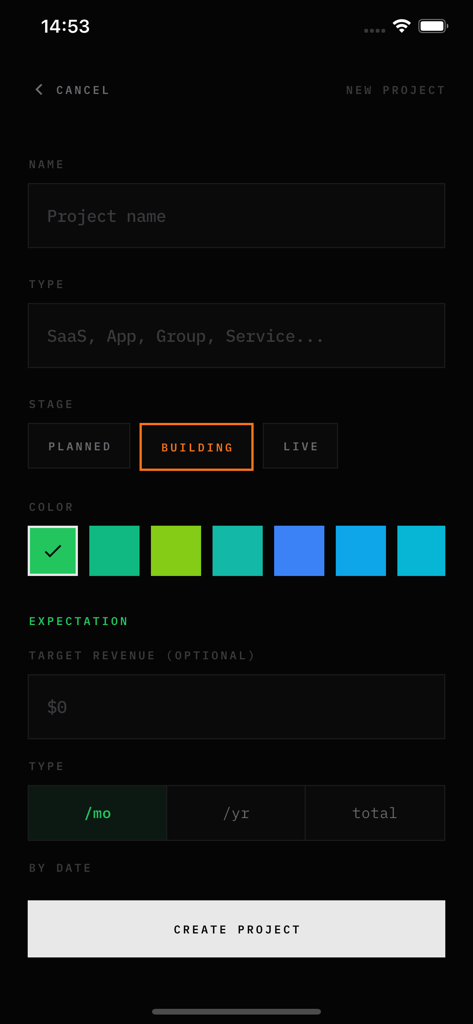
To add a new project in Vertex, navigate to the project creation screen. Users input the project name, type, stage (Planned, Building, Live), preferred color, and optional target revenue with its specific type and date.
Top-ranked apps in the same category

State Administration of Taxation

China Unionpay Co.,Ltd.

Shenzhen Xiaoduotou Information Technology Co.,Ltd.

PayPal, Inc.

AGRICULTURAL BANK OF CHINA LIMITED

MercadoLibre S.A.

KALSHI INC.

Industrial and Commercial Bank of China

State Administration of Taxation
App information, icons, screenshots, and descriptions displayed on this page are sourced from the Apple App Store and are the property of their respective developers. Download estimates and rankings are based on MWM's proprietary models and may not reflect actual figures. This page is provided for informational and analytical purposes only.
Believe this page infringes your intellectual property? File a dispute