Video Downloader - Story Saver

Video Downloader - Story Saver


Download on App Store
Logo of Video Downloader - Story Saver

Video Downloader - Story Saver: The All-in-One Tool for Instagram Reposts

Easily save and share Reels, Stories, and photos in 3 simple steps. Boost your engagement with clean, high-quality content that captivates your audience.

Publisher

慧 张

Category

Social Networking

Downloads

150K+

User Rating

3.2/5

Total Ratings

0

Locales

13

Experience the Simplicity

Discover the interface used by 150K+ users.
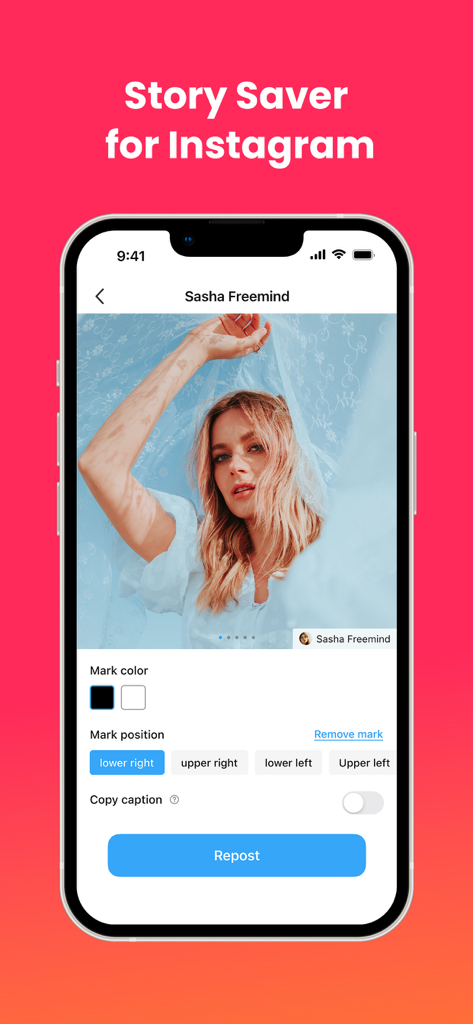
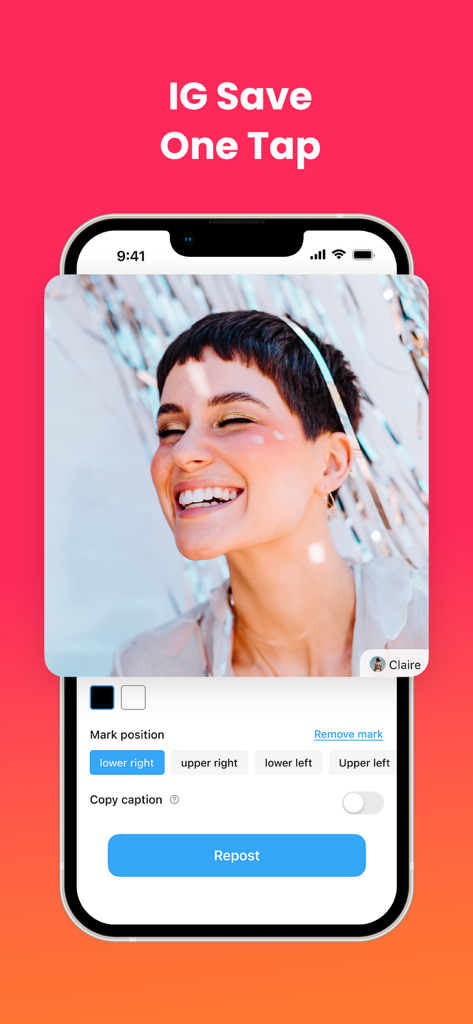
Mobile interface of the Video Downloader and Story Saver app showing options to customize watermark and repost Instagram content

Mobile interface of the Video Downloader and Story Saver app showing options to customize watermark and repost Instagram content

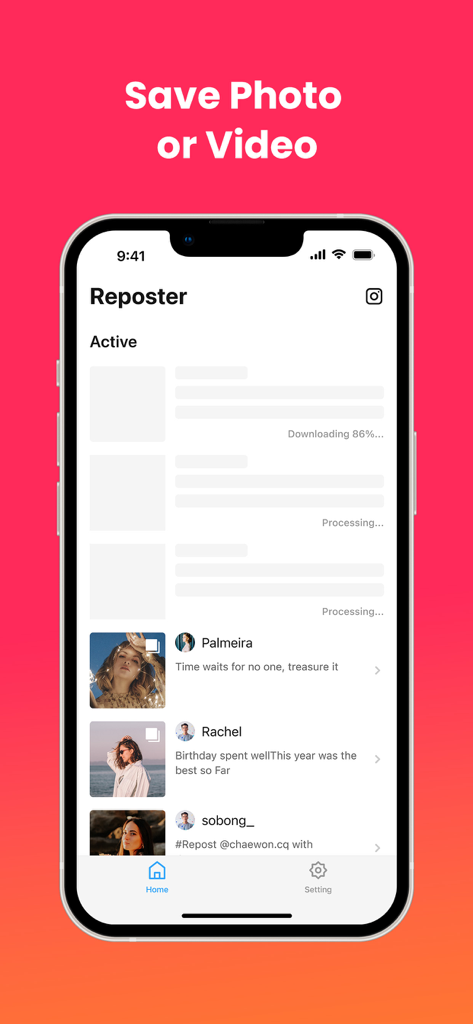
Interface of the Reposter app for Instagram showing a list of downloaded photos and videos

Interface of the Reposter app for Instagram showing a list of downloaded photos and videos

A mobile app interface showing a repost feature for Instagram with options to set mark position and copy caption.

A mobile app interface showing a repost feature for Instagram with options to set mark position and copy caption.

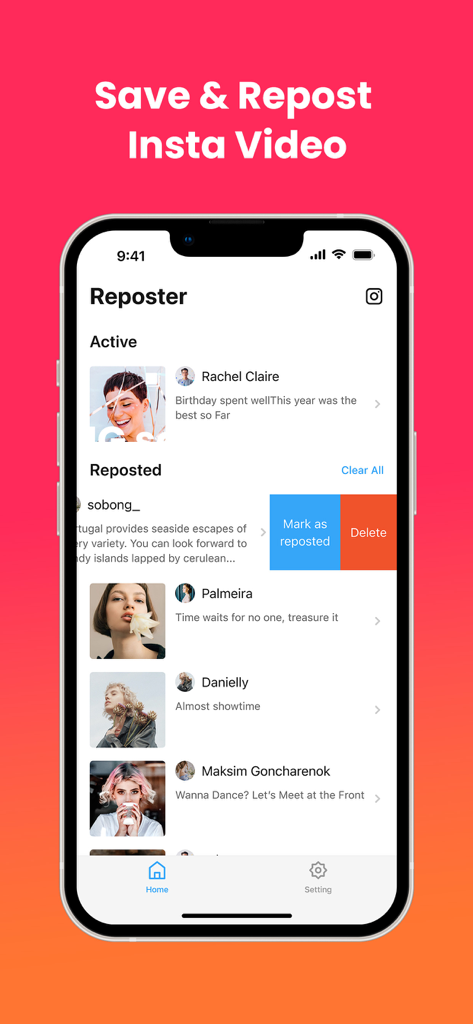
Interface of the Reposter app showing a list of saved and active Instagram videos and photos

Interface of the Reposter app showing a list of saved and active Instagram videos and photos

Master Your Instagram Feed

The tools that make this app stand out, trusted by 150K+ users.

3-Step Instant Repost

Forget complex workflows. Simply copy the link and return to the app to share trending content in seconds.

🌟

High-Definition Downloads

Keep your feed looking professional with crystal-clear downloads of Reels, Stories, and Posts—no UI clutter.

📲

Cross-Platform Freedom

Save any content directly to your camera roll to repurpose it for TikTok, YouTube Shorts, or your own archive.

About the app

Everything you need to know about Video Downloader - Story Saver.

Description

Wanna repost content from Instagram? Reposter for Instagram helps you quickly repost ANY post from Instagram: photos, videos, reels, stories, and music. Powerful and user-friendly Reposter makes reposting super easy and fast! Repost any content from Instagram in less than 3 steps! 1. Open Instagram and find the post you want to repost. 2. Copy the link of the post. 3. Return to Reposter and manage your content. Use our Reposter for Instagram to repost Instagram videos/photos/stories/reels and get more likes! Get our Premium package and enjoy the unobstructed experience. Disclaimer: • The ownership, intellectual property rights, and any other interests of the Video, Photo, IG Story, Reels Video even Highlights on the platform belong to its publishers or owners. Please obtain permission before reposting the content and indicate the source of the content. • This reposter is not associated with Instagram. Terms of Use: https://insdownloader-ae83a.web.app/reposter_term_of_use.html Privacy Policy: https://insdownloader-ae83a.web.app/reposter_privacy_policy.html If you have any questions or comments, contact us at Wufadanila@gmail.com

Latest Version

1.2.2

Size

24.0 MB

First Released

Mar 29, 2023

Ready to Supercharge Your Instagram?

Join over 150,000 creators and curators using the cleanest tool to repost Reels, Stories, and Photos in seconds. Your next viral post is just three steps away.

Download on App Store
FAQ

Frequently Asked Questions

Everything you need to know about Video Downloader - Story Saver

What types of Instagram content can Video Downloader - Story Saver repost?

Video Downloader - Story Saver reposts Instagram photos, videos, reels, stories, and music. It helps users manage and share content effectively.

How does Video Downloader - Story Saver facilitate content reposting?

Users copy an Instagram post link, then return to Video Downloader - Story Saver to manage and repost the content. This is a three-step process.

Does Video Downloader - Story Saver include a Premium package?

Yes, Video Downloader - Story Saver offers a Premium package. This package provides an unobstructed experience for users.

Is Video Downloader - Story Saver an official Instagram application?

No, Video Downloader - Story Saver is not officially associated with Instagram. Users must obtain content owner permission before reposting.

Where can I find the Terms of Use for Video Downloader - Story Saver?

The Terms of Use for Video Downloader - Story Saver are available at the provided URL: https://insdownloader-ae83a.web.app/reposter_term_of_use.html.

What is the Privacy Policy for Video Downloader - Story Saver?

The Privacy Policy for Video Downloader - Story Saver is located at https://insdownloader-ae83a.web.app/reposter_privacy_policy.html, ensuring user data transparency.

How can I contact support for Video Downloader - Story Saver?

You can contact support for Video Downloader - Story Saver by emailing Wufadanila@gmail.com for any questions or comments.

Does Video Downloader - Story Saver allow customization of the repost mark?

Yes, Video Downloader - Story Saver allows users to choose the mark position for reposts, including lower right, upper right, lower left, and upper left.

Can Video Downloader - Story Saver automatically copy captions during reposting?

Yes, Video Downloader - Story Saver includes a "Copy caption" toggle. This allows users to automatically copy the original caption when reposting.

Does Video Downloader - Story Saver save Instagram photos and videos?

Yes, Video Downloader - Story Saver is designed to save Instagram photos and videos. It provides functionality to download and store content.

Does Video Downloader - Story Saver offer one-tap saving for Instagram content?

Yes, Video Downloader - Story Saver features an "IG Save One Tap" capability. This allows for quick and easy saving of Instagram content.

Can users manage their reposted items within Video Downloader - Story Saver?

Yes, Video Downloader - Story Saver enables users to manage their reposted items. Options include "Mark as reposted" or "Delete" directly within the app.

App information, icons, screenshots, and descriptions displayed on this page are sourced from the Apple App Store and are the property of their respective developers. Download estimates and rankings are based on MWM's proprietary models and may not reflect actual figures. This page is provided for informational and analytical purposes only.

Believe this page infringes your intellectual property? File a dispute