Virtual backgrounds -


Transform your workspace instantly with 4K backgrounds and realistic scenes. Look your best, protect your privacy, and impress your colleagues on Zoom and beyond.
Publisher
Category
Social NetworkingDownloads
664K+User Rating
Total Ratings
3K+Locales
32Discover the interface used by 664K+ users.
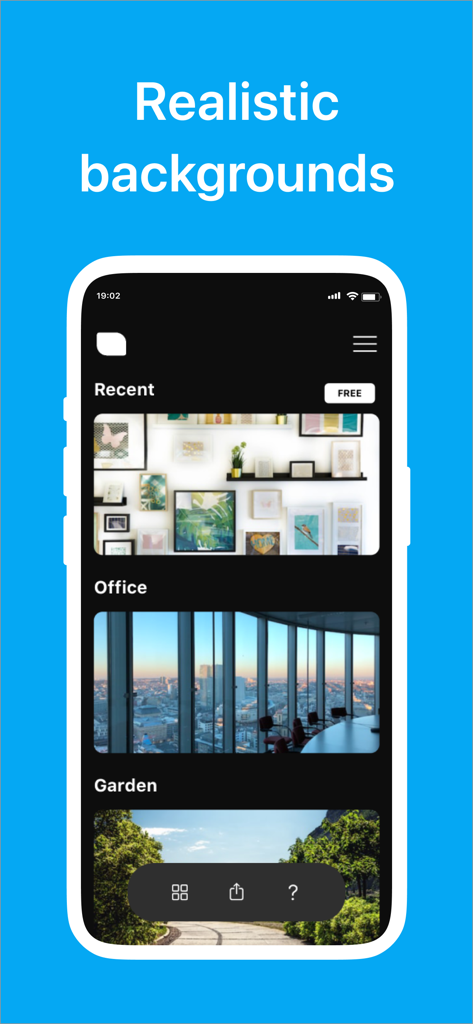
The tools that make this app stand out, trusted by 664K+ users.
Stand out with professionally designed, ultra-high-definition backgrounds that look indistinguishable from a real high-end executive office.
Hide your personal space and maintain a clear boundary between home and work with a single tap before your next meeting starts.
Perfectly sized and color-tuned images ensure seamless background removal and a glitch-free experience on Zoom, Teams, and Google Meet.
Everything you need to know about Virtual backgrounds -.
Description
Latest Version
2.4
Size
47.3 MB
First Released
Oct 17, 2021
Join 664,000+ professionals today. Download now to access studio-quality 4K backgrounds and project total professionalism from any room in your home.
Everything you need to know about Virtual backgrounds -
Cloud Meetings Backgrounds provides realistic virtual backgrounds optimized for Zoom and other video meeting applications. It offers an endless selection of HD and 4K wallpapers to enhance video conferences.
Yes, Cloud Meetings Backgrounds supports full HD and 4K wallpaper for virtual backgrounds. The app offers an endless selection of backgrounds to support the most common screen sizes for various video meeting apps.
Yes, Cloud Meetings Backgrounds is designed for virtual meetings like Zoom. Users can download specifically designed images and utilize them as backgrounds in their video conferences.
Cloud Meetings Backgrounds offers weekly, monthly, and yearly subscriptions. The weekly cost is $4.99, while both monthly and yearly subscriptions are $19.99. Payments are processed through the App Store.
You can turn off auto-renewal for Cloud Meetings Backgrounds subscriptions in your Apple ID account settings after purchase. Auto-renew must be disabled at least 24 hours before the current period ends to prevent renewal.
The privacy policy for Cloud Meetings Backgrounds is available via a Google Docs link. This link is provided within the app's detailed description for user reference.
Cloud Meetings Backgrounds offers realistic virtual backgrounds categorized into types like 'Recent', 'Office', and 'Garden'. It provides an endless selection of professionally designed images for video conferencing.
Apps with similar features and user experience
App information, icons, screenshots, and descriptions displayed on this page are sourced from the Apple App Store and are the property of their respective developers. Download estimates and rankings are based on MWM's proprietary models and may not reflect actual figures. This page is provided for informational and analytical purposes only.
Believe this page infringes your intellectual property? File a dispute