Visio - AI Photo & Face Editor

Visio - AI Photo & Face Editor


Download on App Store
Logo of Visio - AI Photo & Face Editor

Visio - AI Photo & Face Editor: Your All-in-One AI Photography Studio

Transform your digital presence with one-tap professional LinkedIn headshots, photoreal hair and makeup styles, and instant background swaps. From erasing distractions to viral AI filters, get studio-quality results in seconds.

Download on App Store

Publisher

VISION LABS YAZILIM HIZMETLERI ANONIM SIRKETI

Category

Photo & Video

Downloads

78K+

User Rating

4.5/5

Total Ratings

400

Locales

31

Your Glow-Up, Visualized

Discover the interface used by 78K+ users.
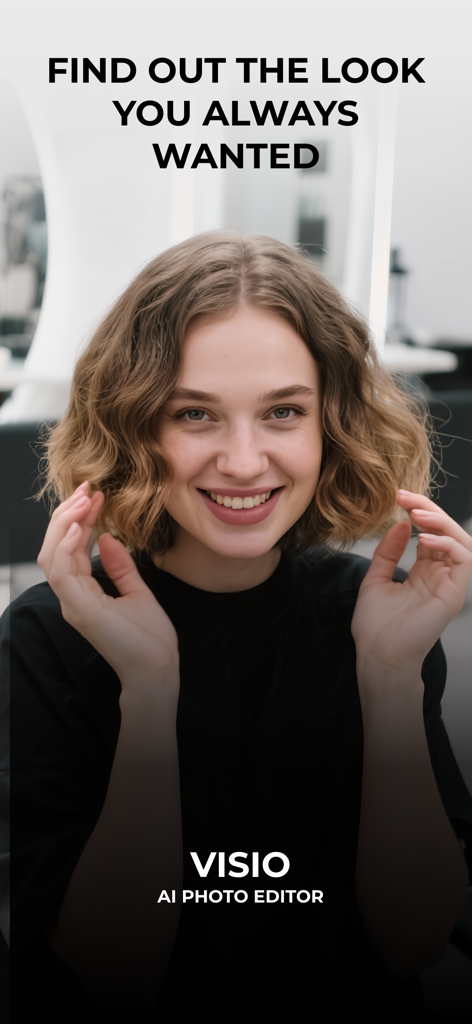
A smiling young woman with short wavy hair on the intro screen of the Visio AI Photo Editor app

A smiling young woman with short wavy hair on the intro screen of the Visio AI Photo Editor app

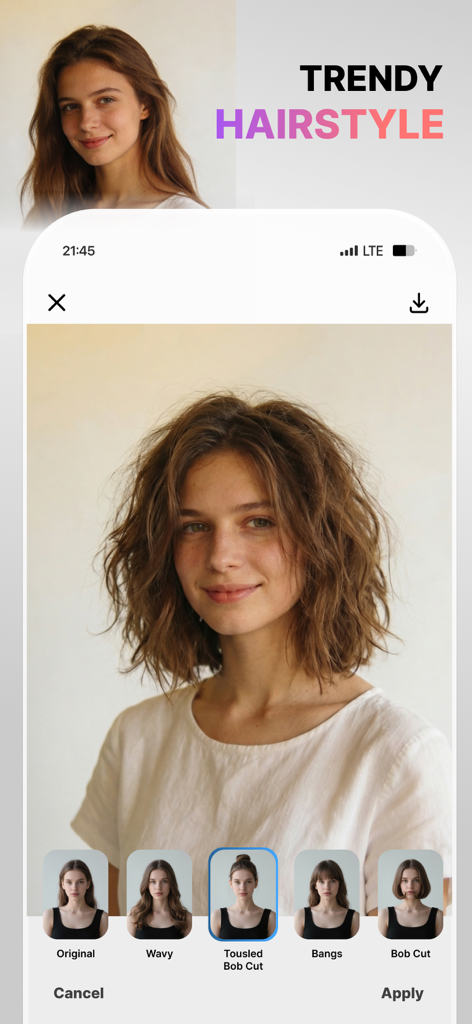
Visio app interface showcasing the trendy hairstyle feature with a tousled bob cut preview

Visio app interface showcasing the trendy hairstyle feature with a tousled bob cut preview

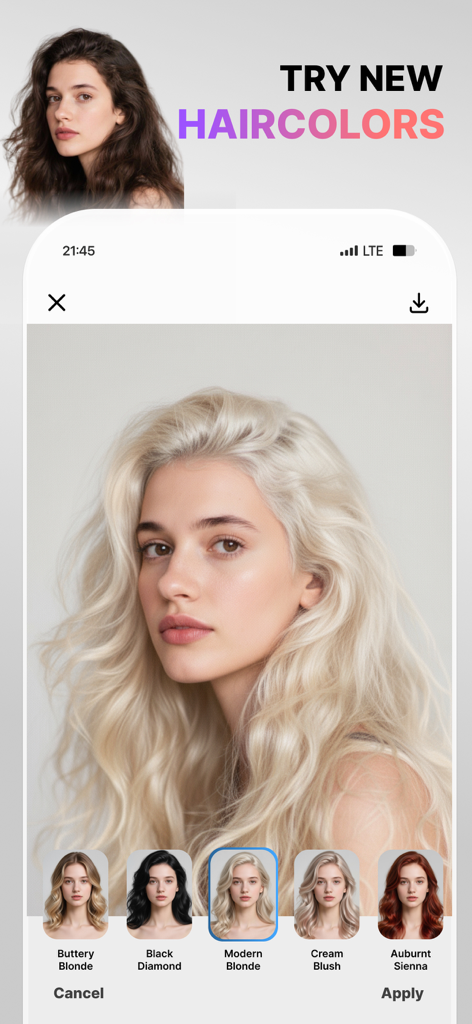
Visio app interface showing the AI hair color trial feature with various filter options

Visio app interface showing the AI hair color trial feature with various filter options

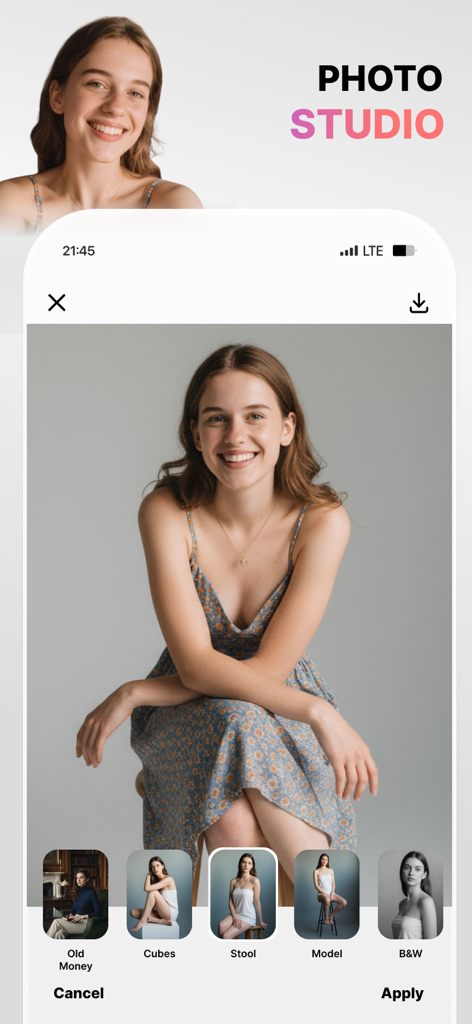
Mobile app interface of Visio AI Photo Editor showing professional photoshoot presets applied to a portrait of a smiling woman.

Mobile app interface of Visio AI Photo Editor showing professional photoshoot presets applied to a portrait of a smiling woman.

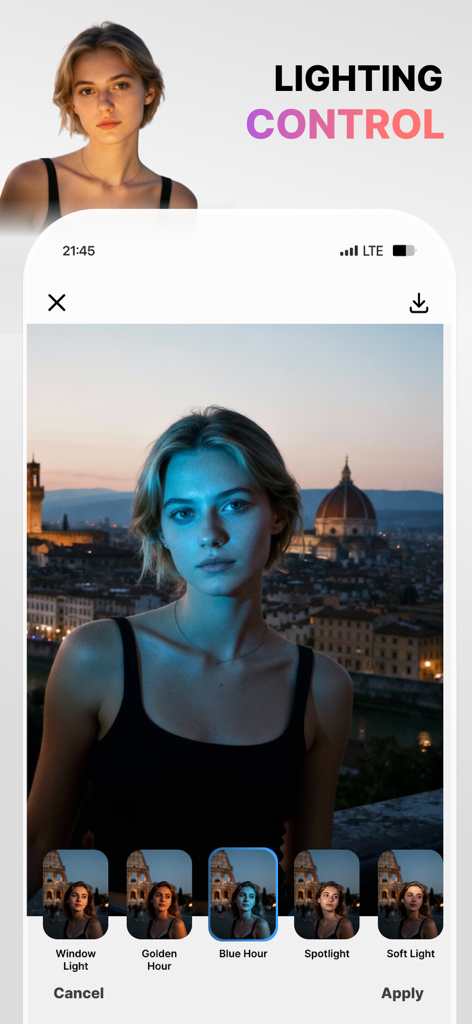
Visio AI Photo Editor interface showing the lighting control feature with a Blue Hour filter applied to a portrait

Visio AI Photo Editor interface showing the lighting control feature with a Blue Hour filter applied to a portrait

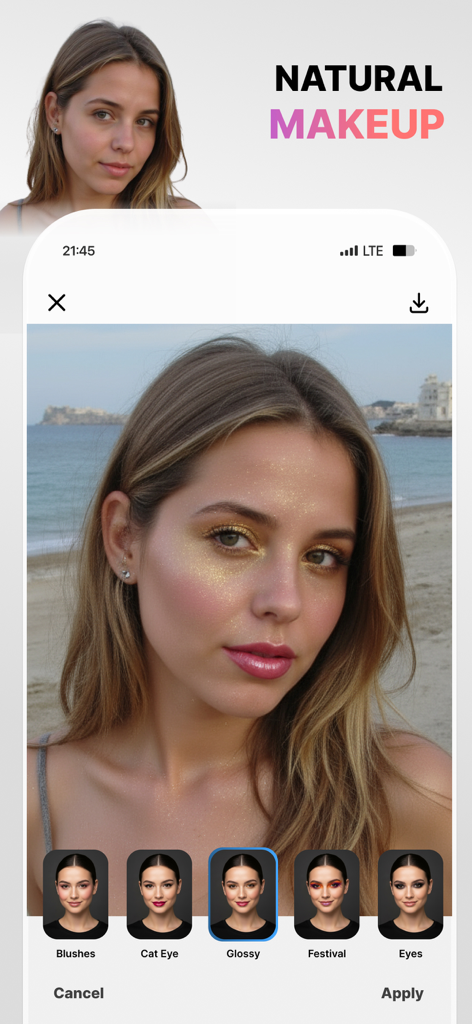
Interface of the Visio AI photo editor app showing a woman with a glossy makeup filter applied and various makeup options like Cat Eye and Festival at the bottom

Interface of the Visio AI photo editor app showing a woman with a glossy makeup filter applied and various makeup options like Cat Eye and Festival at the bottom

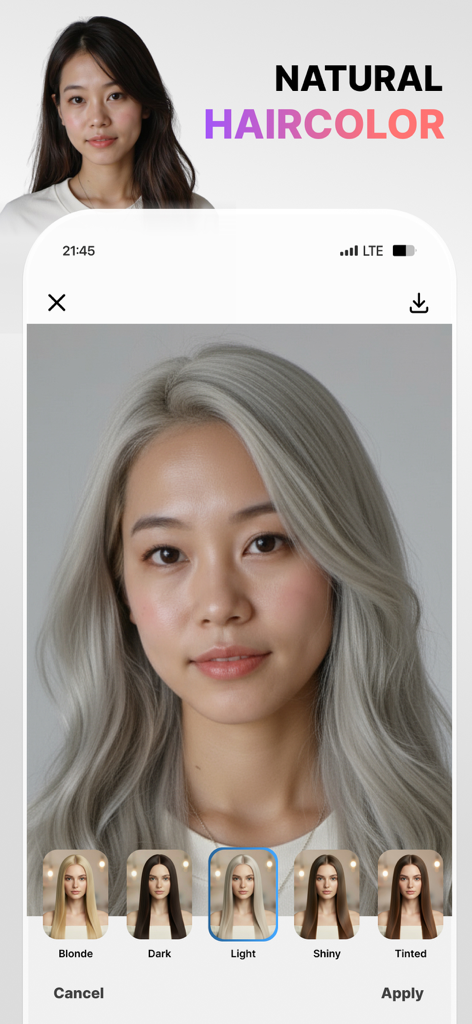
A woman using the Visio app to change her hair color to a natural light silver using AI presets.

A woman using the Visio app to change her hair color to a natural light silver using AI presets.

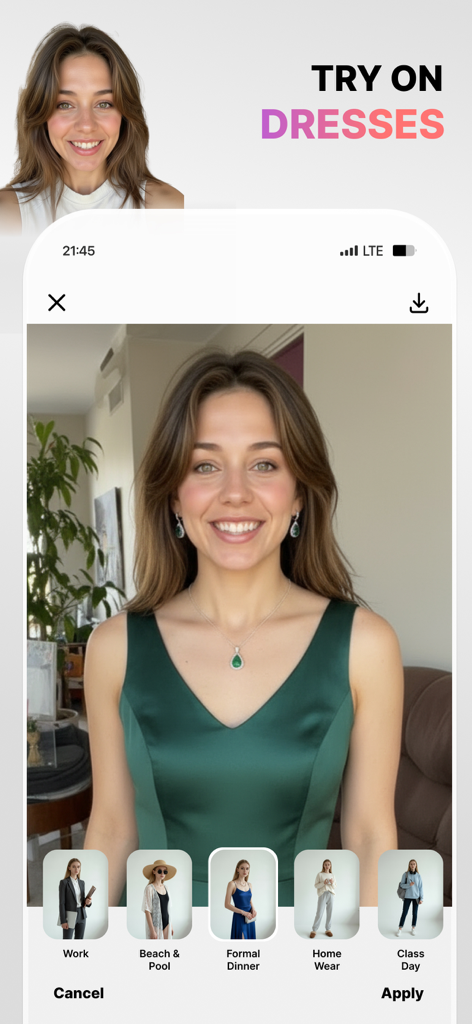
Visio app interface demonstrating the AI dress try on feature with a green formal dress option selected.

Visio app interface demonstrating the AI dress try on feature with a green formal dress option selected.

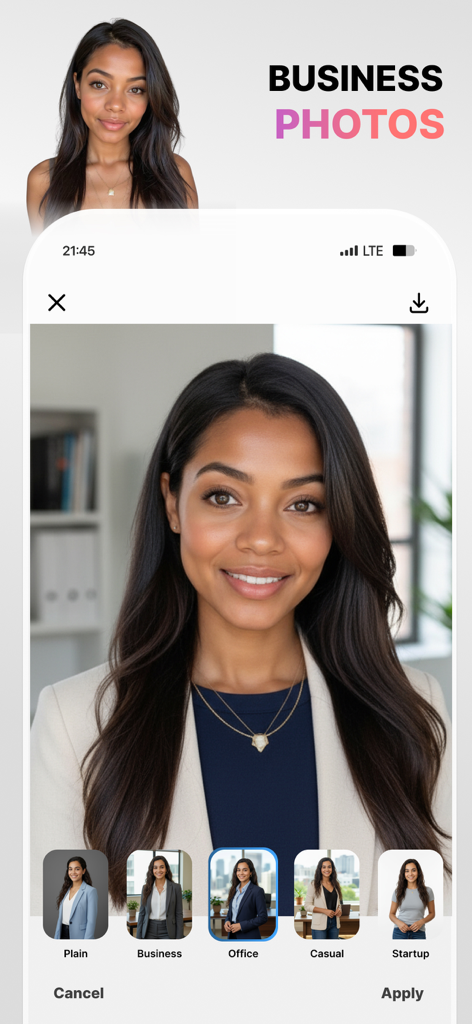
Visio app interface showing a woman's photo being transformed into professional business headshots with different office backgrounds and attire options.

Visio app interface showing a woman's photo being transformed into professional business headshots with different office backgrounds and attire options.

Elevate Your Digital Presence

The tools that make this app stand out, trusted by 78K+ users.

👔

Pro Headshots in Seconds

Skip the expensive studio. Generate polished LinkedIn-ready photos with our AI-driven 'LinkedIn Shots' for a professional edge.

Flawless Scene Control

Effortlessly erase distractions and swap backgrounds to city rooftops or beach sunsets for that perfect 'main character' vibe.

💄

Virtual Hair & Makeup Studio

Experiment with trending styles, from 'Old Money' aesthetics to realistic hair changes and glowy skin—all in one tap.

Review Analysis

Insights from user reviews.

Sentiment Score

21%
Negative

Summary

This application receives overwhelmingly negative feedback, primarily due to numerous issues with its subscription model and core functionality. Users frequently report being charged unexpectedly after canceling free trials, or even without clear consent for annual subscriptions. Many also complain about the app being excessively slow, often failing to process photos or apply changes, rendering it unusable even after payment. Despite these significant problems, a small number of users appreciate its potential for photo editing, realistic hair styling options, and a simple user interface.

Common Themes

Hair Styling Feature(5)
Photo Editing Capabilities(4)
Effectiveness(3)
Realistic Results(2)
User Interface Simplicity(2)

About the app

Everything you need to know about Visio - AI Photo & Face Editor.

Description

Meet your new AI Photo Editor, Visio. In one tap, erase people and distractions for a clean scene, then swap to white/transparent, office, home, café, city, rooftop, or beach sunset backgrounds. Create pro headshots with LinkedIn Shots; try realistic hair changes (curtain/wispy bangs, bob, pixie, bun, long or wavy, volume & shine, and color shifts - blonde, brown, red, black, light/dark, subtle highlights). Add makeup your way (winged liner, cat eye, long lashes, blush & contour, matte or glossy, festival looks) and refine skin (smooth, brighten, glow, freckles, tan, matte, undereye bags). Tune face details (dimples, cheekbones, jawline, cupid’s bow), choose natural smiles (classic, wide, pretty teeth, closed), and add glasses without glare (thin/thick, oval/rectangle, sunglasses). Finish with Photoshoot modes (Model, B&W, Spotlight, Cinematic, Old Money, Beach Sunset) or go creative with cartoon, Pixar-style, clay, sketch, 90s anime, or caricature - all fast, photoreal, and share-ready. Why users love it One-Tap People Remover: Clear the scene fast. Keep the subject sharp while our smart background eraser fills in the scene naturally - no masks, no learning curve. Ready-Made Backgrounds: Swap to plain white, transparent, office, home, café, city, rooftop, or beach sunset backgrounds in seconds. Pro Headshots in Seconds: Use LinkedIn Shots (Casual, Business, Relaxed, Everyday) for credible profile photos - no studio needed. Look your best (subtle, real, you) Hair Studio: Try bangs, bob, pixie, bun, long/wavy styles; add volume and shine; change color (blonde, brown, red, black, light/dark, highlights). Makeup: Winged eyeliner, cat eye, long lashes, blush, contour, matte or glossy finishes, and festival looks. Skin: Smooth gently, brighten or glow, add freckles, a soft tan, or keep it matte—always natural. Face Details: Accentuate jawline, cheekbones, cupid’s bow; add dimples; refine smiles (classic, wide, pretty teeth, closed). Glasses: Thin/thick, oval/rectangle, no glare. Create your vibe Photoshoot Modes: Model, Model B&W, Spotlight, Cinematic, Old Money, Beach Sunset. Stylized Filters: Cartoon, Pixar-style, Clay, Sketch, Caricature, 90s anime. 60+ photoreal presets so every edit is post-ready. Visio Pro You can subscribe to get access to useful style filters, filters updates and all the features and content offered for purchase within Visio. Subscriptions are auto renewable and are billed weekly, monthly or annually at the rate selected depending on the subscription plan. Subscription automatically renews unless auto-renew is turned off at least 24-hours before the end of the current period. Account will be charged for renewal within 24-hours prior to the end of the current period. Payment will be charged to iTunes Account at confirmation of purchase. Subscriptions can be managed and auto-renewal can be turned off in Account Settings in iTunes after the purchase. Any unused portion of a free trial period, if offered, will be forfeited when the user purchases a subscription to that publication, where applicable. - Terms of use: https://www.visionlabs.com.tr/terms-of-use-visio - Privacy policy: https://www.visionlabs.com.tr/privacy-policy-visio

Latest Version

1.13

Size

131.2 MB

First Released

Sep 4, 2025

Ready for Your AI Glow Up?

Join 78K+ creators and professionals using Visio to create perfect headshots, remove distractions, and style every photo in one tap. Download now and start your studio-quality transformation today.

Download on App Store
FAQ

Frequently Asked Questions

Everything you need to know about Visio - AI Photo & Face Editor

What is Visio - AI Photo & Face Editor?

Visio is an AI-powered photo editor designed for one-tap photo enhancements. It erases distractions, swaps backgrounds, creates pro headshots, changes hair, adds makeup, and refines face details using advanced AI tools.

How does Visio remove objects and change backgrounds?

Visio features a One-Tap People Remover to clear scenes quickly and an intelligent background eraser to fill the scene naturally. Users can swap to white, transparent, office, home, café, city, rooftop, or beach sunset backgrounds.

Can I change my hair color and style with Visio?

Yes, Visio allows realistic hair changes, including styles like bangs and bobs, and color shifts to blonde, brown, red, black, light, dark, or subtle highlights. It also adds volume and shine.

Does Visio offer tools for creating professional headshots?

Yes, Visio includes LinkedIn Shots for creating credible profile photos. Options like Casual, Business, Relaxed, and Everyday are available, allowing users to generate pro headshots without needing a studio.

What kind of makeup can I apply using Visio?

Visio offers various makeup options including winged eyeliner, cat eye, long lashes, blush, contour, and matte or glossy finishes. Festival looks are also available to enhance facial features.

Can users try on different outfits with the Visio app?

Yes, Visio allows users to try on various outfits. Options include Work, Beach & Pool, Formal Dinner, Home Wear, and Class Day. This feature enables virtual dress-up within the app.

How can I subscribe to Visio Pro and what are the billing options?

Users can subscribe to Visio Pro for access to style filters and features. Subscriptions are auto-renewable and billed weekly, monthly, or annually, depending on the selected plan. Payment is charged to the iTunes Account.

How do I manage or cancel my Visio Pro subscription?

Visio Pro subscriptions can be managed, and auto-renewal can be turned off, in the iTunes Account Settings after purchase. Auto-renewal must be deactivated at least 24 hours before the current period ends.

Does Visio provide creative stylized filters for photos?

Yes, Visio offers creative stylized filters such as Cartoon, Pixar-style, Clay, Sketch, Caricature, and 90s anime. These filters allow users to transform photos into unique artistic interpretations.

Can Visio refine facial features and add smile options?

Yes, Visio allows users to tune face details like dimples, cheekbones, jawline, and cupid’s bow. It also offers natural smile options, including classic, wide, pretty teeth, and closed smiles.

App information, icons, screenshots, and descriptions displayed on this page are sourced from the Apple App Store and are the property of their respective developers. Download estimates and rankings are based on MWM's proprietary models and may not reflect actual figures. This page is provided for informational and analytical purposes only.

Believe this page infringes your intellectual property? File a dispute