VizRef Lite

VizRef Lite

Download on App Store
Logo of VizRef Lite

VizRef Lite: The Ultimate Visual Reference Tool for Mobile Artists

Clear your canvas and turn your iPhone into a dedicated second monitor for Procreate and Adobe Fresco. Organize mood boards, study GIFs frame-by-frame, and keep your inspiration focused wherever you create.

Publisher

Studio Pixanoh Inc

Category

Graphics & Design

Downloads

96K+

User Rating

3.6/5

Total Ratings

100

Locales

1

Inspiration in View

Discover the interface used by 96K+ users.
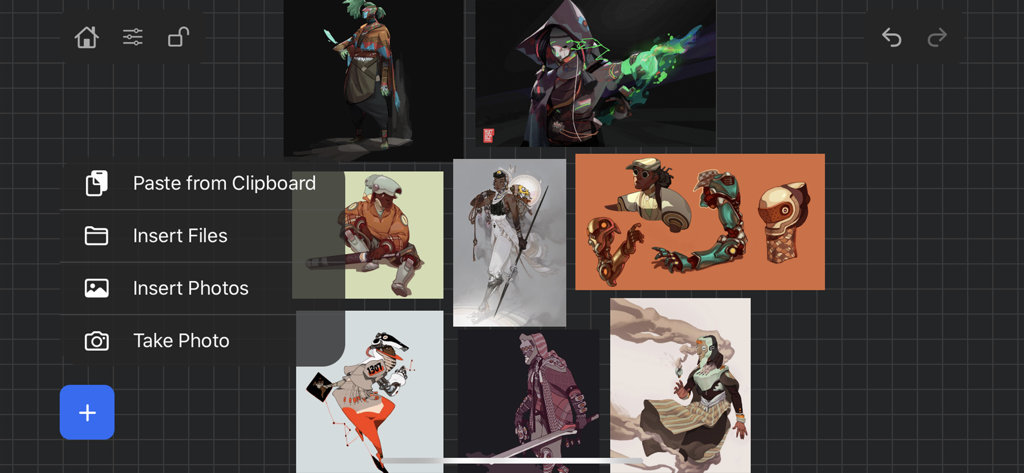
Digital art reference board in VizRef Lite app with character illustrations

Digital art reference board in VizRef Lite app with character illustrations

VizRef Lite app interface showing a mood board of digital character art with an import menu overlay

VizRef Lite app interface showing a mood board of digital character art with an import menu overlay

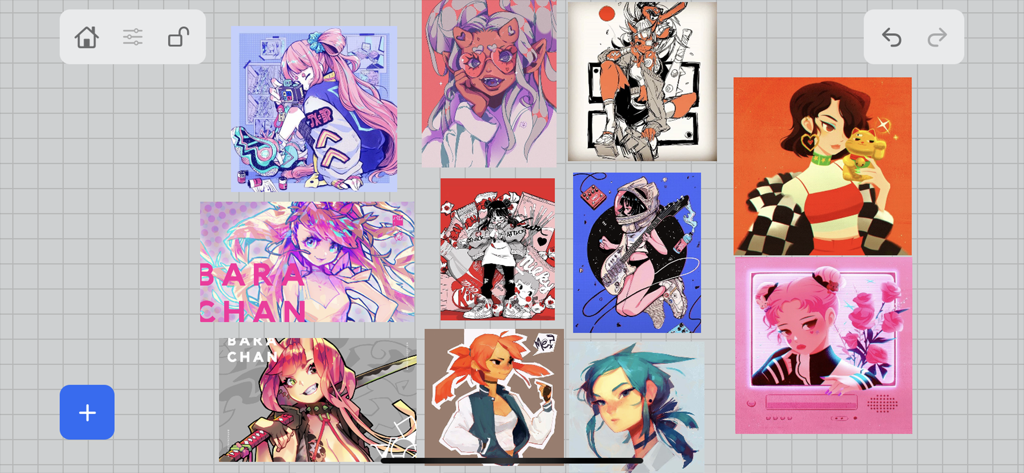
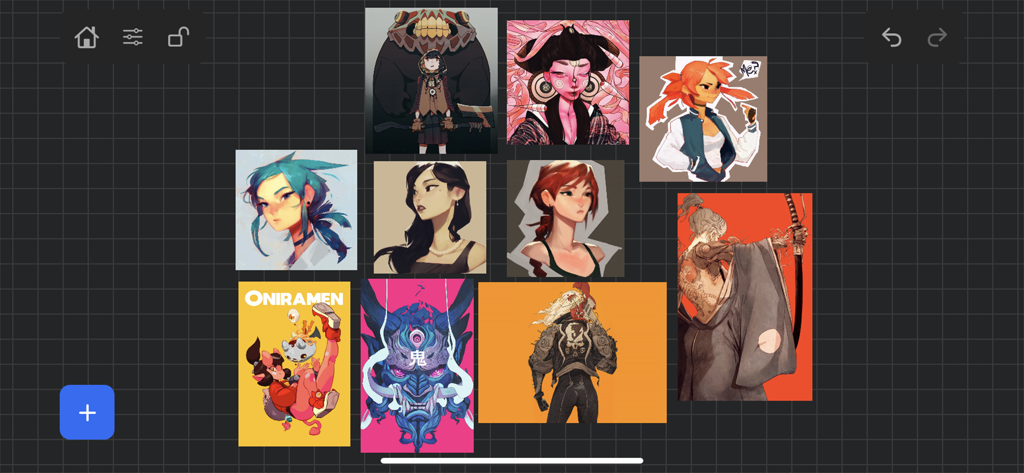
A digital reference board showing a collection of character illustrations arranged on a grid within the VizRef Lite app.

A digital reference board showing a collection of character illustrations arranged on a grid within the VizRef Lite app.

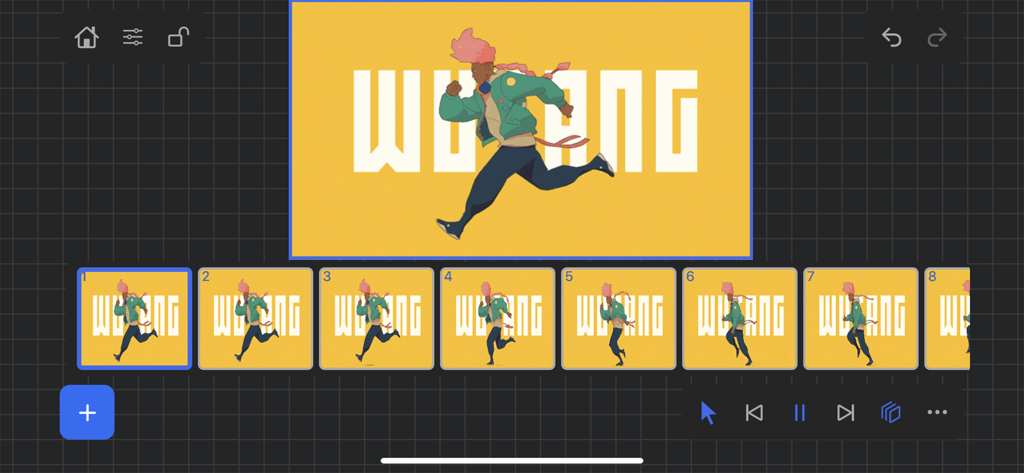
VizRef Lite app interface showing an animation frame by frame sequence

VizRef Lite app interface showing an animation frame by frame sequence

Elevate Your Creative Workspace

The tools that make this app stand out, trusted by 96K+ users.

📱

Dedicated Reference Screen

Stop splitting your iPad screen. Use your iPhone as a second monitor to keep your references in sight while maximizing your drawing canvas.

🎬

Pro Animation Controls

Deconstruct movement with frame-by-frame GIF playback. Use the advanced timeline to study weight and timing for your next animation project.

🎨

Tools for Visual Mastery

Instantly toggle greyscale to check lighting values, crop for better composition, and organize mood boards with a UI that stays out of your way.

About the app

Everything you need to know about VizRef Lite.

Description

VizRef Lite® for iPhone enables creatives to finally take their inspiration anywhere on their phones. *You can not use iPad multitasking features with the iPhone version of VizRef. Please Download VIZREF for use on iPad. * It becomes the perfect companion app for Procreate or paired with your favorite drawing/animation application by using your iPhone as a second monitor dedicated to references. Take your reference boards with you while you travel and draw in your sketchbook. Make visual reference boards with any images or gifs from web browsers, cloud storage, photos, screen captures and more. The first mood board creation app made by artists for artists, that brings comprehensive referencing tools to animators and visual artists. We are dedicated to bringing creatives what they need most in being inspired everywhere they go. HIGHLIGHTS -VIZREF LITE® version for iPhone has all the same in-app features as VIZREF on iPad ( Vizref Lite if used on IPad does not have multitasking features and is not fullscreen. For iPad please purchase VIZREF® -Take your visual reference boards with you while you sketch at your favorite locations -Perfect companion app paired with Procreate® Adobe Fresco ® Clip Studio Paint® Infinite Painter® etc. by utilizing iPhone as a second monitor along with an iPad -Supports many image types including GIF -Quickly copy and paste images from web -Batch Import from Photos app -Batch Export images from boards to cloud storage using Files app -Import High-Resolution images with HD toggle -*Focus on whats importing with Focus mode. ( rotate imageboard ) *Multi-Select and auto pack images for a quicker workflow * - -Import from iCloud, Dropbox, Google Drive -Quick and responsive visual reference board experience -Easy to use/ minimal UI -Light mode and Dark mode -Set thumbnails for reference boards to visually organize your inspiration ANIMATED GIF SUPPORT -Reference your favorite animated gifs -Pause animation and play frame by frame to better understand referenced animations -Advanced animation timeline gives you an interactive visual breakdown of all frames EASY TO USE REFERENCE TOOLS -Crop images to optimize screen space and view more references -Greyscale toggle for images for value reference -Flip horizontally and vertically -Rotate Images -Copy-paste images into other apps Artwork and animation credits @_Artazi @_baomii @_Deadslug_ @amnesiapancake @barachan @belgeist @criisalys @ergo.josh @evan_monteiro @gloomwastaken @mrbeezul @onemegawatt @rocketboiART @samuelyounart @cobalt_requin VizRef was created by Max Gonzalez (@mrbeezul) and RoboWorld Entertainment with supporting development from Valere Labs

Latest Version

1.1.7

Size

4.4 MB

First Released

Mar 11, 2020

Ready to Reclaim Your Canvas?

Turn your iPhone into the ultimate reference monitor. Join over 96,000 artists who use VizRef Lite to optimize their workflow and stay inspired, wherever they create.

Download on App Store

App information, icons, screenshots, and descriptions displayed on this page are sourced from the Apple App Store and are the property of their respective developers. Download estimates and rankings are based on MWM's proprietary models and may not reflect actual figures. This page is provided for informational and analytical purposes only.

Believe this page infringes your intellectual property? File a dispute