Vocal Remover: VoxOff

Vocal Remover: VoxOff


Download on App Store
Logo of Vocal Remover: VoxOff

Vocal Remover: VoxOff: Elevate Your Music with AI Power

Instantly isolate vocals, drums, and instruments to create perfect remixes, karaoke tracks, and viral social media hits directly from your phone.

Publisher

Anzhela Hovsepyan

Category

Music

Downloads

12K+

User Rating

4.6/5

Total Ratings

100

Locales

1

Your Studio, Visualized

Discover the interface used by 12K+ users.
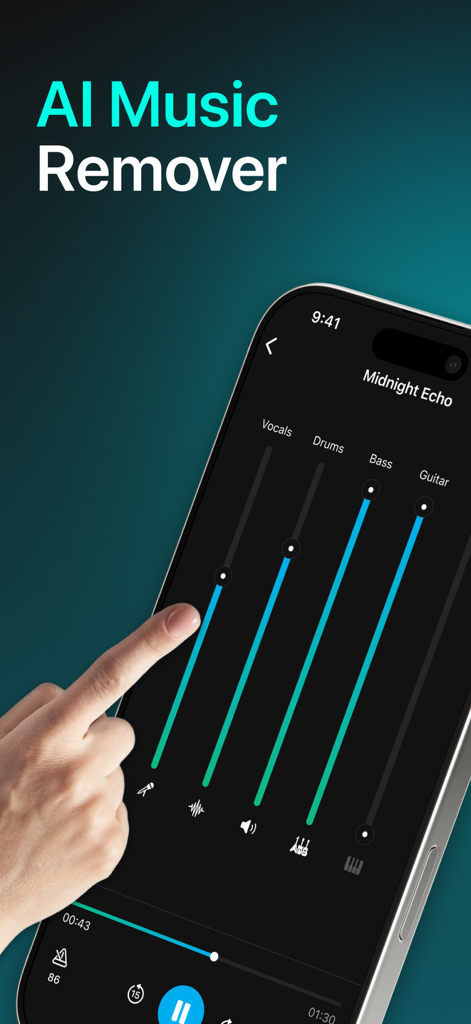
Interface of VoxOff app showing AI stem separation sliders for vocals and instruments

Interface of VoxOff app showing AI stem separation sliders for vocals and instruments

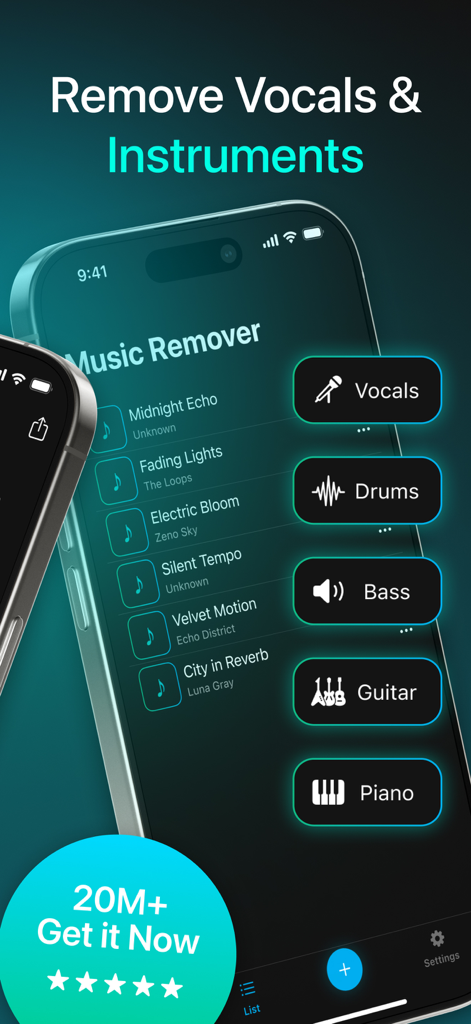
Interface of VoxOff app for removing vocals and separating music instruments like drums and bass

Interface of VoxOff app for removing vocals and separating music instruments like drums and bass

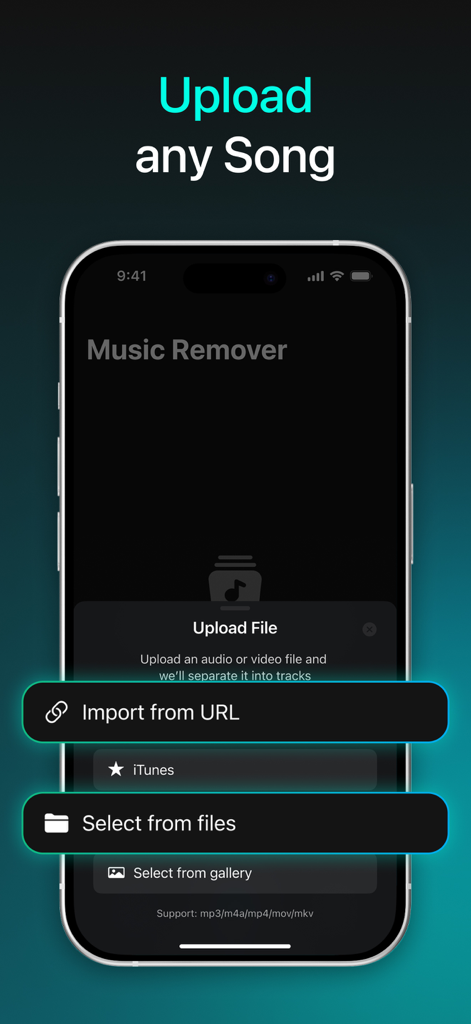
Interface of the VoxOff app for uploading songs via URL or file selection.

Interface of the VoxOff app for uploading songs via URL or file selection.

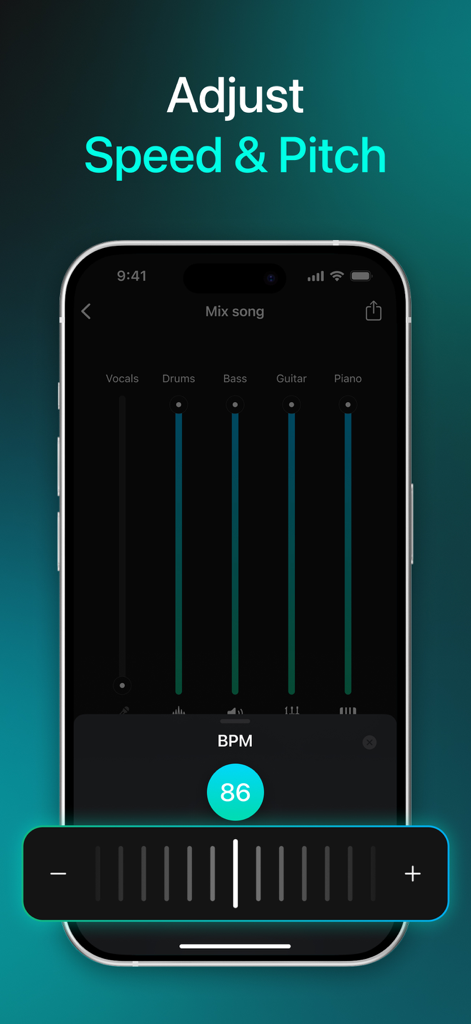
VoxOff app screen showing speed and pitch adjustment tools with a BPM slider and instrument faders for vocals, drums, and bass.

VoxOff app screen showing speed and pitch adjustment tools with a BPM slider and instrument faders for vocals, drums, and bass.

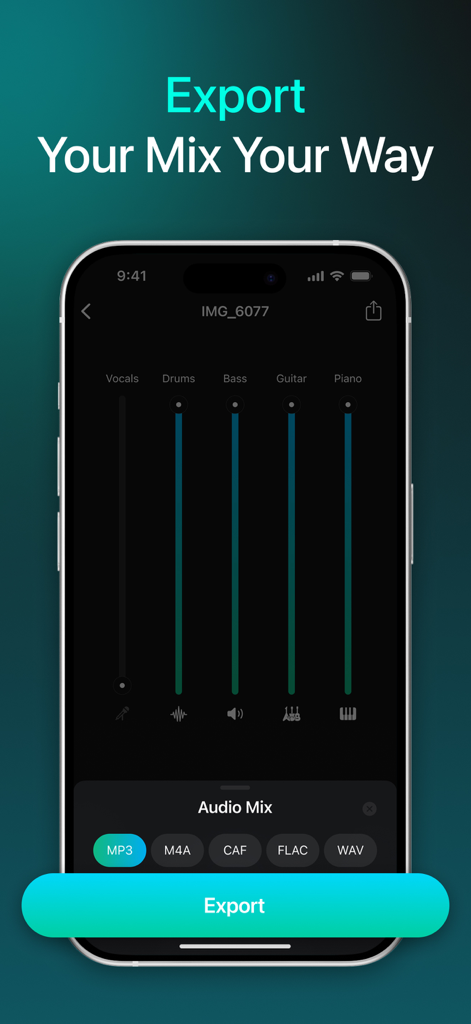
VoxOff app export screen displaying audio stem adjustments and file format selection for MP3, WAV, and more

VoxOff app export screen displaying audio stem adjustments and file format selection for MP3, WAV, and more

Unleash Your Creative Power

The tools that make this app stand out, trusted by 12K+ users.

🎤

Instant Stem Separation

Isolate vocals, drums, or bass with a single tap for professional-grade remixes and perfect practice sessions.

Trend-Ready Customization

Effortlessly create 'Slowed + Reverb' or 'Sped Up' tracks to stay ahead of the latest social media trends.

📲

Pro Exports on the Go

Save high-quality tracks and share them directly to your favorite apps. Your mobile studio is always ready.

About the app

Everything you need to know about Vocal Remover: VoxOff.

Description

AI Vocal - Music Remover is your ultimate tool to separate vocals and instruments from any song using advanced AI technology. Whether you're creating remixes, karaoke versions, or practicing music, this app gives you full control over your audio. Key Features: Remove Vocals & Instruments: Separate vocals, drums, bass, piano, and more from any track with a single tap. Upload Any Song: Easily import songs from your device and get started right away. Adjust Speed & Pitch: Fine-tune your music by changing the playback speed and pitch to suit your needs. Export Your Mix: Save your custom mix in high quality and share it effortlessly. All Edits in One Place: Keep track of all your edits conveniently in one location. Perfect for musicians, DJs, content creators, and music enthusiasts of all levels. Subscription Information Payment of Subscription: Payments will be charged to your iTunes account at confirmation of purchase and at the beginning of each renewal period. The subscription automatically renews unless it is canceled. Canceling Subscription: You can cancel your subscription in your iTunes settings at least 24 hours before the end of the current subscription period. The cancellation will take effect the day after the last day of the current subscription period, and you will be downgraded to the free version of the service. Privacy Policy: https://docs.google.com/document/d/1luPuGUF8Oa6yDDHZGf2BcNmVUWF8BMoCalFt198ZNN0/edit?usp=sharing Terms and Conditions: https://docs.google.com/document/d/17MqTJQ0y2-w5JvOKz0_ZjV2xXKOIVCLE8R83Xkmol9w/edit?usp=sharing

Latest Version

1.5

Size

9.2 MB

First Released

Jul 15, 2025

Ready to Remix Your Sound?

Join over 12,000 creators using VoxOff's AI to isolate stems, master karaoke tracks, and craft the next viral hit in seconds.

Download on App Store

App information, icons, screenshots, and descriptions displayed on this page are sourced from the Apple App Store and are the property of their respective developers. Download estimates and rankings are based on MWM's proprietary models and may not reflect actual figures. This page is provided for informational and analytical purposes only.

Believe this page infringes your intellectual property? File a dispute