Voice Recorder : Voice Notes

Voice Recorder : Voice Notes

Download on App Store
Logo of Voice Recorder : Voice Notes

Voice Recorder : Voice Notes: Professional Recording & AI Transcription

Capture crystal-clear audio, edit with precision, and convert speech to text instantly. The ultimate productivity hub for students and professionals on iPhone and iPad.

Download on App Store

Publisher

Bijal Patel

Category

Business

Downloads

0

User Rating

5.0/5

Total Ratings

0

Locales

14

Precision at a Glance

Discover the interface used by 0 users.
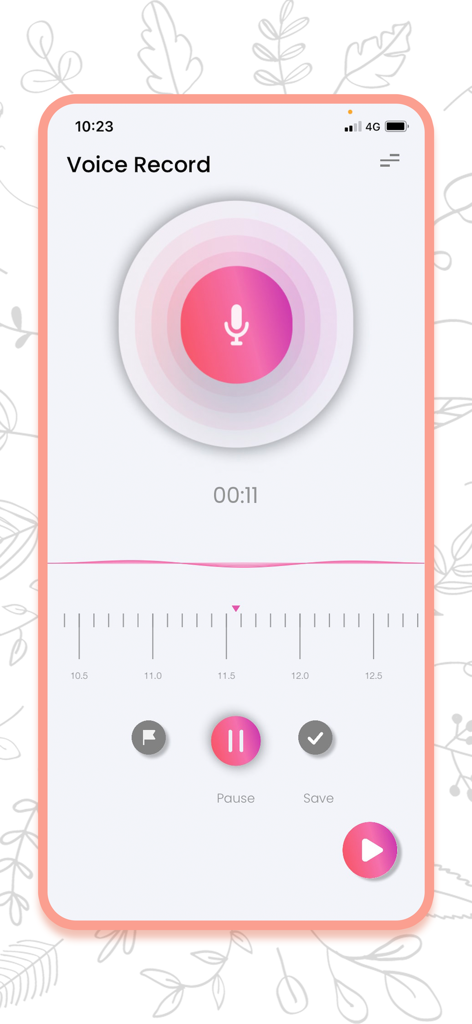
Main recording screen of the Voice Recorder app with a microphone icon and start button

Main recording screen of the Voice Recorder app with a microphone icon and start button

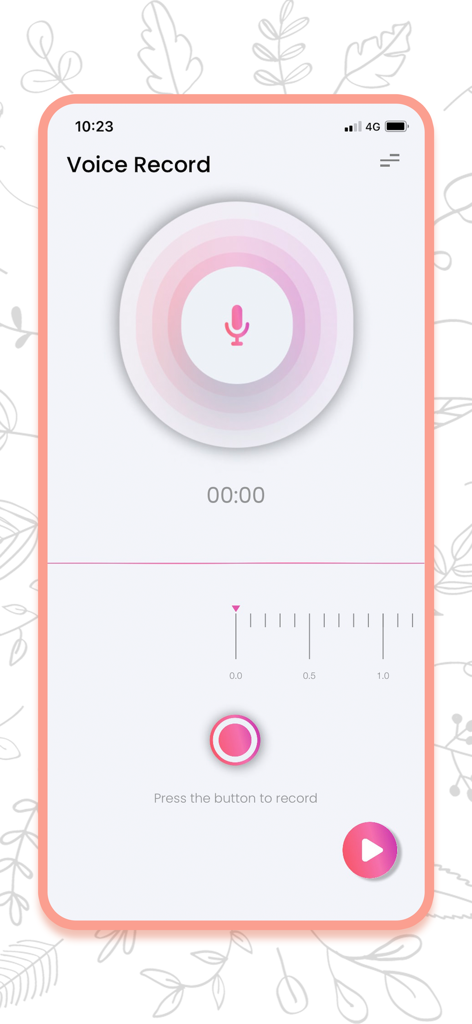
Voice recorder app recording screen showing a large microphone button and timer

Voice recorder app recording screen showing a large microphone button and timer

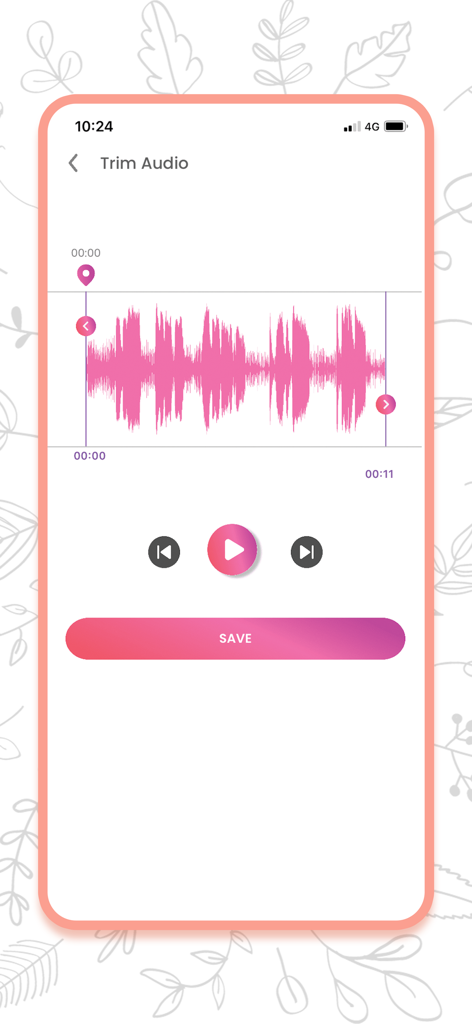
Voice Recorder app trim audio interface with pink waveform and editing tools

Voice Recorder app trim audio interface with pink waveform and editing tools

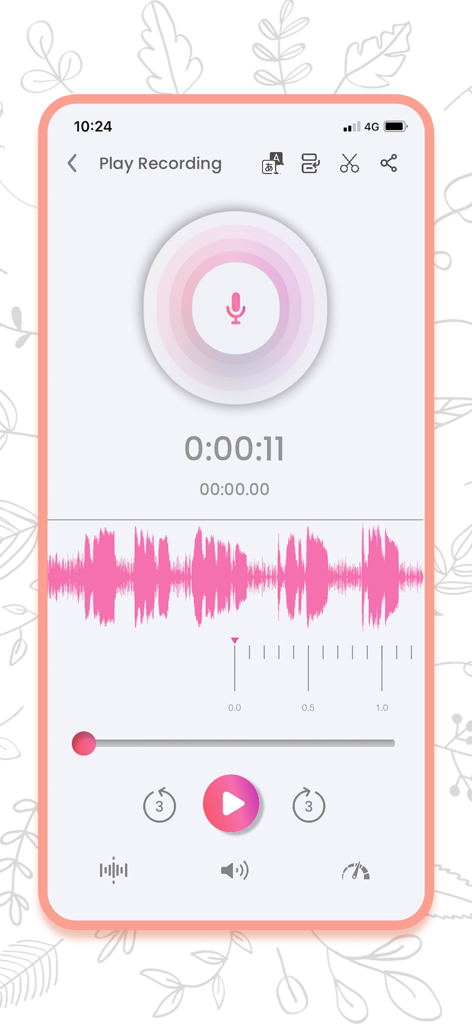
Playback screen of the Voice Recorder app showing an audio waveform and editing tools.

Playback screen of the Voice Recorder app showing an audio waveform and editing tools.

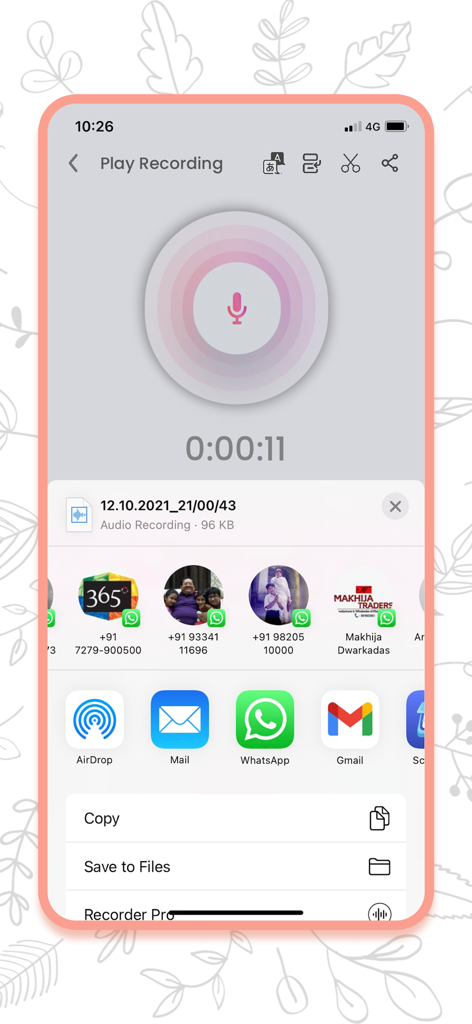
Voice Recorder app sharing screen on iPhone showing options to export audio files via WhatsApp Gmail and AirDrop

Voice Recorder app sharing screen on iPhone showing options to export audio files via WhatsApp Gmail and AirDrop

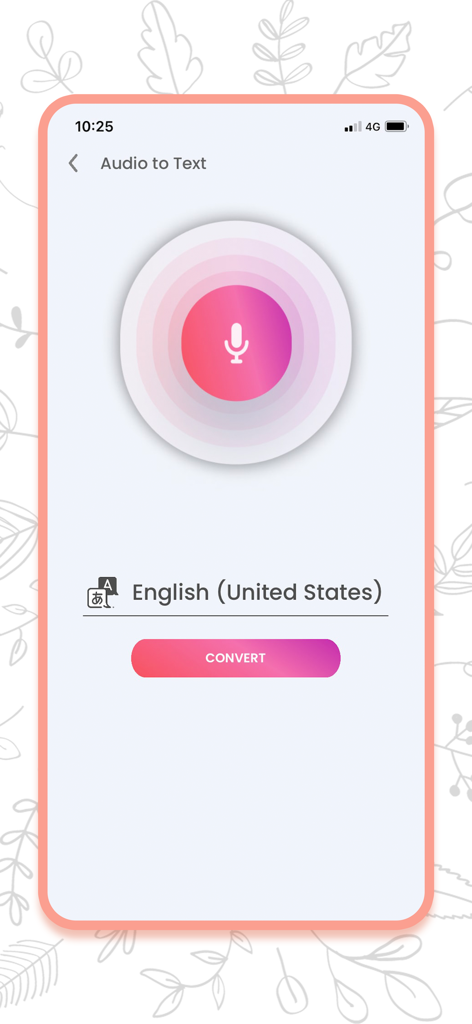
Interface of Voice Recorder app showing audio to text conversion feature for English United States with a convert button

Interface of Voice Recorder app showing audio to text conversion feature for English United States with a convert button

Capture Every Detail with Precision

The tools that make this app stand out, trusted by 0 users.

✍️

Instant AI Transcription

Convert your voice memos into accurate text. Save hours of manual typing for meetings, lectures, and interviews.

✂️

Professional Audio Suite

Trim, cut, and enhance your recordings. Use built-in noise reduction to capture crystal-clear sound even in busy environments.

☁️

Seamless Workflow Sync

Organize files into custom albums and sync instantly across all devices via iCloud, Dropbox, or Google Drive.

About the app

Everything you need to know about Voice Recorder : Voice Notes.

Description

Base one Voice Recorder App The Base one Voice Recorder App is a comprehensive voice recorder that can record audio memos with utmost clarity. This app also includes an audio editor that facilitates trimming audio clips and saving those recordings to the smartphone in varied formats. Users can share, delete, and upload the recordings to the cloud apps like Dropbox, Google Drive, iTunes, and iCloud or even email to specific email addresses right through the app. Users can convert the audio files into wav, mp3, aac, caf, aiff and m4a formats easily. ----------------------------------- The Base one Voice Recorder app is now available for iOS-based devices including the iPhone and iPad - for FREE! There are certain in-app purchases included within the app and interstitial ads for basic monetization purposes for free users. This voice recorder app is a complete voice recorder and audio editor rolled into one, that can record voice memos under a new, modern design. Now iPhone users can capture audio, sing, share audio notes and memos, record auditory moments of nature, classroom lectures, meeting discussions, speeches, and much more. Editing tools like trim and cut give the users the freedom to fine-tune these recordings. Users can also set audio quality, format, and player settings through the app, impacting the audio quality and performance efficiently. Salient Features: • Easy Recorder app • Audio formats include MP3 and M4A. • Play and pause recordings easily. • Access recordings • Change speed of the audio playback. • Trim audio recordings and cut down on flab. • Rename audio Recorder and memos. • Easy to share recordings across social media and the cloud • Sync recordings between iOS devices through iCloud. • Benefit from easy iTunes file sharing support. • Access recordings through “Albums” folder. • Speech to text Feature • Convert your recording into text. • Loop recordings and change playback speed of the audio when required. Users can record unlimited audio files based on their phone storage/ device space. Choose audio formats beyond mp3 and m4a formats (In-App purchases) Additional audio playback settings (In-App Purchases) Download recordings through USB cable to your PC easily. You can record songs and voices easily through this MP3 voice recorder that doubles up as a sound recorder and a super voice recorder that could edit audio memos and clips easily! Download the app today and start recording immediately. Fine-tuning audios is child’s play now! In-App Purchases Include: Professional Voice Recording: Use the handy professional player. Audio to text transcribing: Unlimited live or post-recorded transcribing. Noise reduction player: Record with Automatic Noise Reduction. Audio editing: Trim, Edit, Cut, Splice and more. Unlimited recordings: Record without limits, upload to cloud storage. Remove All Ads: Go ad-free with a seamless experience. Terms of Use - https://aretechnologys.com/terms-condition-voice-recorder Privacy Policy - https://aretechnologys.com/voice-recorder-privacy-policy

Latest Version

1.7

Size

71.2 MB

First Released

Jan 3, 2022

Capture, Transcribe, and Conquer Your Day

Join thousands of professionals and students who turn raw audio into clear, organized notes. Download the ultimate voice recorder for iPhone and iPad today.

Download on App Store

App information, icons, screenshots, and descriptions displayed on this page are sourced from the Apple App Store and are the property of their respective developers. Download estimates and rankings are based on MWM's proprietary models and may not reflect actual figures. This page is provided for informational and analytical purposes only.

Believe this page infringes your intellectual property? File a dispute