Voice Translator: Translate AI

Voice Translator: Translate AI

Download on App Store
Logo of Voice Translator: Translate AI

Voice Translator: Translate AI: Your Personal AI Interpreter for Seamless Global Communication

Break language barriers instantly with advanced AI. From natural face-to-face conversations to real-time camera translation, stay connected in over 150 languages wherever your journey takes you.

Publisher

AVIRISE LIMITED

Category

Productivity

Downloads

2M+

User Rating

4.6/5

Total Ratings

15K+

Locales

51

Innovation in Every Interaction

Discover the interface used by 2M+ users.
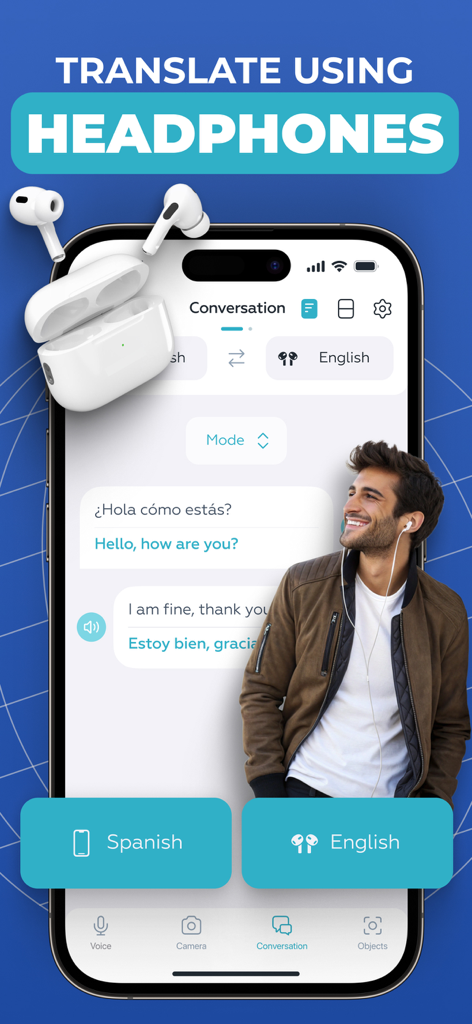
Voice Translator app interface displaying translation using headphones in conversation mode

Voice Translator app interface displaying translation using headphones in conversation mode

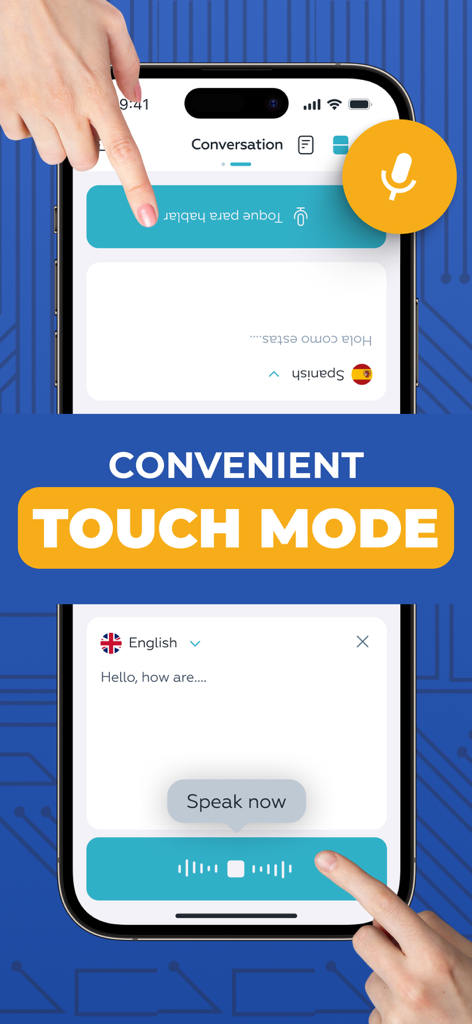
Mobile app screenshot showing Touch Mode for real-time split-screen voice translation

Mobile app screenshot showing Touch Mode for real-time split-screen voice translation

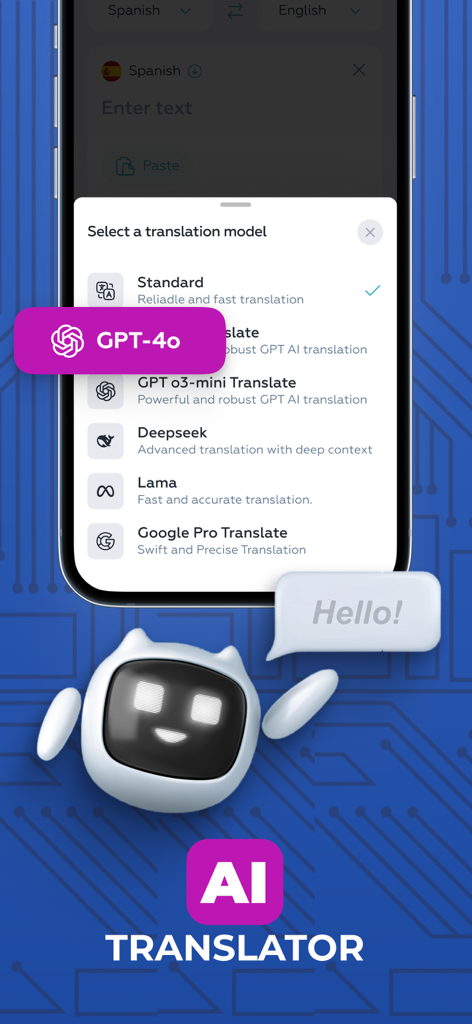
A smartphone screen displaying a list of AI translation models including GPT-4o and Deepseek within the Voice Translator app.

A smartphone screen displaying a list of AI translation models including GPT-4o and Deepseek within the Voice Translator app.

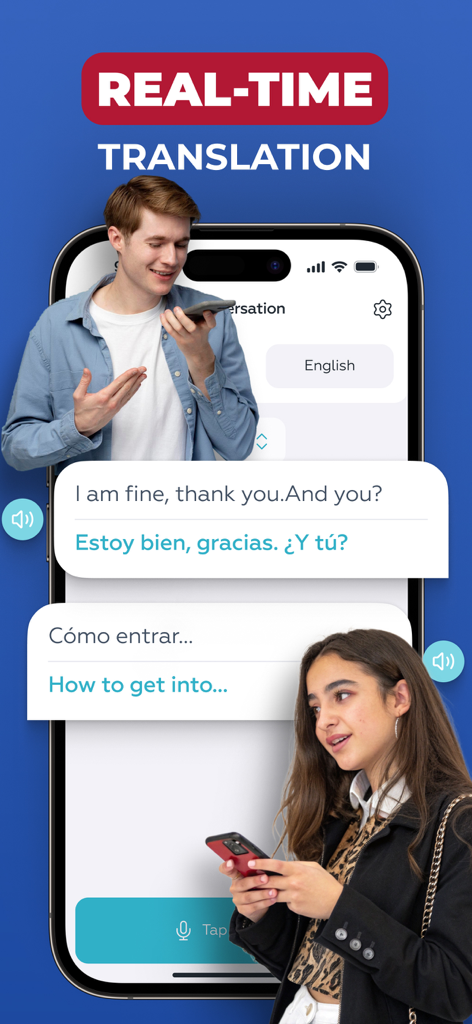
Smartphone screen showing real-time voice translation between two people in English and Spanish

Smartphone screen showing real-time voice translation between two people in English and Spanish

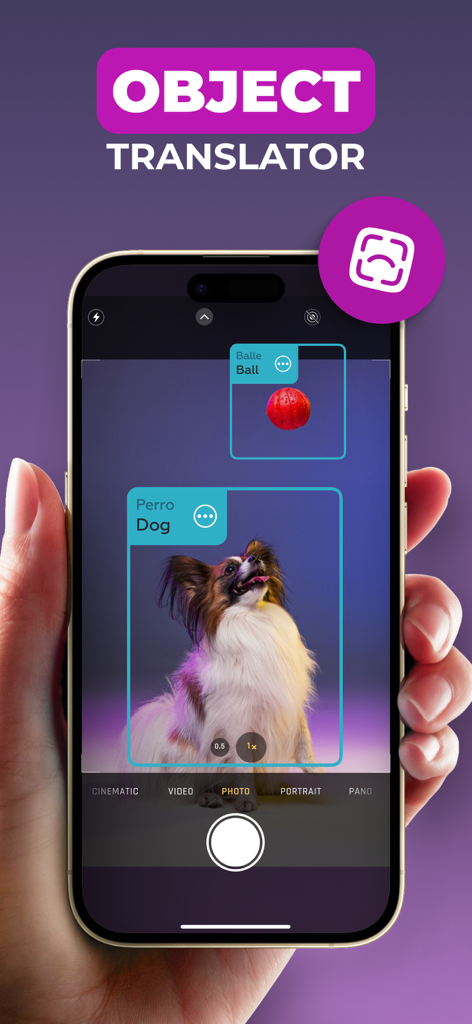
A smartphone showing the AI Object Translator feature identifying and translating a dog and a ball in real-time using AR

A smartphone showing the AI Object Translator feature identifying and translating a dog and a ball in real-time using AR

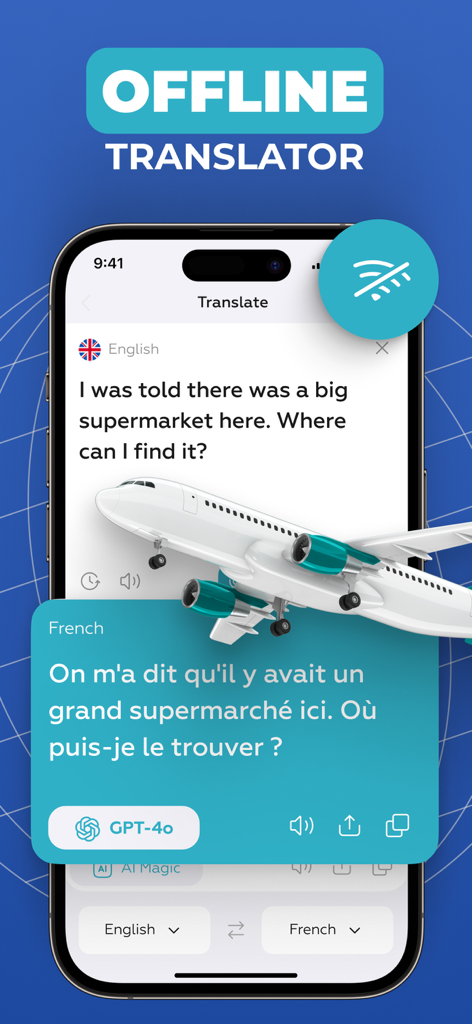
Smartphone screen showing the Voice Translator app's offline mode translating English to French using GPT-4o with an airplane illustration.

Smartphone screen showing the Voice Translator app's offline mode translating English to French using GPT-4o with an airplane illustration.

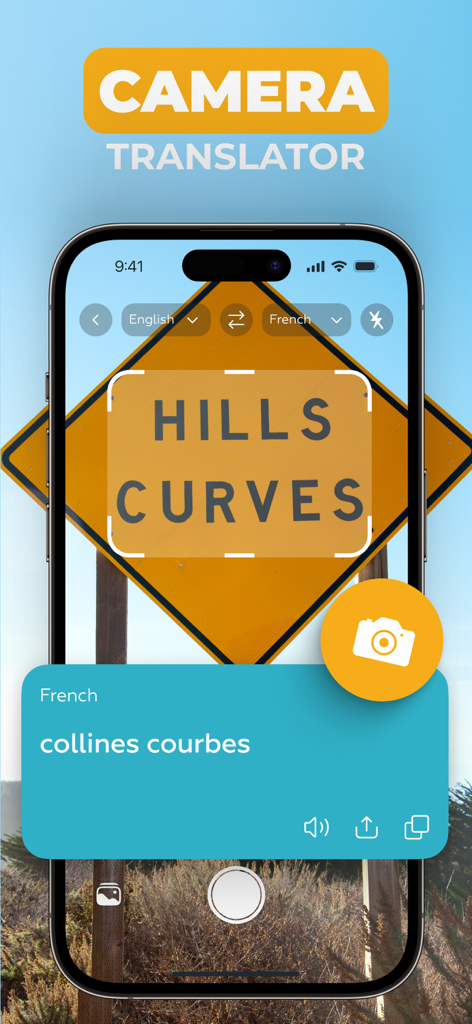
A screenshot of the Voice Translator app using the camera to translate a road sign from English to French.

A screenshot of the Voice Translator app using the camera to translate a road sign from English to French.

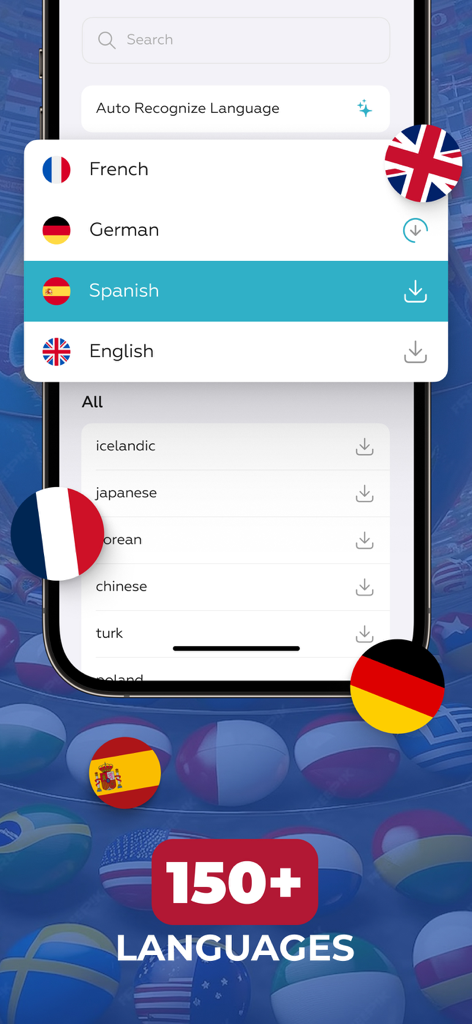
Voice Translator app screen showing a selection of over 150 supported languages with country flags

Voice Translator app screen showing a selection of over 150 supported languages with country flags

Communicate Without Limits

The tools that make this app stand out, trusted by 2M+ users.

🤝

Seamless Face-to-Face Chat

Bridge the gap with Touch Mode. A split-screen interface makes 1-on-1 conversations natural, fast, and completely frictionless.

🎧

Private AI Interpreter

Connect your headphones for discreet, real-time audio translations. Ideal for business meetings and private conversations on the go.

👁️

Instant Visual Intelligence

Point your camera to translate signs, menus, and objects instantly. Navigate any environment with confidence using AR technology.

About the app

Everything you need to know about Voice Translator: Translate AI.

Description

Voice Translator AI is the perfect tool for seamless communication with people from around the world. Whether you're traveling, working, or making new connections, this app offers fast, accurate, and natural translations in real time. With advanced AI technology, it transforms your device into a personal interpreter. Key features: - AI translation with model selection - Headphones Mode - Real Talk Mode - Touch Mode - Camera Translator - Object Translator - Supports more than 150 languages AI Voice Translator. Choose from multiple advanced AI translation models to get the most accurate and natural-sounding results. The app allows you to select the voice engine that best fits your needs - whether you're aiming for speed, nuance, or clarity. This flexibility ensures that your spoken words are translated with maximum precision, preserving tone and meaning across languages. Headphones Mode. This feature helps you stay focused during conversations by providing live audio translation directly through your own headphones. Simply connect your headphones, speak in your language, and hear the translation without disturbing others. It’s perfect for traveling, public spaces, or private discussions. Touch Mode. This mode is designed for face-to-face conversations where two people sit across from each other. The voice input buttons appear on opposite sides of the screen - one for each speaker - so each person can simply tap their side to talk. It’s a natural and convenient way to communicate using just one device. For added flexibility, you can also switch to a layout with both buttons at the bottom of the screen - whichever feels more comfortable. Real Talk Mode. Perfect for longer conversations, this mode allows you to start the dialogue with just a single tap. Once activated, you can speak freely without pressing the button again after each phrase. The app continuously captures the conversation and translates phrases as you go - ensuring a smooth experience. Camera Translator. Instantly translate printed text, menus, signs, documents using your phone's camera. The app uses smart OCR to detect and recognize text in various languages, delivering quick and accurate translations on screen. Object Translator. Identify and translate objects around you in real time using AR technology. Just point your camera at an item, and the app will recognize and display its name or description in your selected language - perfect for navigating unfamiliar environments or learning new vocabulary visually. Wide Language Support. The app includes a large selection of languages from globally spoken ones to more specific regional dialects - ensuring you’re covered in almost any situation, anywhere in the world. Auto-Renewable Subscription Terms: - Your subscription will automatically renew on a weekly, monthly, or annual basis according to the plan you choose, and the charge will be processed via your Apple ID. - Free trials automatically switch to paid subscriptions unless canceled at least 24 hours before the trial period ends. - If you purchase a premium plan during a free trial, any remaining trial time will be forfeited. - You can manage or cancel your subscription anytime in your iTunes account settings. Changes will apply after the current billing period ends. Terms Of Use - https://docs.google.com/document/d/1o074NELkqmPFKd1jRvL5cG_Pp-xw5eIiLwNkCNS0UY8

Latest Version

4.5.0

Size

243.9 MB

First Released

Aug 17, 2020

Communicate Without Limits, Anywhere in the World

Join over 2 million global citizens and professionals using the most advanced AI interpreter. Download Voice Translator AI today and turn every conversation into a connection.

Download on App Store
FAQ

Frequently Asked Questions

Everything you need to know about Voice Translator: Translate AI

What is Voice Translator: Translate AI?

Voice Translator: Translate AI is an app that provides fast, accurate, and natural real-time translations using advanced AI technology. It acts as a personal interpreter for global communication.

Can Voice Translator: Translate AI translate text from images?

Yes, Voice Translator: Translate AI features a Camera Translator. It instantly translates printed text, menus, signs, and documents using the phone's camera and smart OCR technology.

Does Voice Translator: Translate AI include an Object Translator?

Yes, Voice Translator: Translate AI includes an Object Translator. It identifies and translates objects in real-time using AR technology, displaying their name or description in the selected language.

How many languages does Voice Translator: Translate AI support?

Voice Translator: Translate AI supports more than 150 languages, including globally spoken ones and specific regional dialects. This ensures comprehensive coverage for various communication needs.

Does Voice Translator: Translate AI allow selection of AI translation models?

Yes, Voice Translator: Translate AI allows users to choose from multiple advanced AI translation models, such as GPT-4o, Deepseek, Lama, and Google Pro Translate, for precise results.

How does Headphones Mode work in Voice Translator: Translate AI?

Headphones Mode in Voice Translator: Translate AI provides live audio translation directly through connected headphones. Users speak in their language and hear the translation without disturbing others.

What is Touch Mode in Voice Translator: Translate AI used for?

Touch Mode in Voice Translator: Translate AI facilitates face-to-face conversations. Two input buttons appear on opposite sides of the screen, allowing each person to tap to speak.

What is the benefit of Real Talk Mode in Voice Translator: Translate AI?

Real Talk Mode in Voice Translator: Translate AI enables continuous, smooth conversations. Users speak freely after a single tap, and the app continuously captures and translates phrases without further button presses.

Does Voice Translator: Translate AI offer offline translation?

Yes, Voice Translator: Translate AI offers an Offline Translator feature. This allows users to translate conversations even without an internet connection, as depicted in the app's visuals.

How does the subscription for Voice Translator: Translate AI work?

Subscriptions for Voice Translator: Translate AI renew automatically on a weekly, monthly, or annual basis. The charge is processed via the user's Apple ID, as per the subscription terms.

Can I get a free trial for Voice Translator: Translate AI?

Yes, Voice Translator: Translate AI offers free trials. These trials automatically switch to paid subscriptions unless canceled at least 24 hours before the trial period concludes.

How do I cancel my subscription to Voice Translator: Translate AI?

Users manage or cancel their Voice Translator: Translate AI subscription anytime in their iTunes account settings. Changes apply after the current billing period ends.

Where can I find the Terms of Use for Voice Translator: Translate AI?

The Terms of Use for Voice Translator: Translate AI are available via a provided link: https://docs.google.com/document/d/1o074NELkqmPFKd1jRvL5cG_Pp-xw5eIiLwNkCNS0UY8.

App information, icons, screenshots, and descriptions displayed on this page are sourced from the Apple App Store and are the property of their respective developers. Download estimates and rankings are based on MWM's proprietary models and may not reflect actual figures. This page is provided for informational and analytical purposes only.

Believe this page infringes your intellectual property? File a dispute