Wardrobe Designer

Wardrobe Designer

Download on App Store
Logo of Wardrobe Designer

Wardrobe Designer: Pro-Grade Blueprints for Your Next DIY Closet Project

Transform your measurements into accurate material specifications and cutting lists. Designed for makers and handymen who value precision without the complex CAD math. Export to Excel and hit the workshop today.

Publisher

Sergii Melnyk

Category

Graphics & Design

Downloads

21K+

User Rating

1.0/5

Total Ratings

0

Locales

1

Precision at a Glance

Discover the interface used by 21K+ users.
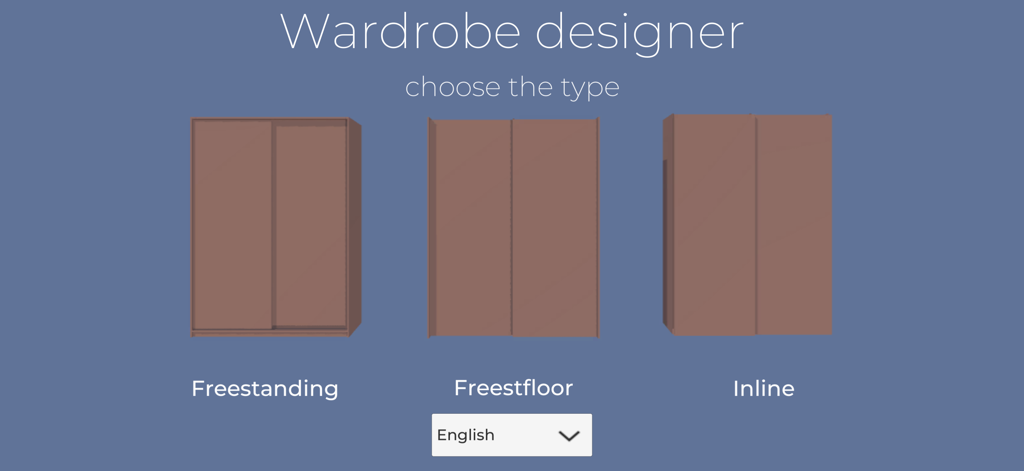
Interface of the Wardrobe Designer app showing options to choose wardrobe installation types including freestanding and inline

Interface of the Wardrobe Designer app showing options to choose wardrobe installation types including freestanding and inline

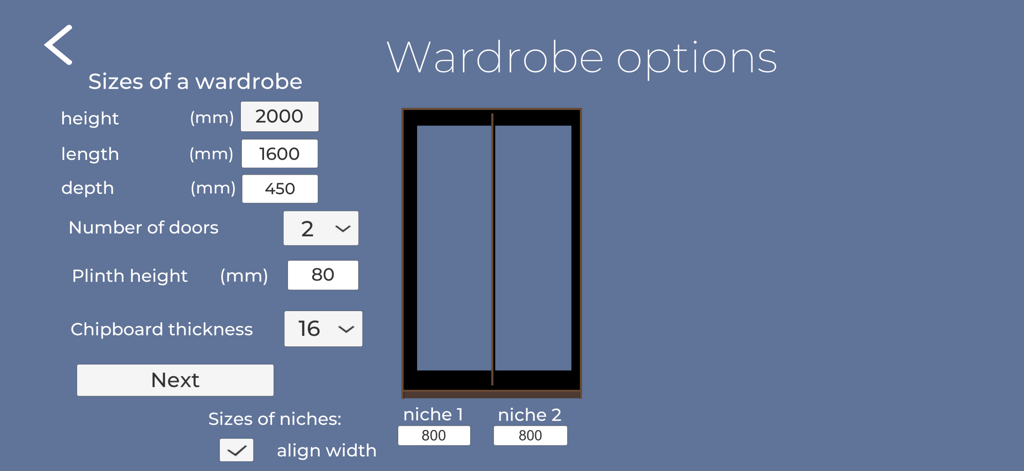
Wardrobe options interface for setting cabinet dimensions and material thickness

Wardrobe options interface for setting cabinet dimensions and material thickness

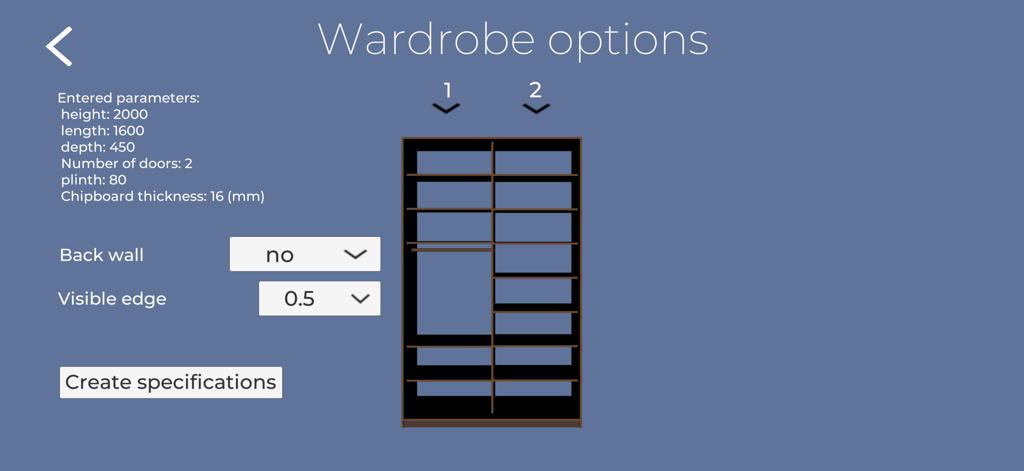
Wardrobe Designer app interface showing custom closet dimensions and interior shelf layout options

Wardrobe Designer app interface showing custom closet dimensions and interior shelf layout options

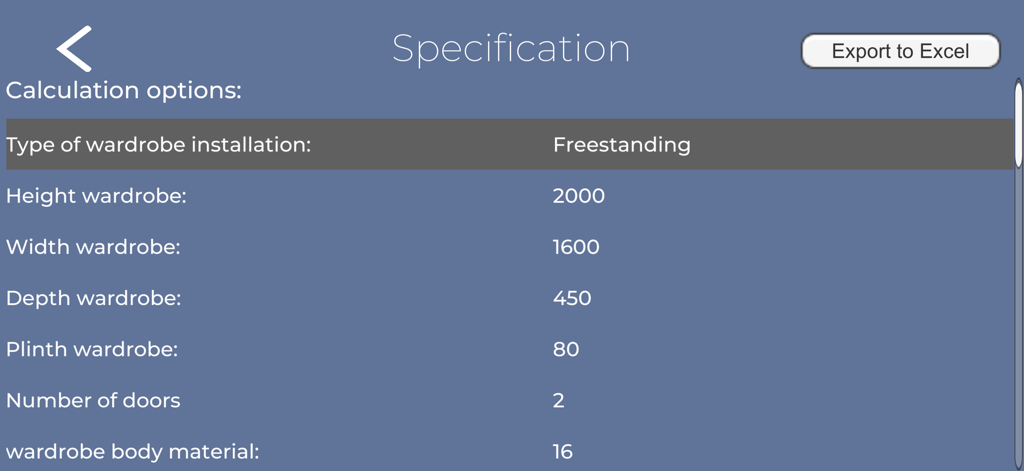
Wardrobe Designer app specification screen showing closet dimensions and material details for a freestanding wardrobe

Wardrobe Designer app specification screen showing closet dimensions and material details for a freestanding wardrobe

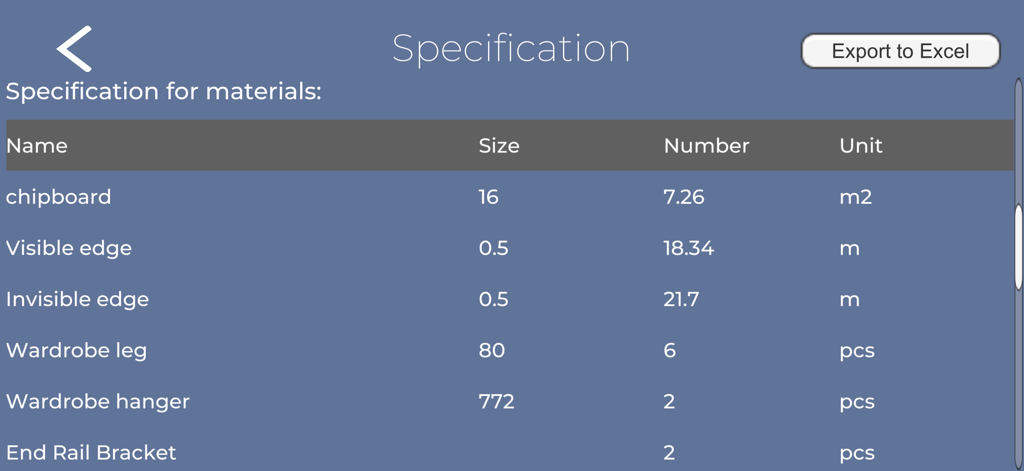
Material specification table in Wardrobe Designer app showing quantities for chipboard and hardware

Material specification table in Wardrobe Designer app showing quantities for chipboard and hardware

Professional Blueprints, Zero Math Required

The tools that make this app stand out, trusted by 21K+ users.

📐

Instant Cutting Lists

Eliminate math anxiety. Input your wall dimensions and get precise measurements for every panel, shelf, and door automatically.

📑

Pro-Grade Specifications

Generate a complete material breakdown and export to Excel. Take your specs straight to Home Depot or your local workshop.

🛠️

Fully Customizable Layouts

Choose installation types, door counts, and internal fillings. Design a custom fit for any space without needing complex CAD software.

About the app

Everything you need to know about Wardrobe Designer.

Description

Using the Wardrobe Designer program, you can quickly get the dimensions of the details of a wardrobe closet for manufacturing. All you need is: - choose the type of cabinet installation; - choose the number of doors; - select a material thickness; - choose the presence and material of the back wall; - select the thickness of the visible edge. Then enter the size of the cabinet, choose the types of filling for each section and create a Specification of materials. You will a Specification of materials, details, openings for sliding doors. Take a screenshot and that’s all, you can go to the workshop to do this. Added the ability to export data to Excel.

Latest Version

1.1.3

Size

59.2 MB

First Released

Dec 31, 2022

Stop Calculating and Start Building

Eliminate math errors and wasted materials. Join thousands of makers using Wardrobe Designer to get precision blueprints and material specs delivered straight to their workshop.

Download on App Store

App information, icons, screenshots, and descriptions displayed on this page are sourced from the Apple App Store and are the property of their respective developers. Download estimates and rankings are based on MWM's proprietary models and may not reflect actual figures. This page is provided for informational and analytical purposes only.

Believe this page infringes your intellectual property? File a dispute