WatchBMI

WatchBMI

Download on App Store
Logo of WatchBMI

WatchBMI: Professional BMI Calculations, Right on Your Wrist

The ultimate tool for healthcare providers and fitness experts. Calculate BMI in seconds using CDC categories without ever reaching for your phone—no data tracking, no subscriptions, just pure utility.

Download on App Store

Publisher

James Nachbar

Category

Health & Fitness

Downloads

100

User Rating

1.0/5

Total Ratings

0

Locales

1

Precision at a Glance

Discover the interface used by 100 users.
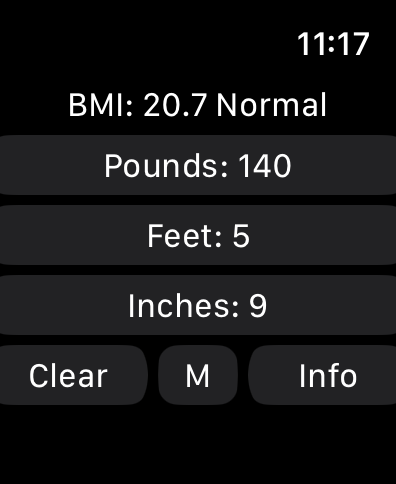
WatchBMI calculator on Apple Watch displaying weight in pounds and height in feet and inches with a normal BMI result.

WatchBMI calculator on Apple Watch displaying weight in pounds and height in feet and inches with a normal BMI result.

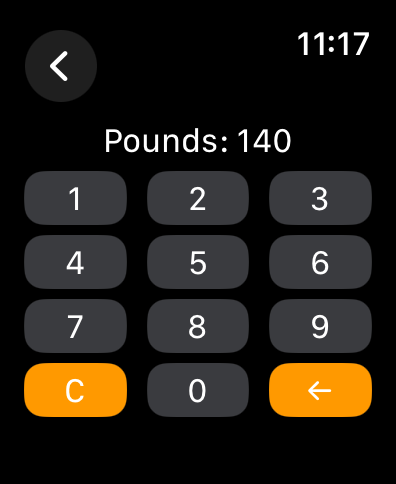
A numeric keypad on an Apple Watch screen for entering weight in pounds.

A numeric keypad on an Apple Watch screen for entering weight in pounds.

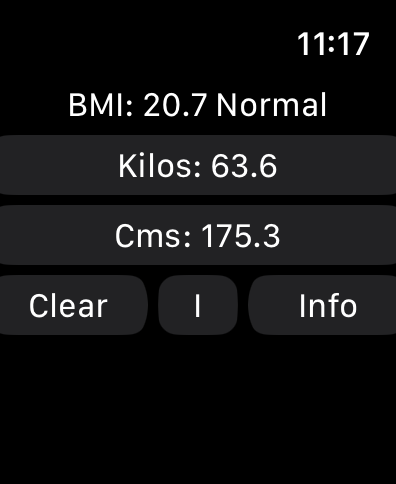
WatchBMI app interface on Apple Watch displaying metric BMI calculation result

WatchBMI app interface on Apple Watch displaying metric BMI calculation result

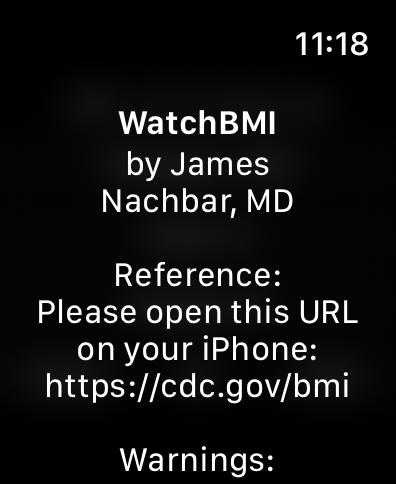
WatchBMI app interface on Apple Watch showing developer James Nachbar MD and a reference link to the CDC website

WatchBMI app interface on Apple Watch showing developer James Nachbar MD and a reference link to the CDC website

Apple Watch screen showing BMI medical warnings and CDC reference link

Apple Watch screen showing BMI medical warnings and CDC reference link

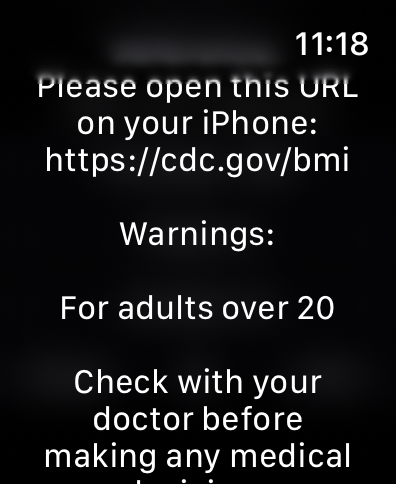
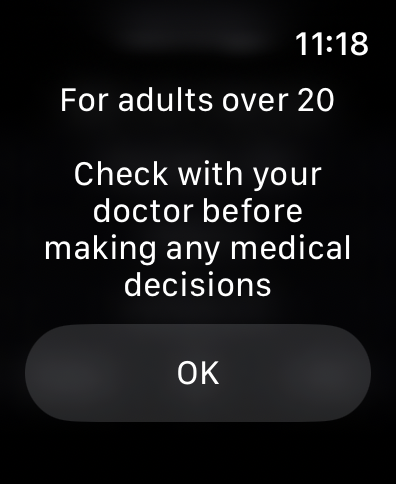
Medical disclaimer screen on the WatchBMI Apple Watch app stating that it is for adults over 20 and advising users to consult a doctor.

Medical disclaimer screen on the WatchBMI Apple Watch app stating that it is for adults over 20 and advising users to consult a doctor.

Designed for Your Professional Workflow

The tools that make this app stand out, trusted by 100 users.

Instant Wrist Access

Perform rapid calculations in seconds without breaking patient eye contact or compromising clinical hygiene protocols.

📏

Hybrid Unit Support

Effortlessly enter height in feet and inches then switch to metric for clinical charting with a single tap.

🔒

Private & Compliant

Aligned with CDC categories, our zero-storage architecture ensures total data privacy for you and your clients.

About the app

Everything you need to know about WatchBMI.

Description

This app is a BMI (Body Mass Index) calculator. It is very simple, in that it asks for input of height and weight, and displays the calculated value for BMI. It does not measure anything; it only displays the calculated BMI based on entered values. I created this for my own practice, because I often need to calculate BMI, and do not want to have to take out and unlock my phone every time. While it will certainly work for an individual to determine her own BMI, it is targeted at users (such as myself) who need to calculate BMI based on the measurements of multiple individuals. It does report the CDC category of the BMI, but does not otherwise interpret any of the data. It does not store or collect any of the entered information. You should know that BMI is only a reflection of height and weight; it does not assess body composition, or differentiate between fat and muscle. Instructions: Simply click on one of the buttons on the main screen to show a keyboard for entering the value. WatchBMI can accept values in either the Metric or the Imperial system. Click the "M" button to change to metric, click the "I" button to change to imperial If Imperial: Click on "Pounds" to enter the weight in pounds. Use the "Back" button to go back to the main screen. Click on "Feet" to enter the feet part of height. Click on "Inches" to enter the inches part of height. If Metric: Click on "Kilos:" to enter the weight in kilograms. Click on "Cms: to enter the height in centimeters. The app does not allow inches greater than 11, feet greater than 7, or weight greater than 999, with similar maximums in metric. Once all three values have been entered, the main screen (again, click the "Back" button) to show the calculated BMI and the CDC category for that BMI. When changing from Imperial to Metric or Metric to Imperial, the height and weight will change as well, so you can enter weight in kilograms and height in feet and inches. Reference Information: Information from the U.S. Centers for Disease Control and Prevention (CDC) provides information about BMI and its appropriate use at https://cdc.gov/bmi BMI is a measure of weight relative to height. According to CDC at https://www.cdc.gov/bmi/about/index.html : BMI is a quick, low-cost, and reliable screening measure for underweight, overweight, or obesity; BMI is a valuable population health measure used worldwide; for individuals, BMI should be considered with other factors, such as blood pressure, cholesterol levels, and physical examination. The CDC Adult BMI Categories are from https://www.cdc.gov/bmi/adult-calculator/bmi-categories.html. BMI and this app does not diagnose or treat any condition. The CDC BMI Categories calculated by this app are designed for adults 20 and older, and do not apply to children. Check with your doctor before using this app or making any medical decisions based on BMI.

Latest Version

2.0

Size

0.4 MB

First Released

Sep 15, 2024

Ready for Your Next Patient?

Join the healthcare and fitness professionals streamlining their workflow. Download WatchBMI today for instant, private, and CDC-aligned calculations right on your wrist.

Download on App Store

App information, icons, screenshots, and descriptions displayed on this page are sourced from the Apple App Store and are the property of their respective developers. Download estimates and rankings are based on MWM's proprietary models and may not reflect actual figures. This page is provided for informational and analytical purposes only.

Believe this page infringes your intellectual property? File a dispute