
WatchPAT


The professional choice for at-home sleep apnea diagnosis. Seamlessly connect your WatchPAT™ONE device to sync clinical data with your physician and take the first step toward better rest.
Publisher
Category
MedicalDownloads
1M+User Rating
Total Ratings
400Locales
22Discover the interface used by 1M+ users.
The tools that make this app stand out, trusted by 1M+ users.
Skip the invasive sleep lab and the 'white coat' anxiety. Complete your diagnostic test in the privacy and comfort of your own bed.
Utilize FDA-cleared technology that provides your physician with the precise data required for a legitimate clinical diagnosis.
No waiting for mail-in results. The app securely transmits your sleep data to your healthcare provider the moment you wake up.
Insights from user reviews.
Sentiment Score
Summary
The mobile app receives overwhelmingly negative feedback, primarily due to severe usability issues and discomfort from the accompanying device. Users frequently report app instability, including errors, connectivity problems, and login difficulties, alongside the highly inconvenient requirement for the phone screen to remain on and bright throughout the night, often preventing sleep. The finger sensor is a significant point of contention, causing pain, throbbing, and discomfort that interfere with the ability to complete a sleep study effectively. While some users found the setup and instructions straightforward, facilitating quick diagnoses, many others raised concerns about data privacy, the accuracy of results, and the overall value for money.
Common Themes
Everything you need to know about WatchPAT.
Description
Latest Version
4.2.0
Size
71.0 MB
First Released
Oct 10, 2019
Download the WatchPAT™ app to pair your device and securely transmit clinical-grade data to your physician from the comfort of your own bedroom.
Everything you need to know about WatchPAT
The WatchPAT™ONE product serves as a diagnostic aid for detecting sleep-related breathing disorders.
No, federal law restricts the WatchPAT™ONE device sale to licensed healthcare practitioners. Patients obtain it through their doctor.
Only individuals provided with the WatchPAT™ONE device by a licensed healthcare practitioner are authorized to use the WatchPAT™ App.
Yes, users must seek a doctor's advice in addition to using the WatchPAT™ App and before making any medical decisions.
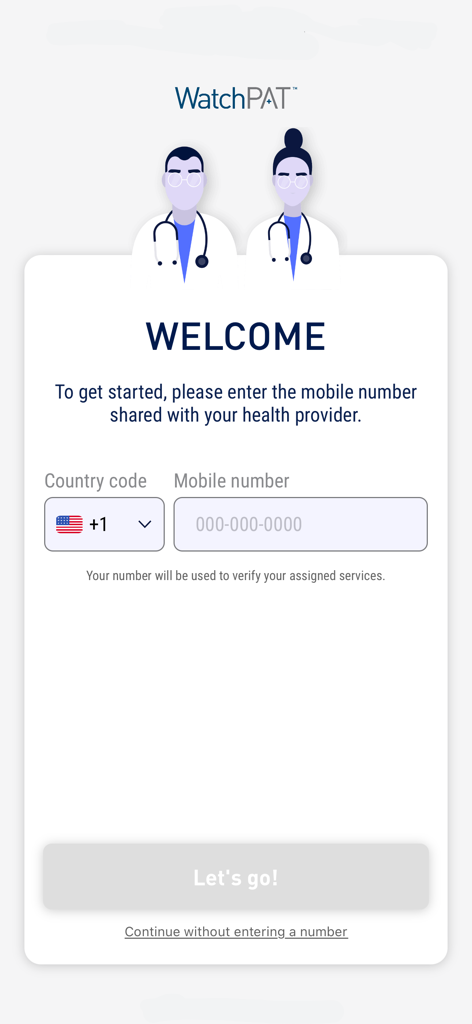
Begin by entering the mobile number shared with your health provider on the WatchPAT™ App's Welcome screen. This verifies assigned services.
Yes, the WatchPAT™ App sends your recorded sleep data directly to your healthcare provider for analysis.
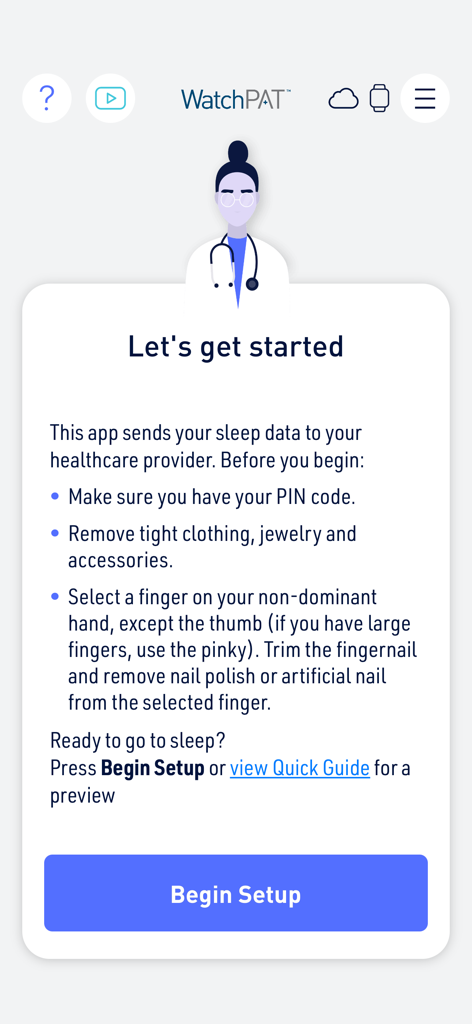
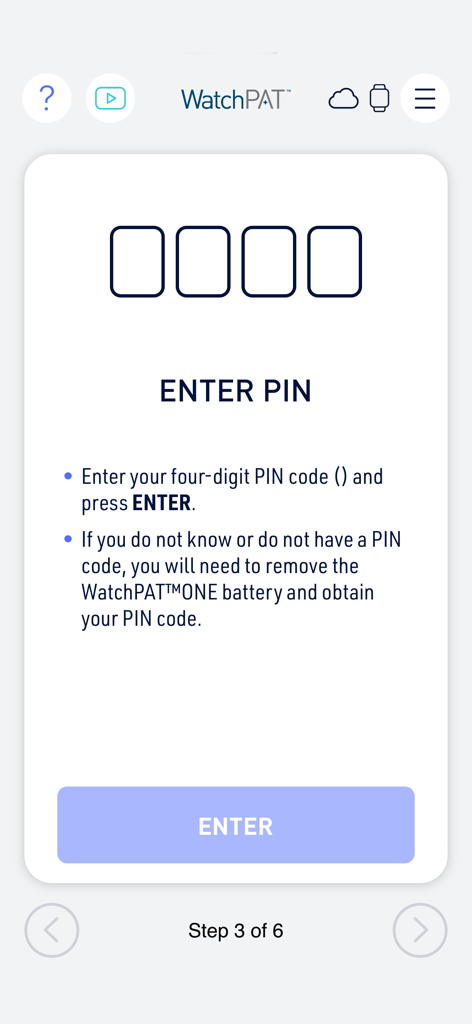
Yes, a PIN code is necessary to proceed with the setup of the WatchPAT™ App and the WatchPAT™ONE device.
Before using the WatchPAT™ONE device, remove tight clothing, jewelry, and other accessories that may interfere with the sensors.
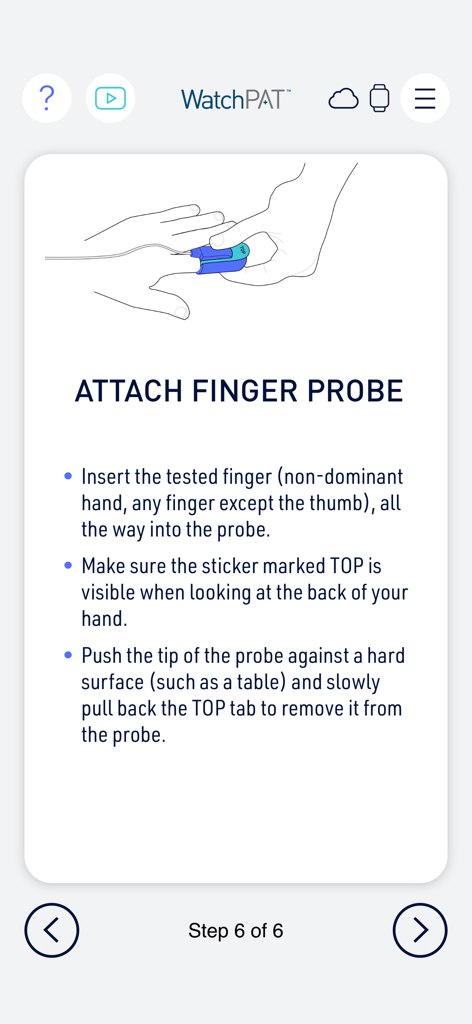
Use a finger on your non-dominant hand, excluding the thumb. Trim nails and remove polish or artificial nails from the chosen finger.
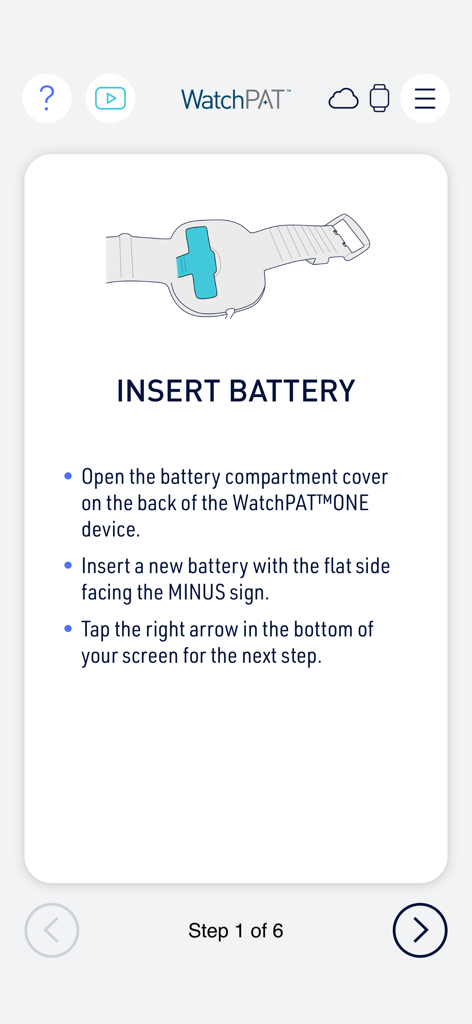
Open the battery compartment cover on the back of the WatchPAT™ONE device. Insert a new battery with the flat side facing the MINUS sign.
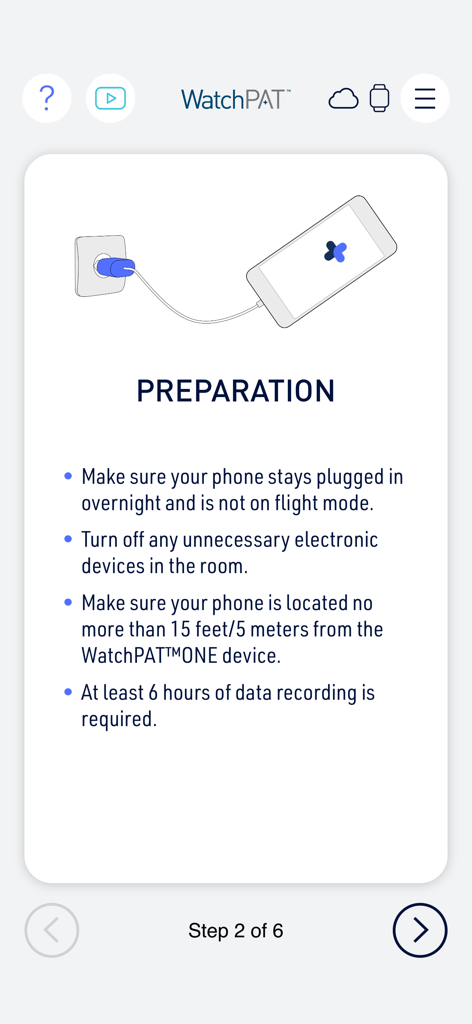
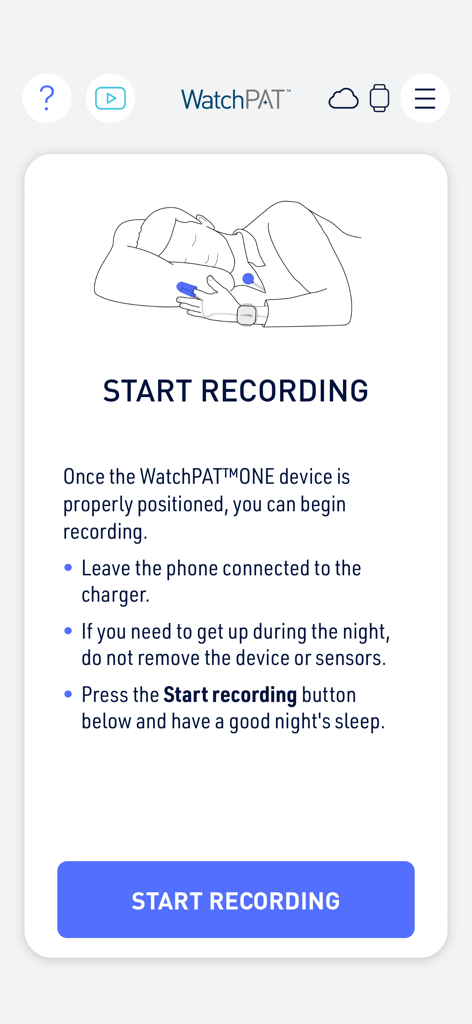
Yes, your phone must remain plugged in overnight and not be in flight mode throughout the WatchPAT™ONE recording period.
All unnecessary electronic devices in the room should be turned off during WatchPAT™ONE recording to prevent interference and ensure accuracy.
Your phone must be located no more than 15 feet (5 meters) from the WatchPAT™ONE device for optimal data transmission.
The WatchPAT™ONE device requires a minimum of 6 hours of continuous data recording for accurate diagnostic results.
If you don't know your PIN code, you must remove the WatchPAT™ONE battery and then obtain your correct PIN code.
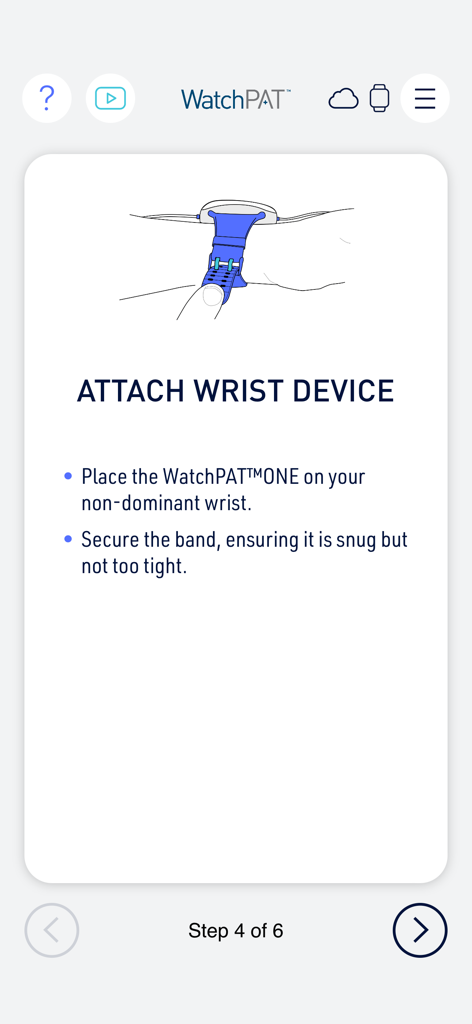
Place the WatchPAT™ONE device on your non-dominant wrist. Secure the band, ensuring it is snug but not excessively tight.
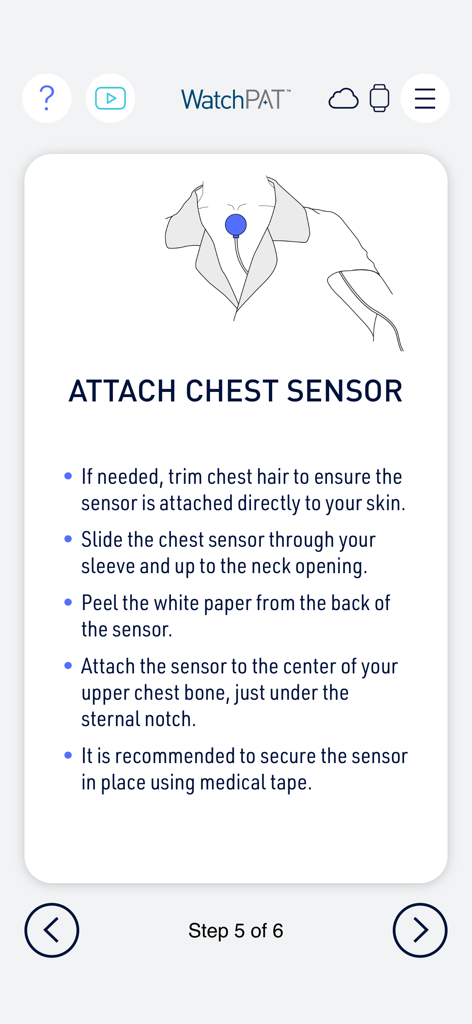
Trim chest hair if needed. Slide the sensor through your sleeve and attach it to the center of your upper chest bone, below the sternal notch.
Insert the selected non-dominant finger, except the thumb, fully into the probe. Ensure the "TOP" sticker is visible and remove the tab as directed.
No, if you need to get up during the night, do not remove the WatchPAT™ONE device or its sensors once recording has begun.
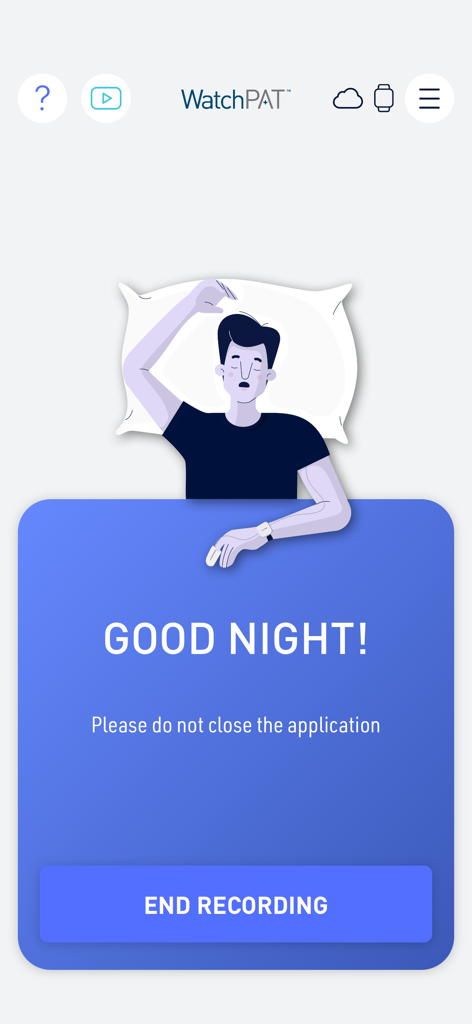
No, you should not close the WatchPAT™ App after you have started the recording process.
Apps with similar features and user experience

MedBridge Education LLC

smartpatient GmbH

HealthWave Inc.

Align Technology, Inc.

Artify Inc.

Wachanga LTD

1eq Inc

Basile Bruneau

Physitrack PLC
App information, icons, screenshots, and descriptions displayed on this page are sourced from the Apple App Store and are the property of their respective developers. Download estimates and rankings are based on MWM's proprietary models and may not reflect actual figures. This page is provided for informational and analytical purposes only.
Believe this page infringes your intellectual property? File a dispute