Water Polo Scoreboard

Water Polo Scoreboard

Download on App Store
Logo of Water Polo Scoreboard

Water Polo Scoreboard: Professional Game Management Made Simple

The all-in-one tool for coaches and volunteers to track scores, fouls, and shot clocks with precision—designed for the heat of the pool deck.

Download on App Store

Publisher

NAOYA ONO

Category

Sports

Downloads

800

User Rating

1.0/5

Total Ratings

0

Locales

2

Game Day Ready

Discover the interface used by 800 users.
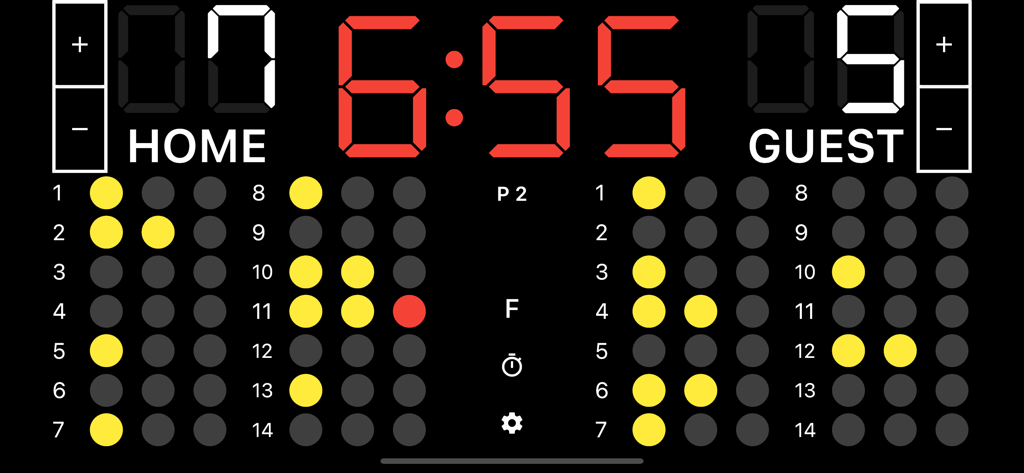
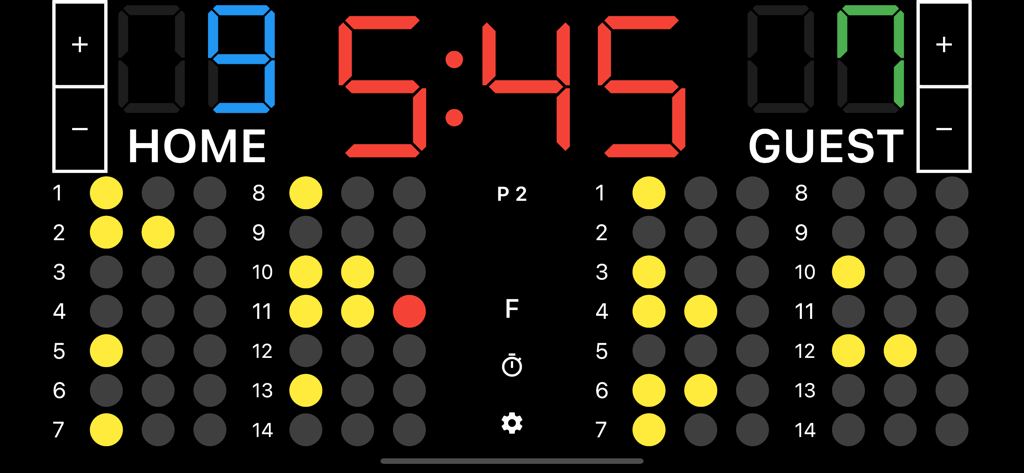
A digital water polo scoreboard app interface showing a 6:55 game timer, team scores of 7 and 5, and individual player foul tracking dots.

A digital water polo scoreboard app interface showing a 6:55 game timer, team scores of 7 and 5, and individual player foul tracking dots.

Digital water polo scoreboard interface showing team scores game clock and player foul tracking

Digital water polo scoreboard interface showing team scores game clock and player foul tracking

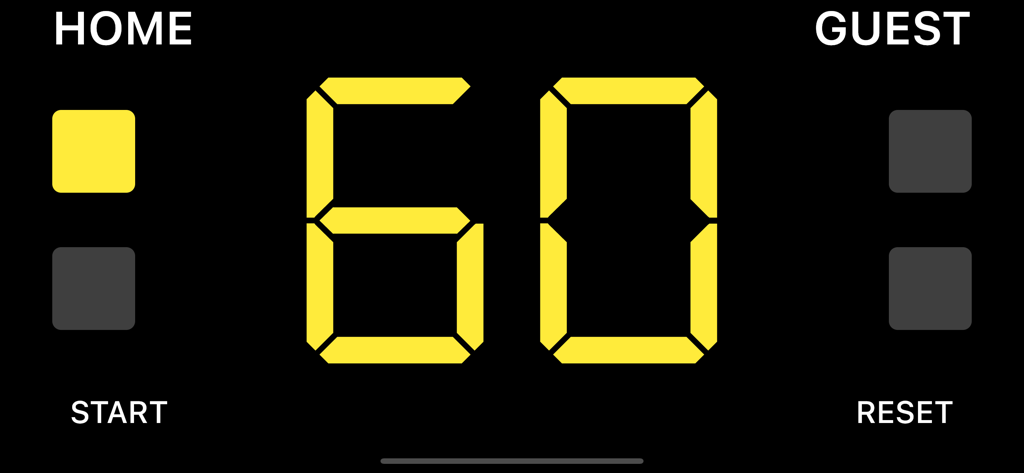
A 60-second digital timeout timer for Home and Guest teams in a water polo scoreboard app.

A 60-second digital timeout timer for Home and Guest teams in a water polo scoreboard app.

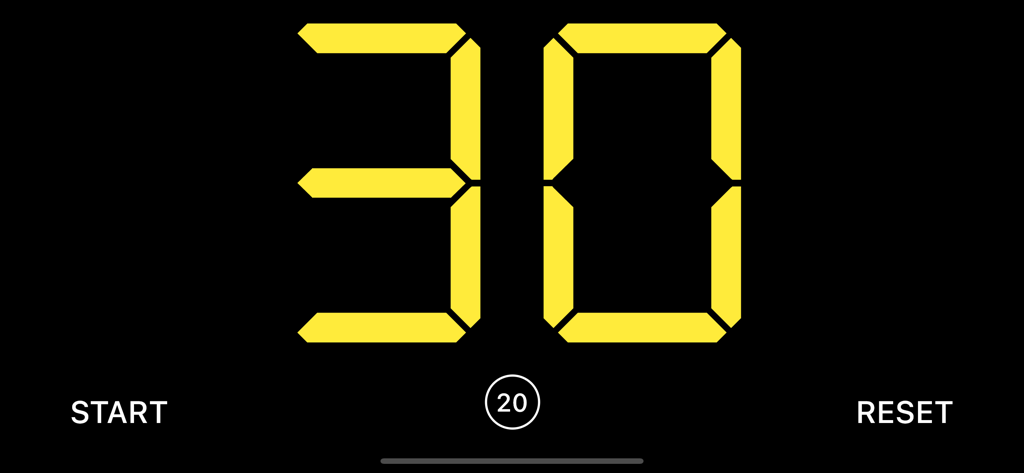
Digital 30 second shot clock interface for water polo games

Digital 30 second shot clock interface for water polo games

Professional Scoring, Made Simple

The tools that make this app stand out, trusted by 800 users.

⏱️

Integrated Shot Clock

Keep the pace with built-in 30-second timers and game clocks designed to meet official match regulations.

🟥

Precision Foul Tracking

Manage player exclusions with ease. Use the full-screen foul mode to ensure accuracy during high-intensity gameplay.

📋

Built for Volunteers

A zero-learning-curve interface that allows parents and team managers to run the table like seasoned professionals.

About the app

Everything you need to know about Water Polo Scoreboard.

Description

A scoreboard app specialized for water polo. It is easy to use, and allows you to set team names and register fouls. ●Basic Functions 1. Team name Tap “HOME or “GUEST” on the screen to enter the team name. 2. Adding and subtracting points You can add or subtract points by tapping the button next to the score. You can also add points by tapping the score. 3. Period Tap the “P” button in the middle of the screen to go to the next period. 4. Foul Tap the player who fouled to count the number of fouls. If your device is too small to tap a player, tap the "F" button on the center of the screen to display the fouls in full screen, making it easier to register the fouls. 5. Game timer Tap the time to start the timer. If you want to stop it, tap it again. 6. Timeout timer Swipe the scoreboard to either left or right to display it. Tap the time or the "Start" button at the bottom of the screen to start the timer. Tap again to stop the timer. 7. Shot clock (30 second timer) Swipe the scoreboard to either left or right to display it. Tap the time or the "Start" button at the bottom of the screen to start the timer. Tap again to stop the timer. 8. Reset Tap the cog icon at the bottom center of the screen to display the menu, where you can reset the score and timer.

Latest Version

1.3.3

Size

35.5 MB

First Released

Dec 19, 2021

Ready to Run the Game Like a Pro?

Transform your iPad or iPhone into a professional-grade table official station. Join coaches and volunteers across the country and manage every shot clock, foul, and period with total confidence.

Download on App Store

App information, icons, screenshots, and descriptions displayed on this page are sourced from the Apple App Store and are the property of their respective developers. Download estimates and rankings are based on MWM's proprietary models and may not reflect actual figures. This page is provided for informational and analytical purposes only.

Believe this page infringes your intellectual property? File a dispute