wHealth Dashboard

wHealth Dashboard

Download on App Store
Logo of wHealth Dashboard

wHealth: The Professional Dashboard for Your Health Data

Go beyond basic tracking. Visualize over 100 metrics with precision graphs, custom widgets, and actionable insights tailored for the dedicated optimizer.

Download on App Store

Publisher

Jean-Philippe Reynaud

Category

Health & Fitness

Downloads

112K+

User Rating

4.7/5

Total Ratings

300

Locales

8

Your Health, Visualized

Discover the interface used by 112K+ users.
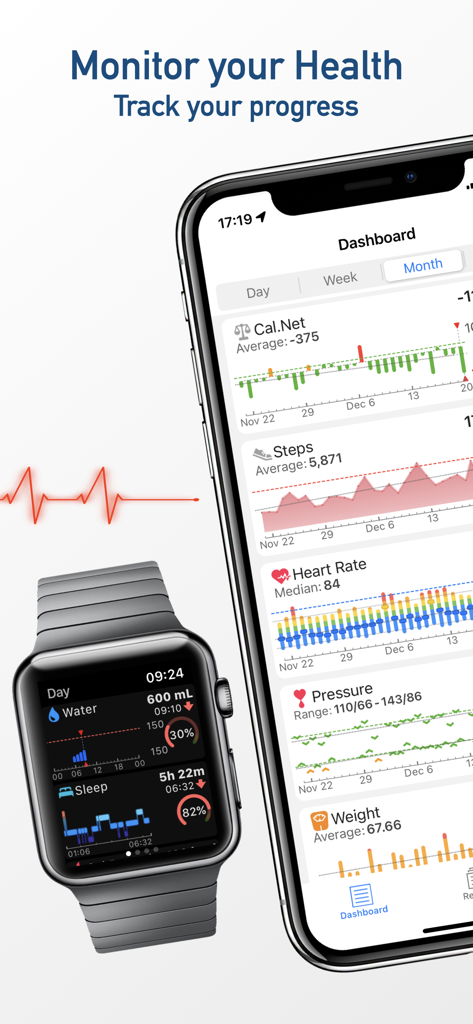
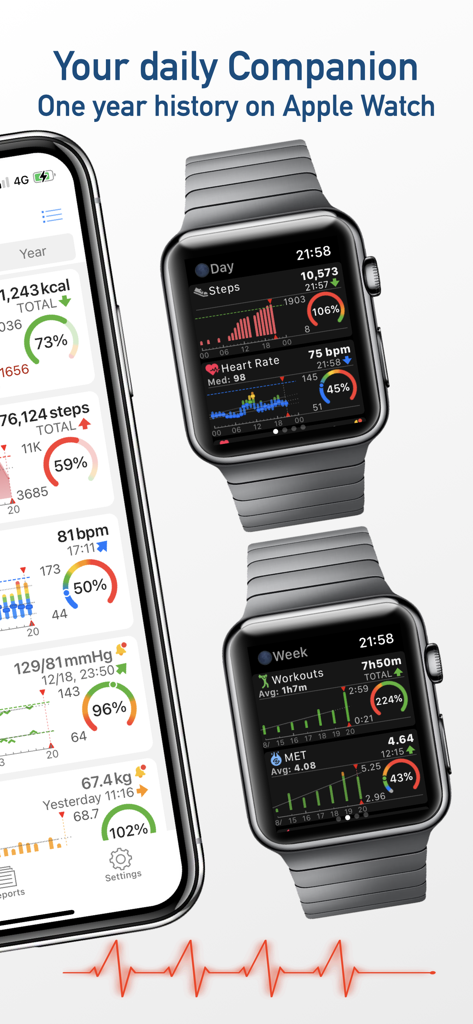
wHealth Dashboard app interface on iPhone and Apple Watch showing health progress charts

wHealth Dashboard app interface on iPhone and Apple Watch showing health progress charts

wHealth Dashboard app displaying comprehensive health data and graphs on iPhone and Apple Watch

wHealth Dashboard app displaying comprehensive health data and graphs on iPhone and Apple Watch

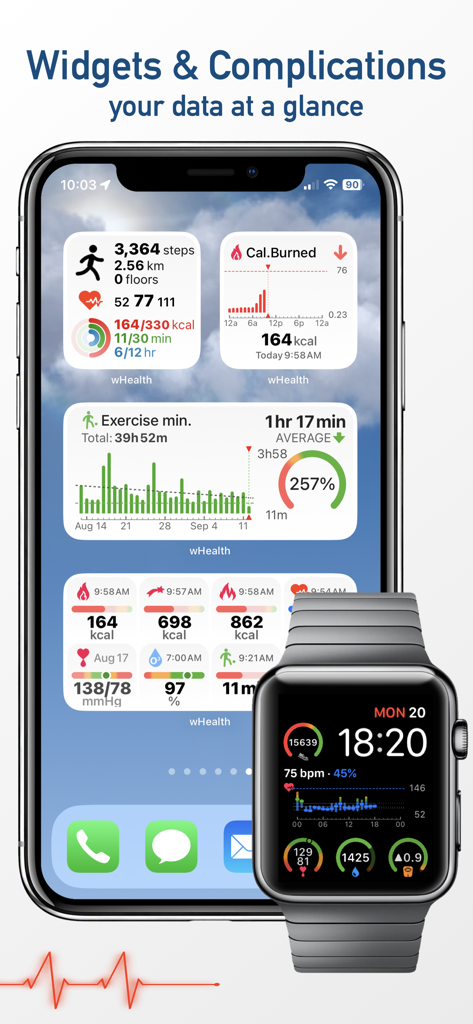
wHealth Dashboard app displaying health widgets on an iPhone and complications on an Apple Watch

wHealth Dashboard app displaying health widgets on an iPhone and complications on an Apple Watch

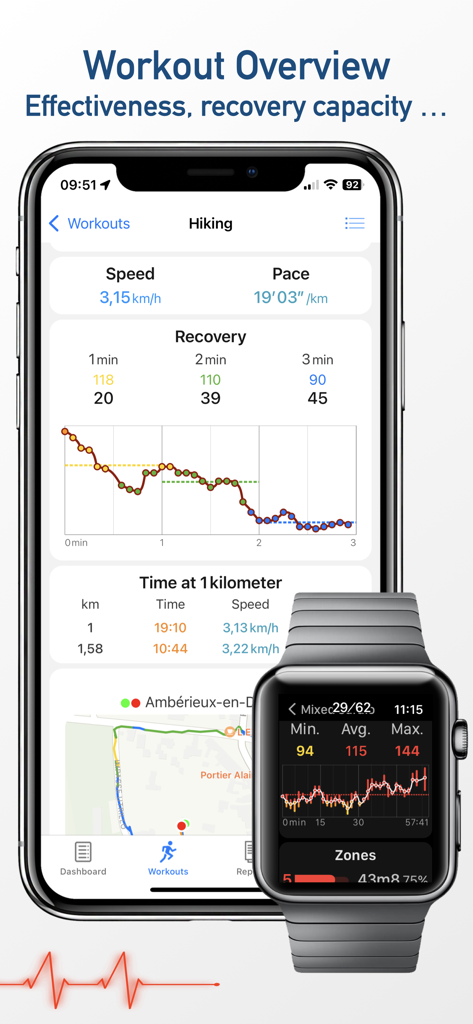
wHealth app showing hiking workout stats and heart rate recovery data on iPhone and Apple Watch

wHealth app showing hiking workout stats and heart rate recovery data on iPhone and Apple Watch

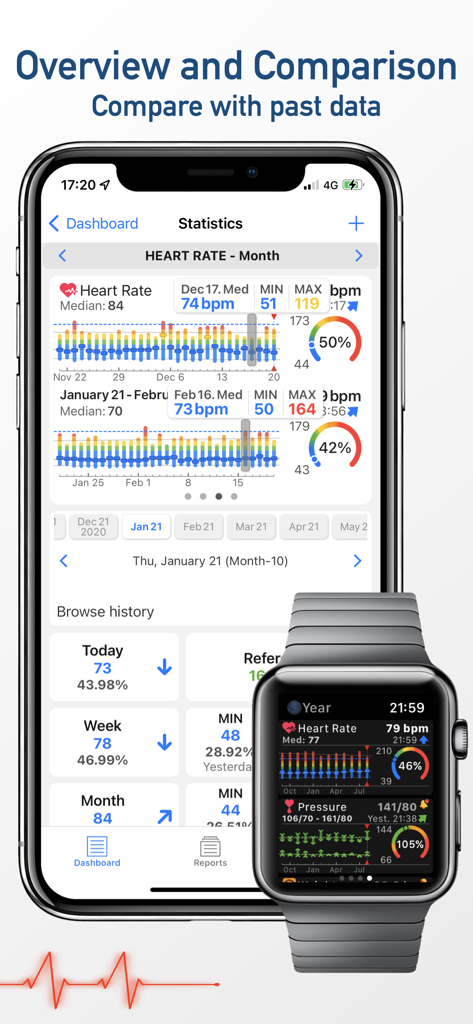
wHealth Dashboard comparison statistics on iPhone and Apple Watch

wHealth Dashboard comparison statistics on iPhone and Apple Watch

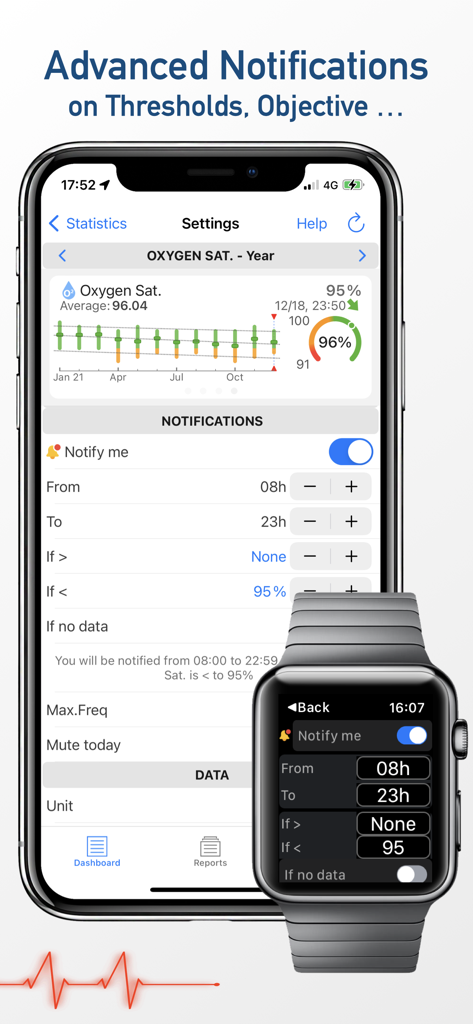
wHealth Dashboard app interface showing oxygen saturation notification settings on iPhone and Apple Watch

wHealth Dashboard app interface showing oxygen saturation notification settings on iPhone and Apple Watch

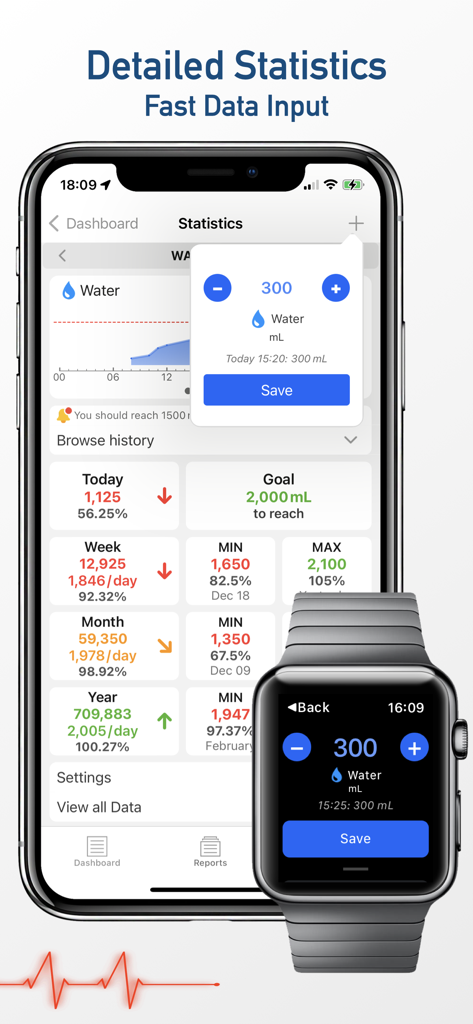
iPhone and Apple Watch showing water intake tracking and statistics on the wHealth Dashboard app.

iPhone and Apple Watch showing water intake tracking and statistics on the wHealth Dashboard app.

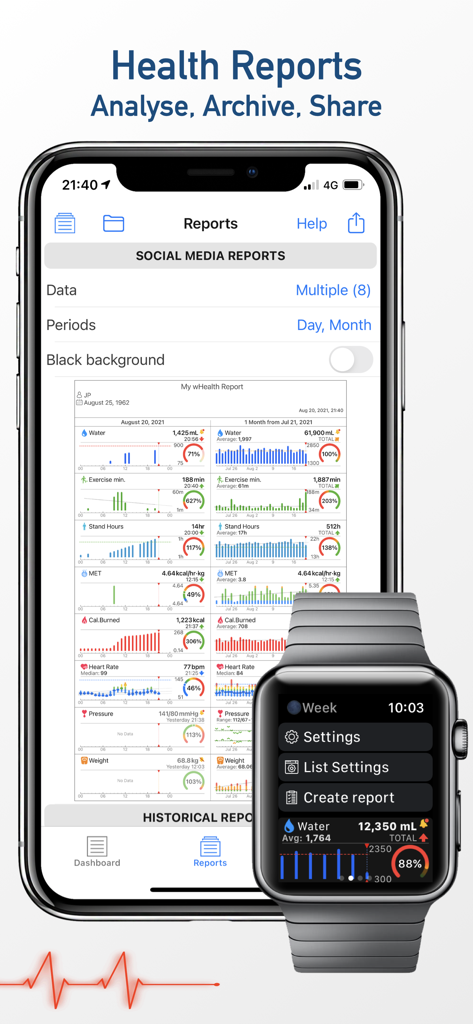
A preview of detailed health reports and data visualization on iPhone and Apple Watch

A preview of detailed health reports and data visualization on iPhone and Apple Watch

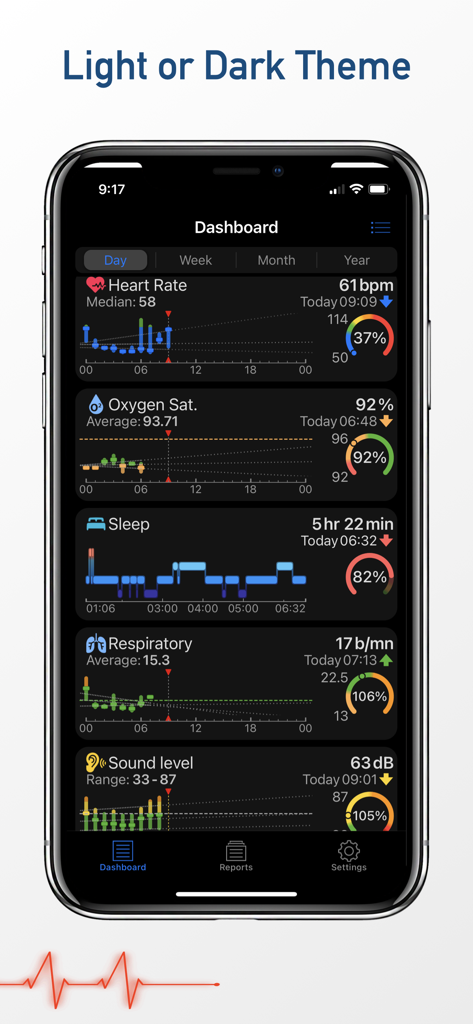
wHealth Dashboard app interface displaying health metrics and graphs in dark mode on an iPhone

wHealth Dashboard app interface displaying health metrics and graphs in dark mode on an iPhone

Take Full Command of Your Wellness

The tools that make this app stand out, trusted by 112K+ users.

📊

Pro-Grade Data Visuals

Visualize over 100 health metrics with 8 custom graph types, designed to reveal the critical trends that standard apps often overlook.

📋

Actionable Health Reports

Generate professional CSV exports and graphical summaries to share with your doctor or analyze your long-term performance gains.

Unified Widget Experience

Monitor your vitals and recovery scores instantly with advanced widgets for iPhone and Apple Watch, keeping your goals front and center.

About the app

Everything you need to know about wHealth Dashboard.

Description

Looking to get the most out of your health data? wHealth is built just for that. Track over 100 pieces of health data, with clear, concise graphs, trends, goals, progress and statistics, so you'll always know exactly where you stand. The app works completely independently on your iPhone, without needing an Apple Watch. It's an excellent companion to the Apple Health app. For Apple Watch users, wHealth provides access to all your data. With a full year of historical data and graphical displays based on health metrics and time periods. Utilize iPhone and Apple Watch widgets to track the data you care about directly from your home screens. With wHealth, you can manage over 100 different types of health data. Highly customizable, you can set up each graph exactly how you want, track your goals, compare with past values, share your results with a doctor, export data to CSV files, and much more. Adding new data points is quick and easy, whether it's hydration, weight, blood pressure, or any other type of health data that wHealth supports. KEY FEATURES: iPhone and Apple Watch: - Customize what data to display and in what order. - Choose from 30 colors and 8 graph types, with extensive customization options for each health data. - Set personal goals with graphical progress visualization. - For certain medical data, wHealth can automatically define your ideal goal based on your age and gender. - Add new data points in seconds. - Set notifications to help you meet your goals or monitor alert thresholds. - Track your workout performance and recovery capacity directly from your iPhone or Apple Watch. - Monitor the quality of your sleep sessions with comprehensive statistics - Manage numerous health metrics, with up to 50 on your Apple Watch dashboard. - Numerous widgets on both your home screen and Lock screen. - Full support for all Apple Watch widget types. iPhone only: - Replay your outdoor workouts on an animated map that shows your position and real-time performance metrics. - Compare your current values to past data, across different time periods or specific dates. - Create custom graphical reports of your personal records. (Requires in-app purchase) - Share detailed health reports with your doctor or performance reports with friends. - Export your data to CSV files. Most data displayed by wHealth is sourced from your iPhone's Apple Health (HealthKit) database. The app also manages certain health data not yet available in HealthKit, and this data syncs automatically across your devices. PRIVACY: Like any iOS app, wHealth requires your permission to access HealthKit data. It needs read access to display data on the dashboard, and write access to allow you to enter new data points. All HealthKit data stays within the HealthKit database and nowhere else. Cached data is stored locally on your devices (iPhone and Apple Watch) for faster dashboard display and is automatically deleted when the app is uninstalled. wHealth, your daily companion for full control over your health.

Latest Version

11.5.010

Size

31.9 MB

First Released

May 17, 2016

Take Full Command of Your Health Data

Join over 112,000 proactive trackers who turn raw Apple Health metrics into a professional, actionable dashboard. Download wHealth and start optimizing your wellness with total privacy today.

Download on App Store
FAQ

Frequently Asked Questions

Everything you need to know about wHealth Dashboard

What is wHealth Dashboard?

wHealth Dashboard is an app designed to track over 100 pieces of health data. It provides clear graphs, trends, goals, and statistics for various health metrics on iPhone and Apple Watch.

Does wHealth Dashboard require an Apple Watch to function?

No, wHealth Dashboard does not require an Apple Watch. The app functions completely independently on your iPhone. It is an excellent companion to Apple Health.

Can I track my workouts with wHealth Dashboard?

Yes, wHealth Dashboard allows you to track your workout performance and recovery capacity directly from your iPhone or Apple Watch. It also replays outdoor workouts on an animated map.

How does wHealth Dashboard manage my health data?

wHealth Dashboard sources most data from your iPhone's Apple Health (HealthKit) database. It also manages specific health data not yet available in HealthKit, which syncs automatically across your devices.

Is my health data secure with wHealth Dashboard?

Yes, wHealth Dashboard ensures data security. All HealthKit data remains within the HealthKit database. Cached data is stored locally on your devices and automatically deletes upon app uninstallation.

Does wHealth Dashboard support widgets for iPhone and Apple Watch?

Yes, wHealth Dashboard supports numerous widgets for both your iPhone home and Lock screen. It also provides full support for all Apple Watch widget types.

Can I export my health data from wHealth Dashboard?

Yes, wHealth Dashboard allows you to export your health data to CSV files directly from your iPhone. This feature enables convenient data sharing or custom backups.

What kind of reports can wHealth Dashboard generate?

wHealth Dashboard creates custom graphical reports of personal records. It enables sharing detailed health reports with doctors or performance reports with friends from your iPhone.

Does wHealth Dashboard offer customization for graphs?

Yes, wHealth Dashboard is highly customizable. You can choose from 30 colors and 8 graph types, with extensive customization options for each health data display.

Can wHealth Dashboard help me set and monitor personal health goals?

Yes, wHealth Dashboard allows setting personal goals with graphical progress visualization. For certain medical data, it automatically defines ideal goals based on age and gender.

Are there notifications available in wHealth Dashboard?

Yes, wHealth Dashboard includes notification features. You can set notifications to help meet your goals or to monitor alert thresholds for your health data.

Does wHealth Dashboard support comparison of past health data?

Yes, wHealth Dashboard supports comparing your current values to past data. You can view these comparisons across different time periods or specific dates on your iPhone.

Does wHealth Dashboard integrate with Apple Health?

Yes, wHealth Dashboard integrates with Apple Health. Most of the data displayed by the app is sourced directly from your iPhone's Apple Health (HealthKit) database.

How far back can wHealth Dashboard track my historical data on Apple Watch?

wHealth Dashboard provides access to a full year of historical data directly on your Apple Watch. This includes graphical displays based on various health metrics and time periods.

Can I input data manually into wHealth Dashboard?

Yes, adding new data points in wHealth Dashboard is quick and easy. You can manually enter data for metrics like hydration, weight, or blood pressure in seconds.

Does wHealth Dashboard offer a dark theme?

Yes, wHealth Dashboard offers both a light and dark theme option. Users can choose their preferred visual style for the app's interface.

App information, icons, screenshots, and descriptions displayed on this page are sourced from the Apple App Store and are the property of their respective developers. Download estimates and rankings are based on MWM's proprietary models and may not reflect actual figures. This page is provided for informational and analytical purposes only.

Believe this page infringes your intellectual property? File a dispute