Work Time Tracker, Track Hours

Work Time Tracker, Track Hours

Download on App Store
Logo of Work Time Tracker, Track Hours

Work Time Tracker, Track Hours: Master Your Schedule and Maximize Earnings

The effortless way for freelancers and shift workers to track multiple jobs, calculate overtime, and export professional timesheets—no registration required.

Download on App Store

Publisher

Asad Ahsan

Category

Business

Downloads

700

User Rating

4.8/5

Total Ratings

0

Locales

70

Precision in Action

Discover the interface used by 700 users.
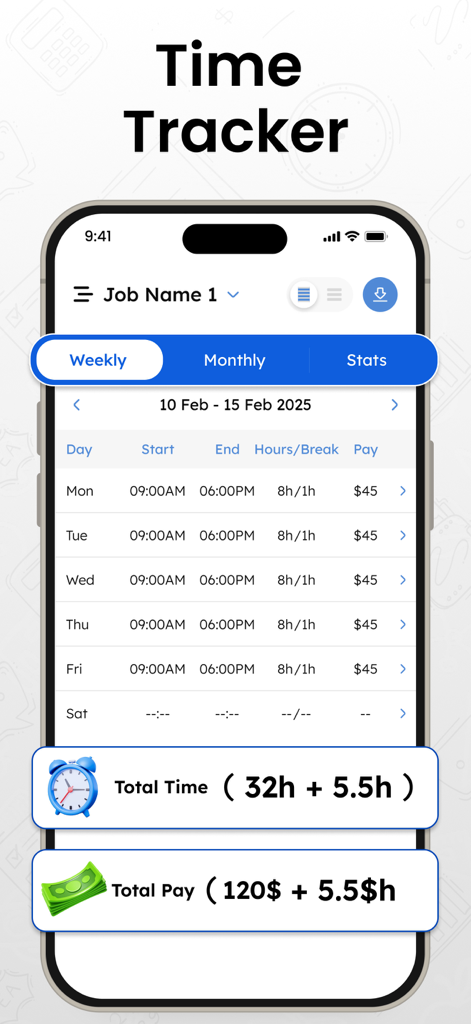
Mobile interface of Time Tracker app showing weekly work hours and earnings summary

Mobile interface of Time Tracker app showing weekly work hours and earnings summary

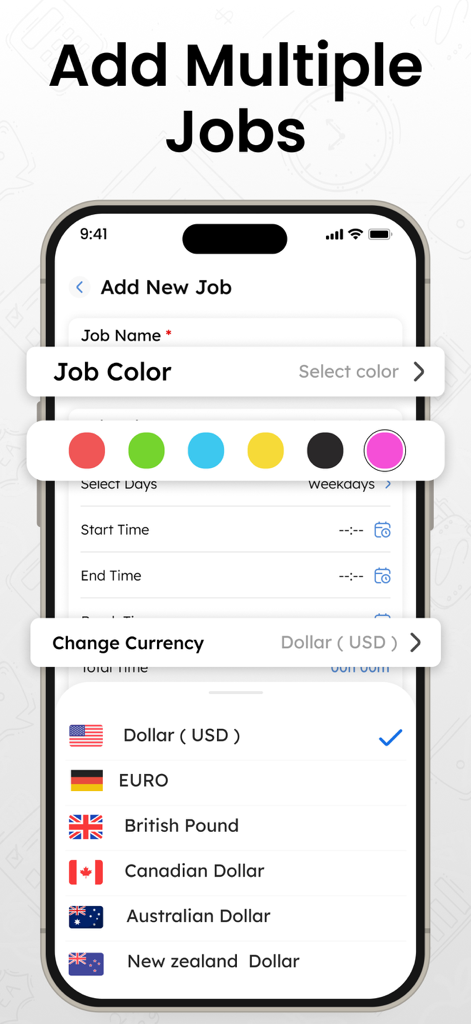
Work Time Tracker app screen for adding multiple jobs with color coding and currency selection

Work Time Tracker app screen for adding multiple jobs with color coding and currency selection

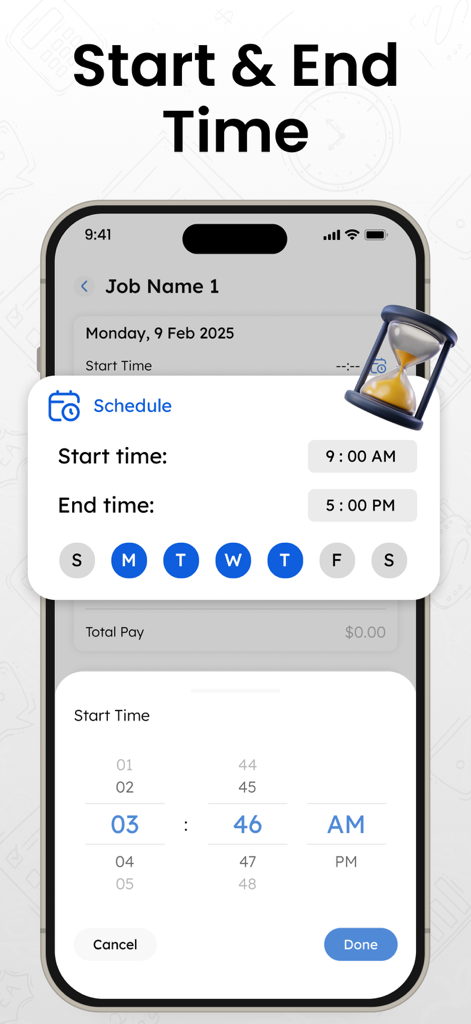
Smartphone interface of the Work Time Tracker app showing a schedule settings popup with start and end times for a job

Smartphone interface of the Work Time Tracker app showing a schedule settings popup with start and end times for a job

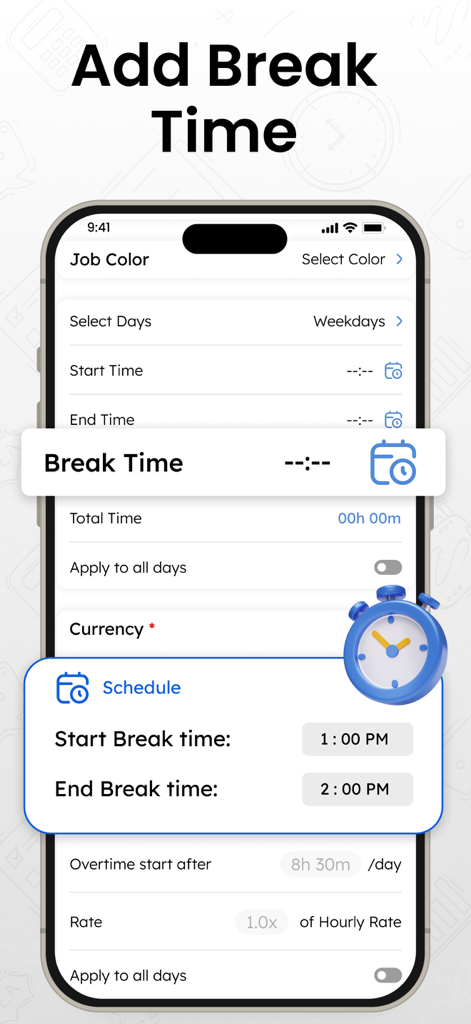
Mobile app interface showing how to add break times to a work schedule.

Mobile app interface showing how to add break times to a work schedule.

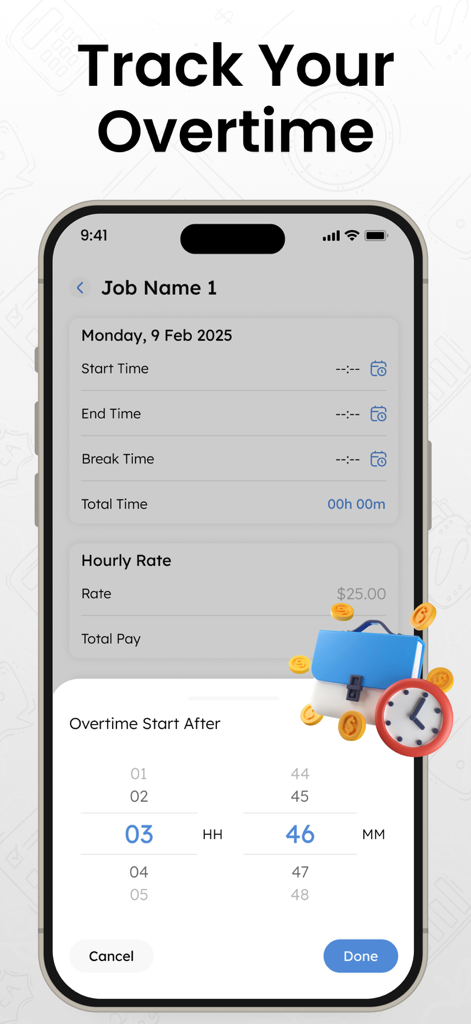
A mobile interface for tracking overtime hours and setting start times in the Work Time Tracker app

A mobile interface for tracking overtime hours and setting start times in the Work Time Tracker app

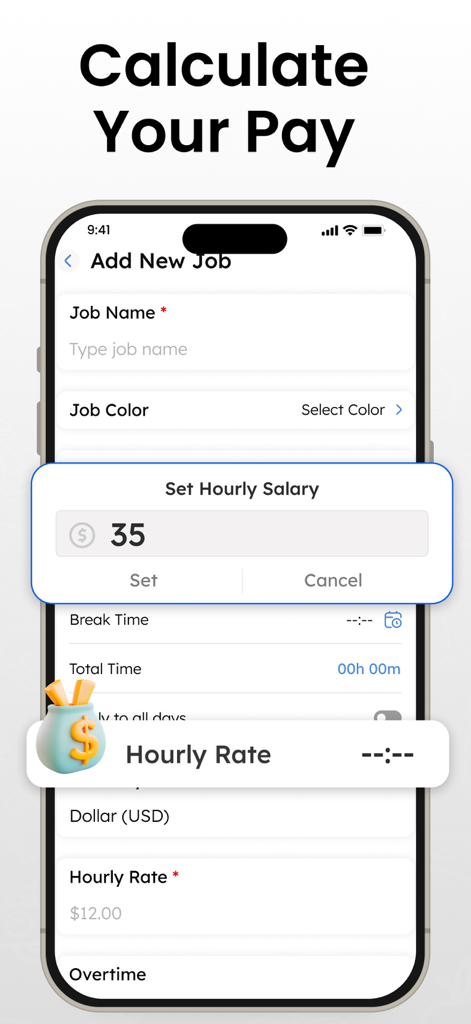
A mobile interface for setting an hourly salary within the Work Time Tracker app

A mobile interface for setting an hourly salary within the Work Time Tracker app

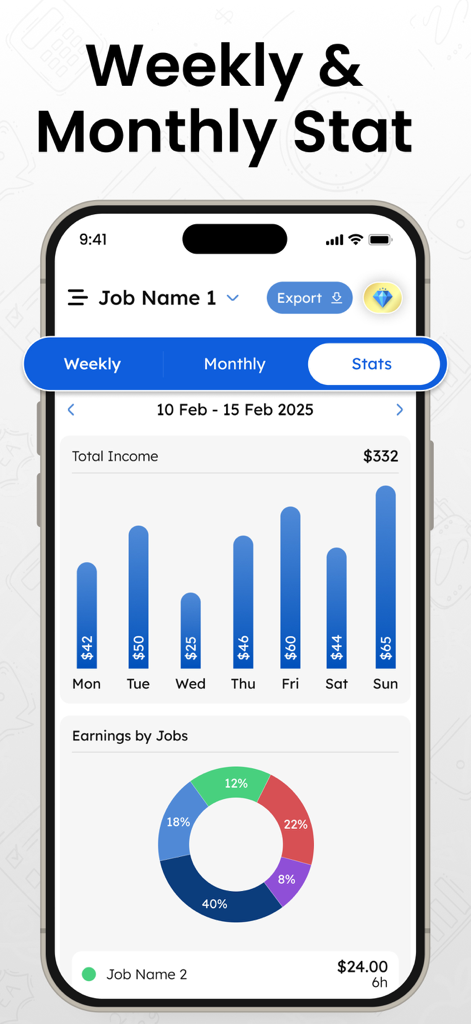
A smartphone displaying the Work Time Tracker app with weekly income bar charts and a donut chart showing earnings breakdown by different jobs.

A smartphone displaying the Work Time Tracker app with weekly income bar charts and a donut chart showing earnings breakdown by different jobs.

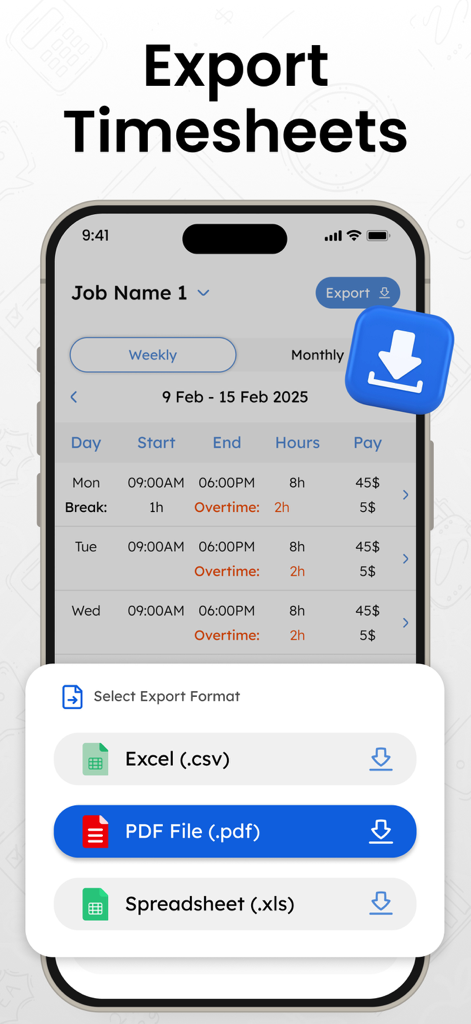
Work Time Tracker app screen showing options to export timesheets as PDF, CSV, or Excel files.

Work Time Tracker app screen showing options to export timesheets as PDF, CSV, or Excel files.

Everything You Need to Own Your Time

The tools that make this app stand out, trusted by 700 users.

💼

Manage Multiple Income Streams

Perfect for the side-hustler. Seamlessly toggle between different jobs, custom hourly rates, and specific overtime settings for every client.

💰

Instant Earnings Calculation

Stop the guesswork. See your total pay in real-time as you clock out, automatically accounting for breaks, deductions, and custom overtime rules.

📊

Professional Tax-Ready Reports

Simplify your 1099 filings. Export your work history into polished PDF, XLS, or CSV formats to share with accountants or clients instantly.

About the app

Everything you need to know about Work Time Tracker, Track Hours.

Description

Track Your Work Hours Effortlessly with the Best Time Tracker App Looking for a simple yet powerful time tracker to log your work hours? Our work hours tracker helps you efficiently track your daily work schedule, calculate your earnings, and manage multiple jobs with ease. Whether you're a freelancer, contractor, or employee, this hour tracker & time Tracker ensures you never miss a billable hour. - Key Features: • Easy Time Tracking: Clock in and clock out effortlessly with a tap. Our work hours tracker records your shifts automatically, so you can focus on your work without worrying about logging time manually. • Manage Multiple Jobs: Juggling multiple jobs? The Time Tracker & Work Hour Tracker app allows you to set up different jobs with custom schedules, hourly rates, and overtime settings. Switch between jobs seamlessly and keep everything organized. • Calculate Earnings Automatically: Our time tracking app not only logs your hours but also calculates your total pay based on your hourly rate, overtime, and break time. Get an accurate breakdown of your earnings in real-time. • Detailed Work Summary: View your total work hours, overtime, and earnings at a glance. The work hours tracker app provides clear reports, helping you analyze your work patterns and optimize productivity. • Export Time Tracker & Work Hour Tracker & Earnings: Need to share or export your timesheet? PDF – Fixed layout document XLS – Editable spreadsheet CSV – Plain text data Send it to your employer, accountant, or personal records. Select a date range, choose specific jobs, and generate detailed reports effortlessly. • Customize Your Track Work Hours Schedule: Set up your workdays, start and end times, and even apply break times across all workdays with one click. The Time Tracker-Work Hour Tracker app adapts to your unique schedule. • Overtime Tracking & Custom Rates: Define your overtime start time and set a different rate for extra hours. The hour tracker app ensures you get paid accurately for every additional minute you work. • Edit & Adjust Work Entries: Need to make changes? Easily edit your work logs, modify start and end times, update break durations, or adjust overtime hours anytime. • Visual Insights with Stats: Gain deeper insights into your work habits with graphical reports. View weekly and monthly earnings trends and track your productivity like never before. • Simple & Intuitive Interface: Designed for ease of use, the work hour tracker app provides a clean and clutter-free experience. Navigate seamlessly between home, stats, and settings using the bottom navigation bar. - Why Choose This Time Tracker-Work Hour Tracker? • Simple and user-friendly hours tracker • No registration required – Start tracking instantly • Perfect for freelancers, employees, and small business owners Start Tracking Your Time Today! Take control of your work schedule and earnings with the best work time tracker. Download now and streamline your time keeper process effortlessly! Disclaimer: This app is uniquely developed and operates independently. We respect your privacy and never share your data with others. Privacy Policy https://thetimecalculator.org/privacy-policy Terms of Service https://thetimecalculator.org/terms-and-conditions Support Email: eclix.suport@gmail.com

Latest Version

1.0.3

Size

57.6 MB

First Released

Jun 25, 2025

Ready to Master Your Billable Hours?

Join the freelancers and professionals who track every minute and maximize every paycheck. No registration required—just download and start tracking your earnings in seconds.

Download on App Store
FAQ

Frequently Asked Questions

Everything you need to know about Work Time Tracker, Track Hours

What is the Work Time Tracker, Track Hours app?

The Work Time Tracker, Track Hours app is a time tracking tool that helps users log work hours, calculate earnings, and manage multiple jobs with features like clock-in/out and automated pay calculation.

Can the Work Time Tracker app manage multiple jobs?

Yes, the Work Time Tracker, Track Hours app allows users to manage multiple jobs. Users can set custom schedules, hourly rates, and overtime settings for each job, and switch between them seamlessly.

How does the Work Time Tracker app calculate earnings?

The Work Time Tracker, Track Hours app automatically calculates total pay based on logged hours, set hourly rates, overtime, and break times. It provides real-time breakdowns of earnings.

What export formats does the Work Time Tracker, Track Hours app support for timesheets?

The Work Time Tracker, Track Hours app supports exporting timesheets in PDF, XLS (editable spreadsheet), and CSV (plain text data) formats. Users can select date ranges and specific jobs for reports.

Does the Work Time Tracker, Track Hours app track overtime?

Yes, the Work Time Tracker, Track Hours app tracks overtime. Users can define the overtime start time and set different hourly rates for extra hours to ensure accurate payment.

Does the Work Time Tracker, Track Hours app share user data?

No, the Work Time Tracker, Track Hours app does not share user data with others. The developer respects user privacy, as stated in the disclaimer within the app description.

Is registration required to use the Work Time Tracker, Track Hours app?

No, registration is not required to use the Work Time Tracker, Track Hours app. Users can start tracking their time instantly after downloading.

Can users edit past work entries in the Work Time Tracker, Track Hours app?

Yes, users can easily edit and adjust work entries in the Work Time Tracker, Track Hours app. This includes modifying start/end times, break durations, or overtime hours anytime.

What currencies does the Work Time Tracker, Track Hours app support for earnings calculation?

The Work Time Tracker, Track Hours app supports multiple currencies for earnings calculation, including US Dollar (USD), Euro, British Pound, Canadian Dollar, Australian Dollar, and New Zealand Dollar.

App information, icons, screenshots, and descriptions displayed on this page are sourced from the Apple App Store and are the property of their respective developers. Download estimates and rankings are based on MWM's proprietary models and may not reflect actual figures. This page is provided for informational and analytical purposes only.

Believe this page infringes your intellectual property? File a dispute