WorldCard Mobile: The Award-Winning Standard for Professional Business Card Scanning
Join 20 million professionals who save hours of manual data entry. Transform your stack of business cards into organized digital contacts instantly with the most accurate, multi-language OCR technology recommended by The Wall Street Journal.
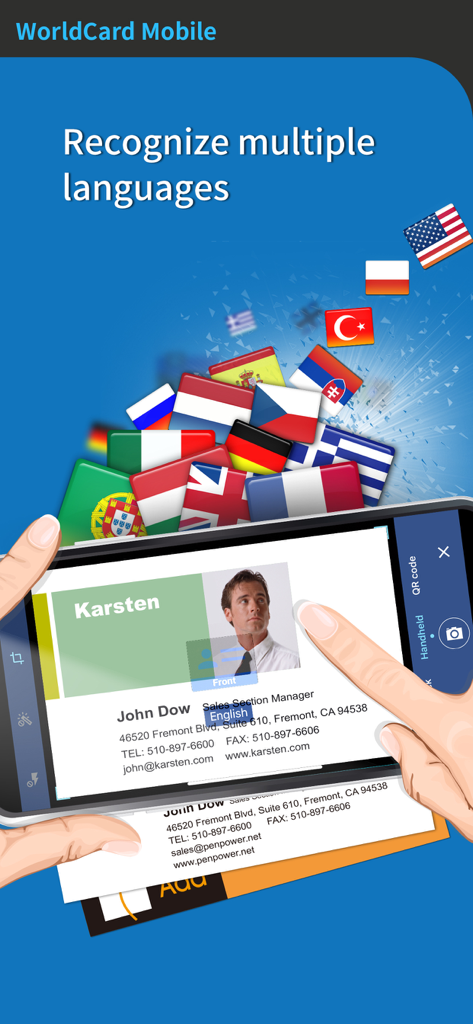
WorldCard Mobile app scanning a business card with various international flags representing its multi-language recognition capabilities
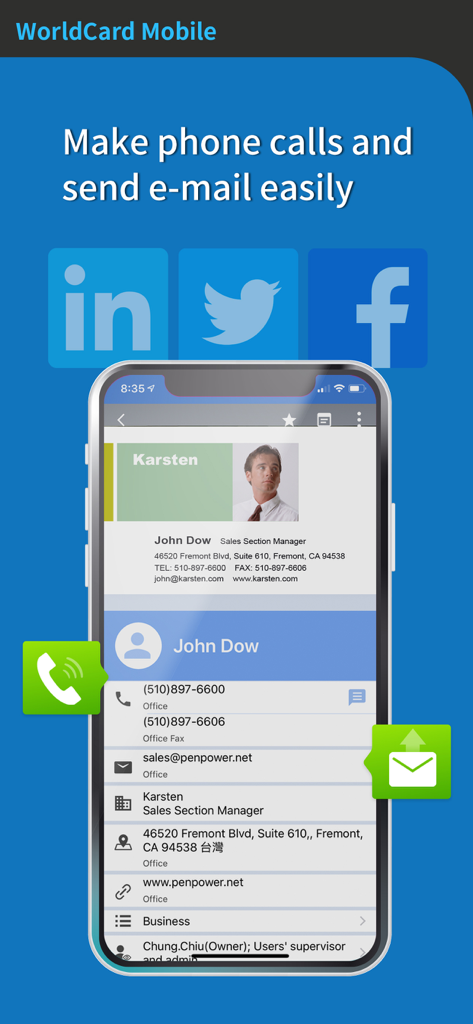
Contact profile screen in WorldCard Mobile app featuring direct call and email options
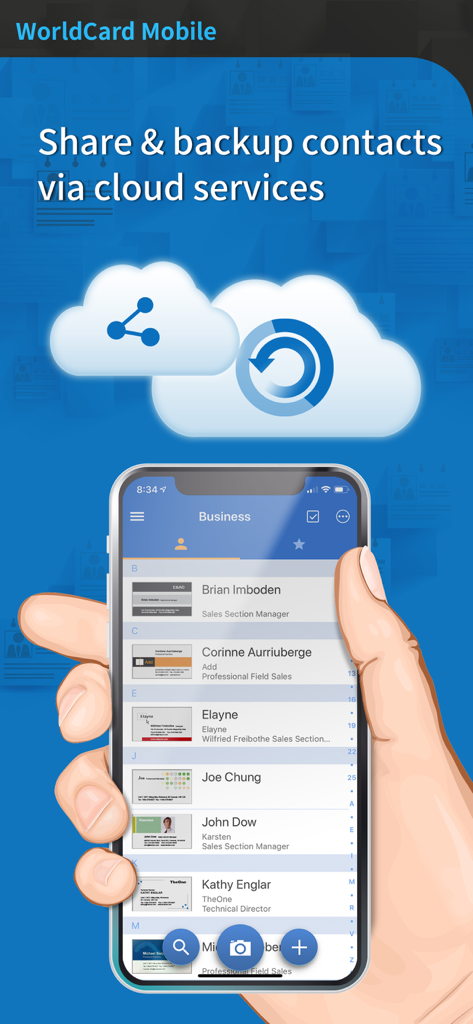
A hand holding a smartphone displaying the WorldCard Mobile contact list with cloud sharing and backup icons above it
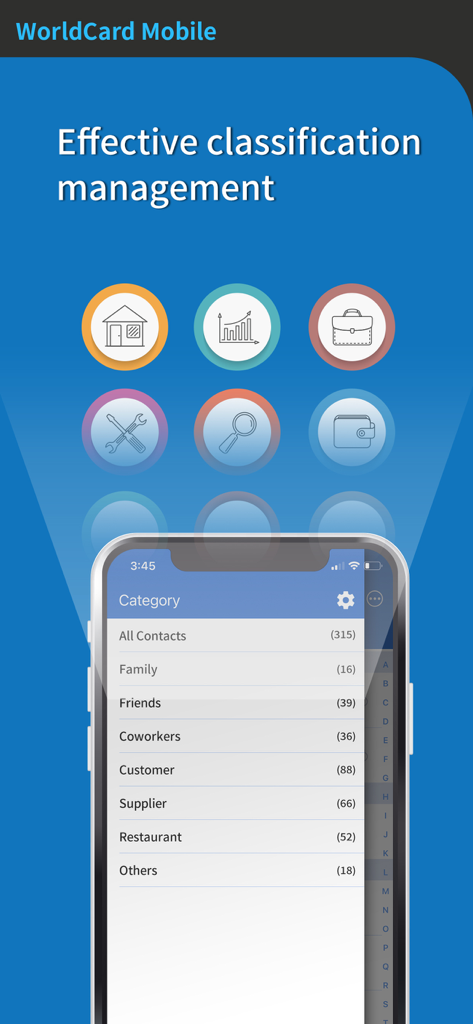
WorldCard Mobile interface showing contact organization by categories like customers and coworkers
Optimize Your Professional Network
The tools that make this app stand out, trusted by 239K+ users.
⚡
Instant Precision Scanning
Convert business cards to digital contacts in seconds with award-winning OCR supporting 26 global languages.
🔗
Complete Ecosystem Integration
Seamlessly export data to LinkedIn, Salesforce, or iCloud to keep your professional database synchronized everywhere.
📍
Advanced Contact Intelligence
Use 'Nearby Contacts' to visualize your network geographically and manage leads with professional-grade organizational tools.
Review Analysis
Insights from user reviews.
Sentiment Score
21%
Negative
Summary
User reviews for this mobile app are largely negative, reflecting a significant decline in quality over time. While some users previously lauded its OCR accuracy and user-friendly interface, recent updates and issues, particularly with iOS 11 compatibility, have led to widespread problems such as data loss, broken features like contact saving, and unreliable synchronization with platforms like Gmail and Outlook. Many long-time users express disappointment, stating the app that "used to be great" has become unusable or a "disaster," with concerns also raised about unresponsive developer support and unjustified access requests for personal data.
Common Themes
App Reliability(6)
OCR Accuracy(5)
Contact Syncing(3)
User Interface(3)
Developer Updates and Maintenance(3)
iOS Compatibility(1)
About the app
Everything you need to know about WorldCard Mobile.
Description
Wall Street Journal recommends it to all professionals. Grab it, manage your contacts.
◆ Awards and Laurels ◆
- Named Best Mobile App OCR by 2010 MOBI Awards
- Winner of the CTIA 2010 E-Tech Award for Mobile Applications - Pro-sumer/Business Productivity
- Secured a spot among the Top 10 apps in the Business category in 194 countries
- Ranked #1 Business app in US App Store
- Ranked #1 Business Card Scanning application in Macworld.com
- The preferred business card management tool of mobile phone developers like HTC, telecommunications companies such as CHT/Taiwan Mobile and CRM developers like JustSystems
- Over 20 million users worldwide
◆ Testimonials ◆
- “For scanning business cards onto your iPhone, WorldCard Mobile stands out.” – Macworld
- “I’ve always been skeptical about contact capturing technologies…but I’m an overnight convert - [WorldCard Mobile] changed my outlook (pun intended).” - Bill French, iPhone CTO
- “WorldCard Mobile accurately read and sorted fax and mobile numbers, even when the cards labels used short-hand.” - Bob Tedeschi, New York Times
◆ App Description ◆
WorldCard Mobile, the leading business card scanning application for iPhone, uses OCR (Optical Character Recognition) technology to instantly transfer information from business cards to users' native contacts. With a simple click of the camera, you no longer have to manually input contact info from business cards or email signatures.
◆ Why WorldCard Mobile? ◆
- Capture business cards anytime & anywhere.
- Capture business card images with the iPhone’s camera.
- Recognition of 26 languages: English, French, German, Italian, Spanish, Portuguese, Dutch, Czech, Greek, Hungarian, Polish, Portuguese (Brazil), Russian, Slovak, Spanish (Mexico), Turkish, Finland, Sweden, Denmark, Norway and Arabic, Traditional Chinese, Simplified Chinese,Japanese, Korean.
- Sort recognized information by name, position, company, phone number, fax number, address or other fields.
◆ Manage contacts easily ◆
- View and manage contact info with Card holder function. Make a phone call, send SMS and email to your contacts directly.
- Provide nearby contacts function help you visit contacts easily
- Select partially and recognize the specific area that contains the correct data.
- Find your contacts on Facebook, LinkedIn and Twitter. Expand your social and professional networks.
- Support cover flow function in landscape mode
◆ Smart functions for your business *
- Exchange contact data through Open In, Mail and iTunes File Sharing. Import/export or backup your data on Mac/Windows quickly and conveniently.
- Share or backup your contacts via cloud services (iCloud / Dropbox). Manage your contacts on all devices, such as Mac or Windows PC.
- Recognize QR code to get more information easily.
- Copy email signatures and add them to your contact lists.
Latest Version
7.5.4
Size
64.0 MB
First Released
Nov 3, 2009
Stop Typing. Start Networking.
Join 20 million high-performing professionals using the industry's gold standard for business card management. Capture leads in seconds and sync them across all your devices.
App information, icons, screenshots, and descriptions displayed on this page are sourced from the Apple App Store and are the property of their respective developers. Download estimates and rankings are based on MWM's proprietary models and may not reflect actual figures. This page is provided for informational and analytical purposes only.
Believe this page infringes your intellectual property? File a dispute