wPad - Track your Walks

wPad - Track your Walks

Logo of wPad - Track your Walks

wPad: The Ultimate Companion for Your Walking Pad

Transform your WFH routine with real-time metrics, Apple Watch integration, and seamless Health sync—all while keeping your data private with no accounts required.

Publisher

Ahmet Sina Ustem

Category

Health & Fitness

Downloads

100+

User Rating

1.0/5

Total Ratings

0

Locales

13

Precision in Motion

Discover the interface used by 100+ users.
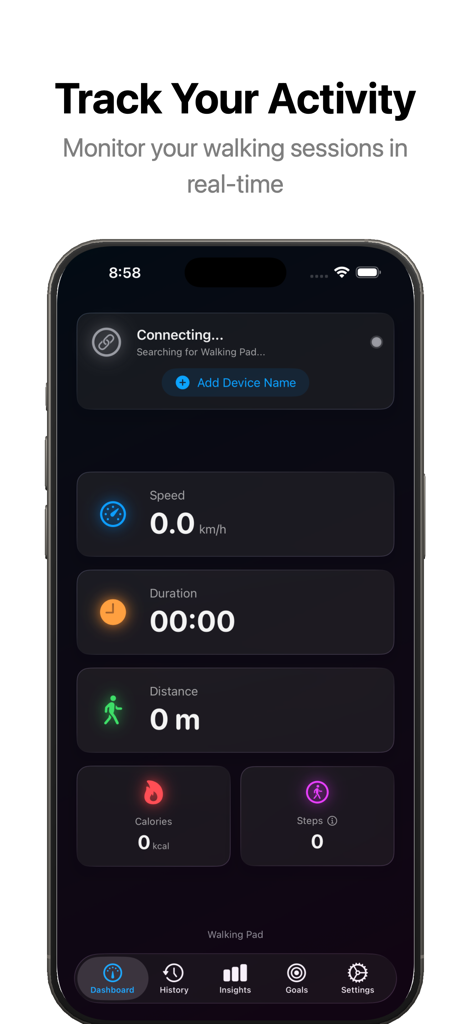
iPhone screenshot of the wPad app dashboard displaying real-time walking session metrics including speed duration distance calories and steps

iPhone screenshot of the wPad app dashboard displaying real-time walking session metrics including speed duration distance calories and steps

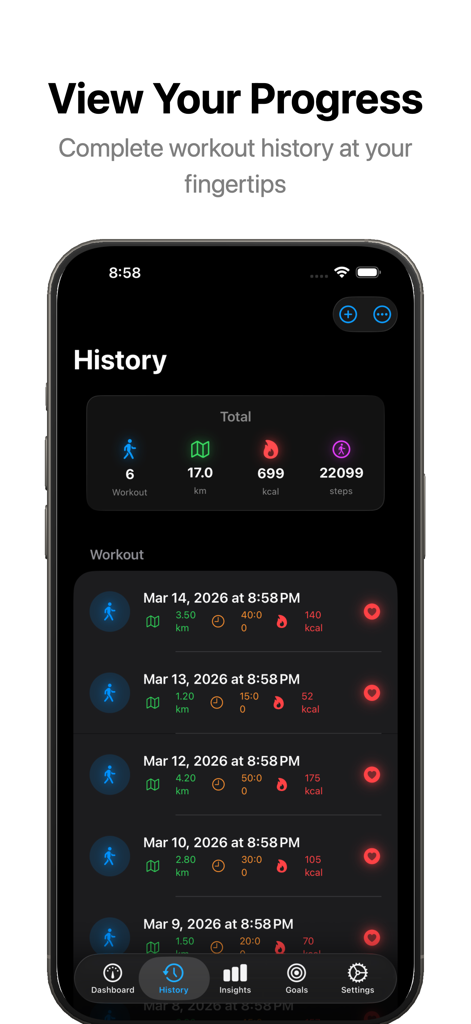
A screenshot of the wPad app history screen showing a list of past walking workouts with steps and calories tracked.

A screenshot of the wPad app history screen showing a list of past walking workouts with steps and calories tracked.

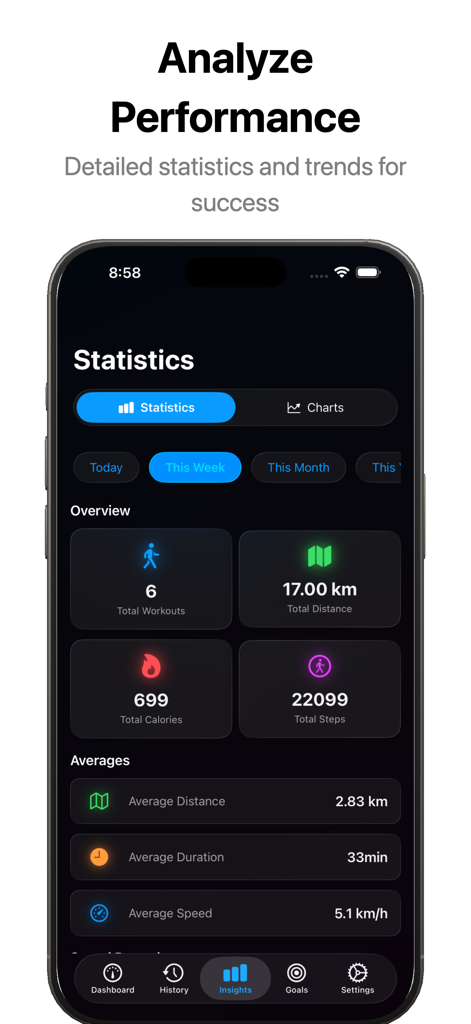
A dashboard in the wPad app showing weekly walking workout statistics including total distance, calories, and average speed.

A dashboard in the wPad app showing weekly walking workout statistics including total distance, calories, and average speed.

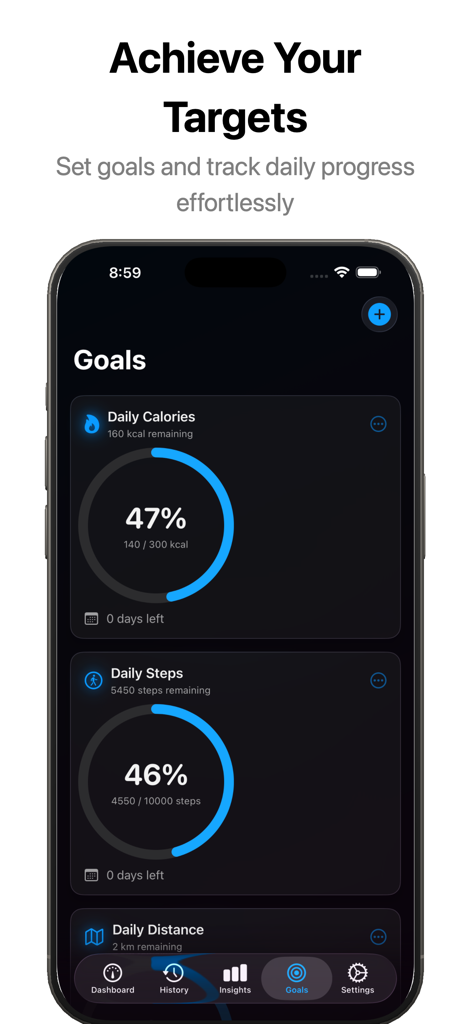
wPad app goals screen showing daily steps and calories progress rings on iPhone

wPad app goals screen showing daily steps and calories progress rings on iPhone

Maximize Every Step While You Work

The tools that make this app stand out, trusted by 100+ users.

Live Activity & Dynamic Island

Keep your stats front and center. Monitor your speed and calories at a glance while attending Zoom calls or checking emails.

Deep Apple Integration

A standalone Apple Watch app and instant Apple Health sync ensure every step counts toward closing your rings.

🛡️

Privacy-First tracking

No accounts, no cloud, and no data harvesting. Your fitness data stays exactly where it belongs—securely on your own device.

About the app

Everything you need to know about wPad - Track your Walks.

Description

wPad transforms your iPhone and Apple Watch into the ultimate walking pad companion. Connect to your walking pad via Bluetooth and track every step, calorie, and kilometer in real-time. REAL-TIME WORKOUT TRACKING + Connect to WalkingPad, TVDUGIM, and other Bluetooth walking pads + Live speed, distance, calories, steps, and duration tracking + Automatic session detection - starts when you walk, pauses when you stop + Beautiful Live Activity with Dynamic Island support APPLE WATCH APP + Full standalone Watch app for wrist-based tracking + See all your metrics at a glance while walking + Watch complications for quick access to daily stats + Works independently or synced with iPhone COMPREHENSIVE ANALYTICS + Detailed workout history with complete metrics + Charts and insights for speed, distance, calories, and steps + Daily, weekly, monthly, and yearly statistics + Track averages, totals, and personal records SMART GOALS + Set daily or weekly targets for steps, distance, calories, or duration + Visual progress tracking with completion percentages + Optional notifications when you reach your goals APPLE HEALTH INTEGRATION + Automatically sync workouts to Apple Health + Import existing walking workouts from Health + Your fitness data, unified in one place FLEXIBLE DATA SOURCES + Built-in Bluetooth support for popular walking pads + Add custom device names for any BLE walking pad + URL scheme integration for third-party apps PRIVACY FOCUSED + All data stored locally on your device + No accounts required + You control what syncs to Apple Health Whether you're working from home, watching TV, or fitting in steps during breaks, wPad makes indoor walking effortless to track. Connect your walking pad and start your journey today.

Latest Version

1.2.0

Size

13.3 MB

First Released

Feb 6, 2026

Level Up Your WFH Fitness Today

Join the community of remote professionals turning meetings into miles. Connect your walking pad to your Apple Watch for seamless, private tracking with no account required.

App information, icons, screenshots, and descriptions displayed on this page are sourced from the Apple App Store and are the property of their respective developers. Download estimates and rankings are based on MWM's proprietary models and may not reflect actual figures. This page is provided for informational and analytical purposes only.

Believe this page infringes your intellectual property? File a dispute