
Xplora


Stay connected with real-time GPS tracking, manage digital boundaries, and inspire healthy habits through gamified fitness. The perfect 'first phone' experience for modern parents and active kids.
Publisher
Category
LifestyleDownloads
294K+User Rating
Total Ratings
14K+Locales
20Discover the interface used by 294K+ users.
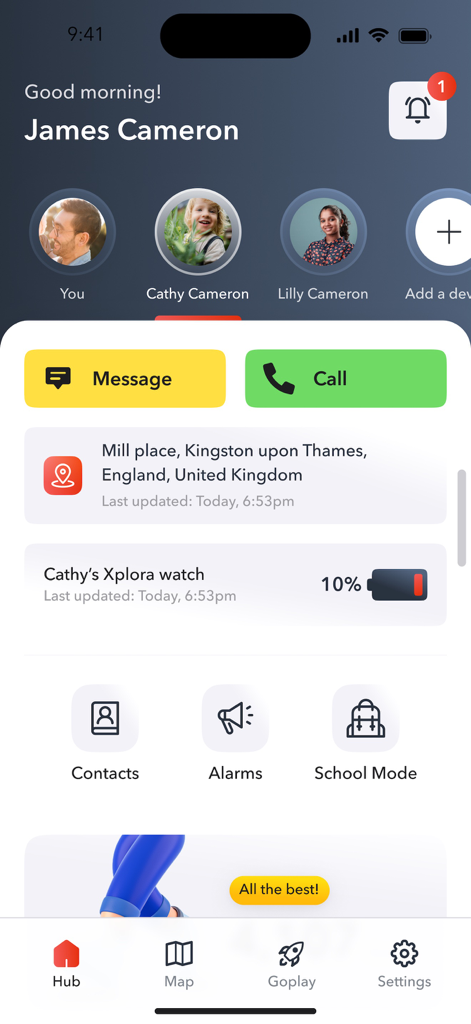
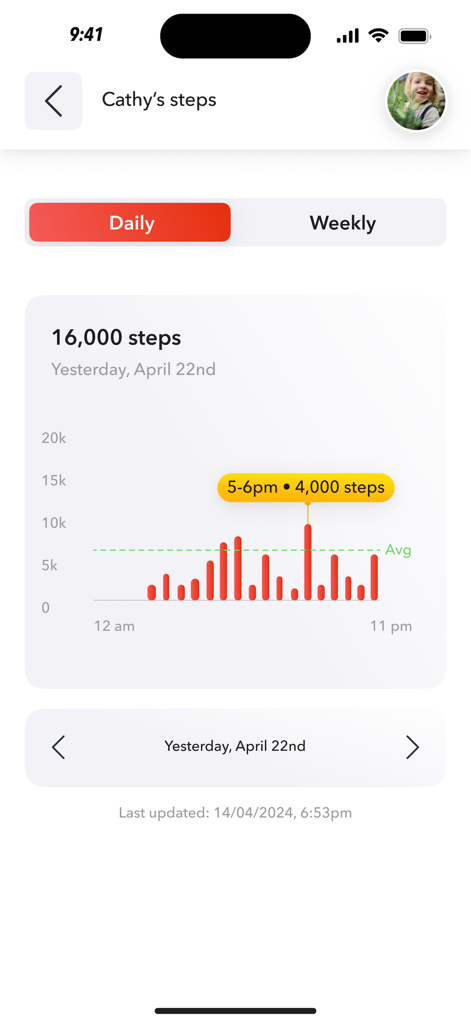
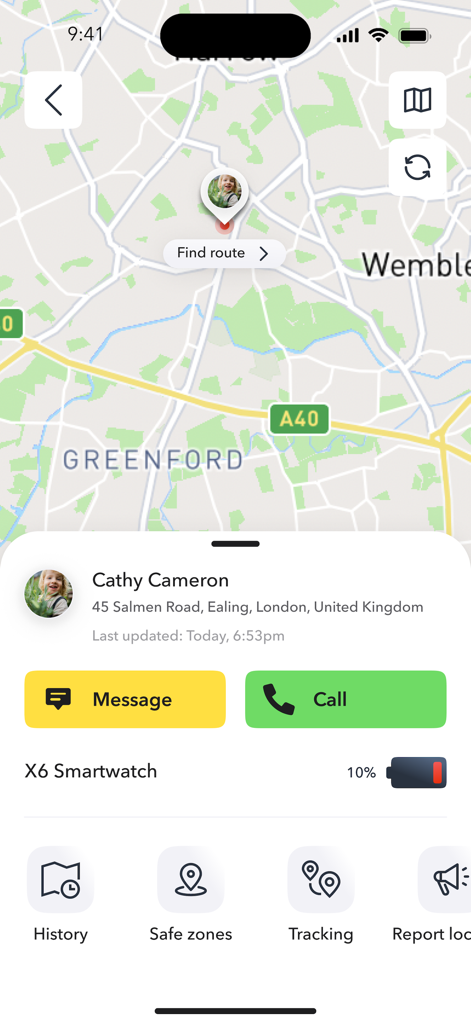
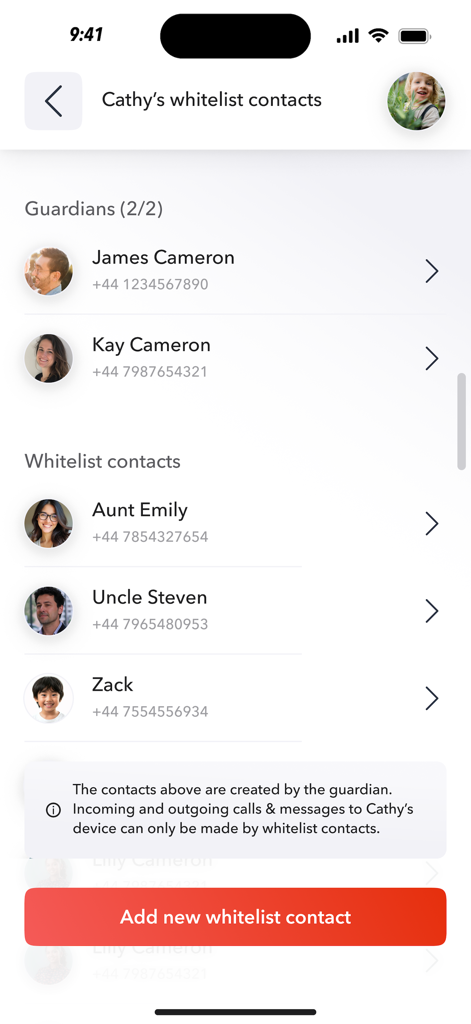
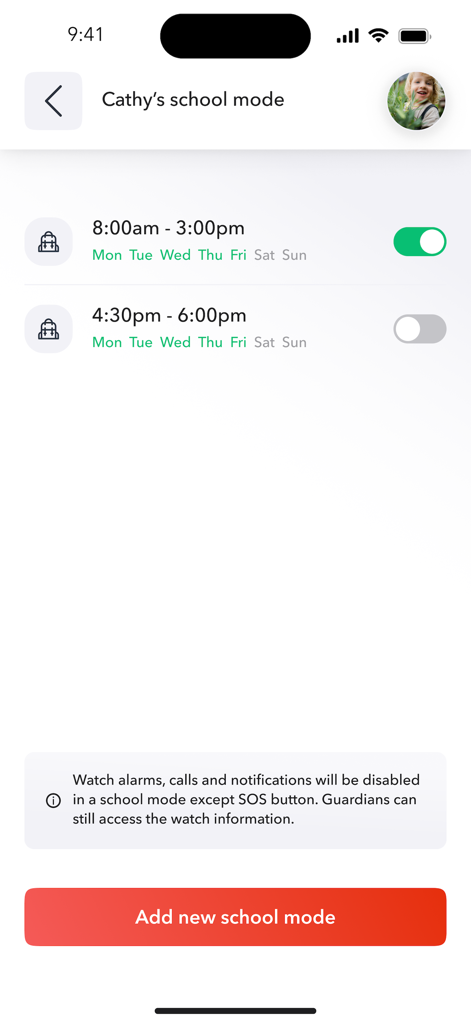
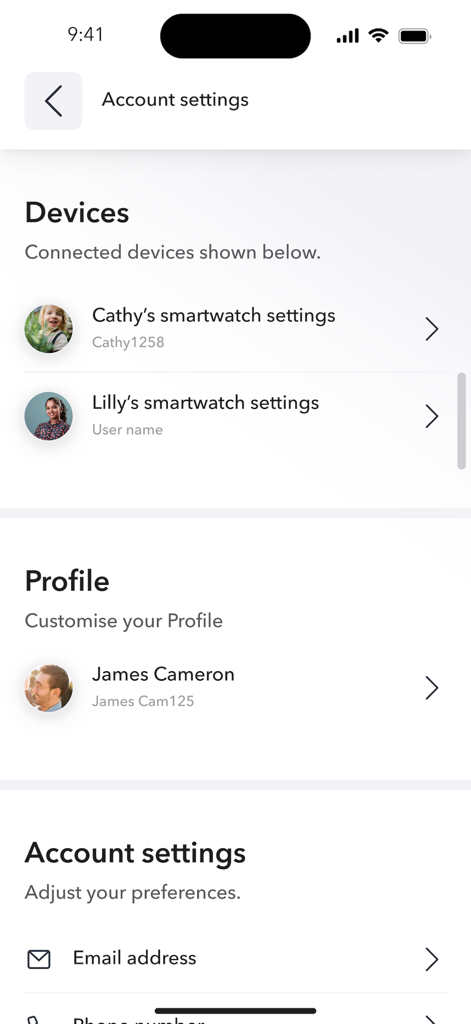
The tools that make this app stand out, trusted by 294K+ users.
Track your child’s location in real-time and receive instant notifications when they arrive at school or return home safely.
Turn every step into a game with Goplay. Your child earns digital coins for physical activity, encouraging healthy habits without the social media trap.
Ensure focus during learning hours by remotely disabling non-essential features, transforming their device into a simple, helpful timepiece.
Insights from user reviews.
Sentiment Score
Summary
The app receives overwhelmingly negative feedback, primarily due to persistent and critical issues with location tracking, which users frequently report as inaccurate, slow, or completely non-functional, especially following recent software updates. Many reviews highlight significant app instability, including slowness, crashes, freezing, and constant login and connectivity problems. While some users appreciate the watch's concept and its appeal to children, these positive aspects are largely overshadowed by unreliable messaging, inaccurate battery displays, and a consistently unhelpful or non-existent customer support system, severely undermining the app's core functionality.
Common Themes
Everything you need to know about Xplora.
Description
Latest Version
1.0.27
Size
112.4 MB
First Released
May 19, 2025
Join thousands of parents bridging the gap between independence and safety. Download the official Xplora app to manage GPS tracking, activity goals, and school mode today.
Everything you need to know about Xplora
The Xplora app is an official companion application for Xplora watches and phones, providing GPS tracking and parental control features. It helps families stay connected and manage device usage for children and teens.
Yes, the Xplora app provides location overview via GPS tracking for Xplora devices. Caregivers can monitor the real-time movement of their children and teens on a map interface.
Yes, parents can manage contacts for Xplora devices directly through the app. The app enables parent-managed contact lists for calls and messaging, ensuring communication is controlled.
Xplora's School Mode minimizes device distractions during learning hours. It disables watch alarms, calls, and notifications, except for the SOS button, while guardians retain access to watch information.
Yes, the Xplora app includes customizable Safe Zones. It provides entry and exit notifications to caregivers when the Xplora device wearer moves into or out of these predefined geographical areas.
Xplora Goplay Activity Service is an integrated platform promoting physical activity. Users earn digital coins for reaching step goals, access optional challenges, and explore age-appropriate mini-games and content.
Yes, the Xplora app allows users to pair and monitor multiple Xplora devices from a single account. This provides comprehensive and centralized management for all family members' devices.
Yes, the Xplora app displays the battery status of connected Xplora devices. It also sends important SOS button and battery status alerts directly to caregivers for immediate awareness.
Yes, the Xplora app offers options to limit internet or social media access on supported Xplora device models. These tools are designed to align with family digital wellbeing goals.
Apps with similar features and user experience

Zhenshi

晨铭 李

UU Momentum Network Technology Co., Ltd.

Chongqing Daimaxiaoying Technology Co., Ltd

Aleksandr Kutsenko

busra gokturk

UAB MR Digital Group

Alfred Systems Inc.
Muljibhai Vaishnav
App information, icons, screenshots, and descriptions displayed on this page are sourced from the Apple App Store and are the property of their respective developers. Download estimates and rankings are based on MWM's proprietary models and may not reflect actual figures. This page is provided for informational and analytical purposes only.
Believe this page infringes your intellectual property? File a dispute